anyr opencode
Route OpenCode through AnyRouter with one CLI command, or a custom provider in opencode.json.
Route OpenCode through AnyRouter for one key, unified billing and request logs across every model.
Setup
curl -fsSL https://anyrouter.dev/cli.sh | bash
anyr opencode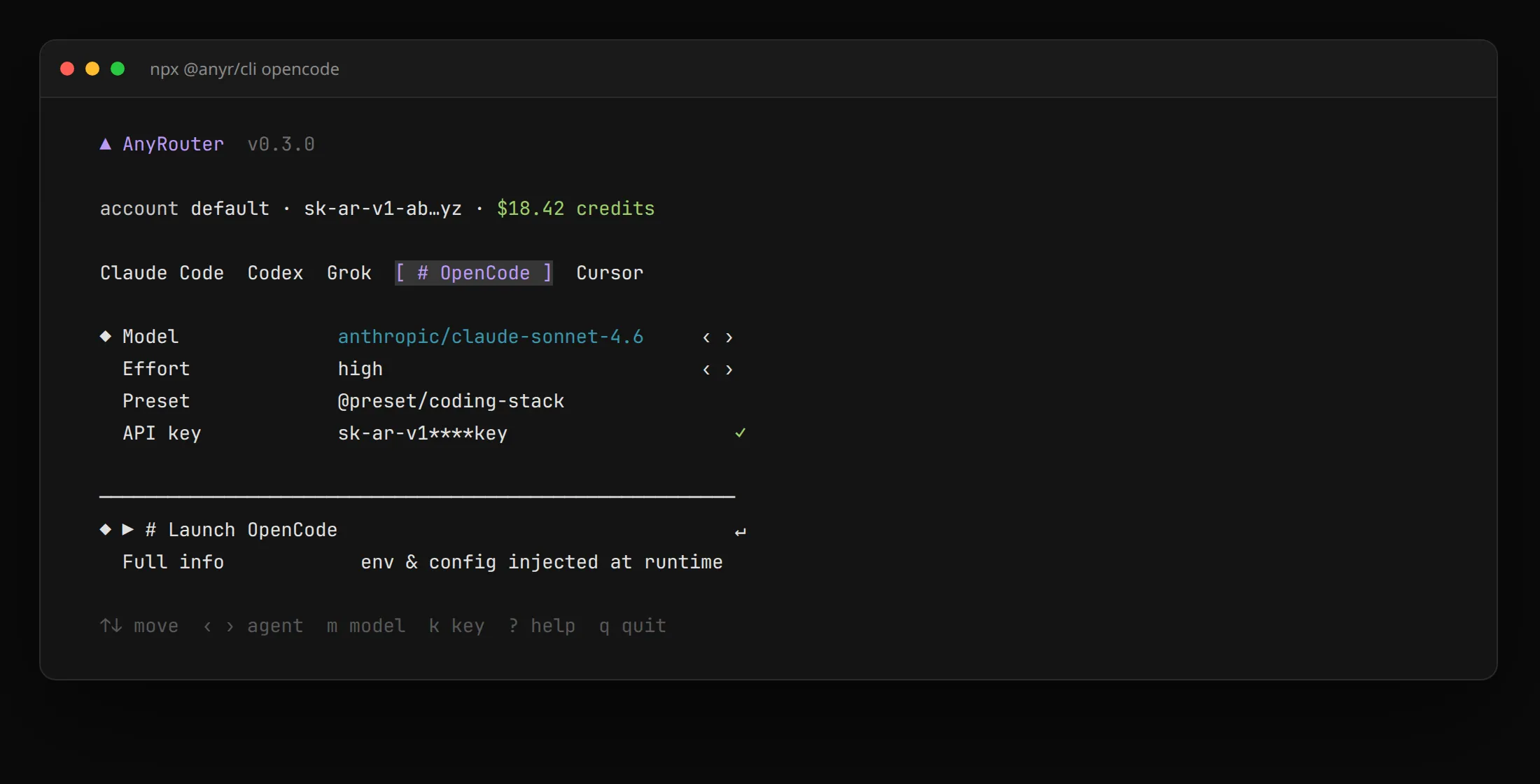
The first run signs you in (browser, or device code on SSH/headless; --key, --paste and --device force a path, see Login). The key is saved to ~/.anyrouter/config.yaml and shared with the other launchers.
anyr opencode --model "anthropic/claude-sonnet-4-6"   # pin a model
anyr opencode --model auto -- --help                  # flags after -- go to OpenCode
anyr opencode --dry-run                               # print resolved environment, run nothing
The launcher does not write OpenCode's config files. It injects an OPENCODE_CONFIG_CONTENT provider for that process only, so your global opencode.json is unchanged. See the configuration reference for all flags.
-
Create a key (prefix
sk-ar-) in your dashboard and export it (add to~/.bashrcor~/.zshrcto persist):export ANYROUTER_API_KEY="sk-ar-your-anyrouter-key" -
Add the provider to
~/.config/opencode/opencode.json(global) or./opencode.json:{ "$schema": "https://opencode.ai/config.json", "provider": { "anyrouter": { "npm": "@ai-sdk/openai-compatible", "name": "AnyRouter", "options": { "baseURL": "https://anyrouter.dev/api/v1", "apiKey": "{env:ANYROUTER_API_KEY}" }, "models": { "anthropic/claude-sonnet-4-6": { "name": "Claude Sonnet 4.6", "limit": { "context": 200000, "output": 65536 } }, "z-ai/glm-5.2": { "name": "GLM-5.2", "limit": { "context": 1000000, "output": 65536 } } } } }, "model": "anyrouter/anthropic/claude-sonnet-4-6" } -
Run
opencodeand use/modelsto pick an id.
baseURLmust end in/v1.apiKeyholds the environment variable name ({env:ANYROUTER_API_KEY}), not the secret.modelskeys are exact AnyRouter ids (see the Chat Completions catalog);modelisanyrouter/<id>.- If you set
limit, give bothcontextandoutput, or omitlimit.
{env:ANYROUTER_API_KEY} resolves only if the variable is in the process that launches OpenCode. Desktop launchers that skip your shell rc see an empty key; export it there, or run opencode from a terminal.
MCP tools
anyr opencode connects the AnyRouter MCP gateway with the session's key when Auto-connect in coding agents is on in the dashboard. Turn it off with --no-mcp, anyr mcp auto off, or in the dashboard.
Verify
Run a prompt in OpenCode; the call appears in your request logs within a second or two with model, tokens and cost. anyr opencode --dry-run prints the resolved command and inline provider config (the key is never embedded, only {env:OPENAI_API_KEY}).
Troubleshooting
| Symptom | Fix |
|---|---|
| 401 or auth errors | Persistent config: echo $ANYROUTER_API_KEY must print a live sk-ar- key. CLI: anyr config get, or re-run anyr setup. |
Config invalid / missing limit.output | OpenCode 1.18+ needs both limit.context and limit.output. Add "output": 65536 or drop limit. The CLI writes both. |
| Model not found | The models key must be an exact id (anthropic/claude-sonnet-4-6, not claude-sonnet-4-6); the default model is anyrouter/<id>. |
| Requests still hit OpenCode Zen or another provider | A global opencode.json pointing at Zen, or a /connect credential, can win when you launch opencode yourself. Check ~/.config/opencode/opencode.json; AnyRouter models are namespaced anyrouter/…. |
AnyRouter routes requests to third-party models. Models and outputs are provided as is, with no warranty; you use them at your own risk. Disclaimer