What DeepSeek Harness is
DeepSeek Harness (dsh) is an open-source agent harness from DeepSeek, released under the MIT license. Its product page describes it as a tool for everyday tasks, coding, or building your own harness. Every part of it is a plugin, and you can ask the agent to write new plugins.
It runs as a desktop app on macOS (Apple silicon) and Windows (64-bit). You can also start the Web UI with npx @deepseek-ai/dsh web. Harness is a preview. DeepSeek says its core plugins and APIs still change, and the README warns of compatibility-breaking changes.
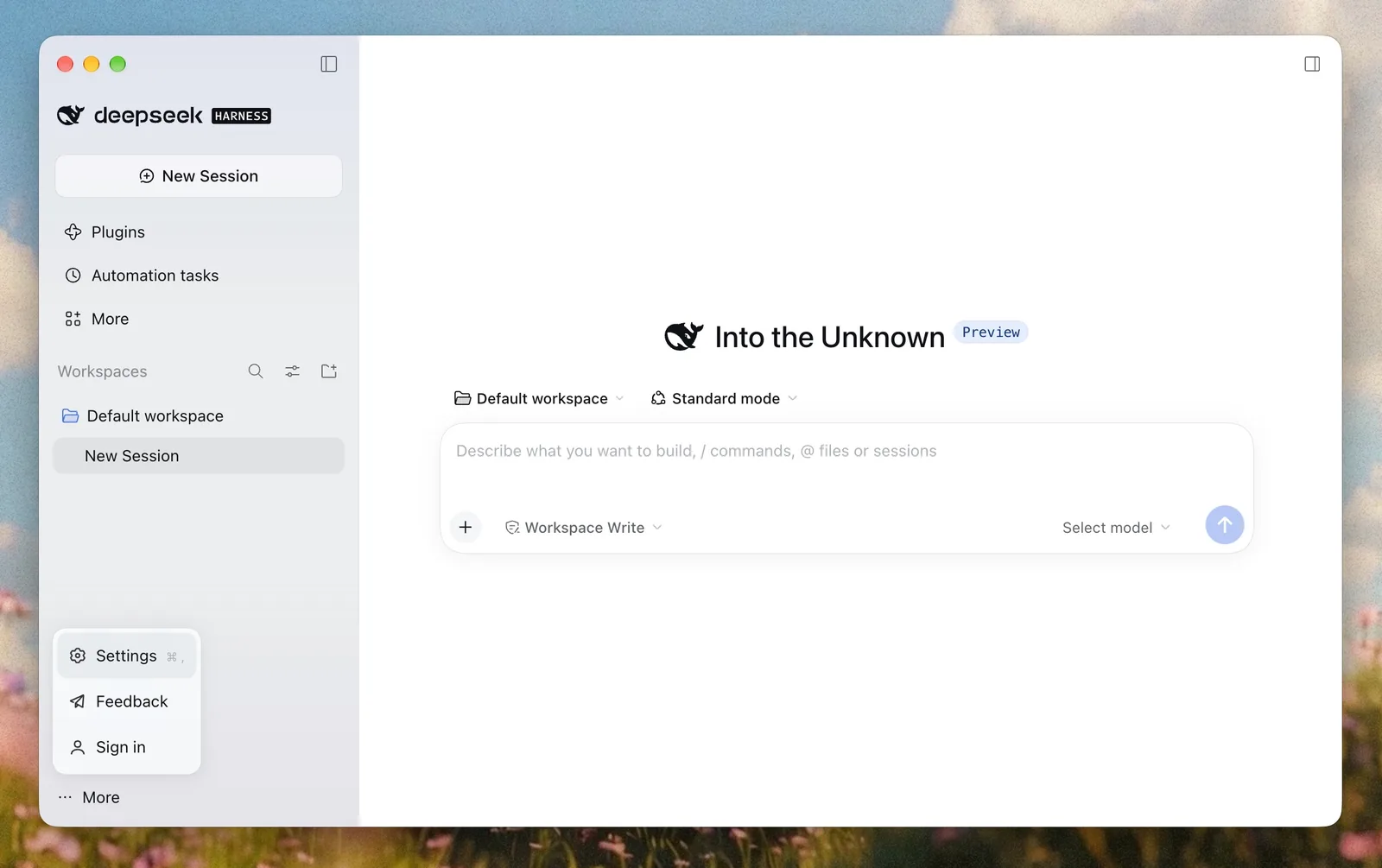
The app shows workspaces, sessions, plugins, automation tasks and agent presets. You pick the model for a session from the Select model dropdown in the composer.
Add AnyRouter as a custom model API
Harness lists built-in providers under Third-party model provider. Any other endpoint goes under Custom model API, which accepts OpenAI-compatible and Anthropic-compatible endpoints. AnyRouter is one of those.
- Create an AnyRouter API key at anyrouter.dev/keys. It starts with
sk-ar-. - In Harness, open Settings, then Models, choose Add model provider, and switch to the Custom model API tab.
- Set Provider ID to
anyrouter. Harness uses this id in requests, saved sessions and the credential name, so you cannot rename it later. - Set Base URL to
https://anyrouter.dev/api/v1and API protocol to OpenAI Chat Completions. - Paste your
sk-ar-key into API key. - Choose Fetch available models, tick the
anyrouter/*models you want, and save.
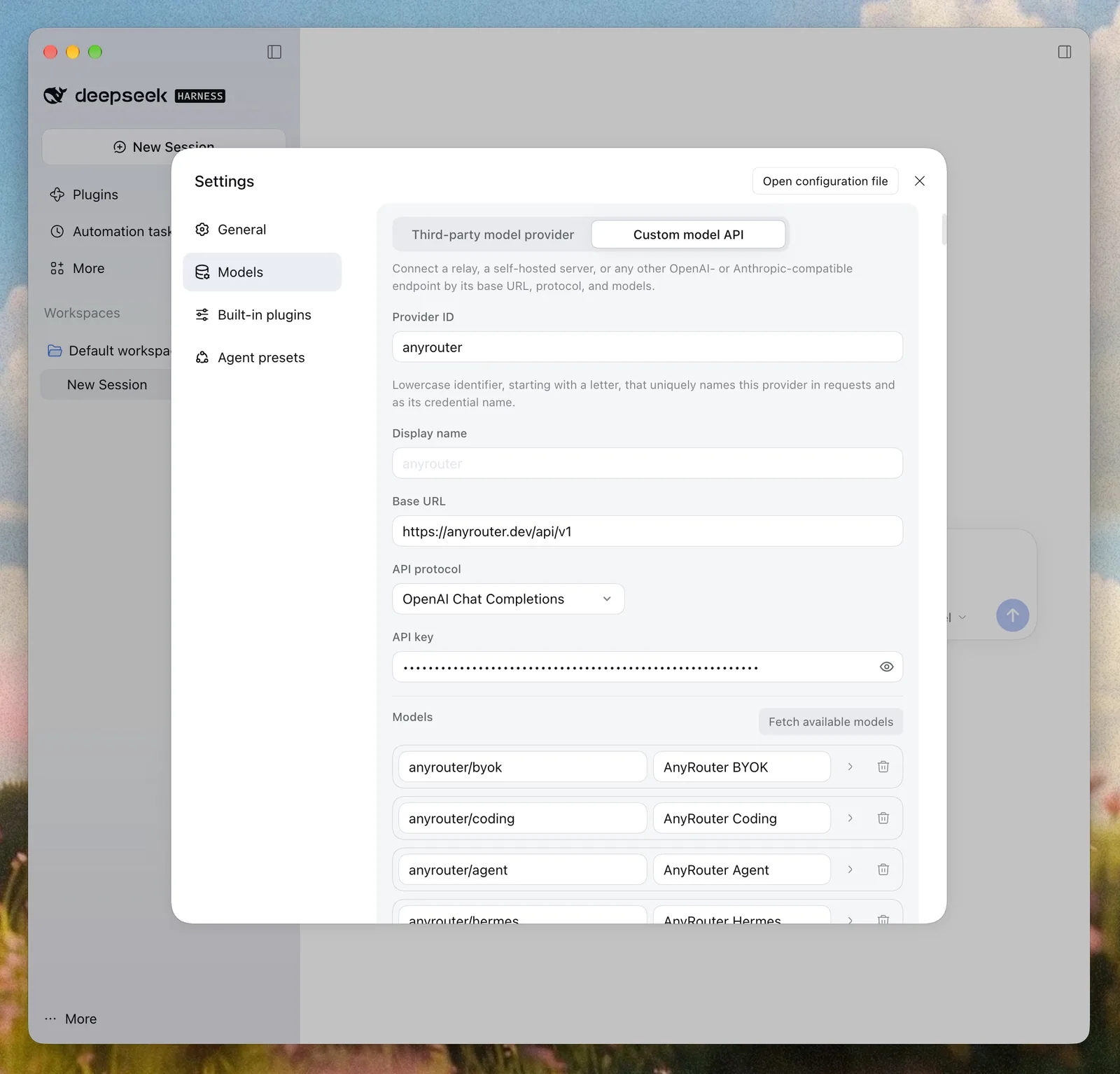
Harness says discovery is a convenience, not a guarantee. If Fetch available models lists nothing, type the model ids by hand. They work the same way.
Harness stores the key in $DSH_HOME/.credentials.yaml and writes the rest to the profile's cordis.patch.yml. Choose Open configuration file in the Settings header to edit it directly. This entry is the same provider, reading the key from the ANYROUTER_API_KEY environment variable:
- id: llm-pi-ai
  config:
    providers:
      anyrouter:
        apiKeyEnv: ANYROUTER_API_KEY
        api: openai-completions
        baseURL: https://anyrouter.dev/api/v1
        models:
          - id: anyrouter/coding
          - id: anyrouter/agent
          - id: anyrouter/hermes
          - id: anyrouter/auto
Harness replaces the whole entry config when it applies an override. Keep your other providers in the block when you edit it.
Anthropic Messages works too
The API protocol picker offers OpenAI Chat Completions, OpenAI Responses and Anthropic Messages. One Harness provider speaks one protocol. If you want Anthropic Messages, add a second provider, for example anyrouter-messages, with protocol Anthropic Messages and Base URL https://anyrouter.dev/api.
Leave /v1 off that base URL. Anthropic clients add /v1/messages themselves, and AnyRouter serves Messages at https://anyrouter.dev/api/v1/messages. The same sk-ar- key works on both protocols. Chat Completions is the simpler default, so start there.
Which anyrouter/* model to pick
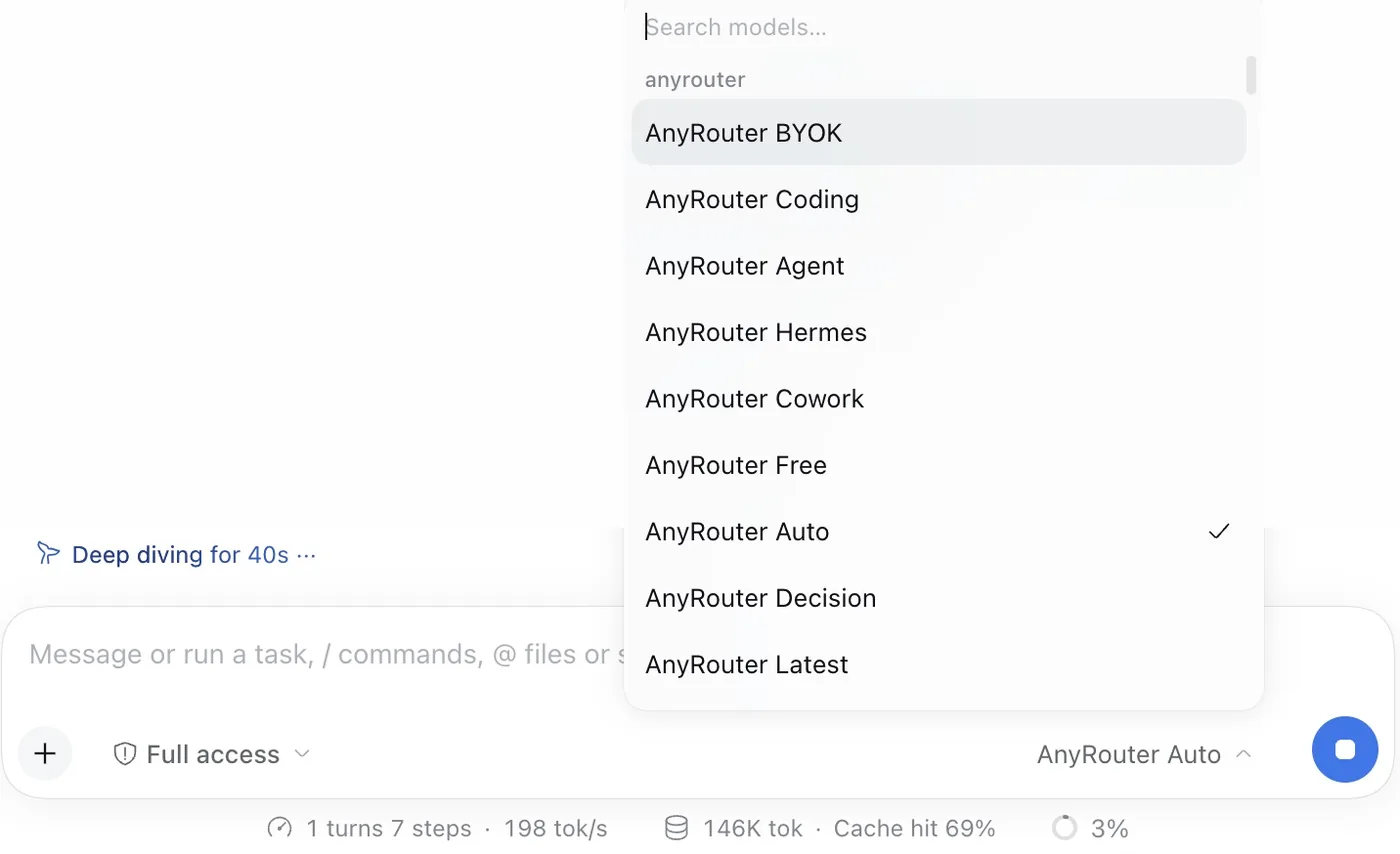
In this setup, Fetch available models pulled in every AnyRouter router model. anyrouter/byok, anyrouter/coding and anyrouter/agent appear only once your account has a provider key at anyrouter.dev/byok. Each one is a routing rule, not a single model. AnyRouter picks a real model per request and falls back to the next one when an upstream fails.
| Model | Routes across | Billed to |
|---|---|---|
anyrouter/coding | Tool-calling models your own keys reach, best for coding first | Your provider |
anyrouter/agent | Tool-calling models your own keys reach, best model first | Your provider |
anyrouter/byok | Every model your own keys reach, with no tool-calling filter | Your provider |
anyrouter/hermes | Top tool-calling models, one per upstream provider | AnyRouter credits |
anyrouter/cowork | Tool-calling models for assistant work, with vision, one per provider | AnyRouter credits |
anyrouter/auto | Top used, stable models, free and paid mixed, health-aware | Each hop's rate, $0 on free hops |
anyrouter/latest | The latest stable chat model that is serving traffic | Each hop's rate |
anyrouter/free | Models AnyRouter serves at $0 | Nothing |
For coding sessions, pick anyrouter/coding if you have your own provider keys, and anyrouter/hermes if you do not. A Harness agent calls tools on almost every step, and both of these only route to models that accept tools.
anyrouter/auto is a good general default. When a request carries tools, as Harness agent steps do, AnyRouter routes it only to models that accept tools. Pick anyrouter/coding or anyrouter/hermes when you want the ranking tuned for coding or tool calling.
Skip anyrouter/decision. It is for the Decisions API (/api/v1/decisions), which returns typed yes or no, choice and score answers. It is not a chat model for an agent loop.
Footer numbers are per session. In the session above, Harness reported 1 turn, 7 steps, 198 tok/s, 146K tokens and a 69% cache hit. That is one session, not a benchmark.
Run on your own keys with BYOK
anyrouter/byok, anyrouter/coding and anyrouter/agent route only across your own provider keys. Your provider bills you, and AnyRouter never takes credits for these requests. Add keys once at anyrouter.dev/byok. They become available to these models right away.
With no provider keys saved, these three models are not listed and have nothing to route to. Use anyrouter/hermes or anyrouter/auto until you add a key.
Add your provider keys once and use them from Harness.
Add a keyGet a key and pick a plan
Sign up at anyrouter.dev and create a key at anyrouter.dev/keys. The Free plan gives you a 5-request trial on free and decision models, paid models with purchased credit, and your own BYOK keys as normal. The Go plan is $2 a month, or free when you donate one valid, unique provider key that the shared pool can use. It opens every model and adds $4 of credit each month.
Every request Harness sends shows up in your AnyRouter request logs.
Step-by-step setup with the same screenshots.
Open the use caseRelated posts
Run coding agents through one gateway
Point Claude Code, Codex, OpenCode, Cursor, or any OpenAI-compatible tool at AnyRouter and get one key for every model, unified billing, per-request audit logs, and app attribution. Two environment variables — or one npx command with the anyr CLI launcher.
BYOK: bring your own keys to every provider
Attach the OpenAI, Anthropic, Google, and 60+ other provider keys you already pay for, route them through one OpenAI-compatible URL at $0 markup, cap spend per key, and — if you donate idle quota to the shared pool — earn up to 8% back and unlock Go for free while a donated key stays active.
Set up a Hermes agent with AnyRouter
Run Nous Research's Hermes 3 405B as an agent in about three minutes: grab a free Hugging Face token, attach it as BYOK, mint an AnyRouter key, and point any OpenAI-compatible client at one URL. No markup, and donating idle quota earns 8% back.
Route your first request in 2 minutes
Start free with your own keys, or top up and pay per token. Get $4/mo in credits and free models on Go — $2/mo, or free when you donate a provider key.
Start free