Add your sk-ant key once. Claude models then run on your Anthropic plan and limits, billing stays on your Anthropic account, and one AnyRouter endpoint can fall back to other models.
You already pay Anthropic, and your plan has its own limits and billing. Add that key to AnyRouter and keep one endpoint and one API for every tool, with other models ready if Claude is busy or you hit a limit.
Steps, then copy
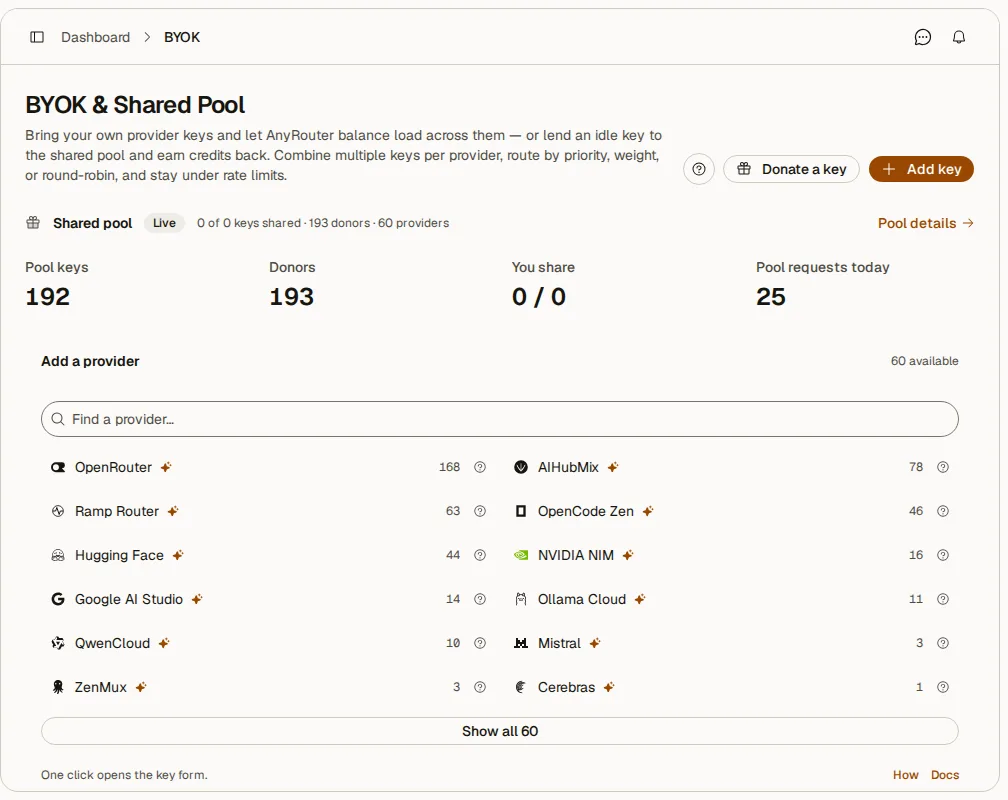
1.Open Dashboard → BYOK → Add key.
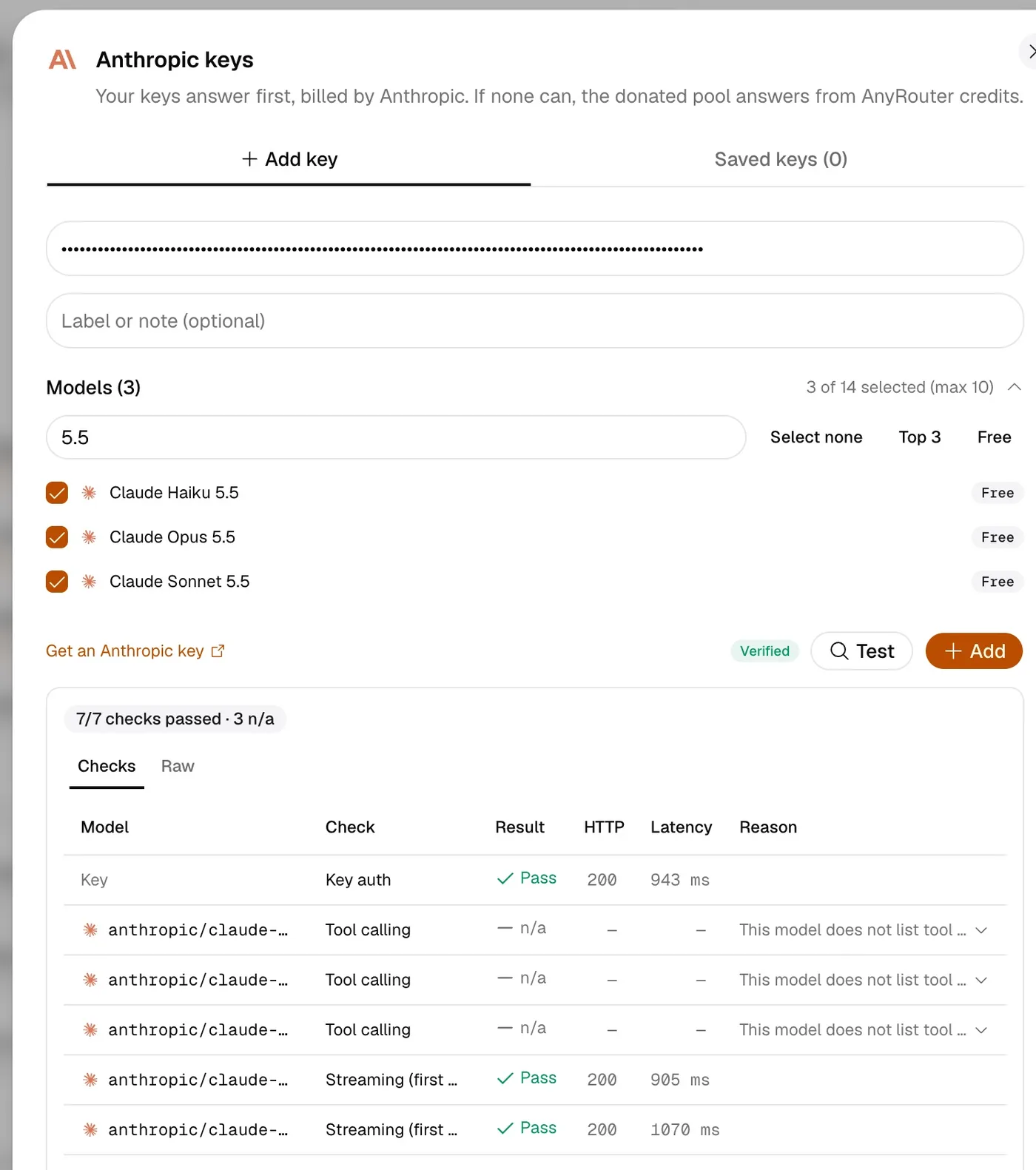
2.Pick Anthropic and paste your sk-ant-… key.
3.Press Test key. It checks the key and the models you picked.
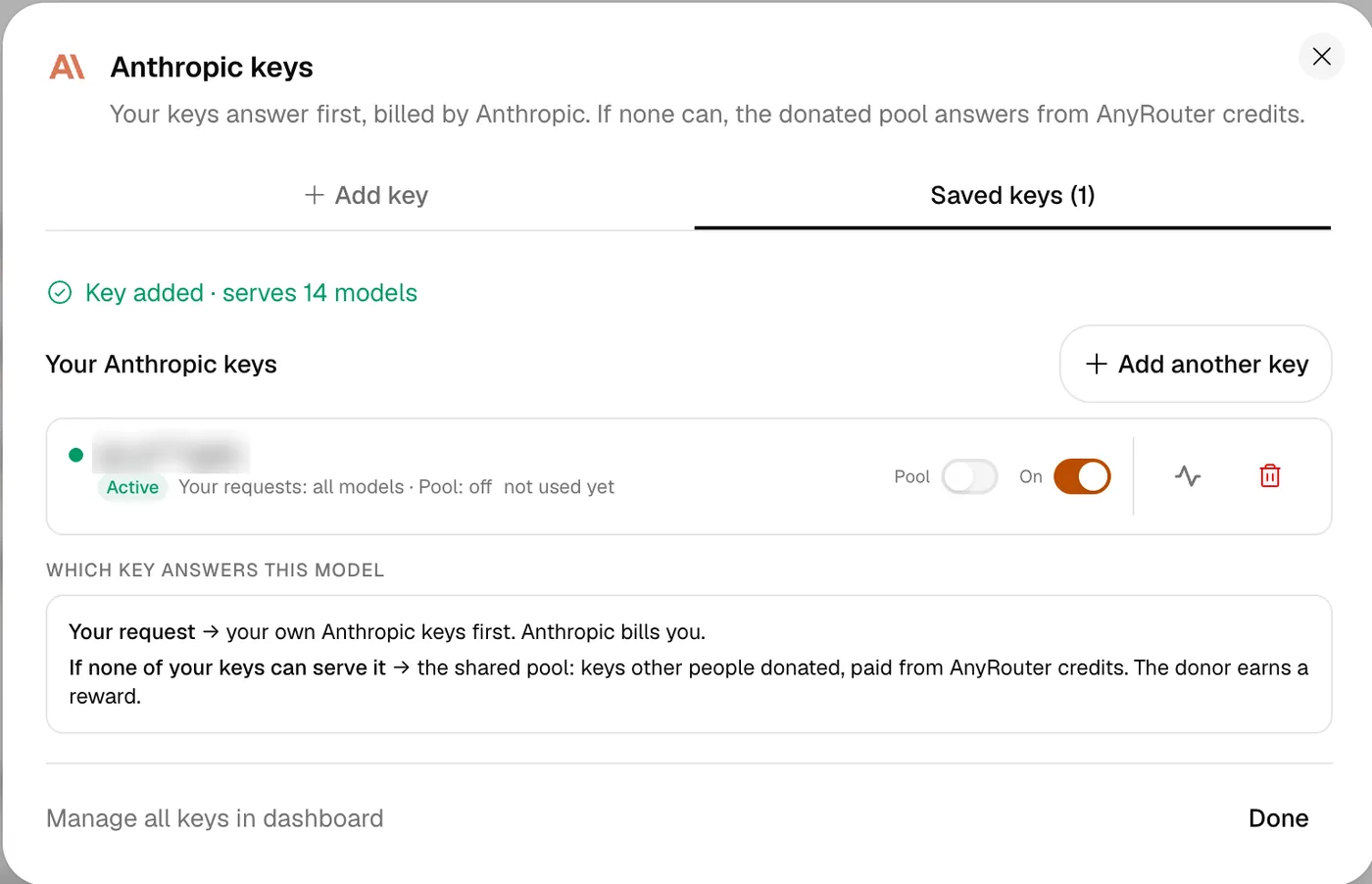
4.Save the key.
5.Call anthropic/claude-… models with your AnyRouter key, from curl or from Claude Code with anyr claude.
curl -fsSL https://anyrouter.dev/setup.sh | bash
anyr claude --model anthropic/claude-sonnet-4-6
What you will see
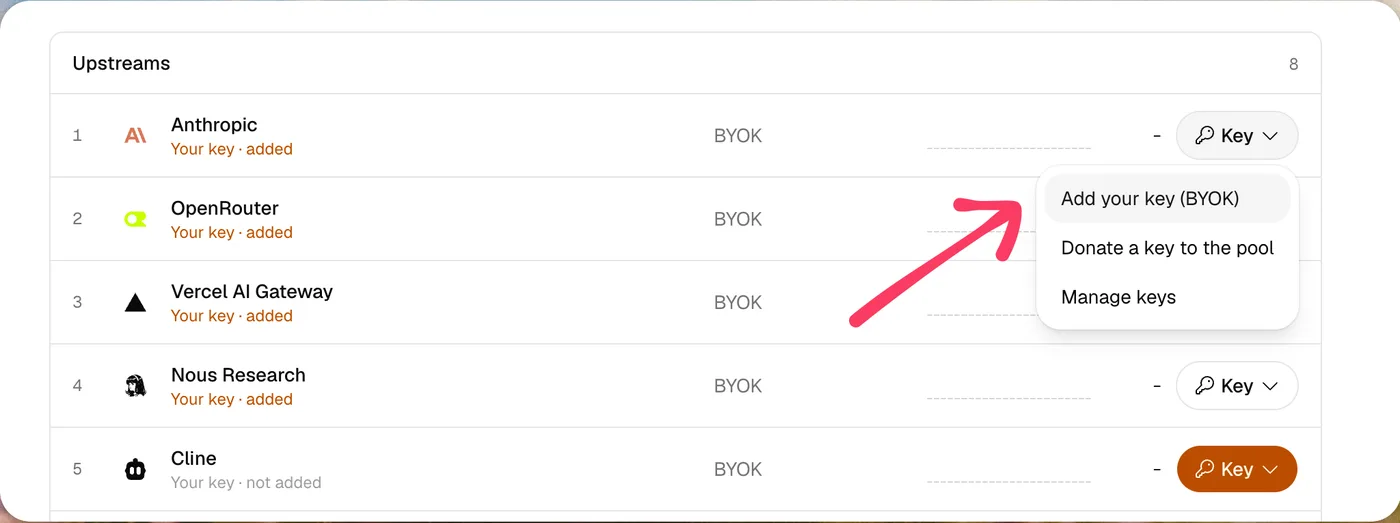
Dashboard → BYOK → Add key.You can also open the key menu on the Anthropic row and choose Add your key.Test key checks the key and each model you picked, then you press Add.The saved key is Active. Use the On switch to pause it or the trash icon to remove it.
Good to know
Your key is encrypted at rest and used only to route your own requests.
Test key makes a tiny call to Anthropic for each model you picked. Nothing is saved until you press Add key.
A key that has not passed a test is saved paused and does not route.
To turn a key off, open the Anthropic key list on the BYOK page and switch the key to Off. Traffic moves to your other keys or to AnyRouter credits.
To remove a key, open the same list and use the trash icon. The key is deleted for good.
Ready to try it
The guide has the full walkthrough. Sign up if you still need a key.