# App submissions (/docs/api-reference/app-submissions)
# App submissions
Publish a payload to an app with one request. Any valid AnyRouter API key (`sk-ar-...`) or signed-in session works. Explain is the first app: `app` is `explain`.
## Read the schema [#read-the-schema]
`GET /api/v1/apps/{app}/schema` needs no key. It returns `json_schema`, `version`, `instructions`, `example`, `limits` and `default_visibility`. Validate your payload against `json_schema` before you send it. The JSON Schema covers types and lengths only; the server also checks each app's own rules (for Explain, see [Publish an Explain figure](/guides/publish-explain-figure)).
## Check without saving [#check-without-saving]
Add `?validate_only=1` to the submit request. The server runs every check, then answers `200 {"valid": true}` and stores nothing. It does not count toward the daily limit and does not replay an `Idempotency-Key`.
## Submit [#submit]
```bash
curl https://anyrouter.dev/api/v1/apps/explain/submissions \
-H "Authorization: Bearer $ANYROUTER_API_KEY" \
-H "Idempotency-Key: my-figure-1" \
-H "Content-Type: application/json" \
-d '{"visibility":"unlisted","tags":["locks"],"payload":{...}}'
```
Body fields: `payload` (required), `title`, `visibility` (`private`, `unlisted`, `public`), `tags` (up to 8, `a-z0-9-`), `source_url` (https only). Unknown fields are rejected.
The response is `{id, url, status, visibility}` with `201`. Repeating a request with the same `Idempotency-Key` returns the original with `200`.
Visibility defaults to `unlisted` (anyone with the link, not listed). `public` is `pending_review` until approved, and again after any change back to public. `private` is visible only to you.
## Manage [#manage]
| Route | Purpose |
|-------|---------|
| `GET /api/v1/apps/{app}/submissions` | Your submissions, newest first (`limit`, `cursor`) |
| `GET /api/v1/apps/{app}/submissions/{id}` | One of yours, with its payload |
| `PATCH /api/v1/apps/{app}/submissions/{id}` | Change `visibility` or `title` |
| `DELETE /api/v1/apps/{app}/submissions/{id}` | Delete it |
Another user's id returns `404`.
## Limits and errors [#limits-and-errors]
- Body at most the app's `limits.max_bytes` (`413 payload_too_large`). An app that also takes uploaded files lists a larger `upload.max_bytes` in its schema. Explain takes a 5 MB body with up to 2 MB per uploaded file, and a JSON figure must still fit in 64 KiB (`422 invalid_payload`, code `too_large`).
- Each user may store at most 50 MB per app (`429 storage_limit_reached`).
- 20 submissions per app per day, UTC (`429 daily_limit_reached`, with `Retry-After`).
- A payload with something that looks like a credential is refused with `422 secret_detected` and the field path. Nothing is stored.
- A payload that fails the schema or the app's checks gets `422 invalid_payload`. `error.metadata.issues` lists each problem as `{path, code, message, fix}`, for example `{"path": "parts[5].on", "code": "host_missing", ...}`.
- Unknown app: `404 app_not_found`.
---
# Artifacts API (/docs/api-reference/artifacts)
# Artifacts API
Publish a page (one file or a small folder) to a stable URL, `https://anyrouter.dev/a/{id}`. Publishing again makes a new numbered version at the same URL. Artifacts are **private by default**; `visibility` is one of:
| Value | Who can open it | Listed | Search engines |
|-------|-----------------|--------|----------------|
| `private` | Only you | No | No |
| `unlisted` | Anyone with the URL | No | No (`noindex`) |
| `public` | Anyone with the URL | In the [public gallery](#public-gallery) | Yes |
Authenticate with an inference key (`sk-ar-v1-…`), a [management key](/api-reference/management-keys) (`ak_…`), or a session. A management key needs `read:artifacts` to read and `write:artifacts` to change. An endpoint-restricted key must allow Artifacts.
## Publish one file [#publish-one-file]
```bash
curl -sS https://anyrouter.dev/api/v1/artifacts \
-H "Authorization: Bearer $ANYROUTER_API_KEY" \
-H "Content-Type: application/json" \
-d '{"title":"Hello","files":{"index.html":{"content":"Hi
"}}}'
```
```json
{
"id": "k3Vx9TqLm2Ab7Zcd",
"version": 1,
"url": "https://anyrouter.dev/a/k3Vx9TqLm2Ab7Zcd",
"visibility": "private"
}
```
| Field | Type | Notes |
|---|---|---|
| `files` | object | Path to `{ "content": "...", "encoding": "utf8" \| "base64" }`. Use `base64` for images and fonts. Required unless you send `manifest`. |
| `title` | string | Up to 120 characters. Defaults to the page's `` or first heading. |
| `description` | string | Up to 300 characters. |
| `visibility` | string | `private` (default), `unlisted` or `public`. |
| `show_author` | boolean | Show your name on the page. Defaults to `false`. See [Show your name](#show-your-name). |
| `entry_path` | string | The file to show at the URL. It must be one of your files, with an extension from the [Kinds](#kinds) table. See [How the entry is picked](#how-the-entry-is-picked). |
| `label` | string | A short note for this version, up to 60 characters. |
An inline publish carries up to 5 MB in total. For more, or for a folder, use the manifest flow.
## Publish a folder [#publish-a-folder]
List each file with its size and SHA-256. The response names the files still needed. Upload each, then commit.
```bash
# 1. Open the upload (202)
curl -sS https://anyrouter.dev/api/v1/artifacts \
-H "Authorization: Bearer $ANYROUTER_API_KEY" \
-H "Content-Type: application/json" \
-d '{
"title": "Report",
"manifest": [
{"path": "index.html", "size": 1204, "sha256": "<64 hex chars>"},
{"path": "app.js", "size": 5310, "sha256": "<64 hex chars>"}
]
}'
```
```json
{
"upload_id": "up_8Hq2...",
"expires_at": "2026-10-23T12:00:00Z",
"missing": [
{"path": "index.html", "sha256": "…", "size": 1204,
"put_url": "https://anyrouter.dev/api/v1/artifacts/uploads/up_8Hq2.../files/…"}
]
}
```
```bash
# 2. Upload each missing file to its put_url
curl -sS -X PUT "$PUT_URL" \
-H "Authorization: Bearer $ANYROUTER_API_KEY" \
--data-binary @index.html
# 3. Commit (201), same response as an inline publish
curl -sS -X POST https://anyrouter.dev/api/v1/artifacts/uploads/$UPLOAD_ID/commit \
-H "Authorization: Bearer $ANYROUTER_API_KEY"
```
The upload stays open for one hour. Committing twice returns the same version. A SHA-256 mismatch is rejected.
## Publish a new version [#publish-a-new-version]
Send the version you built on as `base_version`.
```bash
curl -sS https://anyrouter.dev/api/v1/artifacts/$ID/versions \
-H "Authorization: Bearer $ANYROUTER_API_KEY" \
-H "Content-Type: application/json" \
-d '{"base_version":1,"label":"fix chart","files":{"index.html":{"content":"<h1>Hi again</h1>"}}}'
```
Listed files are added or replaced; others are kept. Set a path to `null` to remove it. The manifest flow also accepts `delete` (paths to remove) and `keep_unlisted: false` (the manifest is the whole file set).
If someone published a newer version first, you get `409 version_conflict` with the version to merge against:
```json
{
"error": {
"code": "version_conflict",
"message": "Someone published version 2 first. Read it, merge, and retry with base_version 2.",
"current_version": 2
}
}
```
Set `"force": true` instead of `base_version` to publish on top of whatever is current.
## Read, list and version history [#read-list-and-version-history]
| Request | Returns |
|---|---|
| `GET /api/v1/artifacts` | Your live artifacts, newest first. Query `limit` (1 to 100, default 25) and `cursor`; the response carries `next_cursor`. |
| `GET /api/v1/artifacts/{id}` | Metadata, the current version and its file list. `?version=n` reads an older version (owner only). |
| `GET /api/v1/artifacts/{id}/versions` | The version history. |
| `GET /api/v1/artifacts/{id}/files/{path}` | The source of one file (owner only), as a download. |
| `GET /api/v1/artifacts/{id}/sources/{sourceId}` | One live source of a dashboard artifact, or of a page with a sources file, as a table. Anyone who can open the page may call it; `?v=n` reads a saved version (owner only). |
| `GET /api/v1/artifacts/{id}/download` | The current version's entry file, as a download. Works for your own artifacts and anyone's unlisted or public one. No sign-in needed for those. |
## Clone [#clone]
Copy an artifact you can open (your own, or anyone's unlisted or public one) into a new private artifact you own:
```bash
curl -sS -X POST https://anyrouter.dev/api/v1/artifacts/$ID/clone \
-H "Authorization: Bearer $ANYROUTER_API_KEY"
```
```json
{ "id": "Q8wLz2Rk5NbT1Yhe", "version": 1, "url": "https://anyrouter.dev/a/Q8wLz2Rk5NbT1Yhe", "visibility": "private", "cloned_from": "k3Vx9TqLm2Ab7Zcd" }
```
The copy holds the current version's files, is titled "Copy of" plus the original title, and starts private, without your name and without the original page's saved data. It counts toward your limits and publish rate. An artifact removed from the public gallery cannot be cloned.
## Create from a type [#create-from-a-type]
Create a private artifact from a starter file (session or management key). The dashboard's **Make something new** row does the same:
```bash
curl -sS -X POST https://anyrouter.dev/api/v1/artifacts/new \
-H "Authorization: Bearer $ANYROUTER_MANAGEMENT_KEY" \
-H "Content-Type: application/json" \
-d '{"type":"dashboard"}'
```
```json
{ "id": "Q8wLz2Rk5NbT1Yhe", "version": 1, "url": "https://anyrouter.dev/a/Q8wLz2Rk5NbT1Yhe", "visibility": "private", "type": "dashboard" }
```
| Type | Starter file | Status |
|---|---|---|
| `docs` | `guide.doc.md`, a getting-started guide to edit into your own document | New |
| `slides` | `deck.slides.md`, a five-slide intro to AnyRouter | New |
| `dashboard` | `model-latency.dashboard.json`, live first-token time and throughput per model | Beta |
| `design`, `motion` | | Coming soon (422 `type_unavailable`) |
To change it, edit the starter and publish a new version under the same file name:
```bash
anyr artifact publish ./model-latency.dashboard.json --id Q8wLz2Rk5NbT1Yhe
```
A new artifact counts toward your artifact limit and publish rate like any publish.
## Change visibility or details [#change-visibility-or-details]
```bash
curl -sS -X PATCH https://anyrouter.dev/api/v1/artifacts/$ID \
-H "Authorization: Bearer $ANYROUTER_API_KEY" \
-H "Content-Type: application/json" \
-d '{"visibility":"unlisted"}'
```
You can change `title`, `description`, `icon`, `visibility` and `show_author`. Only the owner can change an artifact; anyone else gets `404`.
### Show your name [#show-your-name]
By default the header reads "by an AnyRouter user". Set `show_author` to `true` to show your display name (or username) linked to your public profile:
```bash
curl -sS -X PATCH https://anyrouter.dev/api/v1/artifacts/$ID \
-H "Authorization: Bearer $ANYROUTER_API_KEY" \
-H "Content-Type: application/json" \
-d '{"show_author":true}'
```
Your email is never shown. The setting is per artifact and survives new versions. You can also change it in the dashboard.
## Public gallery [#public-gallery]
Public artifacts are listed at [anyrouter.dev/artifacts](https://anyrouter.dev/artifacts), newest first. Anyone can read the list:
```bash
curl -sS "https://anyrouter.dev/api/v1/artifacts/gallery?limit=24"
```
The response has `data` (each item has `id`, `title`, `description`, `author`, `url`, `updated_at` and `views`; `author` is `{ name, username, profile_url, image_url }` when the owner turned on `show_author`, otherwise `null`) and `next_cursor`. Pass `cursor` to get the next page. Add `sort=popular` to list the most viewed first.
To keep the gallery useful:
- An account can make artifacts `public` 24 hours after sign-up.
- An account can make up to 5 artifacts `public` per day.
- Every artifact page has a **Report** button. AnyRouter can remove an artifact from the gallery or take it down.
## Views [#views]
Views by others are counted per day; "visitors" counts each viewer once a day. Counts are approximate and store no IP or identity. Only you can read them:
```bash
curl -sS "https://anyrouter.dev/api/v1/artifacts/$ID/stats?days=30" \
-H "Authorization: Bearer $ANYROUTER_API_KEY"
```
The response has `days` (UTC dates, oldest first), `views` and `visitors` (one number per day), `total` (all-time views), and all-time `downloads` and `clones` by other people. `GET /api/v1/artifacts/stats?days=14` returns the same series for all your artifacts at once, keyed by id. `days` goes up to 90.
## Delete [#delete]
```bash
curl -sS -X DELETE https://anyrouter.dev/api/v1/artifacts/$ID \
-H "Authorization: Bearer $ANYROUTER_API_KEY"
```
```json
{ "id": "k3Vx9TqLm2Ab7Zcd", "deleted": true }
```
The URL stops working at once.
## Kinds [#kinds]
The entry is the file shown at the URL; its extension decides how it renders.
| Extension | Kind | What viewers see |
|---|---|---|
| `.html` | Page | The page itself. |
| `.md` | Markdown | Formatted text. |
| `.slides.md` | Slides | A slide deck: Markdown split into 16:9 slides. See [Publish slides](#publish-slides). |
| `.doc.md` | Document | Long-form text with a title, byline and an outline beside it. See [Publish a document](#publish-a-document). |
| `.svg` | Image | The SVG as an image. Scripts in it do not run. |
| `.mmd`, `.mermaid` | Diagram | A [Mermaid](https://mermaid.js.org) diagram, drawn in the viewer's browser. |
| `.jsx`, `.tsx` | React | A single React component, compiled when you publish and run in the viewer's browser. See [Publish a React component](#publish-a-react-component). |
| `.design.json` | Design board | Frames from your other files (`.html`, `.svg`, `.png`) laid out on a canvas you can pan and zoom. See [Publish a design board](#publish-a-design-board). |
| `.motion.json` | Animation | Clips from your other files (`.html`, `.svg`) played on a timeline. See [Publish an animation](#publish-an-animation). |
| `.py` `.ts` `.sh` `.bash` `.sql` `.go` `.rs` `.rb` `.java` `.kt` `.swift` `.c` `.h` `.cpp` `.hpp` `.cs` `.php` `.lua` `.yaml` `.yml` `.toml` | Source code | The file as text, with syntax highlighting. |
`.js`, `.mjs`, `.css`, `.json`, `.csv` and `.txt` are never an entry. They are files a page loads, so `index.html` plus `app.js` still opens `index.html`.
### How the entry is picked [#how-the-entry-is-picked]
1. An `entry_path` always wins. It must be in `files` and have an extension from the table above, or you get `400 invalid_entry`.
2. Without `entry_path`, a folder with `.html` or `.md` files (a `.doc.md` or `.slides.md` counts as `.md`) opens `index.html`, then `index.md`. Next, a single `.design.json` or `.motion.json` file opens, because the pages beside it are its frames and clips. Otherwise the only `.html` or `.md` file opens. With several, you get `400 entry_ambiguous`.
3. A folder with no `.html` or `.md` file opens its only `.jsx`, `.tsx`, `.svg`, `.mmd`, `.mermaid`, `.design.json`, `.motion.json` or source file. With several, a lone `.jsx`, `.tsx`, `.design.json` or `.motion.json` file wins. Otherwise `index.tsx`, `index.jsx`, `index.svg` and `index.mmd` win, in that order. If none of those apply, you get `400 entry_ambiguous`.
4. A folder with no possible entry gets `400 no_entry`.
Set `entry_path` to open a `.py`, `.svg` or `.tsx` that sits next to a page.
### Publish a document [#publish-a-document]
Name a Markdown file `*.doc.md` to show it as a document. An optional block at the top sets the header:
```markdown
---
title: Q3 routing review
author: Linh
date: 2026-10-30
description: What changed in routing this quarter.
---
## Summary
```
Each line is `key: value`; only `title`, `author`, `date` and `description` are shown. `##` and `###` headings form the outline beside the text on wide screens (hidden when printing).
### Publish slides [#publish-slides]
Name a Markdown file `*.slides.md` to show it as a slide deck. A line with only `---` starts a new slide. Put a blank line before and after it: a `---` directly under a line of text makes that line a heading instead.
```markdown
---
title: Q3 review
theme: dark
---
# Q3 review
---
## What shipped
- Faster fallback
- Two new providers
```
`theme` is `light` or `dark`; leave it out to follow the viewer's system. Keys: arrows or space to move, `O` for all slides, `F` for full screen. The URL ends in `#n` for slide n. Printing gives one slide per page.
### Publish a Mermaid diagram [#publish-a-mermaid-diagram]
```bash
curl -sS https://anyrouter.dev/api/v1/artifacts \
-H "Authorization: Bearer $ANYROUTER_API_KEY" \
-H "Content-Type: application/json" \
-d '{"title":"Flow","files":{"flow.mmd":{"content":"graph TD\n A[Request] --> B{Key valid?}\n B -->|yes| C[Route]\n B -->|no| D[401]"}}}'
```
### Publish a React component [#publish-a-react-component]
A React entry is one file with a default export. Tailwind classes work.
```bash
curl -sS https://anyrouter.dev/api/v1/artifacts \
-H "Authorization: Bearer $ANYROUTER_API_KEY" \
-H "Content-Type: application/json" \
-d '{"title":"Counter","files":{"App.tsx":{"content":"import { useState } from \"react\"\nexport default function App() {\n const [n, setN] = useState(0)\n return <button className=\"p-4\" onClick={() => setN(n + 1)}>Clicked {n}</button>\n}"}}}'
```
The component can import only these modules:
- `react`, `react/jsx-runtime`, `react-dom` and `react-dom/client`
- `lucide-react`, `recharts`, `d3`, `lodash`, `papaparse`, `mathjs`, `three`, `chart.js` (and `chart.js/auto`) and `xlsx`
- `@/components/ui/{alert,badge,button,card,input,label,progress,separator,switch,tabs,textarea}` and `@/lib/utils`, a small set of shadcn-style components
Any other import is refused with `422 unsupported_import`. A file with a syntax error or no default export is refused with `422 invalid_component`.
### Publish a design board [#publish-a-design-board]
A `.design.json` file places other files of the same publish on a pan-and-zoom board.
```json
{
"version": 1,
"title": "Landing page",
"frames": [
{ "id": "hero", "name": "Hero", "x": 0, "y": 0, "width": 1280, "height": 800, "src": "hero.svg" },
{ "id": "phone", "name": "Phone", "x": 1400, "y": 0, "width": 390, "height": 844, "src": "phone.png" }
]
}
```
- `frames`: 1 to 24. `x` and `y` are whole numbers from -20000 to 20000. `width` and `height` are whole numbers from 16 to 4000.
- `src` is the path of a file in the same publish, exactly as you publish it (not relative to the manifest). It must be `.html`, `.svg` or `.png`. `.svg` and `.png` frames show on the board. An `.html` frame shows as a card that opens the page in a new tab.
- `background` is optional, a `#rgb` or `#rrggbb` color.
### Publish an animation [#publish-an-animation]
A `.motion.json` file plays other files of the same publish as clips on a timeline. Viewers who ask for reduced motion see a still frame.
```json
{
"version": 1,
"title": "How a request routes",
"width": 1280,
"height": 720,
"fps": 30,
"duration_s": 6,
"clips": [
{ "id": "title", "src": "title.svg", "start_s": 0, "duration_s": 3, "enter": "fade", "exit": "slide-up" },
{ "id": "chart", "src": "chart.svg", "start_s": 2.5, "duration_s": 3.5, "track": 1, "enter": "scale" }
]
}
```
- `width` and `height`: 120 to 3840. `fps`: 1 to 60. `duration_s`: 0.5 to 300 seconds.
- `clips`: 1 to 40. Each clip must end by `duration_s`. `src` is an `.html` or `.svg` file in the same publish. Use `.svg` for clips that play on the stage; an `.html` clip shows as a card that opens it in a new tab. Clips on a higher `track` (0 to 7) draw on top.
- `enter` and `exit`: `fade` (the default), `slide-up`, `slide-left`, `scale` or `none`.
- `poster_s` (optional) is the still frame for reduced motion, default 0. `background` is optional, a `#rgb` or `#rrggbb` color.
### Live data in an HTML page [#live-data-in-an-html-page]
Add `anyr.sources.json` next to an HTML page to show live numbers:
```json
{
"version": 1,
"sources": [
{ "id": "latency", "type": "anyrouter", "name": "model_latency", "refresh_seconds": 60 },
{ "id": "prices", "type": "url", "url": "https://example.com/prices.csv", "format": "csv" }
]
}
```
The page reads a source by id and gets a table, never the URL:
```js
await anyr.ready
const { table, fetched_at } = await anyr.sources.get("latency")
// table.columns: [{ name, type }], table.rows: [[...], ...]
```
Sources follow the same rules as a dashboard's: up to 8, `refresh_seconds` from 30 to 86400, and https URLs on public hosts only. A file that does not parse is refused at publish with `422 invalid_sources`, and the message names the field. A source about your own usage (`owner_usage_daily`) is shown only to you, unless you publish with `"capabilities": { "owner_data": true }`. Anyone who can open the page can read the file with `?raw=1`, so never put a key in a source URL.
### Live data from your own APIs [#live-data-from-your-own-apis]
For an API that needs a key, save a connection once: dashboard Artifacts page, **Connections**, then the API's origin (for example `https://api.example.com`) and a credential (bearer token, custom header, or `user:password`). The credential is stored encrypted and never shown again. Then name the connection from a source:
```json
{ "id": "signups", "type": "http", "connection": "artconn_…", "endpoint": "/v1/stats?days=7", "format": "json", "path": "data" }
```
`endpoint` is a path on the connection's origin. Requests never leave that origin and never follow a redirect.
Servers you added in MCP Gateway can feed a page too. Under **Connections**, tick the tools a page may call, then:
```json
{ "id": "deals", "type": "mcp", "connection": "mcpconn_…", "tool": "list_deals", "args": { "stage": "won" }, "path": "deals" }
```
A page calls only the tools you ticked, with the `args` in the file.
Only you see connection data, unless you publish with `"capabilities": { "owner_data": true }`. A copy made by someone else cannot use your connections. Deleting or rotating takes effect on the next refresh.
| Method and path | What it does |
|---|---|
| `GET /api/v1/artifacts/connections` | Your connections. Credentials are never returned, only a masked hint. |
| `POST /api/v1/artifacts/connections` | Save one: `name`, `origin`, `auth_type` (`bearer`, `header`, `basic` or `none`), `header_name` for `header`, `secret`. Up to 20. |
| `PATCH /api/v1/artifacts/connections/{id}` | Rename it, or rotate its `secret`. |
| `DELETE /api/v1/artifacts/connections/{id}` | Delete it and its credential. |
| `PUT /api/v1/artifacts/connections/{id}/tools` | `{ "tools": [...] }`: the tools of an MCP Gateway server a page may call. `[]` turns it off. |
These routes take a signed-in session or a management key (`read:artifacts` to list, `write:artifacts` to change). An inference key (`sk-ar-…`) is refused.
Adding or changing a connection source needs a session or management key. An inference key or MCP agent can publish new versions that leave the sources file unchanged; changing it returns `403 connection_requires_owner_session`.
### Limits per kind [#limits-per-kind]
- **SVG:** the file must start with `<svg` or `<?xml`. Anything else is refused with `422 invalid_svg`. Over 1 MB, the page shows "This file is too large to preview" with a link to the source.
- **React:** up to 256 KB. A larger file is refused with `413 too_large`.
- **Document:** up to 1 MB. A block that starts with `---` but never closes, or has a line that is not `key: value`, is refused with `422 invalid_doc`.
- **Slides:** up to 512 KB. A `theme` other than `light` or `dark`, or a block that does not parse, is refused with `422 invalid_slides`.
- **Mermaid:** up to 256 KB. A larger file is refused with `413 too_large`.
- **Design and animation:** the manifest is up to 64 KB (`413 too_large`). Unknown fields are refused. A manifest that does not parse, or a frame or clip whose `src` is not in the publish, is refused with `422 invalid_design` or `422 invalid_motion`. The message says which field is wrong.
- **Source code:** over 1 MB, the page shows the same "too large to preview" note and a source link.
The source link adds `?raw=1` to the artifact URL. It returns the stored file as plain text.
## Download buttons [#download-buttons]
A page can `fetch` any file of its own version, and nothing else. Saving to disk needs a dedicated content domain that is not enabled yet, so the browser blocks the save for now; the fetch works. This example is ready for then:
```html
<img src="img/a.jpg" alt="Shot 1"> <button data-file="img/a.jpg">Download</button>
<button id="all">Download all</button>
<script src="https://cdnjs.cloudflare.com/ajax/libs/jszip/3.10.1/jszip.min.js"></script>
<script>
const files = ["img/a.jpg", "img/b.jpg"]
function save(blob, name) {
const a = document.createElement("a")
a.href = URL.createObjectURL(blob)
a.download = name
a.click()
}
const get = (path) => fetch(path).then((r) => r.blob())
document.querySelectorAll("[data-file]").forEach((b) => {
b.onclick = async () => save(await get(b.dataset.file), b.dataset.file.split("/").pop())
})
document.getElementById("all").onclick = async () => {
const zip = new JSZip()
for (const path of files) zip.file(path, await get(path))
save(await zip.generateAsync({ type: "blob" }), "all.zip")
}
</script>
```
Use relative paths, as above. A request to another artifact, another version or any other URL is blocked.
## Limits [#limits]
| Limit | Value |
|---|---|
| One image, font, script or other asset file | 10 MB on Free, 25 MB on Go, 50 MB on Pro |
| One page or source file (`html`, `md`, `svg`, `mmd`, source code) | 5 MB |
| One inline publish | 5 MB |
| One publish (manifest) | 200 files, 100 MB |
| One version | 200 files, 100 MB |
| Artifacts per account | 100 |
| Stored size per account, all versions | 100 MB on Free, 2 GB on Go, 10 GB on Pro |
| Publishes per hour | 20 |
| Path length | 200 characters |
A page or source file is 5 MB on every plan. Every version is kept; stored size counts each distinct file once. A refusal names your plan, the limit and your use. A higher plan raises the file cap and stored size; donating a key to the pool gives Go.
Allowed file types: `html`, `md`, `jsx`, `tsx`, `css`, `js`, `mjs`, `json`, `txt`, `csv`, `png`, `jpg`, `jpeg`, `gif`, `webp`, `avif`, `svg`, `woff2`, `ico`, `mmd`, `mermaid`, and the source extensions in the [Kinds](#kinds) table. Source and Mermaid files are stored as plain text. The server decides the content type from the extension and ignores the one you send.
## Errors [#errors]
Errors look like `{ "error": { "code": "...", "message": "..." } }`.
| Status | Code | Meaning |
|---|---|---|
| 400 | `invalid_request` | A field is missing or has the wrong shape. |
| 400 | `base_version_required` | A new version needs `base_version` (or `force`). |
| 400 | `invalid_path`, `duplicate_path`, `invalid_entry`, `no_entry`, `entry_ambiguous`, `no_files` | The file set is not valid. |
| 400 | `hash_mismatch`, `missing_blobs`, `unknown_blob` | The upload does not match the manifest. |
| 400 | `invalid_encoding` | A `base64` file is not valid base64. |
| 401 | | No valid credential. |
| 403 | | The key lacks the scope or the endpoint. |
| 403 | `quota_exceeded` | You reached the artifact limit. |
| 403 | `account_too_new` | Accounts can make artifacts `public` 24 hours after sign-up. Use `unlisted` until then. |
| 403 | `listing_blocked` | AnyRouter removed this artifact from the public gallery. It can still be private or unlisted, and it cannot be cloned. |
| 404 | `not_found` | No such artifact, or you cannot see it. |
| 409 | `version_conflict` | `base_version` is behind. Merge and retry. |
| 409 | `already_committed` | The upload was already used. |
| 410 | `upload_expired` | The upload was open longer than an hour. |
| 413 | `file_too_large`, `inline_too_large`, `publish_too_large`, `version_too_large`, `too_many_files` | A size limit was exceeded. |
| 413 | `too_large` | A Mermaid or React entry is over 256 KB, or a design or animation manifest is over 64 KB. |
| 415 | `unsupported_media_type` | The file type is not allowed. |
| 422 | `invalid_svg` | An `.svg` entry does not start with `<svg` or `<?xml`. |
| 422 | `invalid_component` | A `.jsx` or `.tsx` entry has a syntax error or no default export. |
| 422 | `unsupported_import` | A React entry imports a module outside the supported list. |
| 422 | `invalid_design`, `invalid_motion` | A `.design.json` or `.motion.json` entry does not parse, or names a file that is not in the publish. |
| 429 | `rate_limited` | More than 20 publishes in an hour, or more than 5 artifacts made `public` in a day. |
## From the CLI [#from-the-cli]
```bash
anyr artifact publish ./report # a file or a folder
anyr artifact publish ./report --id k3Vx9TqLm2Ab7Zcd --label "fix chart"
anyr artifact publish page.html --title "Weekly" --visibility unlisted --json
anyr artifact ls # your artifacts
anyr artifact visibility k3Vx9TqLm2Ab7Zcd public --yes
anyr artifact visibility k3Vx9TqLm2Ab7Zcd --show-author # show your name on the page
anyr artifact rm k3Vx9TqLm2Ab7Zcd --yes
```
Flags: `--title`, `--visibility private|unlisted|public` (default `private`), `--id` (publish a new version), `--label`, `--show-author` / `--no-show-author` (on `publish` and `visibility`; leaving both out keeps the current setting), `--yes` (skip the confirmation for `public` and `rm`) and `--json`. The URL prints on stdout. A folder upload skips dotfiles, `node_modules` and `.git`. Exit codes: 2 for a usage error or a version conflict, 3 for not found, 4 for an auth error. `link` is accepted as an alias for `unlisted`.
The `artifact` command ships in CLI 0.1.22. Run `anyr upgrade` if `anyr artifact --help` is not found.
## From an AI agent [#from-an-ai-agent]
The [AnyRouter MCP server](/api-reference/mcp) exposes five tools: `publish_artifact`, `list_artifacts`, `get_artifact`, `delete_artifact` and `set_artifact_visibility`. `publish_artifact` takes text files only, up to 1 MB, accepts `entry_path`, and publishes privately unless you say otherwise. The entry can be any [kind](#kinds). Listing and reading need `read:artifacts`; the rest need `write:artifacts`. An inference key (`sk-ar-v1-…`) can use all five, unless its endpoint allow-list leaves out Artifacts. Connect `https://anyrouter.dev/api/v1/mcp?tools=artifacts` to get only the artifact tools.
---
# Chat Completions API (/docs/api-reference/chat-completions)
# Chat Completions API
Send messages to a model and get a completion. A drop-in replacement for OpenAI's `POST /v1/chat/completions`: point your OpenAI client at the AnyRouter base URL.
::endpoint{method="POST" path="/api/v1/chat/completions"}
:::note
Authenticate with an **LLM API key** (`sk-ar-v1-…`) from [/dashboard/keys](https://anyrouter.dev/dashboard/keys). Management keys (`ak_…`) are not accepted.
:::
## Request [#request]
| Field | Type | Required | Description |
|---|---|---|---|
| `model` | string | yes | `provider/model` id (e.g. `openai/gpt-5.4-mini`). See [List models](/api-reference/models). |
| `messages` | array | yes | Ordered conversation. Each message has `role` (`system` / `user` / `assistant` / `tool`) and `content`. |
| `temperature` | number | no | 0–2. Lower is more deterministic. Default: 1. |
| `top_p` | number | no | 0–1. Nucleus sampling. Default: 1. |
| `max_tokens` | integer | no | Upper bound on output tokens. |
| `stream` | boolean | no | If `true`, returns a [streaming SSE response](/guides/streaming). |
| `stop` | string \| string[] | no | Stop sequences. |
| `tools` | array | no | Function-calling / tool-use spec. |
| `tool_choice` | string \| object | no | Force a specific tool or `auto`. |
| `response_format` | object | no | `{ "type": "json_object" }` for guaranteed JSON. |
| `seed` | integer | no | Deterministic sampling seed (provider-dependent). |
| `user` | string | no | Stable end-user identifier for abuse monitoring. |
| `session_id` | string | no | Sticky-session id (≤256 chars) that groups related requests in the [Request Logs](/features/request-logs#sessions) dashboard. Also settable via the `x-session-id` header; the body field wins if both are sent. |
| `provider` | object | no | Request-level routing preferences such as `only`, `ignore`, `order`, `sort`, `allow_fallbacks`, and `max_price`. See [Smart Routing](/features/routing). |
| `trace` | object | no | Optional tracing metadata. Supports `trace_id`, `trace_name`, `span_name`, `generation_name`, and `parent_span_id`. |
Force a provider per request with `X-AnyRouter-Provider: openai`, or a fallback list such as `X-AnyRouter-Provider: groq,openai`. Every response returns `X-Request-ID` and `X-AnyRouter-Provider` (the upstream that served it).
### Routing preferences [#routing-preferences]
`provider` constrains upstream selection without changing the model id:
```json
{
"provider": {
"only": ["OpenAI", "Groq"],
"order": ["Groq", "OpenAI"],
"sort": "ttft",
"allow_fallbacks": true,
"max_price": {
"prompt": "1.00",
"completion": "2.00"
}
}
}
```
AnyRouter tracks live TTFT and TPS per upstream and re-ranks on every request.
| `provider.sort` | Sorts by | Direction | When to use |
|---|---|---|---|
| `cost` | Listed input price per million tokens | Lowest price first | High-volume, cost-sensitive work |
| `ttft` | Median time-to-first-token (ms) | Lowest latency first | Latency-sensitive workloads |
| `tps` | Median tokens-per-second throughput | Highest first | Long-output generation |
Shortcut suffixes on the model id pick the sort for you: `model:floor` → `cost`, `model:fast` → `ttft`, `model:nitro` → `tps`. `price`, `latency` and `throughput` are aliases for `cost`, `ttft` and `tps`. Supported fields: `only`, `ignore`, `order`, `sort`, `allow_fallbacks`, `max_price.prompt`, `max_price.completion`, `preferred_max_latency`, `preferred_min_throughput`; others are accepted but ignored.
## Response [#response]
```json
{
"id": "chatcmpl-8yWq4JqLfEjJ9L",
"object": "chat.completion",
"created": 1760000000,
"model": "anthropic/claude-sonnet-4-6",
"choices": [
{
"index": 0,
"message": {
"role": "assistant",
"content": "NAT maps many private IP addresses to one public IP so devices behind a router can share a single internet connection."
},
"finish_reason": "stop"
}
],
"usage": {
"prompt_tokens": 28,
"completion_tokens": 30,
"total_tokens": 58,
"cost": 0.000342
}
}
```
| `finish_reason` | Meaning |
|---|---|
| `stop` | Model completed naturally or hit a stop sequence. |
| `length` | Hit `max_tokens`. |
| `tool_calls` | Model invoked one or more tools; caller must run them and resume. |
| `content_filter` | Upstream safety filter triggered. |
| `error` | Upstream provider error; see `error` on the response. |
### Cost of a request [#cost-of-a-request]
`usage.cost` is the USD charged to your credits, `0` when nothing was charged (a free model or your own provider key, [BYOK](/features/byok)).
| Field | Type | Description |
|---|---|---|
| `usage.cost` | number | USD charged for this request. `0` for free models and BYOK. |
| `usage.cost_details.upstream_inference_cost` | number | USD the serving provider reported for the call, when it reports one. Present only when known. |
Where it appears:
- **Non-streaming:** on every response that includes `usage`.
- **Streaming:** with `stream_options.include_usage: true`, on the one usage chunk (an empty `choices` array) that follows the finish chunk, next to `anyrouter_metadata`. Without it, no chunk carries `usage`, as in OpenAI's API. The charge is then `anyrouter_metadata.cost.amount` on the finish chunk, which is sent once the provider ends the stream. `anyrouter_metadata.cost.amount` always equals `usage.cost`, on streaming and non-streaming responses alike. Either way each choice sends a non-null `finish_reason` exactly once, and nothing but `data: [DONE]` follows the last chunk.
- **`/responses`:** `usage.cost` is the charged amount on non-streaming responses and on the terminal `response.completed` event of a stream. The input/output split in `usage.cost_details` is not returned, because it never added up to the charge for cached tokens or non-list prices. `/messages` reports the charged amount as `usage.cost` too: on the response, or on the final `message_delta` of a stream ([Messages](/api-reference/messages#cost-of-a-request)).
It matches your usage history. Once a chunk shows `usage.cost`, that amount is charged even if the client or provider disconnects before the stream ends.
## Examples [#examples]
::::tabs
:::tab{label="curl"}
```bash
curl https://anyrouter.dev/api/v1/chat/completions \
-H "Authorization: Bearer sk-ar-your-key" \
-H "Content-Type: application/json" \
-d '{
"model": "anthropic/claude-sonnet-4-6",
"messages": [
{ "role": "system", "content": "You are a concise assistant." },
{ "role": "user", "content": "Explain NAT in one sentence." }
],
"max_tokens": 200
}'
```
:::
:::tab{label="Python"}
```python
from openai import OpenAI
client = OpenAI(
base_url="https://anyrouter.dev/api/v1",
api_key="sk-ar-your-key",
)
response = client.chat.completions.create(
model="anthropic/claude-sonnet-4-6",
messages=[
{"role": "system", "content": "You are a concise assistant."},
{"role": "user", "content": "Explain NAT in one sentence."},
],
max_tokens=200,
)
print(response.choices[0].message.content)
```
:::
:::tab{label="TypeScript"}
```typescript
import OpenAI from "openai"
const openai = new OpenAI({
baseURL: "https://anyrouter.dev/api/v1",
apiKey: "sk-ar-your-key",
})
const completion = await openai.chat.completions.create({
model: "anthropic/claude-sonnet-4-6",
messages: [
{ role: "system", content: "You are a concise assistant." },
{ role: "user", content: "Explain NAT in one sentence." },
],
max_tokens: 200,
})
console.log(completion.choices[0].message.content)
```
:::
::::
### Tool use [#tool-use]
Pass a `tools` array with function schemas, then handle any returned `tool_calls`:
::::tabs
:::tab{label="curl"}
```bash
curl https://anyrouter.dev/api/v1/chat/completions \
-H "Authorization: Bearer sk-ar-your-key" \
-H "Content-Type: application/json" \
-d '{
"model": "openai/gpt-5.4-mini",
"messages": [
{ "role": "user", "content": "What is the weather in Tokyo?" }
],
"tools": [
{
"type": "function",
"function": {
"name": "get_weather",
"description": "Get the current weather for a city",
"parameters": {
"type": "object",
"properties": { "city": { "type": "string" } },
"required": ["city"]
}
}
}
]
}'
```
:::
:::tab{label="TypeScript"}
```typescript
const response = await client.chat.completions.create({
model: "openai/gpt-5.4-mini",
messages: [{ role: "user", content: "What is the weather in Tokyo?" }],
tools: [
{
type: "function",
function: {
name: "get_weather",
description: "Get the current weather for a city",
parameters: {
type: "object",
properties: { city: { type: "string" } },
required: ["city"],
},
},
},
],
})
```
:::
::::
See [Tool use](/features/tool-use).
## Errors [#errors]
| Status | Meaning | Fix |
|---|---|---|
| 400 | Malformed body or invalid parameters. | Check the request against the field table above. |
| 401 | Missing or invalid API key. | Send a valid `sk-ar-…` key as `Authorization: Bearer`. |
| 402 | Out of credits or upstream BYOK billing failure. | Top up credits, or read `metadata.upstream_message`. |
| 404 | Unknown model. | Verify the id with [List models](/api-reference/models). |
| 429 | Rate limit hit. | Back off; inspect `X-RateLimit-*` response headers. |
| 502 | Upstream 5xx or every fallback failed. | Retry; see `metadata.upstream_attempts`. |
See [Errors](/guides/errors) for the full status table and retry recipes.
---
# Credits API (/docs/api-reference/credits)
# Credits API
Get the credit balance for the workspace tied to your credential, for dashboards and low-balance alerts.
::endpoint{method="GET" path="/api/v1/credits"}
:::note
Authenticate with your **LLM key** (`sk-ar-v1-…`), a **Management key** (`ak_…`) or a dashboard session. Each returns the balance for that credential's workspace.
A key whose `allowed_endpoints` list is non-empty and omits `/api/v1/credits` gets `403 insufficient_scope`. Dashboard-created keys start with management endpoints (including this one) off; enable **Management permissions** when creating the key, or edit it later. Keys created through the API with no allow-list have full access.
:::
## Request [#request]
No body or query parameters. The balance is scoped to the credential in `Authorization`.
```http
GET /api/v1/credits HTTP/1.1
Authorization: Bearer sk-ar-v1-your-key
```
## Response [#response]
```json
{
"balance": 9.734035,
"monthly_balance": 7.5,
"topup_balance": 2.234035,
"plan_credit": 7.5,
"bought_credit": 2.234035,
"used": 0.265965,
"today_cost": 0.042,
"currency": "usd"
}
```
| Field | Type | Description |
|---|---|---|
| `balance` | number | Total remaining credit (`monthly_balance + topup_balance`). When this hits zero, paid inference requests return `402` with `error.code: "insufficient_balance"`. |
| `monthly_balance` | number | Plan credit: credit from your plan, plus referral bonuses and pool rewards. **Spent before** bought credit. Unspent plan credit carries over to the next month, and is removed when a Go plan ends. New signups do not receive a signup bonus. |
| `topup_balance` | number | Bought credit: credit you purchased, and credit granted by AnyRouter support. Spent after plan credit runs out; never expires. |
| `plan_credit` | number | Same value as `monthly_balance`. |
| `bought_credit` | number | Same value as `topup_balance`. |
| `used` | number | Cumulative lifetime spend across every successful inference. With an API key, only that key's lifetime spend; signed in or with a management key, the whole workspace's. |
| `today_cost` | number | Spend recorded since the start of the current UTC day. With an API key, only that key's spend; signed in or with a management key, the whole workspace's. |
| `currency` | string | Always `"usd"`. |
All values are **USD** to six decimal places; one credit is one dollar. Managed and BYOK pricing are pass-through at the provider's list price, with no AnyRouter markup. Card top-ups carry a separate 5% + 50¢ Polar processing fee (see [Credits & Billing](/features/credits#topping-up)), not a per-request charge.
:::tip
Models tagged `:free` consume no credits, so `used` stays at zero. The free tier has its own rate limits.
:::
## Examples [#examples]
::::tabs
:::tab{label="curl"}
```bash
curl https://anyrouter.dev/api/v1/credits \
-H "Authorization: Bearer sk-ar-v1-your-key"
```
:::
:::tab{label="Python"}
```python
import httpx
resp = httpx.get(
"https://anyrouter.dev/api/v1/credits",
headers={"Authorization": "Bearer sk-ar-v1-your-key"},
)
balance = resp.json()["balance"]
if balance < 1.0:
print("Low balance — top up before your next big request")
```
:::
:::tab{label="TypeScript"}
```typescript
const resp = await fetch("https://anyrouter.dev/api/v1/credits", {
headers: { Authorization: "Bearer sk-ar-v1-your-key" },
})
const { balance } = await resp.json()
if (balance < 1.0) console.warn("Low balance")
```
:::
::::
## Errors [#errors]
| Status | Meaning | Fix |
|---|---|---|
| 401 | Missing or invalid bearer token (`missing_api_key` / `invalid_api_key`) | Send a valid LLM key, Management key, or dashboard session. |
| 403 | Key scoped to an endpoint allow-list that omits this route (`insufficient_scope`) | Allow `/api/v1/credits` on the key, or use a key with no allow-list. |
| 429 | Rate limited (`rate_limit_exceeded` or `ip_rate_limit_exceeded`) | Back off and honor `Retry-After`. |
| 500 | Unexpected AnyRouter failure (`internal_server_error`) | Retry; contact support if it persists. |
See [API Overview](/api-reference/overview) for the full error envelope.
---
# Document Parse API (/docs/api-reference/documents-parse)
# Document Parse API
Turn a file into Markdown, plain text, layout blocks and optional chunks for retrieval. OCR runs when the file needs it.
::endpoint{method="POST" path="/api/v1/documents/parse"}
:::note
Document parsing is **bring-your-own-key for now**. It runs on your own [Nace](https://console.nace.ai) API key (`nace_sk_…`) and your own Nace credit, and AnyRouter charges nothing for it. Add the key under Provider keys in the dashboard first. Without one the call returns `400` with code `byok_required`.
:::
Authenticate with an **LLM API key** (`sk-ar-v1-…`) from [/dashboard/keys](https://anyrouter.dev/dashboard/keys), sent as `Authorization: Bearer …`.
## Request [#request]
The JSON body goes to Nace unchanged, so every option in the [Nace Parse reference](https://console.nace.ai/docs/perception/parse) works.
| Field | Type | Required | Description |
|---|---|---|---|
| `source` | object | yes | The file. `{"type":"url","url":"https://…","file_name":"report.pdf"}`, a `workspace_file`, or a finished `parse_result`. A `url` must start with `https://` and `file_name` needs an extension. |
| `page_ranges` | `{start,end}[]` | no | One-based, inclusive page ranges. Defaults to all pages. |
| `parse_mode` | `low` \| `medium` \| `high` | no | Effort. Defaults to `low`. |
| `output.formats` | string[] | no | Any of `markdown`, `text`, `blocks`. Defaults to `markdown` and `blocks`. |
| `chunking.strategy` | `none` \| `page` \| `section` | no | Returns retrieval-sized `chunks`. Defaults to `none`. |
The request body can be up to 256 KiB. Send the file by `https://` URL, or upload it to Nace and name it as a `workspace_file`.
Query parameter `wait_seconds` (integer, 0 to 60) holds the call open until the parse finishes. An optional `Idempotency-Key` header makes a retry return the same job instead of a second one.
```bash
curl "https://anyrouter.dev/api/v1/documents/parse?wait_seconds=60" \
-H "Authorization: Bearer $ANYROUTER_API_KEY" \
-H "Content-Type: application/json" \
-H "Idempotency-Key: report-2026-10-01" \
-d '{
"source": {
"type": "url",
"url": "https://example.com/report.pdf",
"file_name": "report.pdf"
},
"page_ranges": [{ "start": 1, "end": 3 }],
"output": { "formats": ["markdown"] }
}'
```
## Response [#response]
**200** when the parse finished within `wait_seconds`:
```json
{
"result_type": "parse",
"file_name": "report.pdf",
"lane": "pdf",
"document": { "page_count": 3, "markdown": "# Annual Report\n\n...", "text": null, "chunks": [] },
"ocr_applied": false,
"units": 3,
"disclosures": []
}
```
**202** when it is still running (or no `wait_seconds` was sent). The body is the job, for example `{"job_id":"…","status":"queued"}`. Read it from Nace with the same key, or send the same request again with the same `Idempotency-Key` and a `wait_seconds` to pick it up.
The answer is relayed as Nace sends it. `X-AnyRouter-Documents-Pages` carries the page count when known.
:::warning
A parse result larger than 8 MiB is refused with `502` and code `upstream_response_too_large`. Narrow `page_ranges`, or drop `blocks`, `chunks` and OCR data from `output`.
:::
## Errors [#errors]
| Status | Code | Meaning |
|---|---|---|
| 400 | `byok_required` | No Nace key on your account. Add one, then retry. |
| 400 | `missing_required_fields`, `invalid_request` | Missing or invalid `source`, or `wait_seconds` outside 0 to 60. |
| 413 | `request_too_large` | Body over 256 KiB. |
| 422, 429, … | Nace's own | Nace's error, with its message, for a bad file type, a rate limit or an empty balance. |
| 502 | `upstream_response_too_large` | Result over 8 MiB. |
| 504 | `upstream_timeout` | No answer in time. Retry with the same `Idempotency-Key`. |
## Pricing [#pricing]
Nace bills pages to your own Nace account at its rate (parse is one credit per page). AnyRouter adds no charge; the request shows in [Request Logs](/features/request-logs) with no cost.
---
# Embeddings API (/docs/api-reference/embeddings)
# Embeddings API
Generate embedding vectors for one or more texts. Compatible with OpenAI's `POST /v1/embeddings`: swap the base URL and key.
::endpoint{method="POST" path="/api/v1/embeddings"}
:::note
Authenticate with an **LLM API key** (`sk-ar-v1-…`) from [/dashboard/keys](https://anyrouter.dev/dashboard/keys), sent as `Authorization: Bearer …`. Management keys (`ak_…`) are not accepted.
:::
## Request [#request]
| Field | Type | Required | Description |
|---|---|---|---|
| `model` | string | yes | Model id to use for embeddings. See [Models](#models). |
| `input` | string \| string[] | yes | Text or array of texts to embed. |
| `encoding_format` | `"float"` \| `"base64"` | no | Format for returned embeddings. Defaults to `float`. |
| `dimensions` | integer (≥ 1) | no | Reduce the output to this many dimensions, when the upstream model supports truncation. |
| `user` | string | no | Stable end-user identifier for abuse tracking. Passed through to the upstream. |
| `session_id` | string | no | Sticky-session id (≤256 chars) that groups related requests in [Request Logs](/features/request-logs#sessions). Also settable via the `x-session-id` header; the body field wins. |
Unrecognized fields are forwarded to the upstream, which may ignore or reject them.
### Routing controls [#routing-controls]
Each request goes through a fallback chain. Override it with headers:
| Header | Description |
|---|---|
| `X-AnyRouter-Provider` | Force a specific backend (e.g. `cloudflare`, `deepinfra`). Comma-separated to restrict to a set. |
| `X-Routing-Strategy` | Routing strategy override. Common values: `cheapest`, `fastest`, `most-available`. |
### Caching [#caching]
Embeddings are deterministic per `(model, input, dimensions, encoding_format)`. Opt into Cloudflare AI Gateway caching with either header:
| Header | Description |
|---|---|
| `cf-aig-cache-ttl` | Cache the upstream response for N seconds. Identical subsequent requests are served from the gateway without billing the upstream. |
| `cf-aig-skip-cache` | Set to `true` to bypass the cache for this request. |
A cached response carries `X-AnyRouter-Cache-Status: HIT`.
## Response [#response]
```json
{
"id": "embd_req_01HXYZ...",
"object": "list",
"data": [
{
"object": "embedding",
"index": 0,
"embedding": [0.0023064255, -0.009327292, 0.015797347]
}
],
"model": "qwen/qwen3-embedding-8b",
"usage": {
"prompt_tokens": 9,
"total_tokens": 9,
"cost": 0.00000011
}
}
```
| Field | Type | Description |
|---|---|---|
| `id` | string | Unique identifier for the response. Mirrors `X-Request-ID`. |
| `object` | `"list"` | Always `list`. |
| `data` | object[] | One entry per input string, in request order. |
| `data[].object` | `"embedding"` | Always `embedding`. |
| `data[].index` | integer | Zero-based index of the input that produced this vector. |
| `data[].embedding` | number[] \| string | Float vector, or base64-encoded bytes when `encoding_format=base64`. |
| `model` | string | The model that served the request. |
| `usage.prompt_tokens` | integer | Token count of the input. |
| `usage.total_tokens` | integer | Same as `prompt_tokens` for embeddings. |
| `usage.cost` | number | USD cost of the request. Present for paid models; omitted when free or pricing is unknown. |
| `usage.prompt_tokens_details` | object | Per-modality token breakdown. Only present when the input contains 2+ modalities and the upstream returns modality-level counts. Sub-fields: `text_tokens`, `image_tokens`, `audio_tokens`, `file_tokens`, `video_tokens`. |
### Response headers [#response-headers]
| Header | Description |
|---|---|
| `X-Request-ID` | Request identifier; quote it in support requests. |
| `X-AnyRouter-Provider` | Which backend actually served the request after fallback. |
| `X-AnyRouter-Cache-Status` | Present when AI Gateway caching is enabled. `HIT` / `MISS` / `BYPASS`. |
### Encoding format [#encoding-format]
Use `encoding_format: "base64"` to shrink large batches:
```json
// float (default)
{ "embedding": [0.0023, -0.0235, 0.0456] }
// base64
{ "embedding": "AAAACgkJMzdG7y..." }
```
### Dimensions [#dimensions]
Request a truncated vector when the upstream supports it; unsupported values are passed through and may be rejected:
```json
{
"model": "qwen/qwen3-embedding-8b",
"input": "Your text here",
"dimensions": 512
}
```
## Models [#models]
| Model | Dimensions | Context | Notes |
|---|---|---|---|
| `qwen/qwen3-embedding-8b` | 4096 | 32,768 tokens | Higher quality, longer context. |
Pricing and live availability are listed on the [Models page](https://anyrouter.dev/models).
## Examples [#examples]
::::tabs
:::tab{label="curl"}
```bash
curl https://anyrouter.dev/api/v1/embeddings \
-H "Authorization: Bearer $ANYROUTER_KEY" \
-H "Content-Type: application/json" \
-d '{
"model": "qwen/qwen3-embedding-8b",
"input": "The quick brown fox jumps over the lazy dog"
}'
```
:::
:::tab{label="Multiple inputs"}
```json
{
"model": "qwen/qwen3-embedding-8b",
"input": [
"First text to embed",
"Second text to embed",
"Third text to embed"
]
}
```
The response contains one `data[]` entry per input, ordered by `index`.
:::
:::tab{label="TypeScript"}
```typescript
const embed = (text: string | string[]) =>
fetch("https://anyrouter.dev/api/v1/embeddings", {
method: "POST",
headers: {
Authorization: `Bearer ${process.env.ANYROUTER_KEY}`,
"Content-Type": "application/json",
},
body: JSON.stringify({ model: "qwen/qwen3-embedding-8b", input: text }),
}).then((r) => r.json())
const docs = await embed(documents) // batch
const query = await embed(userQuery) // single
const similarity = cosineSimilarity(query.data[0].embedding, docs.data[0].embedding)
```
:::
::::
:::tip
Batch inputs: one request with N strings is cheaper and faster than N requests. Cache by content hash, and normalize vectors before cosine similarity.
:::
## Errors [#errors]
| Status | Code | When it happens |
|---|---|---|
| 400 | `missing_required_fields` | `model` or `input` missing. |
| 400 | `invalid_request_error` | Malformed JSON or unsupported field value. |
| 401 | `invalid_api_key` | Missing or invalid bearer token. |
| 402 | `insufficient_balance` | Account balance below the request cost (`metadata.type: "insufficient_credits"`). |
| 404 | `model_unavailable` | No upstream serves the requested model. |
| 429 | `rate_limit_exceeded` | Per-key rate limit hit. |
| 500 / 502 / 503 | `upstream_error`, `upstream_exhausted` | All upstream providers failed. |
Error responses follow the standard [error contract](/guides/errors).
---
# Health API (/docs/api-reference/health)
# Health API
Get a public snapshot of AnyRouter's health: overall `status`, `checked_at` and a `components` breakdown. No API key needed.
::endpoint{method="GET" path="/api/v1/health"}
:::note
This endpoint is unauthenticated. A default `curl` User-Agent may get `403` HTML from bot protection on the apex. Use `https://api.anyrouter.dev/api/v1/health`, or send a User-Agent such as `-A "my-status-probe/1.0"`.
:::
## Request [#request]
No parameters, no auth header. Poll at **≥ 60 s** (see [Caching](#caching)).
```http
GET /api/v1/health HTTP/1.1
```
If a client gets HTML instead of JSON, use the API host (same Worker as `https://anyrouter.dev/api/v1/health`):
```bash
curl https://api.anyrouter.dev/api/v1/health
```
## Response [#response]
Success is always **HTTP 200**. Read `status` in the body, not the HTTP code. Each component has its own `status`:
- `components.api` is last-hour generation error rate (can be `down` during a traffic spike). BYOK requests (`generations.is_byok = 1`) are excluded. A failed request counts as an error only when its final attempt was a real platform outage (404/410, any 5xx, or `failure_class` `health`/`capability`); key-permission failures (401/403, `credential`) never count.
- `components.providers` lists **routing backend ids** that served traffic in the last hour (`cloudflare`), not catalog owners (`openai`, `z-ai`) and not `-byok`/`-pool` backends. Idle backends are omitted. Generations whose `provider_id` is not a public backend appear as `unattributed`, so this list and `components.api.data.requests_1h` share one window. Quarantine, budget-exhausted and smoke-exclusion override the traffic status, so a skipped backend never reads `healthy`. Errors count by the same real-outage rule as `components.api`.
- `components.routing.summary.healthy` is how many **upstreams** are routable; it subtracts quarantined and budget-exhausted backends.
- `components.smoke_tests.last_run` is the **daily** catalog smoke (00:00 UTC); `data.stale` is true only when `last_run` is older than two days.
- `events` lists upstream status-*change* events, newest first, capped at 50. `-byok`/`-pool` upstreams never appear.
- `components.postgres` and `components.clickhouse` are **optional archives** with probe status from the latency check. They never move overall `status`.
```json
{
"status": "healthy",
"description": "All systems operational.",
"version": "1.4.0",
"checked_at": "2026-08-18T12:00:00.000Z",
"components": {
"api": {
"status": "healthy",
"description": "Processing requests normally. 12847 requests in the last hour with 2.1% error rate.",
"note": "Derived from the last 1 hour of traffic.",
"data": {
"requests_1h": 12847,
"error_rate": 0.021,
"latency_ms": { "avg": 340 },
"cache_hit_rate": 0.35
}
},
"providers": {
"status": "healthy",
"description": "All 1 providers that served traffic are operational.",
"note": "Each row is a routing backend id (`generations.provider_id`), not a catalog model owner. Status is the last-hour error rate, overlaid with quarantine / budget-exhausted / smoke-exclusion.",
"data": {
"providers": [
{
"name": "cloudflare",
"status": "healthy",
"description": "Operating normally (5421 requests, 1.2% errors).",
"latency_ms": 120,
"requests_1h": 5421,
"error_rate": 0.012
}
]
}
},
"smoke_tests": {
"status": "healthy",
"description": "All 80 tested models passed.",
"note": "The daily smoke-test workflow (00:00 UTC) sends a real one-token request through chat/completions, responses, and messages.",
"data": {
"total": 80,
"passed": 80,
"failed": 0,
"skipped": 0,
"last_run": "2026-08-18T00:00:00.000Z",
"stale": false,
"cadence": "0 0 * * *"
}
},
"workflows": {
"status": "healthy",
"description": "All 8 scheduled workflows are running on cadence.",
"note": "Each scheduled workflow that has recorded a run is checked against its last run. Jobs that have never run are omitted.",
"data": {
"healthy": 8,
"stale": 0,
"failing": 0,
"never_ran": 0,
"workflows": [
{
"kind": "gateway-log-sync",
"label": "Gateway log sync",
"state": "healthy",
"last_status": "success",
"last_run_at": "2026-08-18T11:45:00.000Z",
"age_hours": 0.1,
"detail": "Last run success 0.1h ago."
}
]
}
},
"routing": {
"status": "healthy",
"description": "All 84 routing upstreams are healthy.",
"note": "Live routing health from the smoke-cooldown store, plus active quarantine and monthly-budget suppression.",
"data": {
"summary": {
"total": 84,
"healthy": 84,
"deprioritized": 0,
"excluded": 0,
"quarantined": 0,
"budget_exhausted": 0
},
"degraded": [],
"probes": { "checked_at": "2026-08-18T11:08:00.000Z", "stale": false }
}
}
},
"events": [
{
"at": "2026-08-18T11:10:00.000Z",
"upstream_id": "cerebras",
"name": "Cerebras",
"from": "healthy",
"to": "degraded",
"message": "HTTP 503: Service Unavailable"
}
]
}
```
| Field | Type | Description |
|---|---|---|
| `status` | `"healthy" \| "degraded" \| "partial" \| "down" \| "no_signal"` | Overall state. Same enum is used on every component. `partial` means some components are degraded while routing still works. `no_signal` means there is not enough recent traffic to assess. |
| `description` | string | Human-readable summary of the overall state. |
| `version` | string | Release tag of the currently-deployed Worker. |
| `checked_at` | string | ISO 8601 timestamp of this snapshot. |
| `components` | object | Breakdown for `api`, `providers`, `smoke_tests`, `workflows`, `routing`, `postgres`, and `clickhouse`. `smoke_tests`, `workflows`, and `routing` may be `null`. Postgres and ClickHouse are optional archives and never move overall `status`. |
| `events` | array | Chronological upstream status-change events, newest first (capped at 50). |
Every component object has `status` (same enum), `description`, `note` (how the check is derived), and `data`.
| Nested field | Type | Description |
|---|---|---|
| `components.api.data.requests_1h` | integer | Requests in the last hour. |
| `components.api.data.error_rate` | number | Fraction of those requests that errored (0–1). |
| `components.api.data.latency_ms.avg` | number | Average latency in milliseconds. |
| `components.api.data.cache_hit_rate` | number | Fraction of requests that hit the prompt cache (0–1). |
| `components.providers.data.providers[]` | array | Per-**backend** rows (`name` is a routing backend id such as `cloudflare`, not a catalog owner). Includes `status`, `description`, optional `latency_ms` / `error_rate`, and `requests_1h`. Only backends with last-hour traffic appear. Not a top-level `providers` array. |
| `components.smoke_tests.data` | object | `total`, `passed`, `failed`, `skipped`, `last_run` (ISO 8601 or `null`), `stale` (true only after 2× the daily cadence), and `cadence` (`0 0 * * *`). |
| `components.workflows.data` | object | Counts `healthy`, `stale`, `failing`, `never_ran`, plus `workflows[]` (`kind`, `label`, `state`, `last_status`, `last_run_at`, `age_hours`, `detail`). Jobs that never ran or are intentionally paused are omitted, so `never_ran` is always `0`. |
| `components.routing.data.summary` | object | `total`, `healthy`, `deprioritized`, `excluded`, `quarantined`, `budget_exhausted`, over public platform upstreams only (unnamed and `-byok`/`-pool` upstreams are never counted). `healthy` subtracts quarantined / budget-exhausted backends that still look smoke-healthy. |
| `components.routing.data.degraded[]` | array | Degraded upstreams with `id` (routing backend id, e.g. `google-agent-platform`), `name` (display label — not unique), `logo`, and `state` (`deprioritized`, `excluded`, `quarantined`, or `budget_exhausted`). A backend degraded in several ways appears once per state. |
| `components.routing.data.probes` | object | `checked_at` (ISO time of the newest upstream reachability check, or `null`) and `stale`. `stale` is `true` when no check has run for over 2 hours; `routing` then reports `degraded`, because its states may be out of date. |
| `events[]` | array | Each entry has `at` (ISO 8601), `upstream_id`, its display `name`, `from`/`to` (`healthy`, `degraded`, `down`, or `unknown`), and an optional `message` from the probe. |
Treat any top-level `status` other than `healthy` as not fully operational. Pair provider rows with [`/api/v1/providers`](/api-reference/providers) for logos and descriptions.
Responses also include `X-RateLimit-Limit`, `X-RateLimit-Window`, and `X-RateLimit-Tier` (anonymous callers use the IP tier). A 429 honors `Retry-After`. See [Rate Limits](/features/rate-limits).
## Examples [#examples]
::::tabs
:::tab{label="curl"}
```bash
curl https://api.anyrouter.dev/api/v1/health
```
:::
:::tab{label="Python"}
```python
import httpx
health = httpx.get("https://api.anyrouter.dev/api/v1/health").json()
if health["status"] != "healthy":
print(health["description"], health["components"]["providers"]["status"])
```
:::
:::tab{label="TypeScript"}
```typescript
const res = await fetch("https://api.anyrouter.dev/api/v1/health")
const health = await res.json()
if (health.status !== "healthy") {
console.warn(health.description, health.components)
}
```
:::
::::
## Status codes [#status-codes]
| HTTP | Body `status` | Meaning |
|---|---|---|
| 200 | `healthy` | All scored components are healthy. |
| 200 | `partial` / `degraded` / `no_signal` / `down` | One or more components are unhealthy or lack traffic. Inference may still succeed via fallback. |
| 429 | — | Anonymous IP cap (300 req / 60s). Honor `Retry-After`. |
This endpoint does not use HTTP 503 for a `down` component — read `status` and `components.*.status`.
## Caching [#caching]
Anonymous responses are cacheable. The Worker stamps:
```http
Cache-Control: public, max-age=60, s-maxage=300, stale-while-revalidate=600
```
Browsers reuse the body for 60 s; the edge keeps it 5 minutes and may serve it stale for up to 10 minutes while refreshing. Poll at **≥ 60 s**.
---
# Images API (/docs/api-reference/images)
# Images API
AnyRouter does not offer image or video generation. It is a **text and embeddings** gateway.
`POST /api/v1/images/generations` returns HTTP **410** with `error.code` `endpoint_gone`. There is no replacement media product.
Use [Chat Completions](/api-reference/chat-completions), [Messages](/api-reference/messages), [Responses](/api-reference/responses) or [Embeddings](/api-reference/embeddings) instead. Vision **input** on chat models (an image in the prompt, text back) is unchanged. To extract text from images, see [OCR](/api-reference/ocr).
---
# API Keys (/docs/api-reference/keys)
# API Keys API
List, create, update and delete the **LLM API keys** (prefix `sk-ar-`) your workspace uses for inference.
::endpoint{method="POST" path="/api/v1/keys"}
:::note
The CRUD routes (`GET`/`POST /api/v1/keys`, `PATCH`/`DELETE /api/v1/keys/{hash}`) authenticate with a **Management key** (`ak_…`) carrying `read:llm-keys` / `write:llm-keys` scope, or a signed-in dashboard session. An **LLM key** (`sk-ar-…`) is **not** accepted here, except on `GET /api/v1/auth/key` to inspect itself.
:::
## Request [#request]
`POST /api/v1/keys` mints a new LLM key:
| Field | Type | Required | Description |
|---|---|---|---|
| `name` | string | Yes | Human-readable key name. |
| `expires_at` | string \| null | No | ISO 8601 expiration timestamp. |
| `limit` | number \| null | No | Credit cap for the key. |
| `limit_reset` | `daily` \| `weekly` \| `monthly` \| null | No | Rolling window `limit` is measured over. `null` is measured over 30 days, not for the key's lifetime. |
| `include_byok_in_limit` | boolean | No | Whether BYOK usage counts toward the key limit. |
| `rate_limit` | number | No | Requests per minute for this key. |
| `disabled` | boolean | No | Create the key in a disabled state. |
| `allowed_models` | string[] \| null | No | Restrict the key to specific model ids. Ids are matched without regard to case. `anyrouter/auto` and `anyrouter/free` only route to listed models that are in their own pool; to use any other listed model, call it directly. |
| `allowed_endpoints` | string[] \| null | No | Restrict the key to specific API paths. |
| `tpm` | number \| null | No | Tokens-per-minute ceiling. |
### Other routes [#other-routes]
| Method & path | Purpose |
|---|---|
| `GET /api/v1/auth/key` | Return metadata about the **LLM key** sent as the Bearer token. |
| `GET /api/v1/key` | OpenRouter-compatible current-key info. With an LLM key (`sk-ar-…`, including sign-in app keys) it returns only that key: `data.label`, `limit`, `limit_remaining`, `usage`, `is_free_tier`, `rate_limit`. With a dashboard session or Management key it returns the workspace's newest active key. |
| `GET /api/v1/keys` | List workspace keys. Pass `?include_disabled=true` to include disabled keys. |
| `GET /api/v1/keys/{hash}` | Return one workspace key by its stored hash. |
| `PATCH /api/v1/keys/{hash}` | Update `name`, `disabled`, `include_byok_in_limit`, `limit`, `limit_reset`, `rate_limit`, or `expires_at`. |
| `DELETE /api/v1/keys/{hash}` | Soft-delete a key by hash. |
| `POST /api/v1/keys/{hash}/rotate` | Issue a new secret for the same key. The old secret stops working immediately; the key's `id`, limits, restrictions and usage history are unchanged. |
## Response [#response]
`POST /api/v1/keys` returns the plaintext secret **once** alongside the key record:
```json
{
"key": "sk-ar-v1-actual-secret-only-shown-once",
"data": {
"id": "key_123",
"hash": "f3b8...",
"name": "ci-smoketest",
"label": "sk-ar-v1",
"created_at": "2026-04-24T00:00:00.000Z",
"updated_at": null,
"expires_at": null,
"disabled": false,
"real_usage": 0,
"real_usage_daily": 0,
"real_usage_weekly": 0,
"real_usage_monthly": 0,
"real_usage_monthly_requests": 0,
"limit": null,
"limit_remaining": null,
"limit_reset": null,
"include_byok_in_limit": false,
"rate_limit": 30,
"is_free_tier": true,
"is_management_key": false,
"creator_user_id": "user_123",
"last_used_at": null,
"allowed_models": ["openai/gpt-5.4-mini"],
"allowed_endpoints": ["/api/v1/chat/completions"],
"tpm": null
}
}
```
`limit_remaining` is `limit` minus spend **in that window** (`daily`: last 24h, `weekly`: 7 days, `monthly` or `null`: 30 days), so it can rise as the window rolls.
`POST /api/v1/keys/{hash}/rotate` returns the same envelope with a **new** plaintext secret and **new** `hash`. `id`, `name`, `limit`, `allowed_*` and spend totals carry over, so `/key?id=` and `api_key_id` references keep resolving. The old secret stops working the moment the call returns. No request body; two concurrent rotates of one key return `409`.
`GET /api/v1/keys` returns a `{ "object": "list", "data": [...] }` envelope of key records (same shape, without the plaintext `key`). `GET /api/v1/auth/key` returns a compact record:
```json
{
"key": {
"prefix": "sk-ar-v1",
"name": "production-backend",
"created_at": "2026-04-24T00:00:00.000Z",
"rate_limit": 60,
"usage": 128,
"limit": null,
"is_free_tier": true
}
}
```
`DELETE /api/v1/keys/{hash}` performs a soft-delete and returns:
```json
{
"deleted": true,
"id": "key_123"
}
```
## Examples [#examples]
::::tabs
:::tab{label="curl"}
```bash
curl https://anyrouter.dev/api/v1/keys \
-X POST \
-H "Authorization: Bearer ak_your-management-key" \
-H "Content-Type: application/json" \
-d '{
"name": "ci-smoketest",
"rate_limit": 30,
"allowed_models": ["openai/gpt-5.4-mini"],
"allowed_endpoints": ["/api/v1/chat/completions"]
}'
```
:::
:::tab{label="Python"}
```python
import httpx
resp = httpx.post(
"https://anyrouter.dev/api/v1/keys",
headers={"Authorization": "Bearer ak_your-management-key"},
json={
"name": "ci-smoketest",
"rate_limit": 30,
"allowed_models": ["openai/gpt-5.4-mini"],
"allowed_endpoints": ["/api/v1/chat/completions"],
},
)
print(resp.json()["key"]) # shown only once
```
:::
:::tab{label="TypeScript"}
```typescript
const resp = await fetch("https://anyrouter.dev/api/v1/keys", {
method: "POST",
headers: {
Authorization: "Bearer ak_your-management-key",
"Content-Type": "application/json",
},
body: JSON.stringify({
name: "ci-smoketest",
rate_limit: 30,
allowed_models: ["openai/gpt-5.4-mini"],
allowed_endpoints: ["/api/v1/chat/completions"],
}),
})
const { key } = await resp.json() // shown only once
```
:::
::::
:::warning
The plaintext `key` is returned **once** on creation and never again. Store it in a secret manager immediately.
:::
## Errors [#errors]
Key endpoints use the standard error envelope:
```json
{
"error": {
"code": "authentication_required",
"message": "Authentication required",
"metadata": {
"type": "authentication_error"
}
}
}
```
| Status | Meaning | Fix |
|---|---|---|
| 401 | Missing or invalid credential | Send a valid Management key (`ak_…`) or dashboard session. |
| 403 | Key lacks the required scope | Grant `read:llm-keys` / `write:llm-keys`. |
| 403 `free_key_restricted` | Free-plan account on a disposable or duplicate email inbox, or on an email domain with a burst of new accounts in the last 24 hours | Try again tomorrow, top up at least $2 in total or upgrade to a paid plan. See [Free Tier](/features/free-tier#creating-api-keys-on-the-free-plan). |
| 429 `free_key_ip_limit` | 3 Free-plan keys already created from your network in 24 hours | Try again tomorrow, top up at least $2 in total, or upgrade to a paid plan. |
| 403 `free_key_cap` | A Free-plan account already has 5 active keys | Delete a key you no longer use, upgrade to Go, or buy credits. Keys you already have keep working. |
| 403 `account_banned` | The account is blocked and cannot create keys | Contact support if you think this is a mistake. |
| 404 | No key with that hash | Check the `hash` from a `GET /api/v1/keys` listing. |
---
# Management API Keys (/docs/api-reference/management-keys)
# Management API Keys
Management keys (`ak_…`) administer your account from scripts and CI without your dashboard password: LLM keys, presets, BYOK providers, credits and your own management keys.
::endpoint{method="POST" path="/api/v1/management-keys"}
:::note
Send a management key as a **Bearer token** (`Authorization: Bearer ak_live_…`). It is **not** for inference; to call `/api/v1/chat/completions` or `/api/v1/messages`, use an **LLM key** (`sk-ar-…`) from [/dashboard/keys](https://anyrouter.dev/dashboard/keys).
:::
## Two kinds of keys [#two-kinds-of-keys]
| Key type | Prefix | Purpose | Where to manage |
|---|---|---|---|
| **LLM API keys** | `sk-ar-` | Send chat, messages, embeddings, image, and responses requests | [/dashboard/keys](https://anyrouter.dev/dashboard/keys) |
| **Management API keys** | `ak_` | Programmatically manage your account: list/create/revoke LLM keys, configure BYOK, read credits | [/dashboard/settings#keys](https://anyrouter.dev/dashboard/settings#keys) |
## Request [#request]
Create a key in the dashboard (**Create key**, name, scopes; the secret is shown **once**), or with a session-authenticated request:
| Field | Type | Required | Description |
|---|---|---|---|
| `name` | string | Yes | Human-readable key name. |
| `description` | string | No | Free-text note (e.g. what uses the key). |
| `scopes` | string[] | Yes | The scopes this key grants (see below). |
| `expires_at` | string | No | ISO 8601 expiration timestamp. |
### Scopes [#scopes]
Scopes are `action:resource`; `write:X` implies `read:X`. Grant the smallest set a key needs.
| Scope | Grants access to |
|---|---|
| `read:llm-keys` | `GET /api/v1/keys`, `GET /api/v1/key` |
| `write:llm-keys` | `POST /api/v1/keys`, `PATCH /api/v1/keys/{hash}`, `DELETE /api/v1/keys/{hash}` |
| `read:presets` | `GET /api/v1/presets`, `GET /api/v1/presets/{slug}` |
| `write:presets` | `POST /api/v1/presets`, `PATCH /api/v1/presets/{slug}`, `DELETE /api/v1/presets/{slug}` |
| `read:byok` | `GET /api/v1/auth/byok/...` |
| `write:byok` | `POST/PATCH/DELETE /api/v1/auth/byok/...` |
| `read:credits` | `GET /api/v1/credits` |
| `read:analytics` | `GET /api/v1/analytics/*` (read-only; there is no write scope) |
| `read:management-keys` | `GET /api/v1/management-keys` |
| `write:management-keys` | `POST /api/v1/management-keys`, `DELETE /api/v1/management-keys/{id}` |
| `read:artifacts` | `GET /api/v1/artifacts`, `GET /api/v1/artifacts/{id}` and its versions |
| `write:artifacts` | `POST /api/v1/artifacts`, `POST /api/v1/artifacts/{id}/versions`, `PATCH` and `DELETE /api/v1/artifacts/{id}` |
| `read:security` | `GET /api/v1/security/keys`, `GET /api/v1/security/ip-allowlist` |
| `write:security` | `POST /api/v1/security/ip-allowlist`, `DELETE /api/v1/security/ip-allowlist/{id}` |
### Other routes [#other-routes]
| Method & path | Purpose |
|---|---|
| `GET /api/v1/management-keys` | List your management keys. Pass `?include_invalid=true` to include revoked/expired keys. |
| `DELETE /api/v1/management-keys/{id}` | Revoke a key immediately (optional `revocation_reason` body). |
## Response [#response]
`POST /api/v1/management-keys` returns the plaintext `secret` **once** — store it immediately. Revocation is immediate: the next request with a revoked key returns `401`.
## Examples [#examples]
::::tabs
:::tab{label="Create (session)"}
```bash
curl -X POST https://anyrouter.dev/api/v1/management-keys \
-H "Content-Type: application/json" \
--cookie "__session=<your-session-cookie>" \
-d '{
"name": "CI deploy bot",
"description": "Used by the GitHub Actions deploy workflow",
"scopes": ["read:credits", "write:llm-keys"],
"expires_at": "2027-01-01T00:00:00Z"
}'
```
:::
:::tab{label="Authenticate"}
```bash
curl https://anyrouter.dev/api/v1/credits \
-H "Authorization: Bearer ak_live_..."
```
:::
:::tab{label="List"}
```bash
curl https://anyrouter.dev/api/v1/management-keys \
-H "Authorization: Bearer ak_live_..."
```
:::
:::tab{label="Revoke"}
```bash
curl -X DELETE https://anyrouter.dev/api/v1/management-keys/<key_id> \
-H "Authorization: Bearer ak_live_..." \
-H "Content-Type: application/json" \
-d '{"revocation_reason": "Rotated for quarterly audit"}'
```
:::
::::
## BYOK keys [#byok-keys]
`read:byok` lists your provider keys; `write:byok` adds, rotates, donates and removes them.
| Method & path | Scope | Purpose |
|---|---|---|
| `GET /api/v1/auth/byok` | `read:byok` | List your keys, grouped by provider. |
| `POST /api/v1/auth/byok` | `write:byok` | Add a key. |
| `PATCH /api/v1/auth/byok/keys/{keyid}` | `write:byok` | Edit or rotate one key in place, keeping its id and its pool donation. |
| `POST /api/v1/byok/donated` | `write:byok` | Donate a key to the shared pool (requires explicit consent in the body). |
| `DELETE /api/v1/byok/donated/{id}` | `write:byok` | Withdraw a donation — the key goes back to serving only your own requests. |
Every key object carries two fields beyond the id, provider, label, and quota:
| Field | Values | Meaning |
|---|---|---|
| `kind` | `byok`, `donated` | `donated` while the key is shared with the community [shared pool](/features/shared-pool), including while it is temporarily paused; `byok` when it serves only your own requests. Read-only — it changes when you donate or withdraw, not by editing the key. |
| `source` | `cli`, `dashboard`, `api` | Which app added the key. `api` is the default when you don't pass one, and for keys added before the field existed. Set once, at creation. |
Pass `source` when adding a key to tell scripts' keys apart later:
```bash
curl -X POST https://anyrouter.dev/api/v1/auth/byok \
-H "Authorization: Bearer ak_live_..." \
-H "Content-Type: application/json" \
-d '{"provider_id": "openai", "api_key": "sk-proj-…", "label": "laptop", "source": "cli"}'
```
`source` accepts `cli`, `dashboard`, or `api`; any other value is rejected with `400 source must be 'cli', 'dashboard', or 'api'`. The dashboard sends `dashboard`. The `anyr` binary doesn't send `cli` yet, so its keys report `api`.
```json
{
"id": "byok_01JQZ…",
"provider_id": "openai",
"label": "laptop",
"key_preview": "sk-p****7c2",
"enabled": true,
"route_coverage": "all",
"kind": "byok",
"source": "cli"
}
```
`key_preview` is masked (first four characters, `****`, last three). The key itself is never returned.
## Organization-scoped keys [#organization-scoped-keys]
Keys you create while an organization is active are **owned by the org**: any member with access can use them and revocation is org-wide. Personal keys authenticate only you.
:::warning
Keep secrets in a secret manager, never in source control. Use the narrowest scopes, set `expires_at`, and revoke any key you suspect is compromised.
:::
## Errors [#errors]
| Status | Meaning | Fix |
|---|---|---|
| 401 | Key invalid, revoked, or expired | Create a fresh key from the dashboard. |
| 403 | Key valid but lacks the route's scope | Add the required scope, or use a higher-scoped key. |
---
# MCP API Reference (/docs/api-reference/mcp)
# MCP API Reference
AnyRouter runs a [Model Context Protocol](https://modelcontextprotocol.io) server that exposes your models, keys, presets, credits and status as JSON-RPC tools.
::endpoint{method="POST" path="/api/v1/mcp"}
:::note
Authenticate with an OAuth 2.1 bearer token, an **LLM key** (`sk-ar-v1-…`, grants the unscoped tools such as `list_models` and `recommend_model`, plus the artifact tools), or a **Management key** (`ak_…`) carrying the scopes the tools you call require. See [Manual authentication](#manual-authentication).
:::
Client setup is in [MCP Server](/mcp). There is no chat tool: call [Chat Completions](/api-reference/chat-completions), [Messages](/api-reference/messages) or [Responses](/api-reference/responses) directly.
## Request [#request]
- **Endpoint:** `POST https://anyrouter.dev/api/v1/mcp`
- **Protocol:** JSON-RPC 2.0 over HTTPS (Streamable HTTP transport)
- **Content type:** `application/json`
- **Authentication:** OAuth 2.1 bearer token, or a static API key (see below)
### Tools [#tools]
| Tool | Purpose | Arguments | Scope |
|---|---|---|---|
| `list_models` | Browse every listed model, each with `access`, `can_route` and (when false) `can_route_reason`. | `provider`, `capability` (catalog tag), `task` (`translation`, `coding`, `reasoning`, `vision`, `cheap`), `free_only`, `min_context`, `sort` (`price`, `context`), `include_unavailable` (ignored), `limit` (default 100) | None |
| `recommend_model` | Rank models this caller can dispatch for one job. | `task` (required), `free_only`, `max_input_per_1m`, `min_context`, `limit` (default 5) | None |
| `get_usage` | Request, token, and dollar totals for a recent window, plus the top models. | `days` (default 7, max 90) | `read:analytics` |
| `list_byok_keys` | Provider-key status (enabled, validation). Never returns the secret. | `enabled_only` (optional) | `read:byok` |
| `list_okf_concepts` | Browse the AnyRouter knowledge base (Open Knowledge Format). | `type`, `search`, `limit` (default 200) | None |
| `get_okf_concept` | Read one knowledge-base concept in full. | `id` | None |
| `get_credits` | Workspace balance and lifetime usage totals. | None | `read:credits` |
| `list_keys` | List workspace LLM API keys. | `include_disabled` (default `false`) | `read:llm-keys` |
| `create_key` | Create a new LLM API key. | `name`, `label` (optional), `rate_limit` (optional) | `write:llm-keys` |
| `revoke_key` | Disable an LLM API key. | `key_id` | `write:llm-keys` |
| `list_presets` | List workspace presets. | None | `read:presets` |
| `list_conversations` | Search workspace conversations. | `starred`, `limit` (default 50), `search` | `read:llm-keys` |
| `publish_prompt` | Publish a prompt to the community prompt library (starts as pending review). | `title`, `description`, `body`, `category`, plus optional `tags`, `platforms`, `recommended_agents`, `recommended_model` | `write:hub` |
| `star_prompt` | Save a community prompt to your personal collection. | `prompt_id` | `write:hub` |
| `fork_prompt` | Fork a community prompt into your own copy (private by default). | `prompt_id`, plus optional `title`, `body`, `visibility` | `write:hub` |
| `publish_skill` | Sync a single `SKILL.md` to a hub so your machines and agents can install it. | `body`, plus optional `name`, `slug`, `tags`, `hub` | `write:hub` |
| `list_hubs` | List the Skills & Knowledge hubs your workspace owns. | None | `read:hub` |
| `get_hub` | Get one hub (by slug) with its items. | `slug` | `read:hub` |
| `search_public_hubs` | Search public hubs you can subscribe to. | `search` (optional), `limit` (default 20) | `read:hub` |
| `create_hub` | Create a new hub. | `name`, plus optional `slug`, `description`, `visibility` (default `workspace`) | `write:hub` |
| `hub_add_item` | Add an item (skill, prompt, knowledge doc, or plugin) to a hub. | `hub`, `body`, plus optional `kind` (default `kb`), `name`, `slug`, `tags` | `write:hub` |
| `hub_import_skill` | Import a skill from skills.sh / GitHub into a hub. | `hub`, `source_ref` | `write:hub` |
| `publish_artifact` | Publish a page, diagram, image or source file (text files, up to 1 MB) and get its URL. The entry can be `.html`, `.md`, `.svg`, `.mmd` or a source file. Private by default; pass `id` and `base_version` for a new version. | `files`, plus optional `title`, `visibility`, `id`, `base_version`, `label`, `entry_path` | `write:artifacts` |
| `list_artifacts` | List your artifacts, newest first. | `limit` (default 20) | `read:artifacts` |
| `get_artifact` | Read one artifact's metadata and file list. | `id` | `read:artifacts` |
| `delete_artifact` | Delete an artifact. Its URL stops working at once. | `id` | `write:artifacts` |
| `set_artifact_visibility` | Make an artifact `private`, `unlisted` or `public`. | `id`, `visibility` | `write:artifacts` |
| `get_system_status` | AnyRouter health snapshot: overall status plus per-component breakdowns (API, providers, smoke tests). | None | None |
`list_hubs` … `hub_import_skill` manage the [Skills & Knowledge Hub](/hub). The artifact tools are described in the [Artifacts API](/api-reference/artifacts).
### Admin tools [#admin-tools]
Administrator accounts see extra tools (hidden from `tools/list` for everyone else), usable with an LLM key or a management key.
| Tool | Purpose | Arguments |
|---|---|---|
| `admin_list_endpoints` | List every admin API endpoint callable via `admin_request`. | `method` (optional), `search` (optional) |
| `admin_request` | Call any admin API endpoint. | `method`, `path`, `query` (optional), `body` (optional), `confirm` |
| `admin_overview` | Platform overview: users, requests, cost, revenue, DAU/MAU, top models. | None |
| `admin_usage_summary` | Cost / revenue / token / request totals by provider and model. | `days` (default 30) |
| `admin_north_star` | North-star growth metrics: activation rate and weekly-active CLI users. | `days` (default 30) |
| `admin_list_users` | List users with balance, plan, and activity. | `limit`, `offset`, `include_stale` |
| `admin_get_user` | Rich detail for one user. | `user_id` |
| `admin_errors_overview` | Error overview and timeline. | `days` (default 1) |
| `admin_smoke_test` | Latest smoke-test snapshot. | None |
| `admin_upstream_health` | Live per-upstream health (healthy / deprioritized / excluded). | None |
| `admin_grant_credits` | Grant credits to a user. | `user_id`, `amount`, `description` (optional), `confirm` (required) |
`admin_list_endpoints` returns the live endpoint catalog. **Dangerous** endpoints (destructive or costly) require `confirm: true`.
### Scopes and consent bundles [#scopes-and-consent-bundles]
The user picks one bundle on the consent screen and can downgrade what a client requests. A tool outside the granted bundle returns `permission denied`.
| Bundle | Includes | Use when |
|---|---|---|
| **Read-only** (default) | `read:llm-keys`, `read:presets`, `read:credits`, `read:analytics`, `read:byok`, `read:hub`, `read:connections`, `inference` | The client browses models, credits, recent usage, and provider-key status without making changes. |
| **Standard** | Read-only + `write:llm-keys`, `write:presets`, `write:hub`, `write:connections` | The client creates/revokes keys, edits presets, or manages hub items. |
`read:hub` / `write:hub` gate the [Skills & Knowledge Hub](/hub) tools; `read:credits` gates `get_credits`, `read:analytics` gates `get_usage`, `read:byok` gates `list_byok_keys`. `list_models`, `recommend_model`, `get_system_status` and the knowledge-base tools need no scope. An LLM key (`sk-ar-v1-*`) can call those and the artifact tools, and nothing else; a key whose endpoint allow-list leaves out Artifacts does not see the artifact tools.
## Manual authentication [#manual-authentication]
Clients that cannot run OAuth send a static bearer token: an **LLM API key** (`sk-ar-v1-*`) or a **Management API key** (`ak_*`) with the scopes you need.
```bash
curl https://anyrouter.dev/api/v1/mcp \
-H "Authorization: Bearer ak_your_management_key" \
-H "Content-Type: application/json" \
-d '{"jsonrpc":"2.0","method":"tools/list","params":{},"id":1}'
```
## Response [#response]
A tool call returns a JSON-RPC success envelope. Output is in `result.content`: a single `text` block whose text is a JSON payload:
```json
{
"jsonrpc": "2.0",
"result": {
"content": [{ "type": "text", "text": "{ \"total\": 3, \"data\": [ ... ] }" }]
},
"id": 1
}
```
### Tool failures [#tool-failures]
A failed tool call (invalid argument, unknown id, upstream error) **still returns a success envelope**. The failure is in-band: `isError: true` with the message in `result.content[0].text`, and no top-level `error`:
```json
{
"jsonrpc": "2.0",
"result": {
"content": [{ "type": "text", "text": "Key key_123 not found in this workspace." }],
"isError": true
},
"id": 1
}
```
Check `result.isError`, **not** `response.error`. A top-level `error` is only for protocol/transport failures, for example an unauthenticated request (HTTP `401`):
```json
{
"jsonrpc": "2.0",
"error": { "code": -32001, "message": "Unauthorized" },
"id": null
}
```
## Errors [#errors]
| Case | Meaning | Fix |
|---|---|---|
| No workspace bound | The credential isn't associated with a workspace. | Create a key from the dashboard first. |
| Unauthorized | The credential is invalid, revoked, or expired. | Check [/dashboard/keys](https://anyrouter.dev/dashboard/keys) or [/dashboard/settings#keys](https://anyrouter.dev/dashboard/settings#keys). |
| Permission denied | The credential lacks the tool's scope. | Pick a higher consent bundle or upgrade the management key's scopes. |
## Rate limits [#rate-limits]
- **Per credential**: up to 120 tool calls per minute for each API key or token.
- **Per IP**: up to 300 requests per minute (applied before authentication, so it also covers failed sign-ins).
Crossing a limit returns HTTP `429` with a `Retry-After` header and a JSON-RPC error body:
```json
{
"jsonrpc": "2.0",
"error": { "code": -32000, "message": "Rate limit exceeded — retry after 60s." },
"id": null
}
```
These are management-tier limits, separate from the [inference rate limits](/features/rate-limits).
## Artifact tools only [#artifact-tools-only]
Add `?tools=artifacts` to the gateway URL to get only the five artifact tools: no other tools, resources or connected servers.
```bash
claude mcp add --transport http anyrouter-artifacts \
"https://anyrouter.dev/api/v1/mcp?tools=artifacts" \
--header "Authorization: Bearer $ANYROUTER_API_KEY"
```
Scopes still apply: a management key needs `read:artifacts` / `write:artifacts`. An unknown `tools` value returns `400`.
## Auto-connect config [#auto-connect-config]
The anyr CLI reads one workspace setting to decide whether to connect this gateway in the agents it launches (`anyr claude`, `anyr codex`, `anyr opencode`, `anyr grok`).
```bash
curl https://anyrouter.dev/api/v1/mcp/config \
-H "Authorization: Bearer $ANYROUTER_API_KEY"
```
```json
{
"workspace_id": "ws_123",
"enabled": true,
"setting": null,
"default": true,
"url": "https://anyrouter.dev/api/v1/mcp",
"auth": { "header": "Authorization", "scheme": "Bearer", "credential": "caller_key" },
"can_edit": true,
"artifacts": { "enabled": true, "url": "https://anyrouter.dev/api/v1/mcp?tools=artifacts" }
}
```
| Field | Meaning |
|-------|---------|
| `enabled` | The value in effect: `setting` when it is set, otherwise `default`. |
| `setting` | Your saved choice, or `null` to follow the default. |
| `default` | `true` when the workspace has at least one live (not paused) MCP connection, otherwise `false`. |
| `url` | The gateway URL to connect. |
| `auth` | How to authenticate: send the caller's own key as a bearer token. The response never contains a credential. |
| `can_edit` | Whether the caller may change the setting. |
| `artifacts` | The artifact tools alone. `enabled` is `true` unless `setting` is `false` or the caller's key may not use Artifacts. A client connects `url` when `enabled` is `true`, otherwise `artifacts.url` when `artifacts.enabled` is `true`. |
`GET` accepts an inference key (`sk-ar-v1-…`) or a signed-in session. A management key (`ak_…`) is not accepted here. A key whose endpoint allow-list leaves out MCP gets `403`.
To change it, `PATCH` from a dashboard session as the workspace owner with `{ "enabled": true }`, `{ "enabled": false }`, or `{ "enabled": null }` for the default. The response has the same shape as `GET`.
To opt out on one machine instead, pass `--no-mcp` on a launch or run `anyr mcp auto off`.
## Revoking access [#revoking-access]
Open [/dashboard/mcp](https://anyrouter.dev/dashboard/mcp), find the client under **Connected clients** and click **Revoke**. The token is deleted at once and later calls return `401 Unauthorized`. The client config stays; its next call re-runs OAuth.
:::warning
Access tokens are bearer tokens: treat them like passwords. The endpoint refuses plain HTTP. If a device is lost or a token leaks, revoke the client on [/dashboard/mcp](https://anyrouter.dev/dashboard/mcp). A new consent flow mints a new token; old tokens stay valid until revoked.
:::
---
# Messages API (/docs/api-reference/messages)
# Messages API
An Anthropic-compatible endpoint. Claude Code, `@anthropic-ai/sdk` and any other Messages client work by changing the base URL.
::endpoint{method="POST" path="/api/v1/messages"}
:::note
Authenticate with an **LLM API key** (`sk-ar-v1-…`) from [/dashboard/keys](https://anyrouter.dev/dashboard/keys), passed via either `Authorization: Bearer …` or Anthropic's `x-api-key` header. Management keys (`ak_…`) are not accepted.
:::
## Request [#request]
| Header | Required | Description |
|---|---|---|
| `x-api-key` | yes | Your AnyRouter API key (prefixed `sk-ar-`). `Authorization: Bearer sk-ar-…` is also accepted. |
| `anthropic-version` | recommended | Anthropic API version. Dated values (`YYYY-MM-DD`, e.g. `2023-06-01`) are accepted; a missing header is allowed. |
| `Content-Type` | yes | `application/json`. |
Request body fields:
| Field | Type | Required | Description |
|---|---|---|---|
| `model` | string | yes | Any catalog model id (e.g. `anthropic/claude-sonnet-4-6`, `openai/gpt-4o`, `anyrouter/coding`), or a preset reference: `@preset/<slug>`, `@presets/<slug>`, or `<model>@preset/<slug>`. See [Presets](/features/presets#messages-and-responses). |
| `messages` | array | yes | `[{role, content}]` — `content` can be a string or rich blocks. |
| `max_tokens` | integer | yes | Required by the Messages API. |
| `system` | string | no | System prompt (Anthropic splits this out of `messages`). |
| `temperature` | number | no | 0–1. |
| `stream` | boolean | no | SSE streaming. |
| `stop_sequences` | string[] | no | Stop sequences. |
| `tools` | array | no | Tool definitions in Anthropic's schema. `strict: true` on a tool is kept. |
| `tool_choice` | object | no | `auto`, `any`, `tool` (with `name`) or `none`. `disable_parallel_tool_use: true` limits the model to one tool call. |
| `thinking` | object | no | `{"type": "adaptive"}`, `{"type": "enabled", "budget_tokens": N}` or `{"type": "disabled"}`. |
| `output_config` | object | no | `effort` (`low`, `medium`, `high`, `xhigh`, `max`) and `format` (`{"type": "json_schema", "schema": {…}}` for structured output). |
| `session_id` | string | no | Sticky-session id (≤256 chars) that groups related requests in [Request Logs](/features/request-logs#sessions). Also settable via the `x-session-id` header; the body field wins. |
## Response [#response]
```json
{
"id": "msg_01XY...",
"type": "message",
"role": "assistant",
"model": "anthropic/claude-sonnet-4-6",
"content": [{ "type": "text", "text": "Hello there." }],
"stop_reason": "end_turn",
"usage": { "input_tokens": 10, "output_tokens": 4, "cost": 0.000342 }
}
```
### Cost of a request [#cost-of-a-request]
`usage.cost` is the USD charged to your credits, `0` when nothing was charged (a free model or your own provider key, [BYOK](/features/byok)). It matches your usage history.
- **Non-streaming:** `usage.cost` is on the response.
- **Streaming:** `usage.cost` is on the `usage` of the final `message_delta` event, sent when the model has finished. No event is added or reordered.
It is an extra key beside `input_tokens` and `output_tokens`; Anthropic SDKs ignore unknown keys. The same field is on [chat completions](/api-reference/chat-completions#cost-of-a-request).
### Supported models [#supported-models]
`/messages` accepts **any catalog model**. `anthropic/*` models pass through to Anthropic-native upstreams; every other model (including `anyrouter/coding`) is translated to and from the Chat Completions dialect, so requests and responses stay in Messages format. Claude Code can target the full catalog without switching to [chat completions](/api-reference/chat-completions).
### Thinking, effort and structured output on other models [#thinking-effort-and-structured-output-on-other-models]
On non-Anthropic models these fields map to the model's own controls:
| Messages field | Effect on a non-Anthropic model |
|---|---|
| `thinking: {"type": "disabled"}` | Reasoning off (`reasoning_effort: "none"`). It wins over any `effort`. |
| `output_config.effort` | The same reasoning level. A level the model does not offer is lowered to the nearest level it does; `xhigh` and `max` become `high` on a model that does not list its levels. A model without reasoning gets no effort. |
| `thinking: {"type": "enabled", …}` with no `effort` | `high` reasoning. |
| `thinking: {"type": "adaptive"}` with no `effort` | The model's default reasoning. |
| `output_config.format` | JSON schema structured output (`response_format`, strict). |
| `tool_choice: {"type": "none"}` | The model does not call tools. |
| `disable_parallel_tool_use: true` | At most one tool call (`parallel_tool_calls: false`). |
### Documents and search results on other models [#documents-and-search-results-on-other-models]
`document` and `search_result` content blocks work on every model:
- A **text document** (`source.type: "text"` or `"content"`) is passed as text, with its `title` and `context` on top.
- A **search result** is passed as text: its title, its source and its passages.
- A **PDF** (`source.type: "base64"` or `"url"`) is passed as a file to models whose input modalities include `file`. Other models return `400 document_input_not_supported`; send the document as text instead.
- A PDF inside a `tool_result`, or a PDF referenced by `file_id`, needs an Anthropic model. Other models return `400 document_input_not_supported`.
Citations are returned by Anthropic models only.
### Message threads [#message-threads]
Message threads (the `thread` field) are not supported yet. A request that carries `thread` returns `400` with `error.details.error_code: "thread_unsupported_request"`, on every model:
```json
{
"type": "error",
"error": {
"type": "invalid_request_error",
"code": "thread_unsupported_request",
"message": "Message threads are not supported through AnyRouter. Send the full conversation without `thread`.",
"details": { "error_code": "thread_unsupported_request", "unsupported": ["thread"] }
}
}
```
The Anthropic SDK thread helper and tool runner handle this code by sending the full conversation as normal requests. Otherwise send the whole conversation in `messages` every turn.
## Count tokens [#count-tokens]
::endpoint{method="POST" path="/api/v1/messages/count_tokens"}
Returns the input token count for a Messages request, in Anthropic's shape. Send the same `model`, `system`, `messages` and `tools` as `/messages` (no `max_tokens`), with the same key headers. The account must be able to use paid models.
```json
{ "input_tokens": 42 }
```
The count is an AnyRouter estimate, not the provider's tokenizer (`x-anyrouter-token-count: estimate`). Text counts about four characters per token; each image and PDF counts a fixed amount. Use it to decide when to trim, not to predict a bill. Counting is free.
## Examples [#examples]
::::tabs
:::tab{label="curl"}
```bash
curl https://anyrouter.dev/api/v1/messages \
-H "x-api-key: sk-ar-your-key" \
-H "anthropic-version: 2023-06-01" \
-H "Content-Type: application/json" \
-d '{
"model": "anthropic/claude-haiku-4-5",
"max_tokens": 1024,
"messages": [
{ "role": "user", "content": "Say hi in 5 words" }
]
}'
```
:::
:::tab{label="TypeScript"}
```typescript
import Anthropic from "@anthropic-ai/sdk"
const client = new Anthropic({
baseURL: "https://anyrouter.dev/api",
apiKey: "sk-ar-your-key",
})
const response = await client.messages.create({
model: "anthropic/claude-sonnet-4-6",
max_tokens: 1024,
messages: [{ role: "user", content: "Hello!" }],
})
```
:::
::::
:::note
For the Anthropic SDK the base URL is `https://anyrouter.dev/api`; the SDK appends `/v1/messages`.
:::
## Errors [#errors]
An unknown provider or unrouteable model returns `unknown_provider` or `no_upstream`:
```json
{
"error": {
"code": "no_upstream",
"message": "No upstream is available for \"<model>\".",
"metadata": { "type": "upstream_error" }
}
}
```
| Status | Meaning | Fix |
|---|---|---|
| 400 | Malformed body, or `max_tokens` missing. | `max_tokens` is required by the Messages API. |
| 401 | Missing or invalid key. | Send a valid `sk-ar-…` key via `x-api-key` or `Authorization`. |
| 404 | Unknown model or no upstream. | Verify the id with [List models](/api-reference/models). |
See [Errors](/guides/errors).
---
# Models API (/docs/api-reference/models)
# Models API
Read the model catalog over REST. Each model has a `provider/model` slug, the same value as the chat completions `model` field. Use `GET /api/v1/models` (or `https://api.anyrouter.dev/api/v1/models`) for JSON; other `/models` URLs on some hosts serve HTML.
::endpoint{method="GET" path="/api/v1/models"}
::endpoint{method="GET" path="/api/v1/models/{owner}/{model}"}
::endpoint{method="GET" path="/api/v1/models/{owner}/{model}/routing-preview"}
::endpoint{method="GET" path="/api/v1/models/count"}
::endpoint{method="GET" path="/api/v1/providers"}
:::note
The list works anonymously. Send an **LLM API key** (`sk-ar-v1-…`) from [/dashboard/keys](https://anyrouter.dev/dashboard/keys) to also receive your saved presets.
:::
## Request [#request]
### List models [#list-models]
Returns every listed model to every caller, signed in or not. Access is a label, never a filter: each model says how it is reached (`access`) and whether this caller can route it now (`can_route`). Only your own choices remove a model: the key's allow/deny lists and your privacy blocks. Models the catalog hides or disables are not listed. The old `all=1` and `include=unavailable` params from earlier clients are ignored: the list always has every model.
| Param | Type | Description |
|---|---|---|
| `provider` | string | Filter by provider id (`openai`, `anthropic`, `google`, …). |
| `category` | string | `text` / `image` / `audio` / `embedding`. |
| `min_context` | integer | Minimum context window in tokens. |
| `capability` | string | Repeatable. E.g. `?capability=vision&capability=function_calling`. |
| `supported` | string | Legacy comma-separated capability filter kept for compatibility. |
| `free` | `true` / `false` | Keep models with a platform route at an explicit $0 (`true`) or those without one (`false`). |
| `zdr` | `true` / `false` | Keep models with a public upstream that declares zero data retention (`true`), or those without one (`false`). |
| `byok` | `true` / `false` | Keep models with at least one BYOK route (`true`), or those without one (`false`). |
| `pool` | `true` / `false` | Keep models a donated BYOK key in the Pool can serve (`true`), or those Pool cannot serve (`false`). |
| `price_min` | number | Minimum catalog headline input price, $ per 1M tokens (inclusive). |
| `price_max` | number | Maximum catalog headline input price, $ per 1M tokens (inclusive). `0` keeps only headline-$0 rows. Unit-billed rows are excluded when a price bound is set. |
| `privacy` | `0` / `false` | Skip the authenticated caller's `blocked_providers` filter. Route health and BYOK only change `can_route`, never the list. |
| `presets` | `0` | Omit your saved presets from an authenticated response (included by default when authenticated). |
| `sort` | string | `added` (aliases `newest`, `new`, `created`; newest first), `usage` (aliases `top`, `top-usage`, `popular`; 7-day request volume), or `name` (alias `id`). |
Invalid filter values (e.g. `zdr=banana` or a non-numeric `price_max`) are ignored, not errors.
### Get one model [#get-one-model]
`GET /api/v1/models/{owner}/{model}` takes the slug as two path segments, for example `/api/v1/models/anthropic/claude-sonnet-4-6`. Nested routes (`/routing-preview`, `/metrics`, `/privacy`, `/uptime`) accept the slash form too; the encoded form (`anthropic%2Fclaude-sonnet-4-6`) also works.
Platform presets (`anyrouter/auto`, `anyrouter/free`, other first-party `anyrouter/*` ids) expose their live failover chain at `GET /api/v1/models/anyrouter/auto/routing-preview`, without auth, in the order inference tries it.
### Count [#count]
`GET /api/v1/models/count` returns `{ "count": N }`, the number of rows the list returns for the same query. It takes the same filters (`provider`, `category`, ...). Saved presets are not counted.
## Response [#response]
```json
{
"object": "list",
"data": [
{
"id": "openai/gpt-5.4-mini",
"object": "model",
"provider": "OpenAI",
"providers": ["OpenAI", "Groq"],
"category": "text",
"context_length": 128000,
"pricing": {
"prompt": "10",
"completion": "30",
"input_per_1m": 10,
"output_per_1m": 30
},
"capabilities": ["chat", "function-calling", "vision"],
"links": {
"details": "/api/v1/models/openai/gpt-4-turbo",
"metrics": "/api/v1/models/openai%2Fgpt-4-turbo/metrics"
}
}
]
}
```
`provider` is the organization that owns the model. `providers` lists the public upstream providers that can serve it.
`pricing.input_cache_read_per_1m` is the cache-read rate per 1M tokens; omitted when the provider publishes none.
### Who pays: `pricing.billing` [#who-pays-pricingbilling]
`pricing.billing` says how a request is paid for:
- `"credits"`: a paid AnyRouter route serves the model and your credits pay for it.
- `"free"`: a public $0 route serves it on the free tier.
- `"byok"`: every route needs your own provider key. AnyRouter charges $0 and your provider bills you.
The default list can include `"byok"` models, so read the field. For them, `pricing.list_pricing` (`input_per_1m`, `output_per_1m`) holds the provider's published rate when known. A `per_upstream` entry priced at 0 only because it is BYOK carries `billing: "byok"` (plus `list_pricing` when published). Read `0` there as "billed by your provider", not free.
### Access and routing: `access`, `can_route` [#access-and-routing-access-can_route]
Every model carries three fields about how you can use it:
| Field | Values | Meaning |
|---|---|---|
| `access` | `free`, `paid`, `byok`, `pool` | How the model is reached. Same for every caller. `free`: a free-tier route. `paid`: a credit-billed route. `byok`: a route that takes your own provider key. `pool`: a BYOK route the donated-key pool can serve. These are the names in the **Access** column on [/models](https://anyrouter.dev/models). |
| `can_route` | `true` / `false` | Whether this caller can call the model right now. |
| `can_route_reason` | `needs_key`, `disabled`, `no_route` | Present only when `can_route` is `false`. `needs_key`: every route needs your own provider key and you have none for it. `disabled`: health checks switched it off for now. `no_route`: no route can serve it right now. |
A model you cannot call is still in the list. Filter on `can_route` to show only models that work today:
```json
{
"id": "openai/gpt-6-cyber",
"object": "model",
"access": ["byok"],
"can_route": false,
"can_route_reason": "needs_key"
}
```
The same model for a caller with an OpenAI key saved in BYOK settings:
```json
{
"id": "openai/gpt-6-cyber",
"object": "model",
"access": ["byok"],
"can_route": true
}
```
### Reasoning and output limits [#reasoning-and-output-limits]
- `reasoning.levels` and `reasoning.default` are the model's effort enum when it declares one; omitted otherwise, so do not invent levels.
- `per_upstream[].reasoning` is a route-specific effort override; if omitted, the route inherits the model-level enum. `per_upstream[].features.reasoning` is a capability flag, not an effort list.
- `supported_parameters` is authoritative. For a selected route use `per_upstream[].supported_parameters`; the top-level field is a model-level projection, not a promise for every fallback route. Advertising reasoning does not add a reasoning parameter.
- `top_provider.max_completion_tokens` is the strictest completion cap declared by any serving upstream, or `null` when none declares one (not a promise of unlimited). Per-route caps are at `per_upstream[].context.max_completion_tokens`.
- AnyRouter does not infer toggle, token-budget or interleaved-thinking support from a model name. Toggle and budget controls are endpoint-specific (`reasoning.enabled` / `reasoning.max_tokens` on Responses, `thinking` on Messages). Anthropic interleaved thinking is a provider beta request (`anthropic-beta: interleaved-thinking-2025-05-14`), not a capability flag; support depends on the provider.
### Your presets in the response [#your-presets-in-the-response]
When the request is authenticated, the response also includes a `presets` array of your saved [presets](/api-reference/presets) alongside `data`:
```json
{
"object": "list",
"data": [ /* … models … */ ],
"presets": [
{
"id": "preset_abc123",
"object": "preset",
"slug": "code-reviewer",
"name": "Code Reviewer",
"description": "Strict senior-engineer review.",
"config": { "model": "anthropic/claude-sonnet-4-6", "temperature": 0.2 },
"created_at": "2026-03-01T12:00:00Z",
"updated_at": "2026-03-01T12:00:00Z"
}
]
}
```
Omitted for unauthenticated requests; pass `?presets=0` to skip it when authenticated. Use a preset in any inference call as `@preset/<slug>`.
### List providers [#list-providers]
`GET /api/v1/providers` lists the upstream backends AnyRouter dispatches to:
```json
{
"object": "list",
"data": [
{
"id": "openai",
"name": "OpenAI",
"description": "GPT models",
"website": "https://openai.com",
"status": "operational",
"model_count": 4,
"regions": ["us", "eu"],
"model_prefix": "openai/",
"endpoints": ["/api/v1/chat/completions", "/api/v1/responses", "/api/v1/models"]
}
]
}
```
## Examples [#examples]
::::tabs
:::tab{label="curl"}
```bash
# Every model, anonymous. Use the api. host if apex returns HTML.
curl https://api.anyrouter.dev/api/v1/models
# The same list, labelled for this LLM API key (can_route, plus your presets)
curl https://anyrouter.dev/api/v1/models \
-H "Authorization: Bearer sk-ar-your-key"
# Filter + newest first
curl "https://anyrouter.dev/api/v1/models?provider=anthropic&min_context=200000&sort=added" \
-H "Authorization: Bearer sk-ar-your-key"
# Top usage this week
curl "https://anyrouter.dev/api/v1/models?sort=usage"
# One model (slash path)
curl https://anyrouter.dev/api/v1/models/anthropic/claude-sonnet-4-6 \
-H "Authorization: Bearer sk-ar-your-key"
# Models with a public ZDR upstream
curl "https://anyrouter.dev/api/v1/models?zdr=true" \
-H "Authorization: Bearer sk-ar-your-key"
# Free-tier platform routes only
curl "https://anyrouter.dev/api/v1/models?free=true" \
-H "Authorization: Bearer sk-ar-your-key"
# Live failover chain for a platform preset (slash path; %2F also works)
curl https://anyrouter.dev/api/v1/models/anyrouter/auto/routing-preview
# List providers (no auth required)
curl https://anyrouter.dev/api/v1/providers
```
:::
:::tab{label="Python"}
```python
import requests
resp = requests.get(
"https://anyrouter.dev/api/v1/models",
params={"provider": "anthropic", "min_context": 200000},
headers={"Authorization": "Bearer sk-ar-your-key"},
)
for model in resp.json()["data"]:
print(model["id"], model["context_length"])
```
:::
:::tab{label="TypeScript"}
```typescript
const res = await fetch(
"https://anyrouter.dev/api/v1/models?provider=anthropic&min_context=200000",
{ headers: { Authorization: "Bearer sk-ar-your-key" } },
)
const { data } = await res.json()
data.forEach((m: { id: string; context_length: number }) =>
console.log(m.id, m.context_length),
)
```
:::
::::
## Errors [#errors]
| Status | Meaning | Fix |
|---|---|---|
| 401 | Invalid API key on an authenticated request. | Send a valid `sk-ar-…` key, or drop the header to list anonymously. |
| 404 | Unknown model id. | Use `/api/v1/models/{owner}/{model}` and confirm the slug appears in the list response. |
See [Errors](/guides/errors) for the full status table.
---
# Moderations API (/docs/api-reference/moderations)
# Moderations API
Classify text as harmful or not before you send it to a model or show it to a user. The request and response follow OpenAI's `POST /v1/moderations`, so the OpenAI SDKs work with a new base URL and key.
::endpoint{method="POST" path="/api/v1/moderations"}
:::note
Send an **LLM API key** (`sk-ar-v1-…`) from [/dashboard/keys](https://anyrouter.dev/dashboard/keys) as `Authorization: Bearer …`.
:::
## Request [#request]
| Field | Type | Required | Description |
|---|---|---|---|
| `input` | string \| string[] \| `{type:"text", text}`[] | yes | Up to 32 texts, each up to 32,000 characters. Images are not supported. |
| `model` | string | no | A moderation model id. Defaults to `nvidia/nemotron-3.5-content-safety`. OpenAI ids such as `omni-moderation-latest` use the default too. |
| `session_id` | string | no | Groups related requests in [Request Logs](/features/request-logs#sessions). |
```bash
curl https://anyrouter.dev/api/v1/moderations \
-H "Authorization: Bearer $ANYROUTER_API_KEY" \
-H "Content-Type: application/json" \
-d '{"input": ["What is a good pasta recipe?", "How do I buy a gun with no background check?"]}'
```
## Response [#response]
```json
{
"id": "modr-req_01HXYZ",
"model": "nvidia/nemotron-3.5-content-safety",
"results": [
{
"flagged": false,
"categories": { "harassment": false, "illicit/violent": false, "violence": false },
"category_scores": { "harassment": 0, "illicit/violent": 0, "violence": 0 },
"guard_categories": []
},
{
"flagged": true,
"categories": { "harassment": false, "illicit/violent": true, "violence": false },
"category_scores": { "harassment": 0, "illicit/violent": 1, "violence": 0 },
"guard_categories": ["guns_and_illegal_weapons"]
}
],
"usage": { "prompt_tokens": 955, "completion_tokens": 24, "total_tokens": 979, "cost": 0 }
}
```
The example is shortened. Every result lists all 13 OpenAI categories: `harassment`, `harassment/threatening`, `hate`, `hate/threatening`, `illicit`, `illicit/violent`, `self-harm`, `self-harm/intent`, `self-harm/instructions`, `sexual`, `sexual/minors`, `violence`, `violence/graphic`.
| Field | Description |
|---|---|
| `results[]` | One result per input, in input order. |
| `flagged` | `true` when the guard model judged the text unsafe. |
| `categories` | OpenAI categories the guard's verdict maps to. |
| `category_scores` | `1` for a flagged category, else `0`. Guard models return a verdict, not a probability. |
| `guard_categories` | The guard model's own labels. Some (privacy, defamation, elections, …) have no OpenAI category: the text is still `flagged`, but no OpenAI category is set. |
| `usage` | Tokens summed over every input. Priced at the model's per-1M token rates. |
## Models [#models]
Listed under the **Moderation** tab at [anyrouter.dev/models](https://anyrouter.dev/models):
| Model | Notes |
|---|---|
| `nvidia/nemotron-3.5-content-safety` | Default. Returns categories. |
| `meta/llama-guard-4-12b` | MLCommons hazard codes S1–S14. Requires your own DeepInfra or OpenRouter key ([BYOK](/features/byok)). |
| `openai/gpt-oss-safeguard-20b` | Policy-following reasoning classifier. Requires your own key (Groq, OpenRouter, Vercel, Hugging Face, or Nous). |
## Errors [#errors]
| Status | Code | When |
|---|---|---|
| 400 | `invalid_request` | `input` is missing, empty, contains an image, or exceeds the limits. |
| 400 | `model_not_moderation_compatible` | The model is not a moderation model. |
| 502 | `upstream_invalid_response` | The guard model replied without a verdict. |
| 502 | `upstream_error` | Every provider for the model failed. |
---
# Network Stats API (/docs/api-reference/network-stats)
# Network Stats API
Get network-wide token totals, top models and 24h/7d/30d activity trends. Nothing is per-user, per-workspace or per-key; `model_id` values are public catalog ids.
::endpoint{method="GET" path="/api/v1/analytics/network"}
:::note
Public: no authentication required.
:::
## Request [#request]
`GET /api/v1/analytics/network` takes no parameters and no auth headers. The snapshot covers total tokens over 30 days, the top 15 models by tokens (30 days), and hourly (24h) and daily (7d, 30d) volumes.
## Response [#response]
```json
{
"generated_at": "2026-06-26T12:00:00.000Z",
"totals": {
"tokens": 1234567890,
"requests": 50000,
"prompt_tokens": 800000000,
"completion_tokens": 400000000,
"cached_tokens": 30000000,
"reasoning_tokens": 4567890
},
"top_models": [
{
"model_id": "openai/gpt-4o",
"model_name": "GPT-4o",
"provider": "OpenAI",
"rank": 1,
"tokens": 500000000,
"requests": 25000,
"share": 0.4051
}
],
"trend": {
"24h": [
{ "bucket": "2026-06-26 11:00", "tokens": 5000000, "requests": 200 }
],
"7d": [
{ "bucket": "2026-06-25", "tokens": 80000000, "requests": 3200 }
],
"30d": [
{ "bucket": "2026-06-01", "tokens": 40000000, "requests": 1600 }
]
}
}
```
| Field | Type | Description |
|---|---|---|
| `generated_at` | string \| null | ISO 8601 timestamp of when the snapshot was computed. `null` before the first run. |
| `totals.tokens` | number | Total tokens processed in the last 30 days. |
| `totals.requests` | number | Total inference requests in the last 30 days. |
| `totals.prompt_tokens` | number | Input tokens. |
| `totals.completion_tokens` | number | Output tokens. |
| `totals.cached_tokens` | number | Cached (prompt cache hit) tokens. |
| `totals.reasoning_tokens` | number | Reasoning (chain-of-thought) tokens. |
| `top_models[].model_id` | string | Public catalog model identifier. |
| `top_models[].model_name` | string | Human-readable model name. |
| `top_models[].share` | number | Fraction of total tokens consumed (0–1, 4 dp). |
| `trend["24h"]` | array | Hourly buckets for the last 24 hours (`"YYYY-MM-DD HH:00"`). |
| `trend["7d"]` | array | Daily buckets for the last 7 days (`"YYYY-MM-DD"`). |
| `trend["30d"]` | array | Daily buckets for the last 30 days (`"YYYY-MM-DD"`). |
## Examples [#examples]
::::tabs
:::tab{label="curl"}
```bash
curl https://anyrouter.dev/api/v1/analytics/network
```
:::
:::tab{label="Python"}
```python
import httpx
stats = httpx.get("https://anyrouter.dev/api/v1/analytics/network").json()
print("Tokens (30d):", stats["totals"]["tokens"])
for m in stats["top_models"][:5]:
print(m["rank"], m["model_name"], m["tokens"])
```
:::
:::tab{label="TypeScript"}
```typescript
const stats = await (
await fetch("https://anyrouter.dev/api/v1/analytics/network")
).json()
console.log("Tokens (30d):", stats.totals.tokens)
```
:::
::::
## Caching [#caching]
Recomputed every 10 minutes and served with:
```http
Cache-Control: public, max-age=600, s-maxage=600
```
`generated_at` shows when the data was last refreshed. A dashboard of this data is at [anyrouter.dev/network](https://anyrouter.dev/network).
---
# OAuth (/docs/api-reference/oauth)
# OAuth
:::note
For the OpenRouter-style flow where a user approves your app on `https://anyrouter.dev/auth` and you receive their key (no existing key needed), see the [OAuth PKCE guide](/guides/oauth-pkce). Its code exchange is a public `POST /api/v1/auth/keys` with `{ code, code_verifier, code_challenge_method }`, returning `{ key, user_id }`.
:::
This page covers minting a key via PKCE and the device authorization grant, both for an AnyRouter account you control. To let other users sign in and bill their own credits, use [Sign in with AnyRouter](/guides/sign-in-with-anyrouter).
## Mint a key via PKCE [#mint-a-key-via-pkce]
Lets a trusted local tool that already holds one of your keys (for example a CLI or a dev server on `localhost:3000`) generate a new scoped key. Create an authorization code, then exchange it. This is not an anonymous sign-in flow: creating the code needs an existing `sk-ar-…` key.
::endpoint{method="POST" path="/api/v1/auth/keys/code"}
:::note
Creating the code needs an **LLM API key** (`sk-ar-…`) as the Bearer token. The exchange needs no key; the `code_verifier` proves it is you. The new key is created in your personal workspace.
:::
## The flow [#the-flow]
::::steps
:::step{title="Create an authorization code"}
`POST /api/v1/auth/keys/code` with the PKCE challenge and callback details.
| Field | Type | Required | Description |
|---|---|---|---|
| `callback_url` | string | Yes | Any `https` URL, or `http` on `localhost`, `127.0.0.1` or `[::1]` on any port. |
| `code_challenge` | string | Yes | PKCE challenge. |
| `code_challenge_method` | `S256` \| `plain` | No | Defaults to `S256`. `plain` is accepted. |
| `expires_at` | string \| null | No | Expiration of the **new key** (future ISO 8601 timestamp). The authorization code itself always expires after 10 minutes. |
| `key_label` | string | No | Label for the eventual generated key. |
| `limit` | number | No | Credit cap for the key. |
| `usage_limit_type` | `daily` \| `weekly` \| `monthly` | No | Reset interval for `limit`. |
The response returns the authorization code id:
```json
{
"data": {
"id": "authcode_123",
"app_id": 1,
"created_at": "2026-04-24T00:00:00.000Z"
}
}
```
:::
:::step{title="Exchange the code for a key"}
`POST /api/v1/auth/keys` with the code and the PKCE verifier. No `Authorization` header is needed.
| Field | Type | Required | Description |
|---|---|---|---|
| `code` | string | Yes | Authorization code id from step 1. |
| `code_verifier` | string | Yes | PKCE verifier (43-128 characters). |
| `code_challenge_method` | `S256` \| `plain` | No | Must match step 1 when sent. |
The response returns the plaintext key **once**:
```json
{
"key": "sk-ar-v1-actual-secret-only-shown-once",
"user_id": "user_123"
}
```
:::
::::
## Examples [#examples]
::::tabs
:::tab{label="1. Create code"}
```bash
curl https://anyrouter.dev/api/v1/auth/keys/code \
-X POST \
-H "Authorization: Bearer sk-ar-your-key" \
-H "Content-Type: application/json" \
-d '{
"callback_url": "https://example.com:443/callback",
"code_challenge": "pkce_challenge_value",
"code_challenge_method": "S256",
"key_label": "oauth-app",
"limit": 25,
"usage_limit_type": "monthly"
}'
```
:::
:::tab{label="2. Exchange code"}
```bash
curl https://anyrouter.dev/api/v1/auth/keys \
-X POST \
-H "Content-Type: application/json" \
-d '{
"code": "authcode_123",
"code_verifier": "pkce_verifier_value",
"code_challenge_method": "S256"
}'
```
:::
::::
:::warning
`callback_url` must be an `https://` URL, or `http://` on `localhost`, `127.0.0.1` or `[::1]` (any port). Authorization codes expire after 10 minutes and are single-use, so exchange them promptly.
:::
## Device authorization [#device-authorization]
For apps that cannot open a browser (a CLI or headless box), use the device authorization grant ([RFC 8628](https://datatracker.ietf.org/doc/html/rfc8628)): show the user a short code, they approve it on any device, and your app polls for the credential. It needs no existing API key.
:::warning
`client_id` is **optional**, but if you send one it must exist. Unregistered apps omit it and pass `client_name`, or register first via [`POST /api/v1/mcp/oauth/register`](/guides/sign-in-with-anyrouter#quickstart). An unknown `client_id` fails with `400 invalid_client`:
```json
{ "error": "invalid_client", "error_description": "Unknown client_id" }
```
:::
::::steps
:::step{title="Request a device code"}
`POST /api/v1/oauth/device/code`. Form-encoded or JSON; every field is optional.
| Field | Type | Description |
|---|---|---|
| `client_name` | string | Name shown to the user on the approval screen. Ignored if `client_id` is set and resolves — the registered name is shown instead. |
| `client_id` | string | Optional. **Must be a `client_id` returned by `POST /api/v1/mcp/oauth/register`** — omit it entirely for an unregistered app; don't invent one. An unrecognized `client_id` returns `400 invalid_client`. |
| `scope` | string | Space-separated permissions to request, e.g. `inference read:credits write:llm-keys`. Unrecognized scope strings are dropped; if none survive, the response is `400 invalid_scope`. Omit to request the full device-flow set; the user can narrow it further at approval. |
| `key_label` | string | Suggested name for the key that gets created. |
```json
{
"device_code": "8f2a…",
"user_code": "K4RT-9WPZ",
"verification_uri": "https://anyrouter.dev/cli/device",
"verification_uri_complete": "https://anyrouter.dev/cli/device?code=K4RT-9WPZ",
"expires_in": 600,
"interval": 5
}
```
Show the user `user_code` and `verification_uri`, or open `verification_uri_complete`, which pre-fills the code.
:::
:::step{title="Poll for the token"}
`POST /api/v1/oauth/token` with `grant_type=urn:ietf:params:oauth:grant-type:device_code`, no more often than `interval` seconds.
While the user hasn't finished, you get a `400` with one of:
| `error` | Meaning |
|---|---|
| `authorization_pending` | Not approved yet. Keep polling. |
| `slow_down` | You polled too fast. Wait at least `interval` seconds. |
| `access_denied` | The user declined. Stop polling. |
| `expired_token` | The code expired or was already used. Start over. |
On approval you get the credential:
```json
{
"access_token": "sk-ar-v1-actual-secret-only-shown-once",
"token_type": "Bearer",
"scope": "inference read:credits",
"user_id": "user_123"
}
```
:::
::::
::::tabs
:::tab{label="1. Request code"}
```bash
curl https://anyrouter.dev/api/v1/oauth/device/code \
-X POST \
-H "Content-Type: application/json" \
-d '{"client_name": "My CLI", "scope": "inference read:credits"}'
```
:::
:::tab{label="2. Poll for token"}
```bash
curl https://anyrouter.dev/api/v1/oauth/token \
-X POST \
-H "Content-Type: application/x-www-form-urlencoded" \
-d "grant_type=urn:ietf:params:oauth:grant-type:device_code" \
-d "device_code=8f2a..."
```
:::
::::
:::note
`scope` is a request: the user can approve less, so read `scope` in the response. Users can revoke access from their dashboard.
:::
## Errors [#errors]
Errors use the standard envelope:
```json
{
"error": {
"code": "bad_request",
"message": "callback_url is required",
"metadata": {
"type": "invalid_request_error"
}
}
}
```
| Status | Meaning | Fix |
|---|---|---|
| 400 | Missing/invalid field (e.g. `callback_url`) | Send a valid `https` (or loopback `http`) `callback_url` and a PKCE challenge. |
| 400 | `invalid_client` — device-flow `client_id` isn't a registered app | Omit `client_id` (use `client_name` instead), or register first via `POST /api/v1/mcp/oauth/register`. |
| 400 | `invalid_scope` — none of the requested device-flow scopes are recognized | Request valid scopes, e.g. `inference read:credits`, or omit `scope` for the default set. |
| 401 | Invalid or expired bearer key | Send a valid `sk-ar-…` key. |
---
# OCR API (/docs/api-reference/ocr)
# OCR API
Extract text from an image or document as Markdown, using Cloudflare Workers AI's document-to-markdown conversion.
::endpoint{method="POST" path="/api/v1/ocr/extract"}
:::note
Send an **LLM API key** (`sk-ar-v1-…`) from [/dashboard/keys](https://anyrouter.dev/dashboard/keys) as `Authorization: Bearer …`. Management keys (`ak_…`) are not accepted.
:::
## Request [#request]
Send a JSON body with a base64 image, or a multipart file upload.
| Field | Type | Required | Description |
|---|---|---|---|
| `image` | string | yes (JSON only) | Base64-encoded image bytes, or a data URL (`data:<mime>;base64,<data>`). |
| `filename` | string | no (JSON only) | Filename hint for file-type detection. Defaults to `image.png` when not set. |
For **multipart/form-data**, include the file in a field named `image`. The filename is taken from the `Content-Disposition` header.
### Supported formats [#supported-formats]
Any format Workers AI `toMarkdown` supports, including PNG, JPEG, GIF, WebP, BMP, TIFF, and PDF.
:::warning
Maximum file size is **5 MiB**; larger requests get `413`.
:::
## Response [#response]
```json
{
"text": "# Invoice #1042\n\n**Date:** 2026-06-15 \n**Amount:** $120.00\n\n## Line items\n\n| Description | Price |\n|---|---|\n| API credits | $120.00 |",
"format": "markdown",
"model": "cloudflare/ai-to-markdown",
"tokens": 68
}
```
| Field | Type | Description |
|---|---|---|
| `text` | string | Extracted content in Markdown format. |
| `format` | string | Always `"markdown"`. |
| `model` | string | Always `"cloudflare/ai-to-markdown"`. |
| `tokens` | number | Token count consumed by the extraction. |
## Examples [#examples]
::::tabs
:::tab{label="curl"}
```bash
# JSON — base64 data URL
curl https://anyrouter.dev/api/v1/ocr/extract \
-H "Authorization: Bearer $ANYROUTER_API_KEY" \
-H "Content-Type: application/json" \
-d "{\"image\": \"$(base64 -i receipt.png | tr -d '\n')\"}"
# Multipart — raw file upload
curl https://anyrouter.dev/api/v1/ocr/extract \
-H "Authorization: Bearer $ANYROUTER_API_KEY" \
-F "image=@receipt.png"
```
:::
:::tab{label="TypeScript"}
```typescript
// JSON path — base64 encode the image first
async function extractText(imageBuffer: ArrayBuffer): Promise<string> {
const base64 = btoa(String.fromCharCode(...new Uint8Array(imageBuffer)))
const response = await fetch("https://anyrouter.dev/api/v1/ocr/extract", {
method: "POST",
headers: {
Authorization: `Bearer ${process.env.ANYROUTER_API_KEY}`,
"Content-Type": "application/json",
},
body: JSON.stringify({
image: `data:image/png;base64,${base64}`,
filename: "document.png",
}),
})
const result = await response.json()
return result.text
}
// Multipart path — stream the file directly
async function extractTextFromFile(filePath: string): Promise<string> {
const { createReadStream } = await import("node:fs")
const form = new FormData()
form.append("image", new Blob([createReadStream(filePath)]), "document.png")
const response = await fetch("https://anyrouter.dev/api/v1/ocr/extract", {
method: "POST",
headers: { Authorization: `Bearer ${process.env.ANYROUTER_API_KEY}` },
body: form,
})
const result = await response.json()
return result.text
}
```
:::
::::
## Errors [#errors]
| Status | Code | Description |
|---|---|---|
| 400 | `missing_required_fields` | The `image` field is absent or empty. |
| 400 | `invalid_request_body` | The request body is not valid JSON or is not parseable multipart. |
| 400 | `invalid_image_encoding` | The `image` value is not valid base64 or a valid data URL. |
| 400 | `invalid_image_field` | The multipart `image` field is a string, not a file. |
| 401 | `invalid_api_key` | The API key is missing, expired, or invalid. |
| 413 | `image_too_large` | The image exceeds the 5 MiB limit. |
| 500 | `missing_workers_ai_binding` | The Workers AI binding is not configured (server misconfiguration). |
| 502 | `ocr_upstream_failed` | The extraction call failed. Retry the request. |
| 502 | `ocr_extraction_error` | Workers AI returned an error for this file (for example: unsupported format or corrupt data). |
See [Errors](/guides/errors) for retry guidance.
---
# API Overview (/docs/api-reference/overview)
# API Overview
Call any AnyRouter model by overriding the base URL and API key in OpenAI-compatible tooling, or use Messages for Anthropic-compatible tooling. The full OpenAPI spec, with a try-it runner, is at [/docs/api](https://anyrouter.dev/docs/api).
## Base URL [#base-url]
```text
https://anyrouter.dev/api/v1
```
OpenAI-compatible clients that set the base URL to `https://anyrouter.dev` (and append `/v1/...` themselves) also work: `/v1/models` and `/v1/chat/completions` are the same API as `/api/v1/...`.
Endpoints are versioned under `/v1`. Breaking changes land on `/v2`; `/v1` stays available for a 12-month deprecation window, announced with a `Deprecation` response header. New fields and endpoints ship without notice.
## Authentication: which key for which endpoint [#authentication-which-key-for-which-endpoint]
AnyRouter has two API key families.
| Key family | Prefix | Use for | Get one at |
|---|---|---|---|
| **LLM API key** | `sk-ar-v1-` | Inference: `/chat/completions`, `/messages`, `/responses`, `/embeddings`, `/rerank`, `/moderations`, `/decisions` (`/systemone` is the same handler). Also reads `/models`, `/generation/:id`, `/auth/key`. | [/dashboard/keys](https://anyrouter.dev/dashboard/keys) |
| **Management API key** | `ak_` | Account administration: `/keys` (LLM-key CRUD), `/presets`, `/auth/byok`, `/credits`, `/management-keys`. | [/dashboard/settings#keys](https://anyrouter.dev/dashboard/settings#keys) |
:::warning
The families do not cross over. An `ak_` key on `/chat/completions` returns `401`; an `sk-ar-v1-` key on `/api/v1/keys` returns `401` with a hint pointing here.
:::
See [Management API Keys](/api-reference/management-keys) for scopes and lifecycle.
## Common headers [#common-headers]
| Header | Required | Description |
|---|---|---|
| `Authorization: Bearer <key>` | Yes | LLM key (`sk-ar-…`) on inference routes; management key (`ak_…`) on account routes. |
| `Content-Type: application/json` | POST | Required on POST endpoints. |
| `x-api-key` | Messages | Anthropic-compatible auth header for `/messages` (accepts `sk-ar-…`). |
| `anthropic-version` | Messages | Required by Anthropic-compatible Messages clients. |
| `X-AnyRouter-Provider` | No | Force routing to a specific upstream provider. |
| `X-AnyRouter-Balance-After-Debit: true` | No | Ask for this request's charge and the workspace balance after it. The response waits up to 500 ms for the charge, so leave it off unless you read the values. |
| `X-AnyRouter-Trace-Id` | Response | Canonical trace id on every inference response. Paste it into the dashboard logs "Request ID" filter. |
| `X-Request-ID` | Response | Legacy alias of `X-AnyRouter-Trace-Id`, same value. |
| `X-AnyRouter-Model` | Response | Public catalog model id that served the request (including the resolved model for a virtual preset). |
| `X-AnyRouter-Upstream-Model` | Response | Wire model name sent to the selected upstream. |
| `X-AnyRouter-Provider-Chain` | Response | Ordered backend ids tried, joined with `->`; contains route ids only, never credentials. |
| `X-AnyRouter-Credential-Source` | Response | `platform`, `own_byok`, or `pool` for the winning attempt. This is a class label, not key material. |
| `X-AnyRouter-Requested-Model` / `X-AnyRouter-Fallback-Reason` | Response, on model fallback | Sent on `/chat/completions` when a different model served the request (for example through `models[]`). The reason is one of `rate_limited`, `timeout`, `model_unavailable`, `credential_error`, `upstream_error`, or `not_attempted`. The body carries the same facts as `requested_model` plus `fallback: { used, reason, attempts[] }`, on the non-streaming response and, for streams, on the last chunk, next to `anyrouter_metadata` (and `usage`, when you set `stream_options.include_usage`). The headers are authoritative. `requested_model` is the resolved canonical id, not the raw `@preset/...` string (for a preset, the first branch's model). `anyrouter/*` routers never get these. |
| `X-AnyRouter-Credits-Balance-At-Admission` | Response, when read | Workspace balance observed during paid-inference admission, before the asynchronous debit. It is omitted when the balance gate is skipped (free/BYOK-only). |
| `X-AnyRouter-Credits-Balance-After-Debit` | Response, non-streaming, on request | Workspace balance right after this request's own charge was applied, on `/chat/completions`, `/messages`, and `/responses`. Sent only when the request included `X-AnyRouter-Balance-After-Debit: true`. Streaming responses carry it as `anyrouter_metadata.balanceAfterDebit` in the final metadata event. Omitted for free and BYOK requests, for a retried request already charged, and when the charge has not settled by the time the response is written (use `GET /credits` then). Concurrent requests can lower the balance further. |
| `X-AnyRouter-Credits-Charged` | Response, non-streaming, on request | Credits this request was charged, from the billing ledger (includes retries, fallbacks and cache pricing). Sent on `/chat/completions`, `/messages`, and `/responses` only when the request included `X-AnyRouter-Balance-After-Debit: true`. `0` for free and BYOK requests. Streaming responses carry it as `anyrouter_metadata.creditsCharged` in the final metadata event. It is omitted for a retried request that was already charged and whenever the charge has not settled by the time the response is written. |
| `X-AnyRouter-Credits-Balance` | `GET /credits` response | Current authoritative workspace balance returned by the credits read endpoint. |
| `X-RateLimit-*` / `RateLimit-*` | Response | The per-minute limit and policy for the tier the request hit (free models are capped per account by plan: 150 per minute on Go, 60 on Go from a donated key, 400 on Pro, Pro+ and Max, reported as `free-go`, `free-go-donation` or `free-pro`; see [Rate Limits](/features/rate-limits)). No remaining count or reset is sent. |
| `Server-Timing` | Response | Latency split in ms on `/chat/completions`, `/messages` and `/responses`: `gw` is AnyRouter's work before the first upstream call (auth, routing, admission), `upstream` is time inside upstream attempts (repeated per attempt with a `desc` naming the backend), `post` is AnyRouter's work after the upstream call, `total` is the sum. For a stream the header leaves with the first byte, so `post` covers only what happened before it; the full split arrives as `anyrouter_metadata.timings` in the final metadata frame. |
## Endpoint summary [#endpoint-summary]
| Method | Path | Description |
|---|---|---|
| POST | `/chat/completions` | [Chat completions](/api-reference/chat-completions) (OpenAI-compatible) |
| POST | `/ocr/extract` | [OCR](/api-reference/ocr) — extract text as Markdown |
| POST | `/messages` | [Anthropic Messages](/api-reference/messages) passthrough |
| POST | `/responses` | [Responses](/api-reference/responses) for structured output and tool workflows |
| POST | `/embeddings` | [Embeddings](/api-reference/embeddings) for search and clustering |
| POST | `/rerank` | [Rerank](/api-reference/rerank) documents by relevance to a query |
| POST | `/documents/parse` | [Document parse](/api-reference/documents-parse) — file to Markdown, your own Nace key |
| POST | `/moderations` | [Moderations](/api-reference/moderations) — classify text for harmful content |
| POST | `/decisions` | [Decisions](/api-reference/systemone) TypeSafe decisions (not chat). Preferred path. |
| POST | `/systemone` | Same handler as `/decisions` |
| GET | `/models` | [List models](/api-reference/models) |
| GET | `/models/:id` | Model metadata |
| GET | `/models/count` | Total model count |
| GET | `/generation/:id` | Per-request stats (tokens, cost, latency) |
| GET | `/providers` | List upstream providers |
| GET | `/credits` | Remaining credit balance |
| GET | `/auth/key` | Current API key info |
| GET | `/health` | [Gateway + provider status](/api-reference/health) |
## Error shape [#error-shape]
All errors follow a consistent JSON envelope:
```json
{
"error": {
"code": "payment_required",
"message": "Upstream provider \"cloudflare\" returned 402 — insufficient quota",
"metadata": {
"type": "upstream_error",
"upstream_backend": "cloudflare",
"upstream_status": 402,
"upstream_message": "You exceeded your current quota, please check your plan and billing details."
}
}
}
```
`error.code` is a stable machine-readable slug. The canonical set:
| HTTP | `error.code` | Notes |
|---|---|---|
| 400 | `bad_request` / `max_tokens_too_small` | Malformed body or invalid parameters. `max_tokens_too_small`: a reasoning model spent the whole output budget on reasoning and produced no content — raise `max_tokens` (`max_output_tokens` on `/responses`) to 256 or more, or set `stream: true`. |
| 401 | `unauthorized` | Missing or invalid API key. |
| 402 | `insufficient_balance` | Out of credits on a paid model. Top up at [Credits](https://anyrouter.dev/dashboard/credits). Upstream BYOK billing failures may also surface as `402` with `metadata.type: "upstream_error"` — read `metadata.upstream_message`. |
| 403 | `forbidden` | Key lacks permission for the resource. |
| 404 | `not_found` | Unknown model or missing resource. |
| 408 | `request_timeout` | Upstream did not respond in time. |
| 413 | `content_too_large` | Request body exceeds the configured limit. |
| 422 | `unprocessable_entity` | Validation failed semantically. |
| 429 | `rate_limit_exceeded` / `ip_rate_limit_exceeded` | Rate limit hit. Honor `Retry-After`. No `X-RateLimit-Remaining` / `X-RateLimit-Reset` is sent. |
| 500 | `internal_server_error` | Unexpected AnyRouter failure. |
| 502 | `bad_gateway` / `upstream_exhausted` | Upstream 5xx or every fallback failed; see `metadata.upstream_attempts`. |
| 503 | `service_unavailable` | Upstream temporarily unavailable. |
When a BYOK call is rejected, `error.metadata.upstream_message` holds the provider's verbatim message and is the authoritative reason. See [Errors](/guides/errors) for retry recipes.
## Rate limits [#rate-limits]
Rate limits are enforced per-key. Every response carries at least:
```text
X-RateLimit-Limit: <requests per minute>
X-RateLimit-Window: 60
X-RateLimit-Tier: <tier name>
RateLimit-Limit: <same as X-RateLimit-Limit>
RateLimit-Policy: <limit>;w=60
```
The per-minute tier does **not** emit `X-RateLimit-Remaining` or `X-RateLimit-Reset` — the edge limiter only reports the cap. See [Rate Limits](/features/rate-limits#response-headers).
## Tracing [#tracing]
`POST /chat/completions` and `POST /responses` also accept an optional request-body `trace` object:
```json
{
"trace": {
"trace_id": "4f8c2b9670b44b49a2e71e7fd5c0b1d3",
"trace_name": "checkout-flow",
"span_name": "summarize-order"
}
}
```
AnyRouter uses it to correlate request steps. Without a trace object you still get an `X-Request-ID` header for support.
---
# Presets API (/docs/api-reference/presets)
# Presets API
A preset stores a default model, system prompt, sampling parameters and provider routing rules. Use it in any inference request as `model: "@preset/<slug>"`.
::endpoint{method="POST" path="/api/v1/presets"}
:::note
Use a **Management key** (`ak_…`) carrying `read:presets` (read routes) or `write:presets` (write routes), or a signed-in dashboard session. An **LLM key** (`sk-ar-…`) is not accepted. See [Management API Keys](/api-reference/management-keys).
:::
## Request [#request]
`POST /api/v1/presets` creates a preset in the authenticated workspace:
| Field | Type | Required | Description |
|---|---|---|---|
| `slug` | string | Yes | Unique identifier. Lowercase alphanumeric and hyphens (`/^[a-z0-9][a-z0-9-]*$/`). Unique per workspace. |
| `name` | string | Yes | Display name. Must not be empty. |
| `description` | string \| null | No | Optional description. |
| `config` | object | Yes | Preset configuration. See [PresetConfig fields](#presetconfig-fields). |
### Other routes [#other-routes]
| Method & path | Purpose |
|---|---|
| `GET /api/v1/presets` | List all presets in the workspace, newest first. |
| `GET /api/v1/presets/{slug}` | Return a single preset by slug (`404` if none). |
| `PATCH /api/v1/presets/{slug}` | Partial update — only included fields change. |
| `DELETE /api/v1/presets/{slug}` | Delete a preset by slug (`404` if none). |
`PATCH` update behavior: `name` is updated if provided and non-empty; `description` is tri-state (omit to keep, `null` to clear, string to set); `config` is shallow-merged so existing keys not in the patch are preserved.
### PresetConfig fields [#presetconfig-fields]
All fields are optional. A request can override these defaults.
| Field | Type | Description |
|---|---|---|
| `model` | string | Default model (e.g. `"z-ai/glm-4.7-flash"`) |
| `models` | string[] | Fallback model list, tried in order if the primary is unavailable. |
| `system` | string | System prompt, prepended as a `{role: "system"}` message when the request has none. |
| `temperature` | number | Sampling temperature (0–2) |
| `max_tokens` | number | Maximum tokens in the response |
| `max_completion_tokens` | number | Maximum completion tokens (newer OpenAI parameter) |
| `top_p` | number | Nucleus sampling threshold |
| `top_k` | number | Top-K sampling |
| `frequency_penalty` | number | Frequency penalty (-2 to 2) |
| `presence_penalty` | number | Presence penalty (-2 to 2) |
| `repetition_penalty` | number | Repetition penalty |
| `stop` | string \| string[] | Stop sequences |
| `seed` | number | Reproducibility seed |
| `response_format` | object | Response format (e.g. `{ "type": "json_object" }`) |
| `tools` | array | Tool definitions |
| `tool_choice` | string \| object | Tool selection strategy |
| `provider` | object | Provider routing rules (`sort`, `only`, `ignore`, `allow_fallbacks`, etc.) |
| `reasoning` | object | Reasoning config (`effort`, `max_tokens`, `exclude`) |
| `stream_options` | object | Streaming options (e.g. `{ "include_usage": true }`) |
### Reasoning on `anyrouter/*` routes [#reasoning-on-anyrouter-routes]
The built-in `anyrouter/auto`, `anyrouter/free`, `anyrouter/cowork`, `anyrouter/hermes` and `anyrouter/latest` ids are routing presets, not fixed models, and have no synthetic reasoning level list. The rules below cover explicit request controls on them; a custom preset's stored `reasoning` object is not guaranteed to be merged by every endpoint.
- Chat requests use flat `reasoning_effort`. Responses uses nested `reasoning.effort`, with `reasoning.enabled: false` to disable. For flat Chat and converted Messages, `none` is a disable sentinel, not an effort tier.
- Messages requests use `thinking.type` (`enabled` / `disabled`); native Anthropic routes get the body unchanged. Converted to a non-native upstream, `enabled` maps to flat `high` and `disabled` to `none`; `thinking.budget_tokens` is not carried over.
- On flat `reasoning_effort` paths (including converted Messages), before each upstream attempt AnyRouter clamps the effort to the selected model's declared levels (a route-specific override wins), preferring the nearest lower level and falling back to the model default for an unknown tier. An omitted effort stays omitted. A branch's levels never leak into the next fallback branch. `none` is never clamped.
- If a resolved branch declares no effort enum, the caller's flat value is forwarded unchanged. For a selected route, its per-upstream `supported_parameters` is the authority.
- Preset-level `require_params` is a hard candidate constraint on paths that support preset candidate selection. Preset, key and request provider lists are unioned at the preference layer, but provider/key requirements are not a hard filter on every dispatch. Built-in virtual resolution uses tool-related entries (and request tools) to require tool-capable members; other parameters are not capability guarantees.
- `provider.require_parameters: true` is a separate strict model-level check over the request body and has no effect when the model declares no `supported_parameters`. Body-inferred parameters such as `tools`, `tool_choice` and `response_format` use the softer reorder/strip path. With no declared support list, support is treated as unknown and permissive.
- Routing floors merge as follows: `min_context` takes the higher value, key `ignore` is unioned, key and request `only` lists intersect. Top-level `require_params` is the legacy alias for `provider.require_params`; `min_context` is also accepted at the top level.
- A fallback chain may try a different model after an upstream failure; clamping is recalculated for that attempt.
Interleaved thinking is a provider beta request (`anthropic-beta: interleaved-thinking-2025-05-14`), not a preset or model guarantee. These rules do not promise toggle or token-budget support on every provider.
## Response [#response]
`GET /api/v1/presets` returns a list envelope. A preset record:
```json
{
"id": "preset_abc123",
"object": "preset",
"slug": "code-reviewer",
"name": "Code Reviewer",
"description": "Strict senior-engineer review focused on bugs, security, and clarity.",
"config": {
"model": "anthropic/claude-sonnet-4",
"system": "You are a senior code reviewer...",
"temperature": 0.2,
"max_tokens": 4096
},
"created_at": "2026-03-01T12:00:00.000Z",
"updated_at": "2026-03-01T12:00:00.000Z"
}
```
`DELETE /api/v1/presets/{slug}` returns:
```json
{
"deleted": true,
"slug": "code-reviewer"
}
```
## Examples [#examples]
::::tabs
:::tab{label="curl"}
```bash
curl -X POST https://anyrouter.dev/api/v1/presets \
-H "Authorization: Bearer ak_your-management-key" \
-H "Content-Type: application/json" \
-d '{
"slug": "code-reviewer",
"name": "Code Reviewer",
"description": "Strict senior-engineer review focused on bugs, security, and clarity.",
"config": {
"model": "anthropic/claude-sonnet-4",
"system": "You are a senior code reviewer. Focus on bugs, security issues, and clarity.",
"temperature": 0.2,
"max_tokens": 4096
}
}'
```
:::
:::tab{label="Python"}
```python
import httpx
httpx.post(
"https://anyrouter.dev/api/v1/presets",
headers={"Authorization": "Bearer ak_your-management-key"},
json={
"slug": "code-reviewer",
"name": "Code Reviewer",
"config": {
"model": "anthropic/claude-sonnet-4",
"system": "You are a senior code reviewer.",
"temperature": 0.2,
"max_tokens": 4096,
},
},
)
```
:::
:::tab{label="TypeScript"}
```typescript
await fetch("https://anyrouter.dev/api/v1/presets", {
method: "POST",
headers: {
Authorization: "Bearer ak_your-management-key",
"Content-Type": "application/json",
},
body: JSON.stringify({
slug: "code-reviewer",
name: "Code Reviewer",
config: {
model: "anthropic/claude-sonnet-4",
system: "You are a senior code reviewer.",
temperature: 0.2,
max_tokens: 4096,
},
}),
})
```
:::
::::
Then set `model` to `@preset/code-reviewer` in any inference request.
## Errors [#errors]
| Status | Code | Meaning |
|---|---|---|
| 400 | `invalid_slug` | Slug doesn't match the required pattern. |
| 400 | `name_required` | Name is empty or missing. |
| 400 | `config_required` | Config is missing or not an object. |
| 401 | — | Missing or invalid credential. |
| 403 | — | Key lacks the required `read:presets` / `write:presets` scope. |
| 409 | `duplicate_slug` | A preset with this slug already exists in the workspace. |
---
# Providers API (/docs/api-reference/providers)
# Providers API
List the upstream backends AnyRouter routes through, each with a logo and short description. This is separate from the model catalog at [`/api/v1/models`](/api-reference/models), which lists model ids.
::endpoint{method="GET" path="/api/v1/providers"}
:::note
Public: no authentication required.
:::
## Request [#request]
`GET /api/v1/providers` takes no parameters or auth headers and always returns the full list. To see which providers serve one model, fetch `/api/v1/models/:id` and read its `upstreams[]` array.
## Response [#response]
```json
{
"object": "list",
"data": [
{
"id": "anthropic",
"name": "Anthropic",
"description": "Anthropic's Claude model family.",
"logo": "/providers/anthropic.svg"
},
{
"id": "openai",
"name": "OpenAI",
"description": "OpenAI-hosted GPT and embedding models.",
"logo": "/providers/openai.svg"
},
{
"id": "cloudflare",
"name": "Cloudflare AI Gateway",
"description": "Cloudflare's Workers AI catalog (first-party + partner-hosted).",
"logo": "/providers/cloudflare.svg"
}
]
}
```
| Field | Type | Description |
|---|---|---|
| `id` | string | Stable backend identifier. Matches the `provider` field on `/api/v1/models` entries. |
| `name` | string | Display name. |
| `description` | string | Short summary (≤ 200 chars), safe to render in tooltips. |
| `logo` | string | Absolute or root-relative path to an SVG asset. |
:::note
Availability is not returned here; it lives on [`/api/v1/health`](/api-reference/health) so this catalog can be cached.
:::
## Examples [#examples]
::::tabs
:::tab{label="curl"}
```bash
curl https://anyrouter.dev/api/v1/providers
```
:::
:::tab{label="Python"}
```python
import httpx
providers = httpx.get("https://anyrouter.dev/api/v1/providers").json()["data"]
for p in providers:
print(p["id"], "-", p["name"])
```
:::
:::tab{label="TypeScript"}
```typescript
const { data } = await (
await fetch("https://anyrouter.dev/api/v1/providers")
).json()
data.forEach((p) => console.log(p.id, "-", p.name))
```
:::
::::
## Errors [#errors]
| Status | Code | Meaning |
|---|---|---|
| 429 | `too_many_requests` | Rate limited. |
| 500 | `internal_server_error` | Unexpected AnyRouter failure. |
| 502 | `bad_gateway` | Catalog generation failed (rare; falls back to cached copy). |
| 503 | `service_unavailable` | Service is down. |
---
# Rerank API (/docs/api-reference/rerank)
# Rerank API
Score and sort documents by relevance to a query, as a second stage after vector or keyword search (fetch 50–100 candidates, keep the top few). The body is compatible with Cohere's Rerank API.
::endpoint{method="POST" path="/api/v1/rerank"}
:::note
Send an **LLM API key** (`sk-ar-v1-…`) from [/dashboard/keys](https://anyrouter.dev/dashboard/keys) as `Authorization: Bearer …`. Management keys (`ak_…`) are not accepted.
:::
## Request [#request]
| Field | Type | Required | Description |
|---|---|---|---|
| `model` | string | yes | A rerank model id, e.g. `cohere/rerank-v3.5`. See [Models](#models). |
| `query` | string | yes | The search query. |
| `documents` | (string \| `{text: string}`)[] | yes | Up to 1,000 documents to score. |
| `top_n` | integer (≥ 1) | no | Return only the best `top_n` results. Defaults to all documents. |
| `return_documents` | boolean | no | When `true`, each result includes `document.text`. Defaults to `false`. |
| `max_tokens_per_doc` | integer (≥ 1) | no | Truncate each document to this many tokens before scoring. |
| `session_id` | string | no | Groups related requests in [Request Logs](/features/request-logs#sessions). |
```bash
curl https://anyrouter.dev/api/v1/rerank \
-H "Authorization: Bearer $ANYROUTER_API_KEY" \
-H "Content-Type: application/json" \
-d '{
"model": "cohere/rerank-v3.5",
"query": "What is the capital of France?",
"documents": [
"Paris is the capital and largest city of France.",
"Berlin is the capital of Germany.",
"Bananas are rich in potassium."
],
"top_n": 2
}'
```
## Response [#response]
```json
{
"id": "162b4aa9-d997-4942-896a-ef65644ff544",
"model": "cohere/rerank-v3.5",
"results": [
{ "index": 0, "relevance_score": 0.892 },
{ "index": 1, "relevance_score": 0.073 }
],
"usage": {
"prompt_tokens": 1000,
"total_tokens": 1000,
"search_units": 1,
"cost": 0.002
}
}
```
| Field | Type | Description |
|---|---|---|
| `id` | string | Response id. |
| `model` | string | The model id you requested. |
| `results[]` | array | Sorted by `relevance_score`, highest first. |
| `results[].index` | integer | Position of the document in your `documents` array. |
| `results[].relevance_score` | number | Relevance between 0 and 1. Compare scores within one request, not across models. |
| `results[].document` | `{text}` | Present only when `return_documents` is `true`. |
| `usage.prompt_tokens` | integer | Billed tokens (see Pricing). |
| `usage.search_units` | integer | Provider search units, when the provider reports them. |
| `usage.cost` | number | USD charged for this request. |
## Pricing [#pricing]
Priced per 1M input tokens. AnyRouter counts tokens over the query plus every document (about 4 characters per token), since providers return no counts. Each provider search unit (one query, up to 100 documents) bills at least 1,000 tokens.
Requests with your own Cohere key ([BYOK](/features/byok)) are not charged by AnyRouter.
## Models [#models]
Listed under the **Rerank** tab at [anyrouter.dev/models](https://anyrouter.dev/models). Sending a chat or embedding model to this endpoint returns `400 model_not_rerank_compatible`.
## Errors [#errors]
| Status | Code | When |
|---|---|---|
| 400 | `missing_required_fields` | `model`, `query`, or `documents` is missing. |
| 400 | `invalid_request` | A document is not a string or `{text}`, `top_n` is not a positive integer, or there are more than 1,000 documents. |
| 400 | `model_not_rerank_compatible` | The model is not a rerank model. |
| 404 | `model_unavailable` | No route serves the model for your key. |
| 502 | `upstream_error` | Every provider for the model failed. |
---
# Responses API (/docs/api-reference/responses)
# Responses API
`/api/v1/responses` implements the OpenAI Responses API. The response is an envelope of typed output items (text, tool calls, reasoning summaries) instead of a flat `choices` array.
::endpoint{method="POST" path="/api/v1/responses"}
::endpoint{method="GET" path="/api/v1/responses/{response_id}"}
::endpoint{method="DELETE" path="/api/v1/responses/{response_id}"}
::endpoint{method="GET" path="/api/v1/responses/{response_id}/input_items"}
::endpoint{method="POST" path="/api/v1/responses/input_tokens"}
::endpoint{method="POST" path="/api/v1/responses/{response_id}/cancel"}
::endpoint{method="POST" path="/api/v1/responses/compact"}
:::note
Send an **LLM API key** (`sk-ar-v1-…`) from [/dashboard/keys](https://anyrouter.dev/dashboard/keys). Management keys (`ak_…`) are not accepted.
:::
## Request [#request]
| Field | Type | Required | Description |
|---|---|---|---|
| `model` | string | yes | `provider/model` id, or a preset reference: `@preset/<slug>`, `@presets/<slug>`, or `<model>@preset/<slug>`. See [List models](/api-reference/models) and [Presets](/features/presets#messages-and-responses). |
| `input` | string \| array | yes | User input. String or array of input items (text, image, etc.). |
| `instructions` | string | no | System-level instruction passed before the input. |
| `max_output_tokens` | integer | no | Token budget for the response. |
| `temperature` | number | no | 0–2. Sampling temperature. |
| `top_p` | number | no | 0–1. Nucleus sampling. |
| `stream` | boolean | no | If `true`, returns an SSE stream of Responses events. |
| `store` | boolean | no | Defaults to `true`. Stored responses can be retrieved, deleted, continued with `previous_response_id`, and inspected with `/input_items`. |
| `previous_response_id` | string | no | Continue from a stored response owned by the same workspace. |
| `background` | boolean | no | If `true`, creates a queued stored response that can be retrieved or cancelled. |
| `tools` | array | no | Function definitions the model can call. Each tool has `type`, `name`, `description`, `parameters`. |
| `tool_choice` | string \| object | no | `"auto"`, `"none"`, `"required"`, or `{"type":"function","name":"…"}`. |
| `reasoning` | object | no | `{"effort": "low"\|"medium"\|"high", "summary": "auto"\|"detailed"}`. |
| `modalities` | string[] | no | Output modalities requested (e.g. `["text"]`). |
| `metadata` | object | no | Arbitrary key-value pairs attached to the response. |
| `session_id` | string | no | Sticky-session id (≤256 chars) that groups related requests in [Request Logs](/features/request-logs#sessions). Also settable via the `x-session-id` header; the body field wins. |
| `provider` | object | no | Provider routing preferences. Supports `only`, `ignore`, `order`, `sort`, `allow_fallbacks`, `max_price`, `preferred_max_latency`, and `preferred_min_throughput`. |
| `trace` | object | no | Optional tracing metadata. Supports `trace_id`, `trace_name`, `span_name`, `generation_name`, and `parent_span_id`. |
For the full field list see [`/docs/api`](https://anyrouter.dev/docs/api).
### Stored response lifecycle [#stored-response-lifecycle]
Responses are stored by default; pass `store: false` to skip lifecycle operations. Stored responses are scoped to the API key's workspace.
Inline images, files and audio are not stored: `data:` URL images, `input_file` with `file_data`, `input_audio`, and any base64 `data:` URL in text or metadata. A stored response keeps a short text note in their place, so a `previous_response_id` follow-up keeps earlier text but not those media; send them again to ask about them. `https://` image URLs and `file_id` files are stored as references.
```bash
# Retrieve a stored response
curl https://anyrouter.dev/api/v1/responses/resp_abc123 \
-H "Authorization: Bearer sk-ar-your-key"
# List its input items
curl https://anyrouter.dev/api/v1/responses/resp_abc123/input_items \
-H "Authorization: Bearer sk-ar-your-key"
```
## Response [#response]
```json
{
"id": "resp_…",
"object": "response",
"created_at": 1714000000,
"completed_at": 1714000001,
"model": "z-ai/glm-4.7-flash",
"status": "completed",
"output": [ /* typed output items */ ],
"output_text": "Paris.",
"usage": {
"input_tokens": 14,
"output_tokens": 3,
"total_tokens": 17
},
"incomplete_details": null,
"error": null
}
```
`status` is one of `"in_progress"`, `"completed"`, `"incomplete"`, or `"failed"`. When `status` is `"incomplete"`, `incomplete_details.reason` is `"max_output_tokens"` or `"content_filter"`.
### Output item types [#output-item-types]
| Type | Description |
|---|---|
| `message` | Assistant turn with a `content` array of `output_text` blocks. |
| `function_call` | Tool invocation with `call_id`, `name`, `arguments`. |
| `reasoning` | Reasoning summary (provider-dependent; present when reasoning tokens are surfaced). |
Responses-native upstreams can also pass through server tool items such as `web_search_call`, `file_search_call`, `code_interpreter_call`, and `computer_call`. Chat Completions and Anthropic Messages upstreams currently normalize only text, reasoning, and function-call output items.
### Streaming events [#streaming-events]
With `stream: true` you receive server-sent events:
```
event: response.created
data: {"type":"response.created","response":{...}}
event: response.in_progress
data: {"type":"response.in_progress","response":{...}}
event: response.output_item.added
data: {"type":"response.output_item.added","output_index":0,"item":{...}}
event: response.output_text.delta
data: {"type":"response.output_text.delta","item_id":"msg_xyz","output_index":0,"content_index":0,"delta":"Par"}
event: response.output_text.done
data: {"type":"response.output_text.done","item_id":"msg_xyz","output_index":0,"content_index":0,"text":"Paris."}
event: response.output_item.done
data: {"type":"response.output_item.done","output_index":0,"item":{...}}
event: response.completed
data: {"type":"response.completed","response":{...}}
event: response.anyrouter.metadata
data: {"type":"response.anyrouter.metadata","anyrouter_metadata":{...}}
```
The `response.anyrouter.metadata` frame follows `response.completed` and carries billing and upstream info; standard clients ignore unknown event types. When the request sent `X-AnyRouter-Balance-After-Debit: true` and the charge applied, it also carries `anyrouter_metadata.creditsCharged` and `anyrouter_metadata.balanceAfterDebit` (stream headers are already sent by then).
## Examples [#examples]
::::tabs
:::tab{label="curl"}
```bash
curl https://anyrouter.dev/api/v1/responses \
-H "Authorization: Bearer sk-ar-your-key" \
-H "Content-Type: application/json" \
-d '{
"model": "z-ai/glm-4.7-flash",
"input": "What is the capital of France?"
}'
```
:::
:::tab{label="With tools"}
```bash
curl https://anyrouter.dev/api/v1/responses \
-H "Authorization: Bearer sk-ar-your-key" \
-H "Content-Type: application/json" \
-d '{
"model": "z-ai/glm-4.7-flash",
"input": "What is the weather in Paris?",
"tools": [
{
"type": "function",
"name": "get_weather",
"description": "Get current weather for a location",
"parameters": {
"type": "object",
"properties": { "location": { "type": "string" } },
"required": ["location"]
}
}
],
"tool_choice": "auto"
}'
```
:::
:::tab{label="With reasoning"}
```bash
curl https://anyrouter.dev/api/v1/responses \
-H "Authorization: Bearer sk-ar-your-key" \
-H "Content-Type: application/json" \
-d '{
"model": "openai/o1-mini",
"input": "Solve: x^2 - 5x + 6 = 0",
"reasoning": { "effort": "medium", "summary": "auto" }
}'
```
:::
:::tab{label="Routing + tracing"}
```bash
curl https://anyrouter.dev/api/v1/responses \
-H "Authorization: Bearer sk-ar-your-key" \
-H "Content-Type: application/json" \
-d '{
"model": "openai/gpt-5.4-mini",
"input": "Summarize the deployment notes",
"provider": {
"only": ["OpenAI", "Groq"],
"sort": "latency",
"allow_fallbacks": true,
"preferred_max_latency": 250
},
"trace": {
"trace_id": "4f8c2b9670b44b49a2e71e7fd5c0b1d3",
"trace_name": "release-pipeline"
}
}'
```
:::
::::
The minimal request above returns a stored response envelope:
```json
{
"id": "resp_abc123",
"object": "response",
"status": "completed",
"model": "z-ai/glm-4.7-flash",
"output": [
{
"type": "message",
"id": "msg_xyz",
"role": "assistant",
"content": [{ "type": "output_text", "text": "Paris." }],
"status": "completed"
}
],
"usage": {
"input_tokens": 14,
"output_tokens": 3,
"total_tokens": 17,
"cost": 0.0000021,
"is_byok": false
},
"anyrouter_metadata": {
"requestId": "resp_abc123",
"model": "z-ai/glm-4.7-flash",
"upstream": { "provider": "openai_direct", "backend": "openai_direct", "latencyMs": 412 }
}
}
```
`usage.cost` is the USD charged to your credits, `0` for free models and [BYOK](/features/byok). It is the same on non-streaming responses and on the terminal `response.completed` (or `response.incomplete`) event, and matches your usage history. See [Cost of a request](/api-reference/chat-completions#cost-of-a-request).
When you send a `reasoning` request, the `output` array contains a `reasoning` item before the `message` item, provided the model exposes reasoning tokens.
### Provider routing behavior [#provider-routing-behavior]
The `provider` object is applied before dispatch:
- `only` and `ignore` shape the candidate set.
- `order` pins the preferred backend order.
- `sort` reorders candidates by `price`, `latency`, or `throughput`.
- `max_price.prompt` and `max_price.completion` remove candidates above your budget.
- `preferred_max_latency` and `preferred_min_throughput` apply performance cutoffs.
- `allow_fallbacks: false` means AnyRouter tries only the top candidate.
See [Smart Routing](/features/routing) for the full behavior.
## Errors [#errors]
| Status | Meaning | Fix |
|---|---|---|
| 400 | Malformed body or invalid parameters. | Check the request against the field table. |
| 401 | Missing or invalid API key. | Send a valid `sk-ar-…` key as `Authorization: Bearer`. |
| 402 | Out of credits or upstream billing failure. | Top up credits, or read `metadata.upstream_message`. |
| 404 | Unknown model or stored response. | Verify the model id, or confirm the response id is owned by your workspace. |
| 429 | Rate limit hit. | Back off; inspect `X-RateLimit-*` response headers. |
See [Errors](/guides/errors) for the full status table and retry recipes.
---
# Decisions API (/docs/api-reference/systemone)
# Decisions API
Evaluate application **state** against typed **questions** and get structured **answers** (probabilities, not chat text). This is TypeSafe's System One contract, not OpenAI Chat Completions.
::endpoint{method="POST" path="/api/v1/decisions"}
`POST /api/v1/systemone` is the same handler, auth, and body. Prefer `/api/v1/decisions`.
:::note
Send an **LLM API key** (`sk-ar-v1-…`) from [/dashboard/keys](https://anyrouter.dev/dashboard/keys) as `Authorization: Bearer …`.
:::
## Free on Go and up: `anyrouter/decision` [#free-on-go-and-up-anyrouterdecision]
Send `"model": "anyrouter/decision"` and AnyRouter runs it on its own keys, free on Go and every higher plan. The Free plan gets 5 trial requests, shared with free models, then `403` `free_tier_requires_subscription`; the signed-out [Decisions try-out](https://anyrouter.dev/decisions) stays open to everyone:
- **No credits.** Every request is charged `$0`, and your balance can be zero.
- **No BYOK key.** AnyRouter pays the upstream provider.
- **No plan quota.** There is no daily or monthly cap. A per-key fair-use burst cap of **60 requests per minute** stops runaway loops; see [Rate Limits](/features/rate-limits#decisions-free-no-plan-quota-fair-use-burst-cap).
`anyrouter/decision` picks a healthy free decision model and falls back to the next on failure; the response's `model` names the one that answered. Current list: [/model/anyrouter/decision](https://anyrouter.dev/model/anyrouter/decision).
To pin one model instead, send its catalog id, for example `typesafe/jev`. A pinned model runs on its `$0` platform route when one exists, or on a BYOK key you saved under [Dashboard → BYOK](https://anyrouter.dev/dashboard/byok) for a provider that serves it: [TypeSafe](https://console.typesafe.ai/settings/keys), [LLM Gateway](https://llmgateway.io), [Vercel AI Gateway](https://vercel.com/docs/ai-gateway/authentication-and-byok/api-keys), [AIHubMix](https://aihubmix.com/token), or [AutoJev](https://autojev.ai/settings/apikeys).
:::warning
Do not send decision requests to `/chat/completions`. Jev is a decision model (`capability: systemone`) and is rejected on chat-shaped endpoints.
:::
## Request [#request]
| Field | Type | Required | Description |
|---|---|---|---|
| `state` | string \| object \| array | yes | Content to evaluate: plain text or structured application state. |
| `model` | string | yes | `anyrouter/decision` (free, routed), or a catalog id such as `typesafe/jev`. Aliases: `typesafe/jev-latest`, `typesafe/jev-preview`, `typesafe/jev-1.13.0`. |
| `questions` | object | yes | Non-empty map of question id → `{ type, instructions, criteria? }`; do not send an array. Types: `noul`, `choice`, `score`. |
### Question types [#question-types]
| `type` | Meaning | Answer |
|---|---|---|
| `noul` | Yes/no; optional `criteria` is an object with `true` and `false` descriptions | `noul` probability in `[0, 1]` |
| `choice` | One option; `criteria` must be an object map of option → description or `null` | `choice`, `probabilities`, `confidence` |
| `score` | Ordered `criteria` array with 2–10 level descriptions | `score`, `legend`, `probabilities`, `confidence` |
## Response [#response]
```json
{
"model": "jev-1.13.0",
"answers": {
"is_urgent": { "type": "noul", "noul": 0.92 }
},
"usage": { "input_tokens": 312, "output_tokens": 48, "cost": 0 }
}
```
`usage.cost` is `0` for `anyrouter/decision`. On a BYOK route your provider bills you directly (TypeSafe bills input tokens only), and AnyRouter charges no credits.
## Example [#example]
```bash
curl -sS https://anyrouter.dev/api/v1/decisions \
-H "Authorization: Bearer $ANYROUTER_API_KEY" \
-H "Content-Type: application/json" \
-d '{
"state": "Help! My payouts have been failing for 3 days.",
"model": "anyrouter/decision",
"questions": {
"is_urgent": {
"type": "noul",
"instructions": "Does this convey urgency?"
}
}
}'
```
See TypeSafe's [API reference](https://docs.typesafe.ai/api) and [models](https://docs.typesafe.ai/models) for primitives, confidence, and rate limits.
---
# Accounts and keys in the CLI (/docs/cli/accounts-and-keys)
# Accounts and keys
The CLI supports any number of accounts (work, personal, a self-hosted gateway), each with its own key, base URL and defaults, and can list, create, update and revoke API keys.
## Multiple accounts [#multiple-accounts]
```bash
anyr account list # * marks the active account
anyr account add work # sign in to a second account
anyr account use work # switch
anyr account rename work team
anyr account remove team # not the active account; also deletes its stored keys
```
Accounts live in `~/.anyrouter/config.yaml`. To pick one, strongest first: `--profile <name>` on a command, `ANYROUTER_PROFILE=<name>` in the environment, then the persistent default from `anyr account use`.
## One key per coding agent [#one-key-per-coding-agent]
Separate keys keep each agent's spend, limits and revocation apart. These commands arrive in the first `anyr` release after 0.1.37 (`anyr upgrade`).
```bash
anyr keys create --agent claude --limit 20 # mint a key for Claude Code and save it for it
pbpaste | anyr keys set --agent codex - # store a key copied from the dashboard
anyr account use work --agent opencode # OpenCode launches with the work account
anyr auth status # the key each agent launches with
```
`--agent` takes any launched agent: `claude`, `codex`, `opencode`, `grok`, `pi`, `qwen`, `goose`, `aider`, `crush`, `kilo`, `pool`, `fx`.
A launch picks its key in this order:
1. `--key`, then `ANYROUTER_API_KEY`.
2. The agent's own key (`keys create --agent` or `keys set --agent`).
3. `--profile` or `ANYROUTER_PROFILE`.
4. The agent's account (`account use <name> --agent`).
5. The active account.
- `keys create --agent` mints the key in that agent's account, prints it once and saves it. The scope flags (`--limit`, `--reset`, `--endpoints`, `--expires`) work as usual; `--quiet` still saves it and prints only the secret. It refuses while `--key` or `ANYROUTER_API_KEY` is set.
- `keys set --agent <agent> -` reads the key from stdin (an argument is refused, so it stays out of shell history). Only a whole `sk-ar-v1-` key is accepted.
- `anyr keys unset --agent codex` removes the agent's own key. The key keeps working until you revoke it; the CLI prints the `anyr keys revoke` command.
- `anyr account use --agent opencode --clear` removes an account binding. Renaming an account keeps its bindings; removing it unbinds them.
## Who am I, and signing out [#who-am-i-and-signing-out]
```bash
anyr whoami # or: anyr status; --json for scripts
anyr logout # active account
anyr logout --profile work # a specific account
```
`whoami` shows name, email, active account, a masked key hint, default model and config path, plus the masked key and source for each agent with its own key or account (`agents` in `--json`). Full secrets are never printed. `logout` removes the account's key from `config.yaml`; `anyr auth login` restores it.
## Managing API keys [#managing-api-keys]
```bash
anyr keys list # * marks the key this machine uses
anyr keys create laptop # named key (default: cli-<hostname>)
anyr keys show <hash> # limit, spent, endpoints, expiry
anyr keys update <hash> --limit 50 --disable # --enable turns it back on
anyr keys revoke <last4|id|hash> # asks first; --yes in scripts
```
- CLI login mints (or reuses) a key with Key Management permission, so `anyr keys` works right after `anyr auth login`. If a dashboard key has Key Management off, enable it or log in again.
- `keys create` prints the key once. In a terminal the CLI offers to store it for the current account.
- An existing key's secret cannot be fetched again. To switch keys, run `anyr login`, or `anyr login --key -` to paste one from the dashboard.
- `keys revoke` warns when you revoke the key the account is using.
## Scoped keys for CI [#scoped-keys-for-ci]
```bash
anyr keys create ci-bot --limit 25 --reset monthly --endpoints chat,embeddings --expires 30d
KEY=$(anyr keys create ci-bot --limit 5 --quiet) # prints only the secret; not saved
```
- `--limit`: spend cap in USD. `--reset`: window (`daily`, `weekly`, `monthly`).
- `--expires`: `30d`, `12h`, `45m` or `2w`.
- `--endpoints`: `chat`, `embeddings`, `moderations`, `rerank`, `documents`, `speech`, `decisions`, `mcp`, `me`, `relay`, `models`, `keys`, `credits`, `logs`, `dashboard`, `trace`. Chat, messages and responses share one permission, so `chat` covers all three.
- `--quiet` prints only the secret on stdout, safe to capture.
## Check and script [#check-and-script]
```bash
anyr claude --dry-run # command and environment a launch would use (secrets redacted; works on every launcher)
ANYROUTER_PROFILE=ci anyr whoami --json | jq -r .base_url
anyr keys list --json | jq -r '.[] | select(.current) | .name'
```
`account list` is line-per-account text; `whoami --json` and `keys list --json` emit masked values and presence flags only, never secrets.
---
# Use anyr from scripts and AI agents (/docs/cli/agents)
# Use `anyr` from scripts and AI agents
Run any `anyr` command without a terminal: add `--json` for parseable output, and errors come back as JSON with a fixed exit code. `anyr help agents` prints this guide in the terminal.
## Discover commands [#discover-commands]
```bash
anyr --help # everyday commands
anyr help --all # every command, grouped
anyr commands --json # full command tree as JSON
```
`anyr commands --json` (schema `anyr.commands/v1`) lists each command with its subcommands, flags, aliases, group and whether it has JSON output, plus the exit codes. New fields may be added; existing ones keep their meaning.
```json
{
"schema": "anyr.commands/v1",
"commands": [
{
"name": "chat",
"summary": "Ask a model: prompt, stdin or a REPL; --json for scripts",
"group": "chat",
"aliases": [],
"subcommands": [],
"flags": ["base-url", "config", "key", "model", "no-stream", "profile", "system"],
"json": true
}
],
"exit_codes": [{ "code": 0, "name": "ok", "meaning": "success" }]
}
```
## Output settings [#output-settings]
| Setting | Effect |
|---|---|
| `--json` | JSON on stdout for any command with a JSON form |
| `ANYR_OUTPUT=json` | Same as `--json` on every command |
| `--quiet` or `ANYR_QUIET=1` | No update notices or background update check |
| `NO_COLOR=1` | No colour (also off whenever stdout is not a terminal) |
Without a terminal there are no prompts, spinners or update notices. A command that would ask first, such as revoking a key, fails with a usage error until you pass `--yes`.
## Errors and exit codes [#errors-and-exit-codes]
With `--json`, an error is one JSON object on stderr and stdout stays empty:
```json
{"error":{"code":"auth","exit":4,"message":"HTTP 401: invalid key","hint":"sign in again: anyr login"}}
```
| Exit | `code` | Meaning |
|---|---|---|
| 0 | `ok` | Success |
| 1 | `error` | The request or command failed |
| 2 | `usage` | Bad flag, argument or subcommand. Nothing was sent |
| 3 | `not_found` | The model, key, id or resource does not exist |
| 4 | `auth` | No key, a rejected key, or a key without the needed scope |
| 5 | `rate_limited` | Too many requests. Retry later |
## Ask a model [#ask-a-model]
```bash
anyr chat "Reply with ok" --json
```
```json
{"id":"req_…","model":"z-ai/glm-4.7-flash","content":"ok","finish_reason":"stop","usage":{"prompt_tokens":12,"completion_tokens":1}}
```
- `--json` waits for the full answer. `id` is what `anyr generation <id>` takes, to look up cost and latency.
- `--no-stream` waits for the full answer and prints only the text.
- Piped input becomes the prompt. A lone `-` places it after your own words:
```bash
git diff | anyr chat "Review this diff" - --json
```
## Authenticate without a login [#authenticate-without-a-login]
```bash
export ANYROUTER_API_KEY=sk-ar-v1-… # inference key
export ANYROUTER_MANAGEMENT_KEY=ak_… # presets, provider keys, device removal
anyr whoami --json
```
## Commands with JSON output [#commands-with-json-output]
```bash
anyr models --json --free
anyr usage --json
anyr logs --json --status error
anyr keys list --json
anyr embed "text" --json
anyr artifact publish page.html --json
anyr api credits # any dashboard resource; prints JSON when piped
```
Launchers such as `anyr claude` are interactive and have no JSON form, but their errors follow the same rules. Use `--dry-run` to see the command and environment a launch would use.
---
# CLI Changelog (/docs/cli/changelog)
<!-- Generated by scripts/build-changelog-docs.ts from the package CHANGELOG.md — do not edit. -->
# AnyRouter CLI — Changelog [#anyrouter-cli--changelog]
Release history for the native `anyr` binary. **Install today:** `curl -fsSL https://anyrouter.dev/cli.sh | bash`, then run `anyr` (alias `ar`). See the [CLI guide](/cli) to get started.
## 0.1.37 (2026-10-28) [#0137-2026-10-28]
Errors from anyr now name the next step to take, and per-command help uses one heading style, so the commands read the same from one to the next.
- Errors name a next step, so you know what to run after a failure
- Per-command help uses one heading style across all anyr commands
## 0.1.36 (2026-10-28) [#0136-2026-10-28]
/model inside anyr fx now lists AnyRouter's chat models, so you can switch models without leaving the session. /effort is not available for custom connections in fx.
- /model inside anyr fx now lists AnyRouter's chat models that support tool calls, not only the one you launched with
- /effort is not available for custom connections in fx
## 0.1.35 (2026-10-28) [#0135-2026-10-28]
anyr auth status and the other screens now print correctly in every shell, without rows drifting to the right. The launcher is a plain top-left screen, and a timeout now tells you what happened and what to try next.
- anyr auth status renders correctly in every shell: each row starts at the left edge instead of stepping to the right
- The launcher is a simpler top-left screen without a centered frame, and long rows are cut to the width of your terminal
- A timeout now says what timed out and what to try next
## 0.1.34 (2026-10-27) [#0134-2026-10-27]
Run fx through AnyRouter with anyr fx --model <id>. This release also adds launchers for Qwen Code, Goose, Aider, Crush and Kilo, maps portable flags such as --continue and --yolo to each agent's own spelling, and starts a warm launch in about 3 ms.
- anyr fx --model <id> launches fx with an anyrouter connection in ~/.fx/settings.json; it changes only that entry, never stores your key, and stops without writing if the file can't be read
- New launchers: anyr qwen, anyr goose, anyr aider, anyr crush and anyr kilo
- Portable flags such as --continue, --print, --system and --yolo map to each agent's own flag; an agent with no matching flag skips it with a note
- A warm launch starts the agent in about 3 ms because the model catalog is cached; anyr config get, set and unset manage launcher.* settings
- anyr auth status shows account, credits, plan and key as plain rows above the action menu
## 0.1.33 (2026-10-24) [#0133-2026-10-24]
anyr now updates itself in the background without making any command wait, and you can roll back with one command. Pi understands the portable --skills-off and --tools-off flags, and launches in scripts no longer log in, install or prompt unless you ask.
- Updates are staged in the background at most once a day and applied on the next run; anyr update --status shows what happened and anyr update --rollback restores the previous build
- Auto-update stays off in CI, without a terminal, with --json, inside launched agents, and with ANYR_NO_AUTO_UPDATE=1
- anyr pi accepts --skills-off and --tools-off and passes them as Pi's --no-skills and --no-tools; anyr claude maps --skills-off to --disable-slash-commands, and agents with no such switch skip the flag with a note
- --json, ANYR_OUTPUT=json and --quiet never start a login, even on a terminal; they exit 4 with the key hint
- A missing agent is installed only on an explicit yes: y/N on a terminal, --install to skip the question, and a scripted run exits 3 with the install command
- anyr pi fetches the model catalog once per launch
## 0.1.32 (2026-10-24) [#0132-2026-10-24]
anyr whoami now shows your name and email, and anyr chat prints a footer with the model, tokens, timing and cost under each reply. The device relay detects dead connections and reconnects with backoff, and it follows the base URL of your profile.
- anyr whoami shows name, email, account, masked key, default model and config path; a default-model picker is included
- anyr chat prints a footer under the latest reply: model, tokens, timing and cost
- anyr claude and the other launchers pass unknown flags through to the agent; --yolo maps to each agent's own flag
- anyr relay detects half-open sockets, backs off with jitter and bounds memory; it dials the websocket and pool API from your profile base URL
## 0.1.31 (2026-10-24) [#0131-2026-10-24]
Every anyr command can now answer in JSON with clear exit codes, so scripts and coding agents can drive it. Launching an agent can connect the AnyRouter MCP gateway for you, the help is shorter, keys never show in error messages, and the download is about a fifth smaller.
- --json on every command, errors as JSON too, and one exit-code table: 0 ok, 1 error, 2 usage, 3 not found, 4 auth, 5 rate limited
- anyr --help shows the everyday commands; anyr help --all lists everything
- anyr claude, codex, opencode and grok can connect the AnyRouter MCP gateway at launch; turn it off with --no-mcp or anyr mcp auto off
- API keys are masked in every error message, including ones echoed back by a server
- anyr relay keeps one device per machine, so two machines on one key no longer replace each other
- anyr relay start and anyr relay doctor say how to get the Perplexity Decider running when it is missing, stopped or needs a Mac
- The binary is about 20% smaller
- Update with the install script: curl -fsSL https://anyrouter.dev/cli.sh | bash
## 0.1.30 (2026-10-24) [#0130-2026-10-24]
A stability release. Launching Pi, Grok or OpenCode from anyr now always sends your AnyRouter key, even with a newer agent version or a separate login of its own. --preset works with a plain API key, and the relay names each device after the machine and can start your local model servers.
- anyr pi works with current Pi releases, which used to answer with 401 invalid_api_key
- anyr grok sends your AnyRouter key even when you are signed in to Grok, and leaves that Grok login untouched
- anyr opencode works with OpenCode 2 instead of falling back to OpenCode's own provider and key
- anyr <agent> --preset <name> launches with a regular API key; a missing preset is reported on the first request
- anyr relay start names the device after this machine, keeps that name, and anyr relay rename changes it
- anyr relay start starts fm serve and the Perplexity Decider app when they are installed but not running, and stops them on exit; --no-launch turns this off
- anyr artifact rm --json prints a result for scripts
- Update with the install script: curl -fsSL https://anyrouter.dev/cli.sh | bash
## 0.1.29 (2026-10-24) [#0129-2026-10-24]
The anyr command line covers more of the platform: compare one prompt across models, split a task between a planning and a building model, hand work to another coding agent, manage presets and paired devices, wire the MCP gateway into your agent, and look up a call or the shared pool.
- anyr eval runs one prompt across several models and prints answers, latency, tokens and cost side by side
- anyr task plans with one model and implements with another; anyr delegate hands a task to Claude Code, Codex or OpenCode
- anyr presets manages presets, and --preset launches an agent on one
- anyr mcp add wires the AnyRouter MCP gateway into Claude Code, Codex, OpenCode or Cursor
- anyr generation looks up a call's cost and provider; anyr pool shows shared pool health
- anyr relay devices lists, renames, pools and removes paired devices; anyr artifact ls pages with --cursor and --all
- Update with the install script: curl -fsSL https://anyrouter.dev/cli.sh | bash
## 0.1.28 (2026-10-24) [#0128-2026-10-24]
The anyr command line gains a typed Decisions command, and piping its output into head or another short-lived reader no longer prints a panic.
- anyr decision sends a typed Decisions request from flags or JSON on stdin
- Chat-agent launchers refuse Decisions models instead of failing mid-session
- Piping output into a reader that closes early, such as head, now exits quietly
- Update with the install script: curl -fsSL https://anyrouter.dev/cli.sh | bash
## 0.1.27 (2026-10-24) [#0127-2026-10-24]
The anyr CLI 0.1.27 adds anyr embed, model filters and a model detail view, anyr byok test and rm, and spend limits, endpoint limits and expiry for new API keys. Update with anyr update.
- anyr embed turns text, a file or stdin into embeddings from the terminal, with --json for loading a vector store
- anyr models --free, --type, --owner, --search and --sort help you find a model, and anyr models show <id> prints its price, context and providers
- anyr byok test checks a saved key (or one you have not saved yet), anyr byok rm deletes it, and anyr byok providers lists who accepts your own key
- anyr keys create takes --limit, --reset, --endpoints and --expires for CI keys, and --quiet prints only the secret
- anyr keys show and anyr keys update let you check and change a key's limit, endpoints, expiry and state
- Install or update: curl -fsSL https://anyrouter.dev/cli.sh | bash
## 0.1.26 (2026-10-24) [#0126-2026-10-24]
The anyr CLI 0.1.26 adds anyr logs for your recent requests and anyr transactions for your credit ledger. Update with anyr update.
- anyr logs lists your latest requests with model, provider, status, tokens, cost and latency; add --status error to see only failures
- anyr logs <id> shows one request, and anyr logs sessions groups requests by session
- anyr transactions shows your credit ledger with signed amounts; filter with --type purchase
- Both commands accept --json, and a key without the needed permission now exits with code 4 and names the missing scope
- Install or update: curl -fsSL https://anyrouter.dev/cli.sh | bash
## 0.1.25 (2026-10-24) [#0125-2026-10-24]
The anyr CLI 0.1.25 makes anyr relay easier to run and control. Run it in the background, check on it, stop it and read its logs from any terminal. Update with anyr update.
- anyr relay start --detach runs the relay in the background; anyr relay stop and anyr relay logs --follow manage it
- anyr relay status shows whether the relay is connected, which models it serves and how many requests it handled, with --json for scripts
- anyr relay pool on|off and anyr relay models enable|disable are remembered between runs, so a saved choice survives a restart
- anyr relay doctor checks your Mac, local servers and network, and prints the fix for each failure
- Apple's on-device model now answers through fm serve without a model name error
- Install or update: curl -fsSL https://anyrouter.dev/cli.sh | bash
## 0.1.24 (2026-10-23) [#0124-2026-10-23]
The anyr CLI 0.1.24 can stream a chat reply and shows model types when you pipe anyr models.
- The CLI can stream a reply from the chat completions endpoint
- Piped anyr models output has a type column
- Restricted keys now get an error that names the missing scope, with one error format across commands
- anyr codex passes the context window for a concrete model
## 0.1.23 (2026-10-23) [#0123-2026-10-23]
The anyr CLI 0.1.23 makes anyr relay serve on-device models by default.
- anyr relay serves on-device models by default, and joins the pool unless you pass --no-pool
## 0.1.22 (2026-10-23) [#0122-2026-10-23]
The anyr CLI 0.1.22 adds commands to publish apps and artifacts, and lets the relay serve several local endpoints.
- anyr publish and anyr apps work with any kind of app, and anyr api accepts --data @file or - for stdin
- anyr artifact publish, ls, rm and visibility manage your artifacts
- anyr relay can serve several local endpoints and routes each request by model
- A visibility change now says whether it waits for review or is listed
- anyr decision shows the server error and a working help example
- anyr upgrade on the beta channel can take a newer stable release
## 0.1.21 (2026-10-21) [#0121-2026-10-21]
anyr claude and anyr pi now default to anyrouter/free and set the right context window.
- anyr claude and anyr pi now default to anyrouter/free
- anyr claude and anyr pi set the context window for the model you pick
## Retired JavaScript CLI (0.2.x and earlier) [#retired-javascript-cli-02x-and-earlier]
The entries below belong to the retired `@anyr/cli` npm package. They are kept for history only and do not describe the current `anyr` binary.
### Unreleased [#unreleased]
#### ✨ Features [#-features]
* **shared selector session** — first-run and `anyr login` walk providers → models → optional reasoning-effort, merge every selected provider connection, then public alias and identity defaults (`--yes` skips). Native module mirrors the contract.
* **Grok-style TUI** — GrokNight palette (magenta accent, teal model ids), `search:` picker bar, `◆` + fill selection (no reverse-video), `[ Tab ]` pills, and a filled launch band. Dialog, picker, settings, key table, and `/cli` preview share the same chrome.
* **`anyr usage`** — prints credits remaining, today's spend, and lifetime used from `GET /credits`. Non-interactive; `--json` for scripting. Honors `--key` and `ANYROUTER_API_KEY` so CI/scripts do not need a saved profile.
#### 🐛 Bug Fixes [#-bug-fixes]
* **`npx @anyr/cli` default bin** — ship a `cli` executable (same target as `anyr`) so npx's last-segment lookup no longer fails with `cli: not found` / "could not determine executable". `anyr` / `anyrouter` / `ar` stay in place.
* **pack-smoke login help** — `validate-install` now matches the auto browser → device → paste login help (`auto-detect`, `prefix…suffix`, `--device` / `--paste`) instead of the retired "Pick a key from anyrouter.dev" copy.
* **`--help` Launch agents** — spawn targets (including `pool` / `poolside`) are generated from the target registry so they cannot be omitted from `--help` (#2283).
* **documented commands** — `usage`, `logs`, `whoami`, `account`, and `login --yes` are parser-tested so they cannot regress as Unknown command/flag (#2276).
* **`models` honors `--key` / `ANYROUTER_API_KEY`** — listing the public catalog no longer requires `~/.anyrouter/config.yaml`, and `--key` is a documented flag on `models --help` (#2278).
* **`login` 403 from GET /credits** — only HTTP 401 is "key rejected". A 403 from credits (WAF/transport) falls through to a `/models` probe instead of failing a valid key (#2279).
* **`usage --help`** — native CLI help no longer promises 24h spend, top models, or fail-cached output that the binary does not implement (#2604).
* **changelog order** — version sections are listed in descending semver order; missing `0.2.9` / `0.2.10` entries restored (#2193).
### 0.2.10 (2026-08-13) [#0210-2026-08-13]
#### ✨ Features [#-features-1]
* **clack prompts** — login and onboarding use `@clack/prompts` for clearer step-by-step flows.
* **unified auto login** — browser → device-code → paste runs automatically without a 3-option menu; force a route with `--device`, `--paste`, or `--key`.
* **post-login wizard** — optional default model and coding-agent pickers after interactive login (`--yes` skips).
### 0.2.9 (2026-08-12) [#029-2026-08-12]
#### ✨ Features [#-features-2]
* **poolside harness** — Poolside launch target with harness switcher icons, sharper tab rendering, and model-aware reasoning levels.
* **post-publish install validation** — `validate-install` smoke-tests a clean `npx` install and can self-heal missing `@anyr/*` deps.
#### 🐛 Bug Fixes [#-bug-fixes-1]
* **key recovery** — fixed a crash in the invalid-key recovery prompt and an unreachable browser branch.
### 0.2.8 [#028]
#### ✨ Features [#-features-3]
* **browser callback redesign** — after PKCE approve, the loopback success page shows the AnyRouter mark, a masked key (`sk-ar-v1-xxxx…yyyy`), default model/preset, and next terminal commands. Exchange runs before the HTML response so the mask is real.
* **login auto-strategy** — `anyr login` and first-run onboarding no longer show a 3-option menu. Browser sign-in runs when a GUI looks available; device code is used automatically over SSH/headless or if the browser handoff fails. Force a route with `--device` / `--device-code`, `--paste`, or `--key`. Full secrets are never printed — only prefix…suffix + storage location.
* **post-login defaults** — after interactive login, optional wizards pick a default model (top-ranked first) and a default coding agent; both persist in `~/.anyrouter/config.yaml` (`--yes` skips them).
* **TUI key confirm** — after pick/generate/paste/login, the launcher shows `✓ Using … · sk-ar-v1-…xxxx` on the main screen.
### 0.2.4 [#024]
#### ✨ Features [#-features-4]
* **launcher tab bar** — the TUI now shows every agent as a tab strip (`┌ Claude Code ┐ Codex Grok …`) under a simple `▲ AnyRouter` brand line; `‹ ›` switches agents in place. Settings gained inline `‹ ›` cycle hints, a read-only Preset row, and an inline API-key row with a ✓/✗ status badge.
* **API key manager** — Enter on the API key row opens a key table (name / masked key / age) listing your AnyRouter keys; pick one to swap to it (server-side reveal), generate a new key in place, log in with the browser when you have no credentials, or fall back to pasting a key.
* **`models --json`** — `npx @anyr/cli models --json` prints the catalog as a machine-readable `{ auto, preset, models[] }` object (each model carries `id`, `name`, `owned_by`, `context_length`, and a `pinned` flag), matching the `--json` scripting flag already on `config get` and `skills`.
#### 🐛 Bug Fixes [#-bug-fixes-2]
* **preflight:** a rejected API key (401/403) now says so — "Your AnyRouter API key was rejected" with a `setup` / dashboard-keys hint — instead of the misleading "model isn't serving" block.
* **preflight:** the pre-launch failure block now renders the AnyRouter brand header (same wordmark as the TUI) instead of a bare error.
* **docs:** fixed a broken first-run login link in the README (`https://cli/authorize` → `https://anyrouter.dev/cli/authorize`).
### [0.2.3](https://github.com/duyet/anyrouter/compare/cli-v0.2.2...cli-v0.2.3) (2026-08-01) [#023-2026-08-01]
#### ✨ Features [#-features-5]
* **cli:** dialog model picker, faceted search, and key hot-swap ([5914502](https://github.com/duyet/anyrouter/commit/591450282ec22c11bd1c3c5e604459219ff8b488))
* **cli:** fuzzy model picker over name/owner, pricing hints, in-TUI browser keys ([b83cfb9](https://github.com/duyet/anyrouter/commit/b83cfb96dd6e34f64d9861ca0d70d65e2b60fe00))
* **cli:** fuzzy-searchable key picker matching model picker UX ([1c4a5d6](https://github.com/duyet/anyrouter/commit/1c4a5d6f12ce8645048f159e01ba9a848b3a110c))
* **cli:** in-TUI model and key pickers, onboarding, terminal marks, faster launch ([7b33ba6](https://github.com/duyet/anyrouter/commit/7b33ba6046484e92e31315fd7ff9dbc18c59a46e))
* **cli:** pricing-aware model options + browser keys command ([e13d974](https://github.com/duyet/anyrouter/commit/e13d974db650f76c85e91fa122bcc2d0b7300d83))
* **telemetry:** email engagement tracking and client-type attribution ([ebbdc9d](https://github.com/duyet/anyrouter/commit/ebbdc9dfceb7e263ec39cdab7bea8e9a036f821d))
#### 🐛 Bug Fixes [#-bug-fixes-3]
* **cli:** repair the broken key-manager import that crashed the binary on startup ([b546af5](https://github.com/duyet/anyrouter/commit/b546af53a81e0f0d317a9683d324ccc28e774471))
* **cli:** suppress SGR colour codes when stdout is not a TTY ([13f1f8b](https://github.com/duyet/anyrouter/commit/13f1f8b3083a897c8fbe18aa068ed1197c669c84))
* **lint:** clear biome errors blocking main ([ccb8cc2](https://github.com/duyet/anyrouter/commit/ccb8cc20481a506485019fbf947968204a678101))
* replace workspace: deps with real versions for npm publish ([7421bdb](https://github.com/duyet/anyrouter/commit/7421bdb0eedceaeebf51fe9243bb5d46e6403ad7))
#### ⚡ Performance [#-performance]
* **cli:** cache launch probes to cut startup latency ([58ec1d0](https://github.com/duyet/anyrouter/commit/58ec1d00161aa203d9b6af5dfaa70ea6c5e88e62))
#### Dependencies [#dependencies]
* The following workspace dependencies were updated
* dependencies
* @anyr/ai-sdk-provider bumped from 0.1.4 to 0.1.6
### 0.2.0 (2026-06-26) [#020-2026-06-26]
#### ✨ Features [#-features-6]
* **Fuzzy model picker** — type to filter the model list in the launcher; matches by subsequence on the model id with contiguous matches ranked first (typing `glm` surfaces `glm-5.2` before `gemini`).
* **Pre-launch credit check** — warns before launch if your credit balance is `$0` on a paid model, with a clear pointer to top up or use a free model. Soft-fails silently if the check can't run, and never false-alarms free-tier usage.
* **opencode rich provider config** — opencode now launches through a full `OPENCODE_CONFIG_CONTENT` provider config (correct base URL + model context window) instead of flat `OPENAI_*` env, so it sizes context correctly.
#### 🔧 Maintenance [#-maintenance]
* Removed the non-functional `gemini` launch target — gemini-cli speaks the Gemini-native protocol and can't reach the gateway's OpenAI/Anthropic endpoints. Supported targets are now Claude Code, Codex, Grok, and opencode.
### 0.1.6 (2026-06-19) [#016-2026-06-19]
#### 🔧 Maintenance [#-maintenance-1]
* Smaller, faster install — the CLI now ships as a single self-contained file.
### 0.1.5 (2026-06-19) [#015-2026-06-19]
#### 🐛 Bug Fixes [#-bug-fixes-4]
* Fixed `npx @anyr/cli` printing nothing on some setups.
### 0.1.4 (2026-06-19) [#014-2026-06-19]
#### ✨ Features [#-features-7]
* `<tool>` opens a launcher to review your settings before starting; add `--ok` to start right away.
* Running `npx @anyr/cli` with no arguments reopens your last-used agent.
* Checks the selected model is reachable before launching, with a clear message if it isn't.
#### 🔧 Maintenance [#-maintenance-2]
* Settings now live in `~/.anyrouter/` (existing settings migrate automatically).
### 0.1.3 (2026-06-18) [#013-2026-06-18]
#### 🔧 Maintenance [#-maintenance-3]
* patch release
### 0.1.2 (2026-06-18) [#012-2026-06-18]
#### 🔧 Maintenance [#-maintenance-4]
* bump `@anyr/sdk` to `^0.1.3` — inherits automatic transport retries (connection errors, timeouts, `408`/`409`/`429`/`5xx` with exponential backoff + jitter) and per-request timeout/abort
### 0.1.1 (2026-06-18) [#011-2026-06-18]
#### ✨ Features [#-features-8]
* centralize all network access through `@anyr/sdk` and launch off the shared target registry
* target registry for 7 coding agents — Claude Code, Codex, Grok, OpenCode, Cursor, Cline, and Windsurf — via spawn-launch or editor config export
* animated TUI: spinner, gradient text, logo reveal, and an adaptive settings renderer
* onboarding flow and runtime-env override support
#### 🐛 Bug Fixes [#-bug-fixes-5]
* seamless logo reveal, preset timer cleanup, and held-key decoding
---
# anyr claude (/docs/cli/claude-code)
# Claude Code
Route Claude Code through AnyRouter for one key, unified billing and request logs across every model.
## Setup [#setup]
::::tabs
:::tab{label="AnyRouter CLI helper"}
```bash
curl -fsSL https://anyrouter.dev/cli.sh | bash
anyr claude
anyr claude --install --ok # install Claude Code first if it is missing
```
The first run signs you in (browser, or device code on SSH/headless; `--key`, `--paste` and `--device` force a path, see [Login](/cli/login)). The key is saved to `~/.anyrouter/config.yaml` and reused by every launcher.
```bash
anyr claude --model "z-ai/glm-5.2" # pin a model
anyr claude --model auto --effort high # reasoning depth
anyr claude --model auto -- --resume # flags after -- go to Claude Code
anyr claude --dry-run # print resolved environment, run nothing
```
`auto` is the catalog id `anyrouter/auto` (smart pick). How `--model` maps onto Claude Code's aliases:
- `--model auto`, `anyrouter/free`, another `anyrouter/*` router, or no `--model`: the haiku, sonnet, opus and fable aliases keep their Anthropic defaults (Claude Haiku 4.5, Sonnet 4.6, Opus 4.6, Fable 5), and subagents use the haiku alias.
- `--model <id>` (one catalog model): that id is used for the session, every alias you have not set, and subagents (`CLAUDE_CODE_SUBAGENT_MODEL`).
An alias you set always wins over `--model`:
```bash
anyr claude --haiku "anthropic/claude-haiku-4-5" --sonnet "anthropic/claude-sonnet-4-6" --opus "anthropic/claude-opus-4-6"
anyr models use --haiku "z-ai/glm-4.7-flash"
anyr models --pick # Default / Haiku / Sonnet / Opus / Fable
```
They persist in `config.yaml` as `claude_haiku`, `claude_sonnet`, `claude_opus`, `claude_fable`. `--dry-run` shows the resolved `ANTHROPIC_DEFAULT_*_MODEL` values. See the [configuration reference](/cli/configuration) for all flags.
:::
:::tab{label="Manual configuration"}
1. Create a key (prefix `sk-ar-`) in your [dashboard](https://anyrouter.dev/dashboard/keys).
2. Set the environment (add to `~/.bashrc` or `~/.zshrc` to persist):
```bash
export ANTHROPIC_BASE_URL="https://anyrouter.dev/api"
export ANTHROPIC_API_KEY="sk-ar-your-anyrouter-key"
```
3. Run Claude Code with any AnyRouter model:
```bash
claude --model "anthropic/claude-sonnet-4-6" "Refactor this function"
```
To keep your Anthropic key for other work, use a wrapper such as `~/bin/claude-ar` (`chmod +x`) instead of shell rc:
```bash
#!/usr/bin/env bash
export ANTHROPIC_AUTH_TOKEN="${ANYROUTER_API_KEY:-sk-ar-your-anyrouter-key}"
export ANTHROPIC_BASE_URL="https://anyrouter.dev/api"
# Optional: pin tier names to AnyRouter model ids
export ANTHROPIC_DEFAULT_HAIKU_MODEL="anthropic/claude-haiku-4-5"
export ANTHROPIC_DEFAULT_SONNET_MODEL="anthropic/claude-sonnet-4-6"
export ANTHROPIC_DEFAULT_OPUS_MODEL="anthropic/claude-opus-4-6"
# Long agent runs: raise the SDK timeout
export API_TIMEOUT_MS=3000000
exec claude "$@"
```
:::
::::
## GLM-5.2 with your own Z-AI key (BYOK) [#glm-52-with-your-own-z-ai-key-byok]
Bring your own Z-AI key and AnyRouter routes Claude Code to GLM-5.2 (1M-token context, 128K output, controllable reasoning). You pay Z-AI directly or use your Z-AI Coding Plan; AnyRouter adds nothing to the per-token cost.
1. Paste your Z-AI key in [Settings → BYOK](https://anyrouter.dev/dashboard/byok). A Coding Plan key is routed through the Coding Plan endpoint automatically. It is encrypted at rest and only used for your requests.
2. Run `anyr claude --model "z-ai/glm-5.2"`, or with manual env vars `claude-ar --model "z-ai/glm-5.2"`. To make it the default tier model, set `ANTHROPIC_DEFAULT_SONNET_MODEL` and `ANTHROPIC_DEFAULT_OPUS_MODEL` to `z-ai/glm-5.2` in the wrapper.
3. Reasoning effort: `low`/`medium`/`high`/`max` enable thinking, `none`/`minimal` disable it. Use `/effort` in Claude Code or `anyr claude --model "z-ai/glm-5.2" --effort high`.
4. For the full 1M window, raise the auto-compact threshold: `export CLAUDE_CODE_AUTO_COMPACT_WINDOW=1000000`.
## MCP tools [#mcp-tools]
`anyr claude` connects the AnyRouter MCP gateway with the session's key when **Auto-connect in coding agents** is on in the [dashboard](https://anyrouter.dev/dashboard/mcp). Turn it off with `--no-mcp`, `anyr mcp auto off`, or in the dashboard.
## Verify [#verify]
Run `claude "hello"` or `anyr claude "hello"`; the request appears in your [usage dashboard](https://anyrouter.dev/dashboard/usage) with cost, latency and tokens. `anyr claude --dry-run` shows the base URL and model first.
## Troubleshooting [#troubleshooting]
| Symptom | Fix |
|---|---|
| 401 or auth errors | Manual: check `echo $ANTHROPIC_API_KEY` in the current shell. CLI: `anyr config get` to confirm a stored key, or re-run `anyr setup`. |
| Requests still hit Anthropic | `echo $ANTHROPIC_BASE_URL` must print `https://anyrouter.dev/api`; with the wrapper, `~/bin` must be on `$PATH`. |
| Long agent runs time out | `export API_TIMEOUT_MS=3000000` (50 minutes) before launching. |
Messages-compatible models: [/models?endpoint=messages](https://anyrouter.dev/models?endpoint=messages).
---
# anyr codex (/docs/cli/codex)
# Codex
Route [Codex](https://developers.openai.com/codex/cli) through AnyRouter for one key, unified billing and request logs across every model.
## Setup [#setup]
::::tabs
:::tab{label="AnyRouter CLI helper"}
```bash
anyr codex
```
The first run signs you in (browser, or device code on SSH/headless; `--key`, `--paste` and `--device` force a path, see [Login](/cli/login)). The key is saved to `~/.anyrouter/config.yaml` and shared with `anyr claude`.
```bash
anyr codex --model auto --effort xhigh # model and reasoning depth
anyr codex --model auto -- exec # flags after -- go to Codex
anyr codex --dry-run # print resolved environment, run nothing
```
See the [configuration reference](/cli/configuration) for all flags.
:::
:::tab{label="Manual configuration"}
1. Create a key (prefix `sk-ar-`) in your [dashboard](https://anyrouter.dev/dashboard/keys).
2. Set the environment (add to `~/.bashrc` or `~/.zshrc` to persist):
```bash
export OPENAI_BASE_URL="https://anyrouter.dev/api/v1"
export OPENAI_API_KEY="sk-ar-your-anyrouter-key"
```
3. Run `codex "Refactor this function to use async/await"`.
:::
::::
## MCP tools [#mcp-tools]
`anyr codex` connects the AnyRouter MCP gateway with the session's key when **Auto-connect in coding agents** is on in the [dashboard](https://anyrouter.dev/dashboard/mcp). Turn it off with `--no-mcp`, `anyr mcp auto off`, or in the dashboard.
## Verify [#verify]
Run `codex "hello"` or `anyr codex "hello"`; the request appears in your [usage dashboard](https://anyrouter.dev/dashboard/usage) with cost, latency and tokens. `anyr codex --dry-run` shows the base URL and model first.
## Troubleshooting [#troubleshooting]
| Symptom | Fix |
|---|---|
| 401 or auth errors | Manual: check `echo $OPENAI_API_KEY` in the current shell. CLI: `anyr config get` to confirm a stored key, or re-run `anyr setup`. |
| Requests still hit OpenAI | `echo $OPENAI_BASE_URL` must print `https://anyrouter.dev/api/v1` (note `/v1`). |
| Model not found | Codex uses Chat Completions; pick a [Chat-Completions-compatible model](https://anyrouter.dev/models?endpoint=chat-completions). |
---
# Configuration (/docs/cli/configuration)
# Configuration
How the CLI is configured: the global config file, an optional per-project `anyrouter.yaml`, profile fields, per-tool overrides, flags and management commands. One stored key drives every tool.
:::tip
Add `$schema: https://anyrouter.dev/cli/schema.json` at the top of a config file for autocomplete and validation in editors that understand JSON Schema.
:::
## Config file [#config-file]
Profiles and tool settings live in `~/.anyrouter/config.yaml`. A profile from an older CLI at `~/.config/anyrouter/config.yaml` is migrated on first run. The schema is at https://anyrouter.dev/cli/schema.json.
```yaml
$schema: https://anyrouter.dev/cli/schema.json
active_profile: default
profiles:
default:
base_url: https://anyrouter.dev/api
pinned_preset: "@preset/coding-stack"
default_model: auto
timeout_ms: 3000000
work:
base_url: https://anyrouter.dev/api
default_model: "anthropic/claude-sonnet-4-6"
timeout_ms: 600000
tools:
claude:
command: claude
base_url_env: ANTHROPIC_BASE_URL
auth_env: ANTHROPIC_AUTH_TOKEN
model_env: ANTHROPIC_MODEL
codex:
command: codex
base_url_env: OPENAI_BASE_URL
auth_env: OPENAI_API_KEY
model_env: OPENAI_MODEL
```
Switch profiles with `--profile <name>` or `anyr config use <name>`.
## Profile fields [#profile-fields]
| Field | Type | Description |
|---|---|---|
| `base_url` | string | AnyRouter API base URL. Default: `https://anyrouter.dev/api`. |
| `pinned_preset` | string | Default preset slug (e.g. `@preset/coding-stack`). Used when `default_model` is `auto`. |
| `default_model` | string | Default model id, or `auto` to let the pinned preset choose. Set by the post-login selector session. |
| `default_effort` | string | Optional reasoning effort for models that declare catalog levels. Omitted when skipped. |
| `provider_connections` | string | Comma-separated catalog owner ids from the selector session. Re-login merges this set. |
| `public_alias` | string | Local public model alias (slug of the selected model id, max 30). |
| `identity` | string | Gateway identity id. Default `default`. |
| `default_tool` | string | Preferred coding agent id from the post-login wizard (e.g. `claude`, `codex`, `grok`). |
| `timeout_ms` | number | Request timeout in milliseconds. Default: `3000000` (50 minutes). |
## Per-tool overrides [#per-tool-overrides]
`tools` overrides the command and environment variable names for each tool, for a custom wrapper or renamed executable.
| Field | Description |
|---|---|
| `command` | Executable to run (resolved from `$PATH`). |
| `base_url_env` | Environment variable the tool reads for the API base URL. |
| `auth_env` | Environment variable the tool reads for the API key or token. |
| `model_env` | Environment variable the tool reads for the model name. |
## Project `anyrouter.yaml` [#project-anyrouteryaml]
Put an `anyrouter.yaml` in your repo root (or a parent directory). The CLI uses the nearest one walking up from the current directory, and its values override the global config.
```yaml
# yaml-language-server: $schema=https://anyrouter.dev/cli/schema.json
model: auto
preset: coding-stack
effort: high
tool: claude
```
| Field | Description |
|---|---|
| `model` | Default model id, or `auto` to use the pinned preset. |
| `preset` | Preset slug (e.g. `coding-stack` or `@preset/coding-stack`). |
| `effort` | Reasoning depth: `low`, `medium`, `high`, `xhigh`, or `max`. |
| `tool` | Default launcher when none is specified: `claude`, `codex`, or `grok`. |
| `claude` / `codex` / `grok` | Per-tool overrides for model, preset, effort, or base URL. |
## CLI flags [#cli-flags]
Flags go before any `--`; everything after `--` is forwarded verbatim to the tool.
```bash
anyr claude --model auto --effort high -- --resume
```
| Flag | Meaning |
|---|---|
| `--model auto\|<id>` | Session model. `auto` picks the best model from your pinned preset. |
| `--effort low\|medium\|high\|xhigh\|max` | Reasoning depth, mapped to each tool's native control. |
| `--profile <name>` | Use a named profile. |
| `--key sk-ar-...` | Provide a key non-interactively (first run or CI). |
| `--device` / `--device-code` | Force the device code flow (headless / SSH). |
| `--paste` | Prompt to paste an `sk-ar-` key. |
| `--yes` | Skip interactive prompts (including the post-login selector session). |
| `--command-path <path>` | Explicit path to the agent executable. |
| `--dry-run` | Print the resolved command and environment (secrets redacted). Run nothing. |
| `--config <path>` | Use a different config file. |
| `--plaintext` | Accepted for compatibility. Keys are always stored in `config.yaml`. |
The key is written to `config.yaml`, readable only by you (mode `600`).
## Management commands [#management-commands]
```bash
anyr auth login # sign in (browser first, device code fallback)
anyr setup # save a local profile (same auto sign-in)
anyr whoami # name, email, account, masked key, default model, config path
anyr account list # multiple accounts (* = active)
anyr config get # show the active config (secrets redacted)
anyr config path # print the config file location
anyr config use work # switch to the "work" profile
anyr models # list model ids for --model (--free, --type, --sort; `models show <id>`)
anyr --help # everyday commands
anyr help --all # every command, grouped
anyr <command> --help # flags and examples for one command
anyr commands --json # full command tree for scripts and agents
```
## CI and non-interactive use [#ci-and-non-interactive-use]
Without a TTY the CLI skips prompts. Supply a key by flag or environment variable:
```bash
anyr claude --key sk-ar-your-key "Review this PR"
ANYROUTER_API_KEY=sk-ar-your-key anyr models --json
```
`models` lists the public catalog and needs no login or config file. `--key` and `ANYROUTER_API_KEY` work the same on `login`, `usage` and `logs`. Every command accepts `--json` (or `ANYR_OUTPUT=json`), reports errors as JSON and uses fixed exit codes: see [Use anyr from scripts and AI agents](/cli/agents).
## Verify [#verify]
`anyr config get` prints the active config (secrets redacted), `anyr config path` shows which file is in effect (a project `anyrouter.yaml` may override the global one), and `anyr claude --dry-run` prints the resolved command, model and environment without sending anything.
---
# Delegate tasks between coding agents (/docs/cli/delegate)
# Delegating between coding agents
`anyr delegate` hands a task to another coding agent with the same AnyRouter key.
```bash
anyr delegate --to codex "add unit tests for src/utils/slug.ts"
anyr delegate --to claude "explain this stack trace" --model deepseek/deepseek-v3
anyr delegate --to opencode "fix the lint errors in packages/ui" --yes
```
The CLI starts the target's non-interactive mode (`claude -p`, `codex exec`, `opencode run`) with your stored key, base URL and model, streams its output, and exits with the agent's exit code. The target must be installed; if not, the CLI prints the install command.
| Flag | Meaning |
| --- | --- |
| `--to <agent>` | Target: `claude`, `codex`, or `opencode` (required) |
| `--model <id>` | Model for the run (default: your profile's default model) |
| `--yes` | Skip the confirm prompt (required without a terminal) |
| `--dry-run` | Show the exact command and environment (secrets redacted) |
| `--profile <name>` | Use a named [account](/cli/accounts-and-keys) |
## Guardrails [#guardrails]
- **One hop.** A delegated agent cannot delegate again, so agents cannot ping-pong tasks and spend.
- **Confirmation.** Terminal runs confirm first; non-interactive runs need `--yes`.
- **Same key, same logs.** Delegated runs appear in your [request logs](https://anyrouter.dev/dashboard/).
A session on the deprecated `@anyr/agent` runtime exposes the same thing as a model-callable tool, `delegate_task(tool, task, model?)`, capped at 10 minutes. For new setups use `anyr delegate`.
For a lighter plan-then-execute pipeline without spawning an agent, see [`anyr task`](/cli/task).
---
# Login with AnyRouter (/docs/cli/login)
# Login with AnyRouter
The CLI signs you in once, stores a key locally and reuses it on every run. `anyr login` is an alias of `anyr auth login`.
```bash
curl -fsSL https://anyrouter.dev/cli.sh | bash
anyr auth login # or just run a launcher: anyr claude, anyr chat
```
1. **Browser** (default): the CLI opens anyrouter.dev, you sign in and approve, and the key returns over a local callback. Only a masked `sk-ar-v1-…` hint is shown, never the full secret.
2. **Device code** (SSH, CI, display-less Linux, or a failed browser): the CLI prints a code and URL. Open the URL on any signed-in device, enter the code and approve. Codes are single-use and expire after a few minutes.
3. The key is saved to `~/.anyrouter/config.yaml` (mode `600`) and reused by every launcher. An older `~/.config/anyrouter/config.yaml` is migrated on first run.
After an interactive login, a selector session can set connected providers (merged with stored ones), a default model (`auto` keeps smart routing), reasoning effort, public alias and identity, and a default coding agent. Values go to `config.yaml`; pass `--yes` to skip the prompts. Provider keys are not collected here; use `anyr byok add`.
## Flags [#flags]
| Flag | When to use |
|---|---|
| `--key sk-ar-v1-...` | Non-interactive, or you already have a key. Also `ANYROUTER_API_KEY`. |
| `--device` / `--device-code` | Force the device code flow. |
| `--paste` | Paste an `sk-ar-` key from [Dashboard → Keys](https://anyrouter.dev/dashboard/keys). |
| `--plaintext` | Accepted for compatibility. Keys are always stored in `config.yaml`. |
| `--yes` | Skip the selector session and coding-agent prompts. |
```bash
anyr auth login --device
ANYROUTER_API_KEY=sk-ar-v1-your-key anyr claude --yes # CI, no TTY
```
Without a TTY the CLI never prompts: pass `--key`, set `ANYROUTER_API_KEY`, or use `--device`.
## What the key can do [#what-the-key-can-do]
The login key has the same capabilities as a dashboard key, including Key Management and Credits endpoints (unrestricted `allowed_endpoints`). It appears under [API Keys](https://anyrouter.dev/dashboard/keys) and can be revoked there at any time; the CLI then asks you to sign in again. `anyr keys` uses this same key, with no separate management credential. A pasted dashboard key with Key Management off gets 403 from `anyr keys` until you re-run `anyr auth login` or enable it.
`anyr usage` prints remaining credits, today's spend and lifetime used, with the last cached snapshot if refresh fails ([details](/cli/usage)).
## Troubleshooting [#troubleshooting]
| Symptom | Fix |
|---|---|
| Browser did not open or timed out | Over SSH or without a display the CLI falls back to device code. Force it with `anyr auth login --device`. |
| Key rejected (HTTP 401) | Use the full `sk-ar-v1-…` key. Create a new one in [Dashboard → Keys](https://anyrouter.dev/dashboard/keys), then `anyr auth login --key sk-ar-v1-...` or `--paste`. A 403 from credits (such as a WAF challenge) is not a rejected key. |
| Re-run the selector session | Run `anyr auth login` again, or edit `provider_connections`, `default_model`, `default_effort`, `default_tool` in `config.yaml`. |
---
# anyr opencode (/docs/cli/opencode)
# OpenCode
Route [OpenCode](https://opencode.ai) through AnyRouter for one key, unified billing and request logs across every model.
## Setup [#setup]
::::tabs
:::tab{label="AnyRouter CLI helper"}
```bash
curl -fsSL https://anyrouter.dev/cli.sh | bash
anyr opencode
```

The first run signs you in (browser, or device code on SSH/headless; `--key`, `--paste` and `--device` force a path, see [Login](/cli/login)). The key is saved to `~/.anyrouter/config.yaml` and shared with the other launchers.
```bash
anyr opencode --model "anthropic/claude-sonnet-4-6" # pin a model
anyr opencode --model auto -- --help # flags after -- go to OpenCode
anyr opencode --dry-run # print resolved environment, run nothing
```
The launcher does not write OpenCode's config files. It injects an `OPENCODE_CONFIG_CONTENT` provider for that process only, so your global `opencode.json` is unchanged. See the [configuration reference](/cli/configuration) for all flags.
:::
:::tab{label="Persistent opencode.json"}
1. Create a key (prefix `sk-ar-`) in your [dashboard](https://anyrouter.dev/dashboard/keys) and export it (add to `~/.bashrc` or `~/.zshrc` to persist):
```bash
export ANYROUTER_API_KEY="sk-ar-your-anyrouter-key"
```
2. Add the provider to `~/.config/opencode/opencode.json` (global) or `./opencode.json`:
```json
{
"$schema": "https://opencode.ai/config.json",
"provider": {
"anyrouter": {
"npm": "@ai-sdk/openai-compatible",
"name": "AnyRouter",
"options": {
"baseURL": "https://anyrouter.dev/api/v1",
"apiKey": "{env:ANYROUTER_API_KEY}"
},
"models": {
"anthropic/claude-sonnet-4-6": {
"name": "Claude Sonnet 4.6",
"limit": { "context": 200000, "output": 65536 }
},
"z-ai/glm-5.2": {
"name": "GLM-5.2",
"limit": { "context": 1000000, "output": 65536 }
}
}
}
},
"model": "anyrouter/anthropic/claude-sonnet-4-6"
}
```
3. Run `opencode` and use `/models` to pick an id.
- `baseURL` must end in `/v1`.
- `apiKey` holds the environment variable name (`{env:ANYROUTER_API_KEY}`), not the secret.
- `models` keys are exact AnyRouter ids (see the [Chat Completions catalog](https://anyrouter.dev/models?endpoint=chat-completions)); `model` is `anyrouter/<id>`.
- If you set `limit`, give both `context` and `output`, or omit `limit`.
:::warning
`{env:ANYROUTER_API_KEY}` resolves only if the variable is in the process that launches OpenCode. Desktop launchers that skip your shell rc see an empty key; export it there, or run `opencode` from a terminal.
:::
:::
::::
## MCP tools [#mcp-tools]
`anyr opencode` connects the AnyRouter MCP gateway with the session's key when **Auto-connect in coding agents** is on in the [dashboard](https://anyrouter.dev/dashboard/mcp). Turn it off with `--no-mcp`, `anyr mcp auto off`, or in the dashboard.
## Verify [#verify]
Run a prompt in OpenCode; the call appears in your [request logs](https://anyrouter.dev/dashboard/logs) within a second or two with model, tokens and cost. `anyr opencode --dry-run` prints the resolved command and inline provider config (the key is never embedded, only `{env:OPENAI_API_KEY}`).
## Troubleshooting [#troubleshooting]
| Symptom | Fix |
|---|---|
| 401 or auth errors | Persistent config: `echo $ANYROUTER_API_KEY` must print a live `sk-ar-` key. CLI: `anyr config get`, or re-run `anyr setup`. |
| Config invalid / missing `limit.output` | OpenCode 1.18+ needs both `limit.context` and `limit.output`. Add `"output": 65536` or drop `limit`. The CLI writes both. |
| Model not found | The models key must be an exact id (`anthropic/claude-sonnet-4-6`, not `claude-sonnet-4-6`); the default `model` is `anyrouter/<id>`. |
| Requests still hit OpenCode Zen or another provider | A global `opencode.json` pointing at Zen, or a `/connect` credential, can win when you launch `opencode` yourself. Check `~/.config/opencode/opencode.json`; AnyRouter models are namespaced `anyrouter/…`. |
---
# Plan and implement with anyr task (/docs/cli/task)
# `anyr task`
`anyr task` runs a request through two models in sequence: a planning model writes a numbered plan, then an implementation model executes it. Both phases stream to your terminal and a token summary prints at the end. A strong planner with a fast, cheap implementer keeps most of the quality at lower cost.
```bash
anyr task "refactor this CSV parser to stream instead of buffering" \
--plan-model openai/gpt-5.2 \
--do-model z-ai/glm-4.7-flash
```
By default both phases use your profile's default model. Any id from [the catalog](https://anyrouter.dev/models) works (`anyr models` lists them).
Before running, the CLI shows both models with their per-token prices and asks for confirmation, since a task makes two model calls. Without a terminal (scripts, pipes, CI) pass `--yes`.
`--json` suppresses streaming and prints one object with `task`, `plan_model`, `do_model`, `plan`, `result`, and `usage.plan` / `usage.implement` (prompt and completion tokens):
```bash
anyr task "summarize RFC 8628 in five bullets" --yes --json | jq -r .result
```
| Flag | Meaning |
| --- | --- |
| `--plan-model <id>` | Model for the planning phase (default: profile default model) |
| `--do-model <id>` | Model for the implementation phase (default: profile default model) |
| `--yes` | Skip the confirm prompt (required in non-interactive shells) |
| `--json` | Print `{plan, result, usage}` as JSON instead of streaming |
| `--profile <name>` | Use a named profile |
| `--key sk-ar-v1-...` | Use an explicit key (or the `ANYROUTER_API_KEY` environment variable) |
Signed out? Run `anyr auth login` first ([Login](/cli/login)).
---
# Usage, logs & transactions (/docs/cli/usage)
# Usage, logs & transactions
Three read-only commands show your account activity. They use the same key as your launches, so there is no extra setup after [login](/cli/login).
## Credits and spend [#credits-and-spend]
```bash
anyr usage
```
```text
Credits remaining $18.42
monthly $16.00 · top-up $2.42
Spend (24h) $1.37
Lifetime used $103.11
Top models
anthropic/claude-sonnet-4-6 $0.98 · 41 req
z-ai/glm-4.7 $0.39 · 87 req
```
The 24h spend and top models are aggregated from recent logs. On a very busy day the crawl is bounded and the number shows as a floor (`≥ $…`). Offline, the last cached snapshot prints, marked `(cached · 2h ago)`. `--no-detail` skips the aggregation and makes one API call.
## Request logs [#request-logs]
```bash
anyr logs # latest 20 requests, newest first
anyr logs --limit 50 # 1 to 100 per call
anyr logs --status error # ok | error (the error code shows inline)
anyr logs --model z-ai/glm-4.7
anyr logs <id> # one request in detail
anyr logs sessions # requests grouped by session
```
Columns: time (local zone), model, provider, status, tokens in and out, cost, latency. History depth follows your plan's log retention.
## Credit ledger [#credit-ledger]
```bash
anyr transactions # newest first, 20 rows
anyr transactions --type purchase
anyr transactions --limit 100
```
Every credit movement (top-ups, per-request spend, refunds) with the signed amount, the balance after it when known, and a note.
## Scripting [#scripting]
All three accept `--json`, print plain text when piped, and exit non-zero with a one-line reason on failure. Pass a key with `--key` or `ANYROUTER_API_KEY` (useful in CI).
```bash
anyr usage --json | jq .balance
anyr logs --json --status error | jq '.data | length'
```
Errors print `error: <message>` on stderr (JSON with `--json`). Exit codes: 1 error, 2 usage, 3 not found, 4 no key or missing permission (the message names the scope), 5 rate limited. See [Use anyr from scripts and AI agents](/cli/agents).
---
# AnyRouter CLI (/docs/cli)
# AnyRouter CLI
`anyr` launches your coding agents through the AnyRouter gateway: one key, automatic failover, unified billing. It is a native binary (alias `anyrouter`), with no Node required. Source: [github.com/anyrouter-dev/cli](https://github.com/anyrouter-dev/cli); [product page](https://anyrouter.dev/cli).
```bash
curl -fsSL https://anyrouter.dev/cli.sh | bash
anyr auth login # browser, device code, or paste
anyr claude # Claude Code
anyr codex # Codex
anyr opencode # OpenCode
anyr grok # Grok Build
```
Binaries cover Linux (x86_64, arm64), macOS (Intel, Apple Silicon), and Windows x86_64. The older per-tool npm packages (`@anyr/claude`, `@anyr/codex`) are deprecated.
## Install [#install]
The installer puts `anyr` in `~/.local/bin` with an `anyrouter` alias. It checks the download against the release's `checksums.txt`, then runs `anyr --version` and prints the result, so you know the binary starts. It does not need `sudo`. If you run it with `sudo` anyway, it installs for your own user. If `~/.local/bin` is not on your `PATH`, it prints the line to add.
```bash
curl -fsSL https://anyrouter.dev/cli.sh | bash # latest stable
curl -fsSL https://anyrouter.dev/cli.sh | bash -s -- --channel beta # newest beta
curl -fsSL https://anyrouter.dev/cli.sh | bash -s -- --version 0.1.43 # a specific version
curl -fsSL https://anyrouter.dev/cli.sh | bash -s -- --bin-dir ~/bin # another directory
```
If the installer reports that `anyr` was killed on launch (macOS can do this to a replaced binary), remove the file and install again:
```bash
rm -f ~/.local/bin/anyr ~/.local/bin/anyrouter
curl -fsSL https://anyrouter.dev/cli.sh | bash
```
If it still fails, [open an issue](https://github.com/anyrouter-dev/cli/issues) with your macOS version and the installer output.
## Targets [#targets]
**Spawn targets** launch the tool as a child process pointed at the gateway:
| Target | Tool |
|---|---|
| `claude` (alias `cc`) | Claude Code |
| `codex` | Codex |
| `grok` | Grok Build |
| `opencode` | opencode |
| `pi` | Pi |
| `pool` (alias `poolside`) | Poolside |
**Editor targets** (`cursor`, `cline`, `windsurf`) can't be launched from a terminal, so the CLI prints the base URL (`https://anyrouter.dev/api/v1`) and a `$ANYROUTER_API_KEY` placeholder to paste into the editor's OpenAI-compatible provider settings. Use a key from the [Keys dashboard](https://anyrouter.dev/dashboard/keys); the CLI never prints your key.
With no flags, a spawn target opens an interactive launcher (arrows to move, Enter to select, `m` model, `q` quit).
The CLI never edits a tool's config files. It sets the gateway URL and key only in the child process environment:
| Tool | Base URL env | Auth env | Model env |
|---|---|---|---|
| Claude Code | `ANTHROPIC_BASE_URL` | `ANTHROPIC_AUTH_TOKEN` | `ANTHROPIC_MODEL` |
| Codex | `OPENAI_BASE_URL` | `OPENAI_API_KEY` | `OPENAI_MODEL` |
| Grok Build | `GROK_MODELS_BASE_URL` | `GROK_CODE_XAI_API_KEY` | pick in-CLI with `Ctrl+M` |
| Gemini CLI | `GOOGLE_GEMINI_BASE_URL` | `GEMINI_API_KEY` | `GEMINI_MODEL` |
| OpenCode | `OPENCODE_CONFIG_CONTENT` | `OPENAI_API_KEY` | inline `model` |
OpenCode gets a custom AnyRouter provider via `OPENCODE_CONFIG_CONTENT` so context windows size correctly; see [OpenCode setup](/cli/opencode). Use `--dry-run` to see what a launch sets. If you previously ran `grok login`, run `grok logout` first; an existing session overrides the gateway key.
```bash
anyr claude --yolo --model anyrouter/auto[1m] # auto-route ≥1M context
anyr claude --model anyrouter/auto[500k] # auto-route ≥500k context
anyr claude --install --ok # install Claude Code if missing
anyr chat --model z-ai/glm-5.2 # streaming chat TUI (/help, /model, /clear, /exit)
```
## First run [#first-run]
With no saved config, a launcher or `auth login` signs you in. With a browser, the CLI opens anyrouter.dev and a key returns to the terminal. Over SSH, in CI, or if the handoff fails, it uses the device code flow. Force a path with `--device`, `--paste`, or `--key sk-ar-...` ([Login with AnyRouter](/cli/login)). Interactively you can also pick a default model and agent (`--yes` skips). Non-interactive runs never prompt: pass `--key` or set `ANYROUTER_API_KEY`.
All launchers share `~/.anyrouter/config.yaml`:
```yaml
active_profile: default
profiles:
default:
base_url: https://anyrouter.dev/api
pinned_preset: "@preset/coding-stack"
default_model: auto
timeout_ms: 3000000
tools:
claude:
command: claude
base_url_env: ANTHROPIC_BASE_URL
auth_env: ANTHROPIC_AUTH_TOKEN
model_env: ANTHROPIC_MODEL
```
## Commands [#commands]
```bash
anyr auth login | logout | status
anyr config # interactive TUI: key, credits, model
anyr config get # active config, secrets redacted
anyr config path # config file location
anyr config use work # switch profile
anyr setup # save a local profile
anyr usage # credits remaining, 24h spend + top models, lifetime used
anyr logs # recent requests (also <id>, sessions)
anyr transactions # credit ledger: top-ups, spend, refunds
anyr whoami # name, email, account, masked key, default model
anyr account list # multiple accounts (* = active)
anyr account use work # switch saved profiles
anyr keys list # * marks the key this machine uses
anyr byok providers # providers that accept your own keys (also add, test, rm)
anyr upgrade # install the latest GitHub Release
anyr upgrade --check --channel beta
```
### Models [#models]
```bash
anyr models # list ids for --model
anyr models --free # $0 models only
anyr models --type embedding # chat | embedding | decision
anyr models --owner nvidia --sort price # sort: price | context | new
anyr models --search glm
anyr models show z-ai/glm-4.7 # pricing per 1M tokens, context, modalities, providers
anyr models use <id> # persist default_model
```
A model counts as free when its platform price is $0; models you pay for through your own provider key never do. `--json` prints JSON.
### Embeddings [#embeddings]
```bash
anyr embed "hello world" # default model: dimensions + first 8 values
anyr embed --model <embedding-model-id> "hello"
anyr embed --file notes.txt # one input per line, one request
echo "hello" | anyr embed - # inputs from stdin
anyr embed --dimensions 256 "hello"
anyr embed --json hi | jq '.data[0].embedding | length'
```
`--json` prints the full response for a vector store.
## MCP in launched agents [#mcp-in-launched-agents]
`anyr claude`, `codex`, `opencode`, and `grok` connect the AnyRouter MCP gateway when **Auto-connect in coding agents** is on in the [dashboard](https://anyrouter.dev/dashboard/mcp), using the session's own key. Turn it off with `--no-mcp`, `anyr mcp auto off`, or the dashboard. Pi has no MCP support.
## Updates [#updates]
About once a day a command checks for a release in the background, downloads it next to the binary, and verifies it against `checksums.txt`. The next run swaps it in and prints `anyr updated 0.1.30 → 0.1.31`. A running agent keeps its version. A beta build stays on beta and `anyr` never installs an older version. Errors are silent (`anyr update --status` shows the last one). For npm installs it prints the npm command instead. Auto-update stays off in CI (`CI` set), when output is not a terminal, with `--json`, and inside launched agents.
```bash
anyr update # update now
anyr update --check # show current and latest, install nothing
anyr update --status # last check, pending update, last error
anyr update --rollback # previous version
```
Turn it off with `update: { auto: false }` in `~/.anyrouter/config.yaml`, or `ANYR_NO_AUTO_UPDATE=1` for one shell.
---
# Account Settings (/docs/features/account-settings)
# Account Settings
Manage your profile, emails, sign-in methods and sessions at [`/dashboard/settings`](https://anyrouter.dev/dashboard/settings). Each section has an anchor, for example [`#privacy`](https://anyrouter.dev/dashboard/settings#privacy). **Edit profile** opens the full editor. Field changes save when you leave the field.
## Sign-in methods [#sign-in-methods]
Any one method is enough to sign in. You cannot remove or disconnect your only method.
| Method | Notes |
| --- | --- |
| Password | Breached passwords are rejected. Use *Forgot password* to reset by email. |
| Magic link | Available once you have a verified email. Single-use, expires quickly. |
| OAuth (Google, GitHub, Microsoft) | Connect under *Connected accounts*. Only email, name and avatar are requested. *Disconnect* removes the link. |
| Passkey | Name each passkey. Add at least two so losing a device does not lock you out. |
Two-factor authentication (authenticator app) is available for password sign-in. Enable it with the QR code and keep the one-time backup codes. Disabling needs a current code, and regenerating backup codes invalidates the old set. Passkeys do not need 2FA.
## Emails [#emails]
One email is **primary**. It receives billing, security alerts and recovery mail, and is used for magic links and password resets. Secondary emails are verified addresses for sign-in only.
1. Click *Add email* and open the verification link we send. Unverified emails are removed after a few days.
2. *Make primary* on a verified secondary to move notifications to it.
3. Remove with the trash icon. You cannot remove the primary, and removing an email also disconnects OAuth providers linked through it.
Account and usage-digest emails have no dashboard toggle. Use the **Unsubscribe** link in the email footer. Receipts and security alerts are always sent.
## Sessions [#sessions]
*Active sessions* lists each browser and device with OS, approximate location and last activity.
- *Sign out* on an entry revokes it immediately.
- *Sign out of all other sessions* keeps only the current one. Use it after a suspected compromise.
:::warning
Revoking sessions does not rotate API keys. Rotate them on the [API keys page](https://anyrouter.dev/dashboard/keys).
:::
## Delete your account [#delete-your-account]
:::warning
Deletion is permanent. There is no undo window.
:::
1. Open *Danger zone* at the bottom of the settings page and click *Delete account*.
2. Re-enter your password (or complete a passkey challenge).
3. Type the confirmation phrase.
Deleted immediately: profile and emails, sign-in methods, your API keys (requests fail with `401`), your presets (`@preset/<slug>` returns "preset not found"), conversation history and logs, BYOK credentials (also revoke them at the provider), and unspent personal credits (non-refundable).
If you are the sole owner of an organization, deletion is blocked until you transfer ownership or delete it (see [Organizations](/features/organizations)). Regular members are removed without affecting the organization. Organization-owned keys, presets, credits and logs stay with the organization.
---
# AnyRouter Agent (/docs/features/anyrouter-agent)
# AnyRouter Agent
**AnyRouter Agent** is a free help chat on [anyrouter.dev](https://anyrouter.dev). Open the chat icon in the header (**Ask AnyRouter**) or go to [/agent](https://anyrouter.dev/agent). It is not human Support: for billing lockouts or outages use the [status page](https://anyrouter.dev/health).
## What it can do [#what-it-can-do]
Without signing in: search [docs](https://anyrouter.dev/docs), look up public models and pricing, fetch public pages, and report platform status.
When you ask about your own account it shows **Allow account access**. After you allow it and sign in, it can show:
- your plan and credit balance
- your API keys as prefix and last characters only (never the full secret)
- recent usage summaries
- create or revoke a key, only after you confirm a card in the chat
## Privacy [#privacy]
The chat sends no prompt until you open it. Anonymous chats use an isolated session cookie; after opt-in the session is bound to your account, and you can revoke access from the chat footer. Pasted API keys (`sk-…`, `ak_…`) are redacted before they reach a model.
## Models and limits [#models-and-limits]
Chat uses free text models, default `deepseek/deepseek-v4-flash`. Calling free models from your own API key follows the [free tier](/features/free-tier) rules.
| Who | Limit |
|---|---|
| Anonymous | 100 new threads/day per IP, 180 messages/hour per IP, 30 requests/minute burst |
| Signed in | 1000 messages/day |
At a limit the widget returns `429` with `Retry-After`.
---
# Managing API Keys (/docs/features/api-keys)
# Managing API Keys
Create one `sk-ar-…` key per app and environment at [`/dashboard/keys`](https://anyrouter.dev/dashboard/keys), each with its own limits, usage history and revoke switch. There is no per-account key limit. For auth headers see [Authentication](/getting-started/authentication); for REST endpoints see the [Keys API](/api-reference/keys).
:::warning
Only a one-way hash is stored. The full secret is shown **once**, at creation. If you lose it, create a new key and revoke the old one. Never paste keys into chat or commit them. The masked prefix (`sk-ar-7d2f***`) is safe to share.
:::
## Create a key [#create-a-key]
1. Click **Create key**.
2. Set a **Name** and, optionally, the fields below.
3. Click **Create key**, then copy the secret from the one-time panel before closing it.
### Configuration fields [#configuration-fields]
| Field | What it does |
| --- | --- |
| **Name** | Internal label, never sent with requests. Use one per app and environment, for example `web-app-prod`. |
| **Expiration** | `Never` (default), 7, 30 or 90 days, or an exact date-time. After expiry the key returns `401`. |
| **Rate limit (RPM)** | Requests per minute. Over the cap returns `429` with `Retry-After`. There is no per-key TPM cap; set a low RPM plus a credit limit instead. |
| **Credit limit** | Dollar limit with a reset of `Daily`, `Weekly` or `Monthly`, measured over a rolling window. With no cadence it is measured over 30 days like `Monthly`, not as a lifetime cap. Over the limit returns `402` until the window rolls. |
| **Include BYOK usage** | Off by default. On, BYOK requests count toward the credit limit. |
**Allowed models** restricts a key to a subset of the catalog. A disallowed model returns `403` and is not charged. IP allow-lists and `Referer` checks are not available on keys.
## Monitor [#monitor]
Click a key at `/dashboard/key/<id>` for spend and request counts (24 hours, 7 and 30 days), a 14-day spend chart, top models, and recent errors with status codes (commonly `402` credit limit or `429` rate limit). The **Logs** link opens the [request log](/features/request-logs) filtered to the key.
## Edit [#edit]
Use the overflow menu (`⋯`) to **Edit** expiration, credit limit, reset cadence or the BYOK toggle, or **Rename**. Changes apply within seconds. The owner or workspace of a key cannot change; issue a new key instead.
## Rotate and revoke [#rotate-and-revoke]
**Rotate in place** replaces the secret and keeps the id, name, limits, restrictions and history. The old secret returns `401` immediately, with no overlap. The new secret is shown once and can be fetched later with **Reveal**.
### Rotate without downtime [#rotate-without-downtime]
1. Issue a new key with the same configuration (for example `app-prod-v2`).
2. Deploy it alongside the old one.
3. Check the card's "Last used" timestamp updates.
4. Revoke the old key once its traffic is zero.
:::warning
For a suspected leak skip the handoff and revoke immediately. Failed requests are recoverable; drained credits are not.
:::
- **Disable** keeps the key but rejects all requests with `401`. You can re-enable it.
- **Delete** removes it permanently. Usage history is kept for billing and audit.
Both take effect within seconds. Streams already in flight finish. For an instant kill switch, also drop the credit limit to `$0.01`.
## Best practices [#best-practices]
- One key per app per environment; never share a key across environments.
- Set a credit limit on every key, for example 3x current peak with a monthly reset.
- Keep **Management** keys (badge on the key) separate: one per administrator, never used by an app, rotated often. Revoke a departing teammate's keys the same day.
## Troubleshooting [#troubleshooting]
| Symptom | Fix |
|---|---|
| "Last used" not updating | Send `Authorization: Bearer sk-ar-…` on every request and check the prefix matches the dashboard. |
| `401` after creating | The key is disabled, expired or deleted, or the secret was truncated when copied. |
| `402` mid-month | Credit limit reached. Raise it in **Edit** or wait for the reset. |
| `429` at low volume | Check the key's RPM in **Edit**; account-wide and per-model limits also apply. |
---
# App Attribution (/docs/features/app-attribution)
# App Attribution
Send `HTTP-Referer` on your requests to tie usage to your app, get per-app analytics and, once you meet the thresholds, appear in the [public rankings](https://anyrouter.dev/data/apps) and the "Top apps" strip on model pages. Without `HTTP-Referer` no app page is created.
## Send the headers [#send-the-headers]
```bash
curl https://anyrouter.dev/api/v1/chat/completions \
-H "Authorization: Bearer sk-ar-your-key" \
-H "Content-Type: application/json" \
-H "HTTP-Referer: https://myapp.com" \
-H "X-AnyRouter-Title: My AI Assistant" \
-H "X-AnyRouter-Source: web-app" \
-H "X-AnyRouter-Version: 1.0.0" \
-H "X-AnyRouter-Categories: general-chat,personal-agent" \
-d '{"model": "google/gemma-4-26b-a4b-it", "messages": [{"role": "user", "content": "Hello"}]}'
```
| Header | Purpose |
| --- | --- |
| `HTTP-Referer` | Required. Your normalized URL is the app id: host lowercased, path dropped, scheme and non-default port kept. |
| `X-AnyRouter-Title` | Display name. Without it the Referer host is shown. |
| `X-Title` | OpenRouter's display-name header, read as a fallback. `X-AnyRouter-Title` wins if both are sent. |
| `X-AnyRouter-Source` | Platform or channel id (`web-app`, `desktop`, `vscode-extension`) for dashboard filtering. `Claude Code`, `claude-code` and `claude_code` are the same app. |
| `X-AnyRouter-App` | Alias for `X-AnyRouter-Source`; `X-AnyRouter-Source` wins. |
| `X-AnyRouter-Version` | Version string, semver recommended. |
| `X-AnyRouter-Categories` | Up to 2 comma-separated categories per request, lowercase, hyphenated, each at most 30 characters. Unknown values are ignored. Merged across requests, 10 total. |
Categories: `cli-agent`, `ide-extension`, `cloud-agent`, `programming-app`, `native-app-builder` (Coding); `creative-writing`, `video-gen`, `image-gen` (Creative); `writing-assistant`, `general-chat`, `personal-agent` (Productivity); `roleplay`, `game` (Entertainment). To suggest another, email **support@anyrouter.dev**.
:::note
Apps on `localhost`, `127.0.0.1`, `::1` or `*.localhost` must also send `X-AnyRouter-Title`, or they are not tracked. They register as `local://<title-slug>`.
:::
### GitHub Actions [#github-actions]
GitHub Actions is one app, not generic `github.com` traffic. To break usage down per repository, add `ref` to the header:
```
HTTP-Referer: https://github.com/features/actions?ref=https://github.com/<owner>/<repo>
```
Only `https://github.com/<owner>/<repo>` is accepted (case-insensitive); anything else is ignored. Repository names are public on the [app page](https://anyrouter.dev/app?id=github-actions). To hide them, turn on **Hide repository names on public app pages** under [Dashboard → Privacy](https://anyrouter.dev/dashboard/settings#privacy); usage then shows as "Private repo", including past rows.
## Get your app listed [#get-your-app-listed]
Send **both** `HTTP-Referer` and `X-Title` (or `X-AnyRouter-Title`). A browser's automatic `Referer` or a title guessed from `User-Agent` never counts. An app shows in a model's **Top apps** strip (last 7 days) when:
- Requests with both headers number at least 50 to that model in the window, each counted on its own (requests with only one header never count).
- They come from at least 5 different users.
- The host is a public domain name (not localhost, an IP address, or `.local` / `.internal`).
Unlisted apps are shown by origin, not title. To get a display name, logo and link, email **support@anyrouter.dev** to join the curated registry. The same rules decide whether `/app?id=yourapp.com` shows usage. Public data is the origin or curated name, logo, and share of listed tokens; prompts, completions, keys, account details and request counts are never shown. The list refreshes about hourly.
To merge two Referer URLs after a migration, email **support@anyrouter.dev** with both.
### Hide a workspace from public listings [#hide-a-workspace-from-public-listings]
A workspace owner or admin can turn on **Hide this workspace from public app listings** under [Dashboard → Privacy](https://anyrouter.dev/dashboard/settings#privacy). It also applies to past traffic. Rankings update within minutes and model pages within an hour. Your own dashboard analytics are unaffected.
---
# 302.AI (BYOK) (/docs/features/byok-providers/302ai)
# 302.AI — Bring Your Own Key
Route requests through your own 302.AI account ([BYOK](/features/byok)); no platform credits are charged. You need a API key string.
## Get your API key [#get-your-api-key]
1. Sign in at [302.AI](https://302.ai/).
2. Open [API keys](https://dash.302.ai/) and create a key.
3. Copy the secret and keep it for the **API key** field below.
## Gotchas [#gotchas]
302.AI's terms limit use to the customer's own business operations, so the key is never added to the shared pool.
## Add it to AnyRouter [#add-it-to-anyrouter]
1. Open **[Dashboard → BYOK](https://anyrouter.dev/dashboard/byok)**, find **302.AI** under **Available** and click **Add key**.
2. Paste the key.
3. Click **Save**. AnyRouter validates the key against 302.AI first; on failure the dialog shows the upstream error and nothing is saved.
- Create key: [302.AI console](https://dash.302.ai/)
- Default base URL (editable on the key form): `https://api.302.ai/v1`
---
# Abacus RouteLLM (BYOK) (/docs/features/byok-providers/abacus)
# Abacus RouteLLM — Bring Your Own Key
Route requests through your own Abacus RouteLLM account ([BYOK](/features/byok)); no platform credits are charged. You need a API key string.
## Get your API key [#get-your-api-key]
1. Sign in at [Abacus RouteLLM](https://abacus.ai/).
2. Open [API keys](https://abacus.ai/help/api) and create a key.
3. Copy the secret and keep it for the **API key** field below.
## Gotchas [#gotchas]
RouteLLM also lists router models such as route-llm that pick a model per turn; only named models are routed through AnyRouter. The key is never added to the shared pool.
## Add it to AnyRouter [#add-it-to-anyrouter]
1. Open **[Dashboard → BYOK](https://anyrouter.dev/dashboard/byok)**, find **Abacus RouteLLM** under **Available** and click **Add key**.
2. Paste the key.
3. Click **Save**. AnyRouter validates the key against Abacus RouteLLM first; on failure the dialog shows the upstream error and nothing is saved.
- Create key: [Abacus RouteLLM console](https://abacus.ai/help/api)
- Default base URL (editable on the key form): `https://routellm.abacus.ai/v1`
---
# AI21 (BYOK) (/docs/features/byok-providers/ai21)
# AI21 — Bring Your Own Key
Route requests through your own AI21 account ([BYOK](/features/byok)); no platform credits are charged. You need a API key string.
## Get your API key [#get-your-api-key]
1. Sign in to the AI21 console.
2. Create a new API key and copy it now; most providers show it once.
## Add it to AnyRouter [#add-it-to-anyrouter]
1. Open **[Dashboard → BYOK](https://anyrouter.dev/dashboard/byok)**, find **AI21** under **Available** and click **Add key**.
2. Paste the key.
3. Click **Save**. AnyRouter validates the key against AI21 first; on failure the dialog shows the upstream error and nothing is saved.
- Create key: [AI21 console](https://studio.ai21.com/account/api-key)
---
# AIHubMix (BYOK) (/docs/features/byok-providers/aihubmix)
# AIHubMix — Bring Your Own Key
Route requests through your own AIHubMix account ([BYOK](/features/byok)); no platform credits are charged. You need a API key string.
This provider has a free tier or free credits.
## Get your API key [#get-your-api-key]
1. Sign in to the AIHubMix console.
2. Create a new API key and copy it now; most providers show it once.
## Add it to AnyRouter [#add-it-to-anyrouter]
1. Open **[Dashboard → BYOK](https://anyrouter.dev/dashboard/byok)**, find **AIHubMix** under **Available** and click **Add key**.
2. Paste the key.
3. Click **Save**. AnyRouter validates the key against AIHubMix first; on failure the dialog shows the upstream error and nothing is saved.
- Create key: [AIHubMix console](https://aihubmix.com/token)
- Default base URL (editable on the key form): `https://aihubmix.com/v1`
---
# AI/ML API (BYOK) (/docs/features/byok-providers/aimlapi)
# AI/ML API — Bring Your Own Key
Route requests through your own AI/ML API account ([BYOK](/features/byok)); no platform credits are charged. You need a API key string.
## Get your API key [#get-your-api-key]
1. Sign in to the AI/ML API console.
2. Create a new API key and copy it now; most providers show it once.
## Add it to AnyRouter [#add-it-to-anyrouter]
1. Open **[Dashboard → BYOK](https://anyrouter.dev/dashboard/byok)**, find **AI/ML API** under **Available** and click **Add key**.
2. Paste the key.
3. Click **Save**. AnyRouter validates the key against AI/ML API first; on failure the dialog shows the upstream error and nothing is saved.
- Create key: [AI/ML API console](https://aimlapi.com/app/keys)
- Default base URL (editable on the key form): `https://api.aimlapi.com/v1`
---
# AionLabs (BYOK) (/docs/features/byok-providers/aionlabs)
# AionLabs — Bring Your Own Key
Route requests through your own AionLabs account ([BYOK](/features/byok)); no platform credits are charged. You need a API key string.
## Get your API key [#get-your-api-key]
1. Sign in to the AionLabs console.
2. Create a new API key and copy it now; most providers show it once.
## Add it to AnyRouter [#add-it-to-anyrouter]
1. Open **[Dashboard → BYOK](https://anyrouter.dev/dashboard/byok)**, find **AionLabs** under **Available** and click **Add key**.
2. Paste the key.
3. Click **Save**. AnyRouter validates the key against AionLabs first; on failure the dialog shows the upstream error and nothing is saved.
- Create key: [AionLabs console](https://www.aionlabs.ai/app/api-keys/)
- Default base URL (editable on the key form): `https://api.aionlabs.ai/v1`
---
# AkashML (BYOK) (/docs/features/byok-providers/akash)
# AkashML — Bring Your Own Key
Route requests through your own AkashML account ([BYOK](/features/byok)); no platform credits are charged. You need a API key string.
## Get your API key [#get-your-api-key]
1. Sign in to the AkashML console.
2. Create a new API key and copy it now; most providers show it once.
## Add it to AnyRouter [#add-it-to-anyrouter]
1. Open **[Dashboard → BYOK](https://anyrouter.dev/dashboard/byok)**, find **AkashML** under **Available** and click **Add key**.
2. Paste the key.
3. Click **Save**. AnyRouter validates the key against AkashML first; on failure the dialog shows the upstream error and nothing is saved.
---
# Alibaba Cloud Int. (BYOK) (/docs/features/byok-providers/alibaba-cloud)
# Alibaba Cloud Int. — Bring Your Own Key
Route requests through your own Alibaba Cloud Int. account ([BYOK](/features/byok)); no platform credits are charged. You need a API key string.
## Get your API key [#get-your-api-key]
1. Sign in to the Alibaba Cloud Int. console.
2. Create a new API key and copy it now; most providers show it once.
## Add it to AnyRouter [#add-it-to-anyrouter]
1. Open **[Dashboard → BYOK](https://anyrouter.dev/dashboard/byok)**, find **Alibaba Cloud Int.** under **Available** and click **Add key**.
2. Paste the key.
3. Click **Save**. AnyRouter validates the key against Alibaba Cloud Int. first; on failure the dialog shows the upstream error and nothing is saved.
---
# Amazon Bedrock (BYOK) (/docs/features/byok-providers/amazon-bedrock)
# Amazon Bedrock — Bring Your Own Key
Use Claude from your own AWS account. AnyRouter calls Claude in Amazon Bedrock with your Bedrock API key, so AWS bills you directly.
## Get your API key [#get-your-api-key]
1. In the [AWS console](https://console.aws.amazon.com/bedrock/home#/modelaccess), open **Amazon Bedrock → Model access** and enable the Claude models you want in your region.
2. Open **Amazon Bedrock → API keys** and create a key. Copy it immediately.
3. Paste a JSON object into AnyRouter: `{ "api_key": "<your Bedrock API key>", "region": "us-east-1" }`. Use the region where Claude is enabled.
## Gotchas [#gotchas]
Only Bedrock API keys are supported for now. An access key ID with a secret does not work yet. Claude Opus 4.7 and later, Sonnet 5 and later, Haiku 4.5 and later, and Fable are served; Opus 4.6 and Sonnet 4.6 are not. Regional endpoints cost 10% more than global ones on AWS.
## Add it to AnyRouter [#add-it-to-anyrouter]
1. Open **[Dashboard → BYOK](https://anyrouter.dev/dashboard/byok)**, find **Amazon Bedrock** under **Available** and click **Add key**.
2. Paste the key.
3. Click **Save**. AnyRouter validates the key against Amazon Bedrock first; on failure the dialog shows the upstream error and nothing is saved.
---
# Anthropic (BYOK) (/docs/features/byok-providers/anthropic)
# Anthropic — Bring Your Own Key
Route requests through your own Anthropic account ([BYOK](/features/byok)); no platform credits are charged. You need a API key string.
## Get your API key [#get-your-api-key]
1. Log in to the [Anthropic Console](https://console.anthropic.com/).
2. Open **Settings → API Keys**.
3. Click **Create Key**, name it, and choose workspace permissions.
4. Copy the secret key and paste it into the **Anthropic** card in AnyRouter.
## Add it to AnyRouter [#add-it-to-anyrouter]
1. Open **[Dashboard → BYOK](https://anyrouter.dev/dashboard/byok)**, find **Anthropic** under **Available** and click **Add key**.
2. Paste the key.
3. Click **Save**. AnyRouter validates the key against Anthropic first; on failure the dialog shows the upstream error and nothing is saved.
- Create key: [Anthropic console](https://platform.claude.com/settings/keys)
- Default base URL (editable on the key form): `https://api.anthropic.com/v1`
---
# Antigravity (Google) (BYOK) (/docs/features/byok-providers/antigravity)
# Antigravity (Google) — Bring Your Own Key
Antigravity is Google's agentic IDE. It has no API-key console and no developer settings page — there is nothing to sign up for and nothing to copy. The credential it authenticates with lives on the machine where Antigravity is installed, so the `anyr byok` CLI finds it for you, shows you exactly what it found, and uploads it as a BYOK key when you say so.
## Get your API key [#get-your-api-key]
1. On the machine where Antigravity is installed, run `anyr byok locate antigravity` to see what the CLI can find. It is read-only and shows a masked preview.
2. Run `anyr byok add antigravity` to review the credential and a plain description of what will happen — nothing is uploaded until you pass `--yes`.
3. Prefer uploading the full oauth_creds.json composite (access + refresh) so the Antigravity proxy can renew server-side; access-only keys still use `anyr byok rotate antigravity`.
4. Donating the key to the shared pool is a separate, explicit opt-in (`--donate --donate-yes`, or the toggle in the dashboard) — it never happens as a side effect of adding the key.
## Gotchas [#gotchas]
Antigravity's credential is a short-lived OAuth access token. Prefer uploading the full `oauth_creds.json` composite (access + refresh) via `anyr byok add antigravity` so `anyrouter-antigravity-proxy` can renew the access token server-side (#4212). Access-only keys still expire in about an hour — run `anyr byok rotate antigravity` on the machine that holds the refresh grant (`--dry-run` / `--watch 15m` supported). Rotate never contacts Google and never sends the refresh token; a rejected upload leaves the previous credential in place.
## Where the credential comes from [#where-the-credential-comes-from]
Antigravity does not hand out API keys. When you sign in, its CLI stores a token in your operating system's secure keyring — Apple Keychain on macOS, Secret Service on Linux.
`anyr byok locate antigravity` reads that keyring first (macOS via `security`, Linux via `secret-tool`; other platforms skip straight to the file scan), then falls back to scanning the usual per-OS config folders for installs that do write credential files. Each candidate is reported with where it came from (`keyring` or `file: …`) so you can tell which one is live.
The command is strictly read-only:
- It never writes to or changes your keyring or config files.
- It makes no network calls.
- It prints only a masked preview — the last four characters — never the full token.
- It never waits on a system pop-up. If your keyring is locked, or the platform has no supported backend, it says so and moves on to the file scan.
Not finding anything is a normal outcome, not an error.
## Add the key [#add-the-key]
Review first, with no flags:
```bash
anyr byok add antigravity
```
That is a dry run. It shows the source, the masked preview, and a plain description of exactly what will happen — the value gets encrypted and stored under an Antigravity (Google) key, your own future requests route through it, billed against your own Google quota. Nothing is sent anywhere.
When you are sure, confirm it:
```bash
anyr byok add antigravity --yes
```
AnyRouter runs a live validation call before storing the key. If it fails, you get the upstream error and the key is not saved.
If an Antigravity key already exists, the command stops and tells you rather than silently replacing it. To deliberately put a new value on an existing key, pass `--replace`; the key keeps its ID, label, priority, and pool-donation state.
## Troubleshooting [#troubleshooting]
| What you see | What it means | What to do |
| --- | --- | --- |
| A message about a locked keyring, or no keyring backend | Your operating system's secure store is not readable right now — locked, or a headless session with no unlock prompt. | Unlock your keyring and run `anyr byok locate antigravity` again. It falls back to scanning config folders, so you can also just add the key from the dashboard. |
| `Nothing found` | The credential is in the keyring and not in the scanned folders — usually because Antigravity has never been signed in on this machine, or this install keeps its state somewhere else. | Open Antigravity and sign in once so it mints a token, then run `anyr byok locate antigravity` again. |
| Requests start failing after an hour or so of working fine | The stored copy is a short-lived access token and it has expired. | Run `anyr byok rotate antigravity` to replace the stored value in place. |
| `401` right after adding the key | The value that was picked up was already stale, or it was not the live credential. | Sign in to Antigravity so it mints a fresh token, then run `anyr byok rotate antigravity`. |
## Add it to AnyRouter [#add-it-to-anyrouter]
1. Open **[Dashboard → BYOK](https://anyrouter.dev/dashboard/byok)**, find **Antigravity (Google)** under **Available** and click **Add key**.
2. Paste the key.
3. Click **Save**. AnyRouter validates the key against Antigravity (Google) first; on failure the dialog shows the upstream error and nothing is saved.
---
# apmix (BYOK) (/docs/features/byok-providers/apmix)
# apmix — Bring Your Own Key
Route requests through your own apmix account ([BYOK](/features/byok)); no platform credits are charged. You need a API key string.
## Get your API key [#get-your-api-key]
1. Sign in to [apmix](https://apmix.ai) and open your API key.
2. Copy the key (it starts with `apx_live_`).
3. Keep it for the **API key** field below.
## Gotchas [#gotchas]
apmix bills from your own weighted-token plan allowance. The same key works on the OpenAI-compatible (`https://api.apmix.ai/v1`) and Anthropic-compatible (`https://api.apmix.ai`) base URLs. Its terms bar reselling access or sharing a key, so the key is never added to the shared pool.
## Add it to AnyRouter [#add-it-to-anyrouter]
1. Open **[Dashboard → BYOK](https://anyrouter.dev/dashboard/byok)**, find **apmix** under **Available** and click **Add key**.
2. Paste the key.
3. Click **Save**. AnyRouter validates the key against apmix first; on failure the dialog shows the upstream error and nothing is saved.
- Create key: [apmix console](https://apmix.ai)
- Default base URL (editable on the key form): `https://api.apmix.ai/v1`
---
# Arcee AI (BYOK) (/docs/features/byok-providers/arcee)
# Arcee AI — Bring Your Own Key
Route requests through your own Arcee AI account ([BYOK](/features/byok)); no platform credits are charged. You need a API key string.
## Get your API key [#get-your-api-key]
1. Sign in to the Arcee AI console.
2. Create a new API key and copy it now; most providers show it once.
## Add it to AnyRouter [#add-it-to-anyrouter]
1. Open **[Dashboard → BYOK](https://anyrouter.dev/dashboard/byok)**, find **Arcee AI** under **Available** and click **Add key**.
2. Paste the key.
3. Click **Save**. AnyRouter validates the key against Arcee AI first; on failure the dialog shows the upstream error and nothing is saved.
---
# Atria (BYOK) (/docs/features/byok-providers/atria)
# Atria — Bring Your Own Key
Route requests through your own Atria account ([BYOK](/features/byok)); no platform credits are charged. You need a API key string.
## Get your API key [#get-your-api-key]
1. Sign in to the Atria console.
2. Create a new API key and copy it now; most providers show it once.
## Add it to AnyRouter [#add-it-to-anyrouter]
1. Open **[Dashboard → BYOK](https://anyrouter.dev/dashboard/byok)**, find **Atria** under **Available** and click **Add key**.
2. Paste the key.
3. Click **Save**. AnyRouter validates the key against Atria first; on failure the dialog shows the upstream error and nothing is saved.
- Default base URL (editable on the key form): `https://api.atria-asi.ai/v1`
---
# AutoJev (BYOK) (/docs/features/byok-providers/autojev)
# AutoJev — Bring Your Own Key
Route requests through your own AutoJev account ([BYOK](/features/byok)); no platform credits are charged. You need a API key string.
## Get your API key [#get-your-api-key]
1. Sign in to the AutoJev console.
2. Create a new API key and copy it now; most providers show it once.
## Add it to AnyRouter [#add-it-to-anyrouter]
1. Open **[Dashboard → BYOK](https://anyrouter.dev/dashboard/byok)**, find **AutoJev** under **Available** and click **Add key**.
2. Paste the key.
3. Click **Save**. AnyRouter validates the key against AutoJev first; on failure the dialog shows the upstream error and nothing is saved.
- Create key: [AutoJev console](https://autojev.ai/settings/apikeys)
- Default base URL (editable on the key form): `https://autojev.ai/api`
---
# Azure Foundry (Claude) (BYOK) (/docs/features/byok-providers/azure-claude)
# Azure Foundry (Claude) — Bring Your Own Key
Use Claude from your own Microsoft Foundry resource. AnyRouter calls your resource directly, so Azure bills you through your Marketplace subscription.
## Get your API key [#get-your-api-key]
1. In [Microsoft Foundry](https://ai.azure.com/), open **Discover → Models**, pick a Claude model and **Deploy** it. Keep the default deployment name (the model name).
2. Open the deployment and copy the resource endpoint (`https://<resource>.services.ai.azure.com`) and the API key.
3. Paste a JSON object into AnyRouter: `{ "endpoint_url": "https://<resource>.services.ai.azure.com", "api_key": "<key>" }`.
## Gotchas [#gotchas]
If you renamed a deployment, add a `"deployments"` map from the model id to your name, for example `{ "claude-sonnet-4-6": "my-sonnet" }`. Claude on Foundry needs a pay-as-you-go Azure subscription; student, trial and credit-only subscriptions cannot deploy it.
## Add it to AnyRouter [#add-it-to-anyrouter]
1. Open **[Dashboard → BYOK](https://anyrouter.dev/dashboard/byok)**, find **Azure Foundry (Claude)** under **Available** and click **Add key**.
2. Paste the key.
3. Click **Save**. AnyRouter validates the key against Azure Foundry (Claude) first; on failure the dialog shows the upstream error and nothing is saved.
---
# Azure (BYOK) (/docs/features/byok-providers/azure)
# Azure — Bring Your Own Key
Route requests through your own Azure account ([BYOK](/features/byok)); no platform credits are charged. You need a Azure Foundry resource (endpoint URL, deployment name and key).
## Get your API key [#get-your-api-key]
1. In the [Azure AI Foundry portal](https://ai.azure.com/), deploy **Microsoft-Decision-1** from the model catalog.
2. On the deployment page, copy the **resource endpoint**, the **deployment name** and the **API key**.
3. Enter them in the **Resource endpoint**, **Deployment name** and **API key** fields when adding the key. For the API or CLI, send them as one JSON object with `endpoint_url`, `deployment` and `api_key`.
## Gotchas [#gotchas]
The endpoint must be `https://<resource>.services.ai.azure.com` or `https://<resource>.openai.azure.com` (no path, port or IP). Requests go straight to your Azure resource and bill to your Azure account.
## Add it to AnyRouter [#add-it-to-anyrouter]
1. Open **[Dashboard → BYOK](https://anyrouter.dev/dashboard/byok)**, find **Azure** under **Available** and click **Add key**.
2. Paste the key.
3. Click **Save**. AnyRouter validates the key against Azure first; on failure the dialog shows the upstream error and nothing is saved.
---
# Baseten (BYOK) (/docs/features/byok-providers/baseten)
# Baseten — Bring Your Own Key
Route requests through your own Baseten account ([BYOK](/features/byok)); no platform credits are charged. You need a API key string.
## Get your API key [#get-your-api-key]
1. Sign in to [Baseten](https://baseten.co/).
2. Open **Settings → API Keys**.
3. Create a key and copy it.
## Add it to AnyRouter [#add-it-to-anyrouter]
1. Open **[Dashboard → BYOK](https://anyrouter.dev/dashboard/byok)**, find **Baseten** under **Available** and click **Add key**.
2. Paste the key.
3. Click **Save**. AnyRouter validates the key against Baseten first; on failure the dialog shows the upstream error and nothing is saved.
- Default base URL (editable on the key form): `https://inference.baseten.co/v1`
---
# BeatAPI (BYOK) (/docs/features/byok-providers/beatapi)
# BeatAPI — Bring Your Own Key
Route requests through your own BeatAPI account ([BYOK](/features/byok)); no platform credits are charged. You need a API key string.
This provider has a free tier or free credits.
## Get your API key [#get-your-api-key]
1. Sign in to the BeatAPI console.
2. Create a new API key and copy it now; most providers show it once.
## Gotchas [#gotchas]
Free `-free` models allow one successful request per minute until your first BeatAPI top-up, then up to ten.
## Add it to AnyRouter [#add-it-to-anyrouter]
1. Open **[Dashboard → BYOK](https://anyrouter.dev/dashboard/byok)**, find **BeatAPI** under **Available** and click **Add key**.
2. Paste the key.
3. Click **Save**. AnyRouter validates the key against BeatAPI first; on failure the dialog shows the upstream error and nothing is saved.
- Create key: [BeatAPI console](https://beatapi.io/dashboard/apikeys)
- Default base URL (editable on the key form): `https://direct.beatapi.io/v1`
---
# Blackbox AI (BYOK) (/docs/features/byok-providers/blackbox)
# Blackbox AI — Bring Your Own Key
Route requests through your own Blackbox AI account ([BYOK](/features/byok)); no platform credits are charged. You need a API key string.
## Get your API key [#get-your-api-key]
1. Sign in to [Blackbox AI](https://www.blackbox.ai/).
2. Open **Settings → API Keys**.
3. Create a key and copy it.
## Add it to AnyRouter [#add-it-to-anyrouter]
1. Open **[Dashboard → BYOK](https://anyrouter.dev/dashboard/byok)**, find **Blackbox AI** under **Available** and click **Add key**.
2. Paste the key.
3. Click **Save**. AnyRouter validates the key against Blackbox AI first; on failure the dialog shows the upstream error and nothing is saved.
- Create key: [Blackbox AI console](https://app.blackbox.ai/dashboard)
- Default base URL (editable on the key form): `https://www.blackbox.com/api/v1`
---
# Cerebras (BYOK) (/docs/features/byok-providers/cerebras)
# Cerebras — Bring Your Own Key
Route requests through your own Cerebras account ([BYOK](/features/byok)); no platform credits are charged. You need a API key string.
This provider has a free tier or free credits.
## Get your API key [#get-your-api-key]
1. Sign in to the [Cerebras Cloud Platform](https://cloud.cerebras.ai/).
2. Open **API Keys**.
3. Click **Create API Key** and copy it (`csk-...`).
## Gotchas [#gotchas]
Cerebras has a free tier; keys begin with `csk_`.
## Add it to AnyRouter [#add-it-to-anyrouter]
1. Open **[Dashboard → BYOK](https://anyrouter.dev/dashboard/byok)**, find **Cerebras** under **Available** and click **Add key**.
2. Paste the key.
3. Click **Save**. AnyRouter validates the key against Cerebras first; on failure the dialog shows the upstream error and nothing is saved.
- Create key: [Cerebras console](https://cloud.cerebras.ai)
---
# Chutes (BYOK) (/docs/features/byok-providers/chutes)
# Chutes — Bring Your Own Key
Route requests through your own Chutes account ([BYOK](/features/byok)); no platform credits are charged. You need a API key string.
## Get your API key [#get-your-api-key]
1. Sign in to the Chutes console.
2. Create a new API key and copy it now; most providers show it once.
## Add it to AnyRouter [#add-it-to-anyrouter]
1. Open **[Dashboard → BYOK](https://anyrouter.dev/dashboard/byok)**, find **Chutes** under **Available** and click **Add key**.
2. Paste the key.
3. Click **Save**. AnyRouter validates the key against Chutes first; on failure the dialog shows the upstream error and nothing is saved.
- Default base URL (editable on the key form): `https://llm.chutes.ai/v1`
---
# Cirrascale (BYOK) (/docs/features/byok-providers/cirrascale)
# Cirrascale — Bring Your Own Key
Route requests through your own Cirrascale account ([BYOK](/features/byok)); no platform credits are charged. You need a API key string.
## Get your API key [#get-your-api-key]
1. Sign in to the Cirrascale console.
2. Create a new API key and copy it now; most providers show it once.
## Add it to AnyRouter [#add-it-to-anyrouter]
1. Open **[Dashboard → BYOK](https://anyrouter.dev/dashboard/byok)**, find **Cirrascale** under **Available** and click **Add key**.
2. Paste the key.
3. Click **Save**. AnyRouter validates the key against Cirrascale first; on failure the dialog shows the upstream error and nothing is saved.
- Create key: [Cirrascale console](https://aisuite.cirrascale.com/account/api-keys)
---
# Clarifai (BYOK) (/docs/features/byok-providers/clarifai)
# Clarifai — Bring Your Own Key
Route requests through your own Clarifai account ([BYOK](/features/byok)); no platform credits are charged. You need a API key string.
## Get your API key [#get-your-api-key]
1. Sign in to the Clarifai console.
2. Create a new API key and copy it now; most providers show it once.
## Add it to AnyRouter [#add-it-to-anyrouter]
1. Open **[Dashboard → BYOK](https://anyrouter.dev/dashboard/byok)**, find **Clarifai** under **Available** and click **Add key**.
2. Paste the key.
3. Click **Save**. AnyRouter validates the key against Clarifai first; on failure the dialog shows the upstream error and nothing is saved.
---
# Cline (BYOK) (/docs/features/byok-providers/cline)
# Cline — Bring Your Own Key
Route requests through your own Cline account ([BYOK](/features/byok)); no platform credits are charged. You need a API key string.
## Get your API key [#get-your-api-key]
1. Sign in to the Cline console.
2. Create a new API key and copy it now; most providers show it once.
## Add it to AnyRouter [#add-it-to-anyrouter]
1. Open **[Dashboard → BYOK](https://anyrouter.dev/dashboard/byok)**, find **Cline** under **Available** and click **Add key**.
2. Paste the key.
3. Click **Save**. AnyRouter validates the key against Cline first; on failure the dialog shows the upstream error and nothing is saved.
- Create key: [Cline console](https://app.cline.bot)
- Default base URL (editable on the key form): `https://api.cline.bot/api/v1`
---
# Cloudflare (BYOK) (/docs/features/byok-providers/cloudflare)
# Cloudflare — Bring Your Own Key
Route requests through your own Cloudflare account ([BYOK](/features/byok)); no platform credits are charged. You need a API key string.
## Get your API key [#get-your-api-key]
1. Sign in to the Cloudflare console.
2. Create a new API key and copy it now; most providers show it once.
## Add it to AnyRouter [#add-it-to-anyrouter]
1. Open **[Dashboard → BYOK](https://anyrouter.dev/dashboard/byok)**, find **Cloudflare** under **Available** and click **Add key**.
2. Paste the key.
3. Click **Save**. AnyRouter validates the key against Cloudflare first; on failure the dialog shows the upstream error and nothing is saved.
---
# Cohere (BYOK) (/docs/features/byok-providers/cohere)
# Cohere — Bring Your Own Key
Route requests through your own Cohere account ([BYOK](/features/byok)); no platform credits are charged. You need a API key string.
## Get your API key [#get-your-api-key]
1. Log in to the [Cohere Dashboard](https://dashboard.cohere.ai/).
2. Open **API Keys**.
3. Click **Create API key** (trial or production) and copy it.
## Add it to AnyRouter [#add-it-to-anyrouter]
1. Open **[Dashboard → BYOK](https://anyrouter.dev/dashboard/byok)**, find **Cohere** under **Available** and click **Add key**.
2. Paste the key.
3. Click **Save**. AnyRouter validates the key against Cohere first; on failure the dialog shows the upstream error and nothing is saved.
- Create key: [Cohere console](https://dashboard.cohere.com/api-keys)
- Default base URL (editable on the key form): `https://api.cohere.ai/compatibility/v1`
---
# CommandCode (BYOK) (/docs/features/byok-providers/commandcode)
# CommandCode — Bring Your Own Key
Route requests through your own CommandCode account ([BYOK](/features/byok)); no platform credits are charged. You need a API key string.
## Get your API key [#get-your-api-key]
1. Sign in to the CommandCode console.
2. Create a new API key and copy it now; most providers show it once.
## Add it to AnyRouter [#add-it-to-anyrouter]
1. Open **[Dashboard → BYOK](https://anyrouter.dev/dashboard/byok)**, find **CommandCode** under **Available** and click **Add key**.
2. Paste the key.
3. Click **Save**. AnyRouter validates the key against CommandCode first; on failure the dialog shows the upstream error and nothing is saved.
- Create key: [CommandCode console](https://commandcode.ai)
---
# Computrix (BYOK) (/docs/features/byok-providers/computrix)
# Computrix — Bring Your Own Key
Route requests through your own Computrix account ([BYOK](/features/byok)); no platform credits are charged. You need a API key string.
## Get your API key [#get-your-api-key]
1. Sign in to the Computrix console.
2. Create a new API key and copy it now; most providers show it once.
## Add it to AnyRouter [#add-it-to-anyrouter]
1. Open **[Dashboard → BYOK](https://anyrouter.dev/dashboard/byok)**, find **Computrix** under **Available** and click **Add key**.
2. Paste the key.
3. Click **Save**. AnyRouter validates the key against Computrix first; on failure the dialog shows the upstream error and nothing is saved.
- Create key: [Computrix console](https://computrix.ai/sg/docs/console/api-key)
- Default base URL (editable on the key form): `https://maas-api.computrix.ai/v1`
---
# CoreWeave (BYOK) (/docs/features/byok-providers/coreweave)
# CoreWeave — Bring Your Own Key
Route requests through your own CoreWeave account ([BYOK](/features/byok)); no platform credits are charged. You need a API key string.
## Get your API key [#get-your-api-key]
1. Sign in to the CoreWeave console.
2. Create a new API key and copy it now; most providers show it once.
## Add it to AnyRouter [#add-it-to-anyrouter]
1. Open **[Dashboard → BYOK](https://anyrouter.dev/dashboard/byok)**, find **CoreWeave** under **Available** and click **Add key**.
2. Paste the key.
3. Click **Save**. AnyRouter validates the key against CoreWeave first; on failure the dialog shows the upstream error and nothing is saved.
- Create key: [CoreWeave console](https://forge.coreweave.com/settings)
---
# Cortecs (BYOK) (/docs/features/byok-providers/cortecs)
# Cortecs — Bring Your Own Key
Route requests through your own Cortecs account ([BYOK](/features/byok)); no platform credits are charged. You need a API key string.
## Get your API key [#get-your-api-key]
1. Sign in at [Cortecs](https://cortecs.ai/).
2. Open [Console > Credentials](https://cortecs.ai/userArea/console?tab=credentials) and create a key.
3. Copy the secret and keep it for the **API key** field below.
## Gotchas [#gotchas]
Cortecs is an EU routing gateway priced in EUR. The key spends your own Cortecs balance and is never added to the shared pool.
## Add it to AnyRouter [#add-it-to-anyrouter]
1. Open **[Dashboard → BYOK](https://anyrouter.dev/dashboard/byok)**, find **Cortecs** under **Available** and click **Add key**.
2. Paste the key.
3. Click **Save**. AnyRouter validates the key against Cortecs first; on failure the dialog shows the upstream error and nothing is saved.
- Create key: [Cortecs console](https://cortecs.ai/userArea/console?tab=credentials)
- Default base URL (editable on the key form): `https://api.cortecs.ai/v1`
---
# Crusoe (BYOK) (/docs/features/byok-providers/crusoe)
# Crusoe — Bring Your Own Key
Route requests through your own Crusoe account ([BYOK](/features/byok)); no platform credits are charged. You need a API key string.
## Get your API key [#get-your-api-key]
1. Sign in to the Crusoe console.
2. Create a new API key and copy it now; most providers show it once.
## Add it to AnyRouter [#add-it-to-anyrouter]
1. Open **[Dashboard → BYOK](https://anyrouter.dev/dashboard/byok)**, find **Crusoe** under **Available** and click **Add key**.
2. Paste the key.
3. Click **Save**. AnyRouter validates the key against Crusoe first; on failure the dialog shows the upstream error and nothing is saved.
- Create key: [Crusoe console](https://console.crusoecloud.com)
---
# Decart (BYOK) (/docs/features/byok-providers/decart)
# Decart — Bring Your Own Key
Route requests through your own Decart account ([BYOK](/features/byok)); no platform credits are charged. You need a API key string.
## Get your API key [#get-your-api-key]
1. Sign in to the Decart console.
2. Create a new API key and copy it now; most providers show it once.
## Add it to AnyRouter [#add-it-to-anyrouter]
1. Open **[Dashboard → BYOK](https://anyrouter.dev/dashboard/byok)**, find **Decart** under **Available** and click **Add key**.
2. Paste the key.
3. Click **Save**. AnyRouter validates the key against Decart first; on failure the dialog shows the upstream error and nothing is saved.
- Create key: [Decart console](https://cogito.decart.ai)
---
# DeepInfra (BYOK) (/docs/features/byok-providers/deepinfra)
# DeepInfra — Bring Your Own Key
Route requests through your own DeepInfra account ([BYOK](/features/byok)); no platform credits are charged. You need a API key string.
## Get your API key [#get-your-api-key]
1. Sign in to the [DeepInfra Dashboard](https://deepinfra.com/).
2. Open **API Keys**.
3. Click **Create new token**, name it, and copy it.
## Add it to AnyRouter [#add-it-to-anyrouter]
1. Open **[Dashboard → BYOK](https://anyrouter.dev/dashboard/byok)**, find **DeepInfra** under **Available** and click **Add key**.
2. Paste the key.
3. Click **Save**. AnyRouter validates the key against DeepInfra first; on failure the dialog shows the upstream error and nothing is saved.
- Create key: [DeepInfra console](https://deepinfra.com/dash/api_keys)
- Default base URL (editable on the key form): `https://api.deepinfra.com/v1/openai`
---
# DeepSeek (BYOK) (/docs/features/byok-providers/deepseek)
# DeepSeek — Bring Your Own Key
Route requests through your own DeepSeek account ([BYOK](/features/byok)); no platform credits are charged. You need a API key string.
## Get your API key [#get-your-api-key]
1. Log in to the [DeepSeek Platform](https://platform.deepseek.com/).
2. Open **API Keys**.
3. Click **Create API key**, name it, and copy the key (`sk-...`).
## Add it to AnyRouter [#add-it-to-anyrouter]
1. Open **[Dashboard → BYOK](https://anyrouter.dev/dashboard/byok)**, find **DeepSeek** under **Available** and click **Add key**.
2. Paste the key.
3. Click **Save**. AnyRouter validates the key against DeepSeek first; on failure the dialog shows the upstream error and nothing is saved.
- Create key: [DeepSeek console](https://platform.deepseek.com/api_keys)
- Default base URL (editable on the key form): `https://api.deepseek.com`
---
# DigitalOcean (BYOK) (/docs/features/byok-providers/digitalocean)
# DigitalOcean — Bring Your Own Key
Route requests through your own DigitalOcean account ([BYOK](/features/byok)); no platform credits are charged. You need a API key string.
## Get your API key [#get-your-api-key]
1. Sign in to the DigitalOcean console.
2. Create a new API key and copy it now; most providers show it once.
## Add it to AnyRouter [#add-it-to-anyrouter]
1. Open **[Dashboard → BYOK](https://anyrouter.dev/dashboard/byok)**, find **DigitalOcean** under **Available** and click **Add key**.
2. Paste the key.
3. Click **Save**. AnyRouter validates the key against DigitalOcean first; on failure the dialog shows the upstream error and nothing is saved.
- Create key: [DigitalOcean console](https://cloud.digitalocean.com)
---
# Eden AI (BYOK) (/docs/features/byok-providers/edenai)
# Eden AI — Bring Your Own Key
Route requests through your own Eden AI account ([BYOK](/features/byok)); no platform credits are charged. You need a API key string.
## Get your API key [#get-your-api-key]
1. Sign in at [Eden AI](https://app.edenai.run/).
2. Open [API keys](https://app.edenai.run/) and create a key.
3. Copy the secret and keep it for the **API key** field below.
## Gotchas [#gotchas]
Eden AI model ids are written provider/model (for example scaleway/gpt-oss-120b). The key is never added to the shared pool.
## Add it to AnyRouter [#add-it-to-anyrouter]
1. Open **[Dashboard → BYOK](https://anyrouter.dev/dashboard/byok)**, find **Eden AI** under **Available** and click **Add key**.
2. Paste the key.
3. Click **Save**. AnyRouter validates the key against Eden AI first; on failure the dialog shows the upstream error and nothing is saved.
- Create key: [Eden AI console](https://app.edenai.run/)
- Default base URL (editable on the key form): `https://api.edenai.run/v3`
---
# EmpirioLabs AI (BYOK) (/docs/features/byok-providers/empiriolabs)
# EmpirioLabs AI — Bring Your Own Key
Route requests through your own EmpirioLabs AI account ([BYOK](/features/byok)); no platform credits are charged. You need a API key string.
## Get your API key [#get-your-api-key]
1. Sign in at [EmpirioLabs AI](https://platform.empiriolabs.ai/).
2. Open the [dashboard](https://platform.empiriolabs.ai/dashboard) and create an API key.
3. Copy the key (it starts with `sk-empiriolabs-`) and keep it for the **API key** field below.
## Gotchas [#gotchas]
EmpirioLabs' terms bar routing subscription-plan traffic through an aggregator and sharing keys, so use a pay-as-you-go key, which has no such limit. The key is never added to the shared pool.
## Add it to AnyRouter [#add-it-to-anyrouter]
1. Open **[Dashboard → BYOK](https://anyrouter.dev/dashboard/byok)**, find **EmpirioLabs AI** under **Available** and click **Add key**.
2. Paste the key.
3. Click **Save**. AnyRouter validates the key against EmpirioLabs AI first; on failure the dialog shows the upstream error and nothing is saved.
- Create key: [EmpirioLabs AI console](https://platform.empiriolabs.ai/dashboard)
- Default base URL (editable on the key form): `https://api.empiriolabs.ai/v1`
---
# Experiential (BYOK) (/docs/features/byok-providers/experiential)
# Experiential — Bring Your Own Key
Route requests through your own Experiential account ([BYOK](/features/byok)); no platform credits are charged. You need a API key string.
## Get your API key [#get-your-api-key]
1. Sign in to [Experiential Labs](https://platform.experientiallabs.ai).
2. Open **API keys** and create a gateway key (begins with `xpl_`).
3. Copy the key immediately.
## Gotchas [#gotchas]
Point the OpenAI SDK at `https://api.experientiallabs.ai/v1`. Model ids are catalog slugs such as `qwen3.8-27b`.
## Add it to AnyRouter [#add-it-to-anyrouter]
1. Open **[Dashboard → BYOK](https://anyrouter.dev/dashboard/byok)**, find **Experiential** under **Available** and click **Add key**.
2. Paste the key.
3. Click **Save**. AnyRouter validates the key against Experiential first; on failure the dialog shows the upstream error and nothing is saved.
- Create key: [Experiential console](https://platform.experientiallabs.ai)
- Default base URL (editable on the key form): `https://api.experientiallabs.ai/v1`
---
# Fastino (BYOK) (/docs/features/byok-providers/fastino)
# Fastino — Bring Your Own Key
Route requests through your own Fastino account ([BYOK](/features/byok)); no platform credits are charged. You need a API key string.
## Get your API key [#get-your-api-key]
1. Sign in to the Fastino console.
2. Create a new API key and copy it now; most providers show it once.
## Add it to AnyRouter [#add-it-to-anyrouter]
1. Open **[Dashboard → BYOK](https://anyrouter.dev/dashboard/byok)**, find **Fastino** under **Available** and click **Add key**.
2. Paste the key.
3. Click **Save**. AnyRouter validates the key against Fastino first; on failure the dialog shows the upstream error and nothing is saved.
- Create key: [Fastino console](https://labs.fastino.ai)
- Default base URL (editable on the key form): `https://api.fastino.ai/v1`
---
# Featherless (BYOK) (/docs/features/byok-providers/featherless)
# Featherless — Bring Your Own Key
Route requests through your own Featherless account ([BYOK](/features/byok)); no platform credits are charged. You need a API key string.
## Get your API key [#get-your-api-key]
1. Sign in to the Featherless console.
2. Create a new API key and copy it now; most providers show it once.
## Add it to AnyRouter [#add-it-to-anyrouter]
1. Open **[Dashboard → BYOK](https://anyrouter.dev/dashboard/byok)**, find **Featherless** under **Available** and click **Add key**.
2. Paste the key.
3. Click **Save**. AnyRouter validates the key against Featherless first; on failure the dialog shows the upstream error and nothing is saved.
- Create key: [Featherless console](https://featherless.ai/account/api-keys)
---
# Fireworks (BYOK) (/docs/features/byok-providers/fireworks)
# Fireworks — Bring Your Own Key
Route requests through your own Fireworks account ([BYOK](/features/byok)); no platform credits are charged. You need a API key string.
## Get your API key [#get-your-api-key]
1. Log in to the [Fireworks Console](https://fireworks.ai/).
2. Open **User settings → API keys**.
3. Click **Create new key** and copy it.
## Add it to AnyRouter [#add-it-to-anyrouter]
1. Open **[Dashboard → BYOK](https://anyrouter.dev/dashboard/byok)**, find **Fireworks** under **Available** and click **Add key**.
2. Paste the key.
3. Click **Save**. AnyRouter validates the key against Fireworks first; on failure the dialog shows the upstream error and nothing is saved.
- Create key: [Fireworks console](https://app.fireworks.ai/settings/users/api-keys)
---
# Fluence (BYOK) (/docs/features/byok-providers/fluence)
# Fluence — Bring Your Own Key
Route requests through your own Fluence account ([BYOK](/features/byok)); no platform credits are charged. You need a API key string.
## Get your API key [#get-your-api-key]
1. Join the waitlist at [Fluence Inference](https://inference.fluence.cloud/).
2. Once your account is open, create an API key in the Fluence Inference console.
3. Copy the secret and keep it for the **API key** field below.
## Gotchas [#gotchas]
Fluence's terms bar sharing your account with anyone else, so the key is never added to the shared pool. Usage bills your own Fluence balance.
## Add it to AnyRouter [#add-it-to-anyrouter]
1. Open **[Dashboard → BYOK](https://anyrouter.dev/dashboard/byok)**, find **Fluence** under **Available** and click **Add key**.
2. Paste the key.
3. Click **Save**. AnyRouter validates the key against Fluence first; on failure the dialog shows the upstream error and nothing is saved.
- Create key: [Fluence console](https://inference.fluence.cloud)
- Default base URL (editable on the key form): `https://api.fluence.cloud/v1`
---
# FPT Cloud (BYOK) (/docs/features/byok-providers/fpt)
# FPT Cloud — Bring Your Own Key
Route requests through your own FPT Cloud account ([BYOK](/features/byok)); no platform credits are charged. You need a API key string.
## Get your API key [#get-your-api-key]
1. Sign in to the FPT Cloud console.
2. Create a new API key and copy it now; most providers show it once.
## Add it to AnyRouter [#add-it-to-anyrouter]
1. Open **[Dashboard → BYOK](https://anyrouter.dev/dashboard/byok)**, find **FPT Cloud** under **Available** and click **Add key**.
2. Paste the key.
3. Click **Save**. AnyRouter validates the key against FPT Cloud first; on failure the dialog shows the upstream error and nothing is saved.
- Create key: [FPT Cloud console](https://marketplace.fptcloud.com/en/my-account?tab=my-api-key)
- Default base URL (editable on the key form): `https://mkp-api.fptcloud.com/v1`
---
# Freebuff (BYOK) (/docs/features/byok-providers/freebuff)
# Freebuff — Bring Your Own Key
Route requests through your own Freebuff account ([BYOK](/features/byok)); no platform credits are charged. You need a API key string.
This provider has a free tier or free credits.
## Get your API key [#get-your-api-key]
1. Sign in to the Freebuff console.
2. Create a new API key and copy it now; most providers show it once.
## Add it to AnyRouter [#add-it-to-anyrouter]
1. Open **[Dashboard → BYOK](https://anyrouter.dev/dashboard/byok)**, find **Freebuff** under **Available** and click **Add key**.
2. Paste the key.
3. Click **Save**. AnyRouter validates the key against Freebuff first; on failure the dialog shows the upstream error and nothing is saved.
- Create key: [Freebuff console](https://freebuff.llm.pm)
- Default base URL (editable on the key form): `https://www.codebuff.com/api/v1`
---
# Friendli (BYOK) (/docs/features/byok-providers/friendli)
# Friendli — Bring Your Own Key
Route requests through your own Friendli account ([BYOK](/features/byok)); no platform credits are charged. You need a API key string.
## Get your API key [#get-your-api-key]
1. Sign in to the Friendli console.
2. Create a new API key and copy it now; most providers show it once.
## Add it to AnyRouter [#add-it-to-anyrouter]
1. Open **[Dashboard → BYOK](https://anyrouter.dev/dashboard/byok)**, find **Friendli** under **Available** and click **Add key**.
2. Paste the key.
3. Click **Save**. AnyRouter validates the key against Friendli first; on failure the dialog shows the upstream error and nothing is saved.
---
# GetVibe (BYOK) (/docs/features/byok-providers/getvibe)
# GetVibe — Bring Your Own Key
Route requests through your own GetVibe account ([BYOK](/features/byok)); no platform credits are charged. You need a API key string.
## Get your API key [#get-your-api-key]
1. Sign up at [GetVibe](https://getvibeapi.com/register).
2. Top up your USD balance, then create an API key in your dashboard.
3. Copy the `sk-pv-` key (it is shown once) and keep it for the **API key** field below.
## Gotchas [#gotchas]
GetVibe fills each request from a marketplace of resold channels, so the per-token price moves between a floor and a ceiling. Its terms do not allow giving other people access under your key, so the key is never added to the shared pool.
## Add it to AnyRouter [#add-it-to-anyrouter]
1. Open **[Dashboard → BYOK](https://anyrouter.dev/dashboard/byok)**, find **GetVibe** under **Available** and click **Add key**.
2. Paste the key.
3. Click **Save**. AnyRouter validates the key against GetVibe first; on failure the dialog shows the upstream error and nothing is saved.
- Create key: [GetVibe console](https://getvibeapi.com/register)
- Default base URL (editable on the key form): `https://getvibeapi.com/v1`
---
# GMICloud (BYOK) (/docs/features/byok-providers/gmicloud)
# GMICloud — Bring Your Own Key
Route requests through your own GMICloud account ([BYOK](/features/byok)); no platform credits are charged. You need a API key string.
## Get your API key [#get-your-api-key]
1. Sign in to the GMICloud console.
2. Create a new API key and copy it now; most providers show it once.
## Add it to AnyRouter [#add-it-to-anyrouter]
1. Open **[Dashboard → BYOK](https://anyrouter.dev/dashboard/byok)**, find **GMICloud** under **Available** and click **Add key**.
2. Paste the key.
3. Click **Save**. AnyRouter validates the key against GMICloud first; on failure the dialog shows the upstream error and nothing is saved.
- Create key: [GMICloud console](https://console.gmicloud.ai)
---
# Google AI Studio (BYOK) (/docs/features/byok-providers/google-ai-studio)
# Google AI Studio — Bring Your Own Key
Google AI Studio keys work with both the native Gemini API and the OpenAI-compatible endpoint AnyRouter uses. New keys are created as **Auth keys** by default.
This provider has a free tier or free credits.
## Get your API key [#get-your-api-key]
1. Go to [Google AI Studio](https://aistudio.google.com/).
2. Open [API keys](https://aistudio.google.com/apikey) (or click **Get API key**).
3. Click **Create API key**, select or create a Google Cloud project, then **Create**.
4. Copy the key (usually starts with `AIzaSy...`) and add it under **Google AI Studio**.
## Gotchas [#gotchas]
The free tier includes generous usage of Gemini Flash and Pro models. Keys are plain alphanumeric strings.
## Add it to AnyRouter [#add-it-to-anyrouter]
1. Open **[Dashboard → BYOK](https://anyrouter.dev/dashboard/byok)**, find **Google AI Studio** under **Available** and click **Add key**.
2. Paste the key.
3. Click **Save**. AnyRouter validates the key against Google AI Studio first; on failure the dialog shows the upstream error and nothing is saved.
- Create key: [Google AI Studio console](https://aistudio.google.com/apikey)
- Default base URL (editable on the key form): `https://generativelanguage.googleapis.com/v1beta/openai`
---
# Google Vertex (BYOK) (/docs/features/byok-providers/google-vertex)
# Google Vertex — Bring Your Own Key
Vertex uses Google Cloud service-account credentials rather than a single API key.
## Get your API key [#get-your-api-key]
1. In the [Google Cloud Console](https://console.cloud.google.com/), create or pick a project.
2. Create a **service account** and grant it the **Vertex AI User** role.
3. Generate a JSON key for that service account (**Keys → Add key → Create new key → JSON**).
4. Paste the full service-account JSON into AnyRouter; optionally set a `region` (defaults to `us-central1`).
## Gotchas [#gotchas]
The JSON must include `type`, `project_id`, `private_key`, and `client_email`. Requests are billed to the linked Google Cloud project, not AnyRouter credits.
## Add it to AnyRouter [#add-it-to-anyrouter]
1. Open **[Dashboard → BYOK](https://anyrouter.dev/dashboard/byok)**, find **Google Vertex** under **Available** and click **Add key**.
2. Paste the key.
3. Click **Save**. AnyRouter validates the key against Google Vertex first; on failure the dialog shows the upstream error and nothing is saved.
---
# GreenPT (BYOK) (/docs/features/byok-providers/greenpt)
# GreenPT — Bring Your Own Key
Route requests through your own GreenPT account ([BYOK](/features/byok)); no platform credits are charged. You need a API key string.
## Get your API key [#get-your-api-key]
1. Sign in to the [GreenPT console](https://console.greenpt.ai).
2. Open API keys and create a key.
3. Copy the key and keep it for the **API key** field below.
## Gotchas [#gotchas]
GreenPT bills from your own account balance. Its models list needs a key, so no GreenPT models are listed in the catalog yet.
## Add it to AnyRouter [#add-it-to-anyrouter]
1. Open **[Dashboard → BYOK](https://anyrouter.dev/dashboard/byok)**, find **GreenPT** under **Available** and click **Add key**.
2. Paste the key.
3. Click **Save**. AnyRouter validates the key against GreenPT first; on failure the dialog shows the upstream error and nothing is saved.
- Create key: [GreenPT console](https://console.greenpt.ai)
- Default base URL (editable on the key form): `https://api.greenpt.ai/v1`
---
# Groq (BYOK) (/docs/features/byok-providers/groq)
# Groq — Bring Your Own Key
Route requests through your own Groq account ([BYOK](/features/byok)); no platform credits are charged. You need a API key string.
This provider has a free tier or free credits.
## Get your API key [#get-your-api-key]
1. Log in to the [Groq Console](https://console.groq.com/).
2. Open **API Keys** in the sidebar.
3. Click **Create API Key**, enter a name, **Create**, and copy it immediately (`gsk_...`).
## Gotchas [#gotchas]
Groq has a free tier; keys begin with `gsk_`.
## Add it to AnyRouter [#add-it-to-anyrouter]
1. Open **[Dashboard → BYOK](https://anyrouter.dev/dashboard/byok)**, find **Groq** under **Available** and click **Add key**.
2. Paste the key.
3. Click **Save**. AnyRouter validates the key against Groq first; on failure the dialog shows the upstream error and nothing is saved.
- Create key: [Groq console](https://console.groq.com/keys)
- Default base URL (editable on the key form): `https://api.groq.com/openai/v1`
---
# haimaker (BYOK) (/docs/features/byok-providers/haimaker)
# haimaker — Bring Your Own Key
Route requests through your own haimaker account ([BYOK](/features/byok)); no platform credits are charged. You need a API key string.
This provider has a free tier or free credits.
## Get your API key [#get-your-api-key]
1. Sign in to the haimaker console.
2. Create a new API key and copy it now; most providers show it once.
## Gotchas [#gotchas]
haimaker offers these models free until 2026-11-01 14:00 UTC on their side; you pay haimaker directly.
## Add it to AnyRouter [#add-it-to-anyrouter]
1. Open **[Dashboard → BYOK](https://anyrouter.dev/dashboard/byok)**, find **haimaker** under **Available** and click **Add key**.
2. Paste the key.
3. Click **Save**. AnyRouter validates the key against haimaker first; on failure the dialog shows the upstream error and nothing is saved.
- Create key: [haimaker console](https://app.haimaker.ai/)
- Default base URL (editable on the key form): `https://api.haimaker.ai/v1`
---
# Helicone (BYOK) (/docs/features/byok-providers/helicone)
# Helicone — Bring Your Own Key
Route requests through your own Helicone account ([BYOK](/features/byok)); no platform credits are charged. You need a API key string.
## Get your API key [#get-your-api-key]
1. Sign in at [Helicone](https://helicone.ai/).
2. Open [API Keys](https://us.helicone.ai/settings/api-keys) and create a key.
3. Copy the secret and keep it for the **API key** field below.
## Gotchas [#gotchas]
Helicone's AI Gateway bills model usage from your Helicone credits (or your own provider keys set up in Helicone). The key is never added to the shared pool.
## Add it to AnyRouter [#add-it-to-anyrouter]
1. Open **[Dashboard → BYOK](https://anyrouter.dev/dashboard/byok)**, find **Helicone** under **Available** and click **Add key**.
2. Paste the key.
3. Click **Save**. AnyRouter validates the key against Helicone first; on failure the dialog shows the upstream error and nothing is saved.
- Create key: [Helicone console](https://us.helicone.ai/settings/api-keys)
- Default base URL (editable on the key form): `https://ai-gateway.helicone.ai/v1`
---
# HiLinkup (BYOK) (/docs/features/byok-providers/hilinkup)
# HiLinkup — Bring Your Own Key
Route requests through your own HiLinkup account ([BYOK](/features/byok)); no platform credits are charged. You need a API key string.
## Get your API key [#get-your-api-key]
1. Sign in at [HiLinkup](https://hilinkup.com/).
2. Open [API keys](https://hilinkup.com/console/token) and create a key.
3. Copy the secret and keep it for the **API key** field below.
## Gotchas [#gotchas]
HiLinkup's user agreement bars reselling or leasing API keys or services to third parties for profit, so the key is never added to the shared pool.
## Add it to AnyRouter [#add-it-to-anyrouter]
1. Open **[Dashboard → BYOK](https://anyrouter.dev/dashboard/byok)**, find **HiLinkup** under **Available** and click **Add key**.
2. Paste the key.
3. Click **Save**. AnyRouter validates the key against HiLinkup first; on failure the dialog shows the upstream error and nothing is saved.
- Create key: [HiLinkup console](https://hilinkup.com/console/token)
- Default base URL (editable on the key form): `https://api.hilinkup.com/v1`
---
# Hugging Face (BYOK) (/docs/features/byok-providers/huggingface)
# Hugging Face — Bring Your Own Key
Route requests through your own Hugging Face account ([BYOK](/features/byok)); no platform credits are charged. You need a API key string.
This provider has a free tier or free credits.
## Get your API key [#get-your-api-key]
1. Sign in to the Hugging Face console.
2. Create a new API key and copy it now; most providers show it once.
## Add it to AnyRouter [#add-it-to-anyrouter]
1. Open **[Dashboard → BYOK](https://anyrouter.dev/dashboard/byok)**, find **Hugging Face** under **Available** and click **Add key**.
2. Paste the key.
3. Click **Save**. AnyRouter validates the key against Hugging Face first; on failure the dialog shows the upstream error and nothing is saved.
- Create key: [Hugging Face console](https://huggingface.co/settings/tokens)
---
# Inception (BYOK) (/docs/features/byok-providers/inception)
# Inception — Bring Your Own Key
Route requests through your own Inception account ([BYOK](/features/byok)); no platform credits are charged. You need a API key string.
## Get your API key [#get-your-api-key]
1. Sign in to the Inception console.
2. Create a new API key and copy it now; most providers show it once.
## Add it to AnyRouter [#add-it-to-anyrouter]
1. Open **[Dashboard → BYOK](https://anyrouter.dev/dashboard/byok)**, find **Inception** under **Available** and click **Add key**.
2. Paste the key.
3. Click **Save**. AnyRouter validates the key against Inception first; on failure the dialog shows the upstream error and nothing is saved.
- Create key: [Inception console](https://platform.inceptionlabs.ai)
- Default base URL (editable on the key form): `https://api.inceptionlabs.ai/v1`
---
# Inceptron (BYOK) (/docs/features/byok-providers/inceptron)
# Inceptron — Bring Your Own Key
Route requests through your own Inceptron account ([BYOK](/features/byok)); no platform credits are charged. You need a API key string.
## Get your API key [#get-your-api-key]
1. Sign in to the Inceptron console.
2. Create a new API key and copy it now; most providers show it once.
## Add it to AnyRouter [#add-it-to-anyrouter]
1. Open **[Dashboard → BYOK](https://anyrouter.dev/dashboard/byok)**, find **Inceptron** under **Available** and click **Add key**.
2. Paste the key.
3. Click **Save**. AnyRouter validates the key against Inceptron first; on failure the dialog shows the upstream error and nothing is saved.
---
# inference.net (BYOK) (/docs/features/byok-providers/inference-net)
# inference.net — Bring Your Own Key
Route requests through your own inference.net account ([BYOK](/features/byok)); no platform credits are charged. You need a API key string.
## Get your API key [#get-your-api-key]
1. Sign in to the inference.net console.
2. Create a new API key and copy it now; most providers show it once.
## Add it to AnyRouter [#add-it-to-anyrouter]
1. Open **[Dashboard → BYOK](https://anyrouter.dev/dashboard/byok)**, find **inference.net** under **Available** and click **Add key**.
2. Paste the key.
3. Click **Save**. AnyRouter validates the key against inference.net first; on failure the dialog shows the upstream error and nothing is saved.
- Create key: [inference.net console](https://inference.net/dashboard/api-keys/)
---
# Infermatic (BYOK) (/docs/features/byok-providers/infermatic)
# Infermatic — Bring Your Own Key
Route requests through your own Infermatic account ([BYOK](/features/byok)); no platform credits are charged. You need a API key string.
## Get your API key [#get-your-api-key]
1. Sign in to the Infermatic console.
2. Create a new API key and copy it now; most providers show it once.
## Add it to AnyRouter [#add-it-to-anyrouter]
1. Open **[Dashboard → BYOK](https://anyrouter.dev/dashboard/byok)**, find **Infermatic** under **Available** and click **Add key**.
2. Paste the key.
3. Click **Save**. AnyRouter validates the key against Infermatic first; on failure the dialog shows the upstream error and nothing is saved.
- Create key: [Infermatic console](https://ui.infermatic.ai)
---
# InferX (BYOK) (/docs/features/byok-providers/inferx)
# InferX — Bring Your Own Key
Route requests through your own InferX account ([BYOK](/features/byok)); no platform credits are charged. You need a API key string.
## Get your API key [#get-your-api-key]
1. Sign in to the [InferX console](https://model.inferx.net/catalog/endpoints?tenant=public).
2. Open **Admin → Apikeys** and create an inference API key.
3. Copy the key and keep it for the **API key** field below.
## Gotchas [#gotchas]
Use a tenant-restricted key, or set a default tenant on your InferX account. A key with no tenant context is rejected with `no tenant context`. AnyRouter calls the shared token-billed endpoint at `https://model.inferx.net/endpoints/v1`.
## Add it to AnyRouter [#add-it-to-anyrouter]
1. Open **[Dashboard → BYOK](https://anyrouter.dev/dashboard/byok)**, find **InferX** under **Available** and click **Add key**.
2. Paste the key.
3. Click **Save**. AnyRouter validates the key against InferX first; on failure the dialog shows the upstream error and nothing is saved.
- Create key: [InferX console](https://model.inferx.net/catalog/endpoints?tenant=public)
- Default base URL (editable on the key form): `https://model.inferx.net/endpoints/v1`
---
# Inflection (BYOK) (/docs/features/byok-providers/inflection)
# Inflection — Bring Your Own Key
Route requests through your own Inflection account ([BYOK](/features/byok)); no platform credits are charged. You need a API key string.
## Get your API key [#get-your-api-key]
1. Sign in to the Inflection console.
2. Create a new API key and copy it now; most providers show it once.
## Add it to AnyRouter [#add-it-to-anyrouter]
1. Open **[Dashboard → BYOK](https://anyrouter.dev/dashboard/byok)**, find **Inflection** under **Available** and click **Add key**.
2. Paste the key.
3. Click **Save**. AnyRouter validates the key against Inflection first; on failure the dialog shows the upstream error and nothing is saved.
- Create key: [Inflection console](https://developers.inflection.ai/keys)
---
# Infron (BYOK) (/docs/features/byok-providers/infron)
# Infron — Bring Your Own Key
Route requests through your own Infron account ([BYOK](/features/byok)); no platform credits are charged. You need a API key string.
This provider has a free tier or free credits.
## Get your API key [#get-your-api-key]
1. Sign in to the Infron console.
2. Create a new API key and copy it now; most providers show it once.
## Add it to AnyRouter [#add-it-to-anyrouter]
1. Open **[Dashboard → BYOK](https://anyrouter.dev/dashboard/byok)**, find **Infron** under **Available** and click **Add key**.
2. Paste the key.
3. Click **Save**. AnyRouter validates the key against Infron first; on failure the dialog shows the upstream error and nothing is saved.
- Create key: [Infron console](https://infron.ai/dashboard/apiKeys)
- Default base URL (editable on the key form): `https://api.infron.ai/v1`
---
# Intern (BYOK) (/docs/features/byok-providers/intern)
# Intern — Bring Your Own Key
Route requests through your own Intern account ([BYOK](/features/byok)); no platform credits are charged. You need a API key string.
## Get your API key [#get-your-api-key]
1. Sign in to the Intern console.
2. Create a new API key and copy it now; most providers show it once.
## Add it to AnyRouter [#add-it-to-anyrouter]
1. Open **[Dashboard → BYOK](https://anyrouter.dev/dashboard/byok)**, find **Intern** under **Available** and click **Add key**.
2. Paste the key.
3. Click **Save**. AnyRouter validates the key against Intern first; on failure the dialog shows the upstream error and nothing is saved.
- Create key: [Intern console](https://discovery.intern-ai.org.cn/token-plan/home?lang=en-US)
- Default base URL (editable on the key form): `https://discovery-api.intern-ai.org.cn/v1`
---
# io.net (BYOK) (/docs/features/byok-providers/io-net)
# io.net — Bring Your Own Key
Route requests through your own io.net account ([BYOK](/features/byok)); no platform credits are charged. You need a API key string.
## Get your API key [#get-your-api-key]
1. Sign in to the io.net console.
2. Create a new API key and copy it now; most providers show it once.
## Add it to AnyRouter [#add-it-to-anyrouter]
1. Open **[Dashboard → BYOK](https://anyrouter.dev/dashboard/byok)**, find **io.net** under **Available** and click **Add key**.
2. Paste the key.
3. Click **Save**. AnyRouter validates the key against io.net first; on failure the dialog shows the upstream error and nothing is saved.
---
# Itera Compute (BYOK) (/docs/features/byok-providers/itera)
# Itera Compute — Bring Your Own Key
Route requests through your own Itera Compute account ([BYOK](/features/byok)); no platform credits are charged. You need a API key string.
This provider has a free tier or free credits.
## Get your API key [#get-your-api-key]
1. Sign in at [Itera Compute](https://platform.iteracompute.com/sign-in).
2. Open [API keys](https://platform.iteracompute.com/api-keys) and create a key.
3. Copy the secret (it is shown once) and keep it for the **API key** field below.
## Gotchas [#gotchas]
Qwen3.8-27B has a free allowance of 30M tokens a month (no card) until 2026-11-24; free accounts may queue up to 120 seconds when capacity is busy. Itera's free tier terms bar reselling or pooling free capacity, so the key is never added to the shared pool.
## Add it to AnyRouter [#add-it-to-anyrouter]
1. Open **[Dashboard → BYOK](https://anyrouter.dev/dashboard/byok)**, find **Itera Compute** under **Available** and click **Add key**.
2. Paste the key.
3. Click **Save**. AnyRouter validates the key against Itera Compute first; on failure the dialog shows the upstream error and nothing is saved.
- Create key: [Itera Compute console](https://platform.iteracompute.com/api-keys)
- Default base URL (editable on the key form): `https://api.iteracompute.com/v1`
---
# Jiekou.AI (BYOK) (/docs/features/byok-providers/jiekou)
# Jiekou.AI — Bring Your Own Key
Route requests through your own Jiekou.AI account ([BYOK](/features/byok)); no platform credits are charged. You need a API key string.
## Get your API key [#get-your-api-key]
1. Sign in at [Jiekou.AI](https://jiekou.ai/) with Google, GitHub or email.
2. Open [Key management](https://jiekou.vip/settings/key-management) and create an API key.
3. Copy the key and keep it for the **API key** field below.
## Gotchas [#gotchas]
Jiekou.AI is billed from your own account balance, so top it up before the first request. The key is never added to the shared pool.
## Add it to AnyRouter [#add-it-to-anyrouter]
1. Open **[Dashboard → BYOK](https://anyrouter.dev/dashboard/byok)**, find **Jiekou.AI** under **Available** and click **Add key**.
2. Paste the key.
3. Click **Save**. AnyRouter validates the key against Jiekou.AI first; on failure the dialog shows the upstream error and nothing is saved.
- Create key: [Jiekou.AI console](https://jiekou.vip/settings/key-management)
- Default base URL (editable on the key form): `https://api.jiekou.ai/openai/v1`
---
# Kenari (BYOK) (/docs/features/byok-providers/kenari)
# Kenari — Bring Your Own Key
Route requests through your own Kenari account ([BYOK](/features/byok)); no platform credits are charged. You need a API key string.
## Get your API key [#get-your-api-key]
1. Sign in at [Kenari](https://kenari.id/login).
2. Open the dashboard and create an API key; it starts with `kn-`.
3. Copy the key and keep it for the **API key** field below.
## Gotchas [#gotchas]
Kenari bills from your own Rupiah balance, so top it up before the first request. Its terms bar reselling access, so the key is never added to the shared pool.
## Add it to AnyRouter [#add-it-to-anyrouter]
1. Open **[Dashboard → BYOK](https://anyrouter.dev/dashboard/byok)**, find **Kenari** under **Available** and click **Add key**.
2. Paste the key.
3. Click **Save**. AnyRouter validates the key against Kenari first; on failure the dialog shows the upstream error and nothing is saved.
- Create key: [Kenari console](https://kenari.id/login)
- Default base URL (editable on the key form): `https://kenari.id/v1`
---
# Liquid (BYOK) (/docs/features/byok-providers/liquid)
# Liquid — Bring Your Own Key
Route requests through your own Liquid account ([BYOK](/features/byok)); no platform credits are charged. You need a API key string.
## Get your API key [#get-your-api-key]
1. Sign in to the Liquid console.
2. Create a new API key and copy it now; most providers show it once.
## Add it to AnyRouter [#add-it-to-anyrouter]
1. Open **[Dashboard → BYOK](https://anyrouter.dev/dashboard/byok)**, find **Liquid** under **Available** and click **Add key**.
2. Paste the key.
3. Click **Save**. AnyRouter validates the key against Liquid first; on failure the dialog shows the upstream error and nothing is saved.
- Create key: [Liquid console](https://console.liquid.ai)
- Default base URL (editable on the key form): `https://api.liquid.ai/decisions/v1`
---
# Llamport (BYOK) (/docs/features/byok-providers/llamport)
# Llamport — Bring Your Own Key
Route requests through your own Llamport account ([BYOK](/features/byok)); no platform credits are charged. You need a API key string.
## Get your API key [#get-your-api-key]
1. Sign in to the Llamport console.
2. Create a new API key and copy it now; most providers show it once.
## Add it to AnyRouter [#add-it-to-anyrouter]
1. Open **[Dashboard → BYOK](https://anyrouter.dev/dashboard/byok)**, find **Llamport** under **Available** and click **Add key**.
2. Paste the key.
3. Click **Save**. AnyRouter validates the key against Llamport first; on failure the dialog shows the upstream error and nothing is saved.
- Create key: [Llamport console](https://portal.llamport.com)
- Default base URL (editable on the key form): `https://api.llamport.com/v1`
---
# LLM Gateway (BYOK) (/docs/features/byok-providers/llmgateway)
# LLM Gateway — Bring Your Own Key
Route requests through your own LLM Gateway account ([BYOK](/features/byok)); no platform credits are charged. You need a API key string.
## Get your API key [#get-your-api-key]
1. Sign in to the LLM Gateway console.
2. Create a new API key and copy it now; most providers show it once.
## Add it to AnyRouter [#add-it-to-anyrouter]
1. Open **[Dashboard → BYOK](https://anyrouter.dev/dashboard/byok)**, find **LLM Gateway** under **Available** and click **Add key**.
2. Paste the key.
3. Click **Save**. AnyRouter validates the key against LLM Gateway first; on failure the dialog shows the upstream error and nothing is saved.
- Create key: [LLM Gateway console](https://llmgateway.io)
- Default base URL (editable on the key form): `https://api.llmgateway.io/v1`
---
# LongCat (BYOK) (/docs/features/byok-providers/longcat)
# LongCat — Bring Your Own Key
Route requests through your own LongCat account ([BYOK](/features/byok)); no platform credits are charged. You need a API key string.
## Get your API key [#get-your-api-key]
1. Sign in to [LongCat](https://longcat.chat/).
2. Open **API Keys**.
3. Create a key (begins with `sk-...`) and copy it.
## Add it to AnyRouter [#add-it-to-anyrouter]
1. Open **[Dashboard → BYOK](https://anyrouter.dev/dashboard/byok)**, find **LongCat** under **Available** and click **Add key**.
2. Paste the key.
3. Click **Save**. AnyRouter validates the key against LongCat first; on failure the dialog shows the upstream error and nothing is saved.
- Create key: [LongCat console](https://longcat.chat/platform/api_keys)
- Default base URL (editable on the key form): `https://api.longcat.chat/openai/v1`
---
# Makora (BYOK) (/docs/features/byok-providers/makora)
# Makora — Bring Your Own Key
Route requests through your own Makora account ([BYOK](/features/byok)); no platform credits are charged. You need a API key string.
## Get your API key [#get-your-api-key]
1. Sign in to the Makora console.
2. Create a new API key and copy it now; most providers show it once.
## Add it to AnyRouter [#add-it-to-anyrouter]
1. Open **[Dashboard → BYOK](https://anyrouter.dev/dashboard/byok)**, find **Makora** under **Available** and click **Add key**.
2. Paste the key.
3. Click **Save**. AnyRouter validates the key against Makora first; on failure the dialog shows the upstream error and nothing is saved.
- Create key: [Makora console](https://app.makora.com)
---
# Mancer (BYOK) (/docs/features/byok-providers/mancer)
# Mancer — Bring Your Own Key
Route requests through your own Mancer account ([BYOK](/features/byok)); no platform credits are charged. You need a API key string.
## Get your API key [#get-your-api-key]
1. Sign in to the Mancer console.
2. Create a new API key and copy it now; most providers show it once.
## Add it to AnyRouter [#add-it-to-anyrouter]
1. Open **[Dashboard → BYOK](https://anyrouter.dev/dashboard/byok)**, find **Mancer** under **Available** and click **Add key**.
2. Paste the key.
3. Click **Save**. AnyRouter validates the key against Mancer first; on failure the dialog shows the upstream error and nothing is saved.
---
# Merge Gateway (BYOK) (/docs/features/byok-providers/merge)
# Merge Gateway — Bring Your Own Key
Route requests through your own Merge Gateway account ([BYOK](/features/byok)); no platform credits are charged. You need a API key string.
## Get your API key [#get-your-api-key]
1. Sign in to the Merge Gateway console.
2. Create a new API key and copy it now; most providers show it once.
## Add it to AnyRouter [#add-it-to-anyrouter]
1. Open **[Dashboard → BYOK](https://anyrouter.dev/dashboard/byok)**, find **Merge Gateway** under **Available** and click **Add key**.
2. Paste the key.
3. Click **Save**. AnyRouter validates the key against Merge Gateway first; on failure the dialog shows the upstream error and nothing is saved.
- Create key: [Merge Gateway console](https://gateway.merge.dev)
- Default base URL (editable on the key form): `https://api-gateway.merge.dev/v1`
---
# Meta (BYOK) (/docs/features/byok-providers/meta)
# Meta — Bring Your Own Key
Route requests through your own Meta account ([BYOK](/features/byok)); no platform credits are charged. You need a API key string.
## Get your API key [#get-your-api-key]
1. Sign in to the Meta console.
2. Create a new API key and copy it now; most providers show it once.
## Add it to AnyRouter [#add-it-to-anyrouter]
1. Open **[Dashboard → BYOK](https://anyrouter.dev/dashboard/byok)**, find **Meta** under **Available** and click **Add key**.
2. Paste the key.
3. Click **Save**. AnyRouter validates the key against Meta first; on failure the dialog shows the upstream error and nothing is saved.
- Create key: [Meta console](https://dev.meta.ai/api/auth/login)
- Default base URL (editable on the key form): `https://api.meta.ai/v1`
---
# MiniMax (BYOK) (/docs/features/byok-providers/minimax)
# MiniMax — Bring Your Own Key
Route requests through your own MiniMax account ([BYOK](/features/byok)); no platform credits are charged. You need a API key string.
## Get your API key [#get-your-api-key]
1. Sign in to the MiniMax console.
2. Create a new API key and copy it now; most providers show it once.
## Add it to AnyRouter [#add-it-to-anyrouter]
1. Open **[Dashboard → BYOK](https://anyrouter.dev/dashboard/byok)**, find **MiniMax** under **Available** and click **Add key**.
2. Paste the key.
3. Click **Save**. AnyRouter validates the key against MiniMax first; on failure the dialog shows the upstream error and nothing is saved.
- Create key: [MiniMax console](https://platform.minimax.io)
---
# Mistral (BYOK) (/docs/features/byok-providers/mistral)
# Mistral — Bring Your Own Key
Route requests through your own Mistral account ([BYOK](/features/byok)); no platform credits are charged. You need a API key string.
This provider has a free tier or free credits.
## Get your API key [#get-your-api-key]
1. Log in to the [Mistral Console](https://console.mistral.ai/).
2. Open **API keys** in the sidebar.
3. Click **Create new key**, name it, and copy it.
## Gotchas [#gotchas]
Mistral offers a free tier; keys are plain alphanumeric strings.
## Add it to AnyRouter [#add-it-to-anyrouter]
1. Open **[Dashboard → BYOK](https://anyrouter.dev/dashboard/byok)**, find **Mistral** under **Available** and click **Add key**.
2. Paste the key.
3. Click **Save**. AnyRouter validates the key against Mistral first; on failure the dialog shows the upstream error and nothing is saved.
- Create key: [Mistral console](https://console.mistral.ai/api-keys)
- Default base URL (editable on the key form): `https://api.mistral.ai/v1`
---
# Modal (BYOK) (/docs/features/byok-providers/modal)
# Modal — Bring Your Own Key
Route requests through your own Modal account ([BYOK](/features/byok)); no platform credits are charged. You need a API key string.
## Get your API key [#get-your-api-key]
1. Sign in to the Modal console.
2. Create a new API key and copy it now; most providers show it once.
## Add it to AnyRouter [#add-it-to-anyrouter]
1. Open **[Dashboard → BYOK](https://anyrouter.dev/dashboard/byok)**, find **Modal** under **Available** and click **Add key**.
2. Paste the key.
3. Click **Save**. AnyRouter validates the key against Modal first; on failure the dialog shows the upstream error and nothing is saved.
- Create key: [Modal console](https://modal.com/settings)
---
# MoonMath (BYOK) (/docs/features/byok-providers/moonmath)
# MoonMath — Bring Your Own Key
Route requests through your own MoonMath account ([BYOK](/features/byok)); no platform credits are charged. You need a API key string.
## Get your API key [#get-your-api-key]
1. Sign in to the MoonMath console.
2. Create a new API key and copy it now; most providers show it once.
## Add it to AnyRouter [#add-it-to-anyrouter]
1. Open **[Dashboard → BYOK](https://anyrouter.dev/dashboard/byok)**, find **MoonMath** under **Available** and click **Add key**.
2. Paste the key.
3. Click **Save**. AnyRouter validates the key against MoonMath first; on failure the dialog shows the upstream error and nothing is saved.
- Create key: [MoonMath console](https://zro.moonmath.ai/sign-up)
- Default base URL (editable on the key form): `https://zro.moonmath.ai/v1`
---
# Moonshot AI (BYOK) (/docs/features/byok-providers/moonshot)
# Moonshot AI — Bring Your Own Key
Route requests through your own Moonshot AI account ([BYOK](/features/byok)); no platform credits are charged. You need a API key string.
## Get your API key [#get-your-api-key]
1. Log in to the [Moonshot AI Platform](https://platform.moonshot.cn/).
2. Open **API Keys**.
3. Create a key and copy it.
## Add it to AnyRouter [#add-it-to-anyrouter]
1. Open **[Dashboard → BYOK](https://anyrouter.dev/dashboard/byok)**, find **Moonshot AI** under **Available** and click **Add key**.
2. Paste the key.
3. Click **Save**. AnyRouter validates the key against Moonshot AI first; on failure the dialog shows the upstream error and nothing is saved.
- Create key: [Moonshot AI console](https://platform.moonshot.ai/console/api-keys)
- Default base URL (editable on the key form): `https://api.moonshot.ai/v1`
---
# Morph (BYOK) (/docs/features/byok-providers/morph)
# Morph — Bring Your Own Key
Route requests through your own Morph account ([BYOK](/features/byok)); no platform credits are charged. You need a API key string.
## Get your API key [#get-your-api-key]
1. Sign in to the Morph console.
2. Create a new API key and copy it now; most providers show it once.
## Add it to AnyRouter [#add-it-to-anyrouter]
1. Open **[Dashboard → BYOK](https://anyrouter.dev/dashboard/byok)**, find **Morph** under **Available** and click **Add key**.
2. Paste the key.
3. Click **Save**. AnyRouter validates the key against Morph first; on failure the dialog shows the upstream error and nothing is saved.
- Create key: [Morph console](https://morphllm.com/dashboard/api-keys)
---
# MuleRouter (BYOK) (/docs/features/byok-providers/mulerouter)
# MuleRouter — Bring Your Own Key
Route requests through your own MuleRouter account ([BYOK](/features/byok)); no platform credits are charged. You need a API key string.
## Get your API key [#get-your-api-key]
1. Sign in to the MuleRouter console.
2. Create a new API key and copy it now; most providers show it once.
## Add it to AnyRouter [#add-it-to-anyrouter]
1. Open **[Dashboard → BYOK](https://anyrouter.dev/dashboard/byok)**, find **MuleRouter** under **Available** and click **Add key**.
2. Paste the key.
3. Click **Save**. AnyRouter validates the key against MuleRouter first; on failure the dialog shows the upstream error and nothing is saved.
- Create key: [MuleRouter console](https://www.mulerouter.ai/app/api-keys)
---
# Nace AI (BYOK) (/docs/features/byok-providers/nace-ai)
# Nace AI — Bring Your Own Key
Route requests through your own Nace AI account ([BYOK](/features/byok)); no platform credits are charged. You need a API key string.
## Get your API key [#get-your-api-key]
1. Sign in to the Nace AI console.
2. Create a new API key and copy it now; most providers show it once.
## Add it to AnyRouter [#add-it-to-anyrouter]
1. Open **[Dashboard → BYOK](https://anyrouter.dev/dashboard/byok)**, find **Nace AI** under **Available** and click **Add key**.
2. Paste the key.
3. Click **Save**. AnyRouter validates the key against Nace AI first; on failure the dialog shows the upstream error and nothing is saved.
- Create key: [Nace AI console](https://console.nace.ai)
- Default base URL (editable on the key form): `https://console.nace.ai/v1`
---
# NanoGPT (BYOK) (/docs/features/byok-providers/nano-gpt)
# NanoGPT — Bring Your Own Key
Route requests through your own NanoGPT account ([BYOK](/features/byok)); no platform credits are charged. You need a API key string.
## Get your API key [#get-your-api-key]
1. Sign in at [NanoGPT](https://nano-gpt.com/).
2. Open [API keys](https://nano-gpt.com/api) and create a key.
3. Copy the secret and keep it for the **API key** field below.
## Gotchas [#gotchas]
NanoGPT subscriptions are for one person and not for resale; use a pay-as-you-go balance key for routing through AnyRouter. The key is never added to the shared pool.
## Add it to AnyRouter [#add-it-to-anyrouter]
1. Open **[Dashboard → BYOK](https://anyrouter.dev/dashboard/byok)**, find **NanoGPT** under **Available** and click **Add key**.
2. Paste the key.
3. Click **Save**. AnyRouter validates the key against NanoGPT first; on failure the dialog shows the upstream error and nothing is saved.
- Create key: [NanoGPT console](https://nano-gpt.com/api)
- Default base URL (editable on the key form): `https://nano-gpt.com/api/v1`
---
# NEAR AI Cloud (BYOK) (/docs/features/byok-providers/nearai)
# NEAR AI Cloud — Bring Your Own Key
Route requests through your own NEAR AI Cloud account ([BYOK](/features/byok)); no platform credits are charged. You need a API key string.
## Get your API key [#get-your-api-key]
1. Sign in at [NEAR AI Cloud](https://cloud.near.ai/).
2. Open the API keys page in the dashboard and create a key.
3. Copy the key and keep it for the **API key** field below.
## Gotchas [#gotchas]
NEAR AI Cloud's terms bar reselling the service and using free-tier resources as a proxy, so use your own paid key. The key is never added to the shared pool.
## Add it to AnyRouter [#add-it-to-anyrouter]
1. Open **[Dashboard → BYOK](https://anyrouter.dev/dashboard/byok)**, find **NEAR AI Cloud** under **Available** and click **Add key**.
2. Paste the key.
3. Click **Save**. AnyRouter validates the key against NEAR AI Cloud first; on failure the dialog shows the upstream error and nothing is saved.
- Create key: [NEAR AI Cloud console](https://cloud.near.ai/)
- Default base URL (editable on the key form): `https://cloud-api.near.ai/v1`
---
# Nebius Token Factory (BYOK) (/docs/features/byok-providers/nebius)
# Nebius Token Factory — Bring Your Own Key
Route requests through your own Nebius Token Factory account ([BYOK](/features/byok)); no platform credits are charged. You need a API key string.
## Get your API key [#get-your-api-key]
1. Sign in to the Nebius Token Factory console.
2. Create a new API key and copy it now; most providers show it once.
## Add it to AnyRouter [#add-it-to-anyrouter]
1. Open **[Dashboard → BYOK](https://anyrouter.dev/dashboard/byok)**, find **Nebius Token Factory** under **Available** and click **Add key**.
2. Paste the key.
3. Click **Save**. AnyRouter validates the key against Nebius Token Factory first; on failure the dialog shows the upstream error and nothing is saved.
- Create key: [Nebius Token Factory console](https://tokenfactory.nebius.com/settings/api-keys)
---
# NextBit (BYOK) (/docs/features/byok-providers/nextbit)
# NextBit — Bring Your Own Key
Route requests through your own NextBit account ([BYOK](/features/byok)); no platform credits are charged. You need a API key string.
## Get your API key [#get-your-api-key]
1. Sign in to the NextBit console.
2. Create a new API key and copy it now; most providers show it once.
## Add it to AnyRouter [#add-it-to-anyrouter]
1. Open **[Dashboard → BYOK](https://anyrouter.dev/dashboard/byok)**, find **NextBit** under **Available** and click **Add key**.
2. Paste the key.
3. Click **Save**. AnyRouter validates the key against NextBit first; on failure the dialog shows the upstream error and nothing is saved.
---
# Nous Research (BYOK) (/docs/features/byok-providers/nousresearch)
# Nous Research — Bring Your Own Key
Route requests through your own Nous Research account ([BYOK](/features/byok)); no platform credits are charged. You need a API key string.
## Get your API key [#get-your-api-key]
1. Sign in to the [Nous Portal](https://portal.nousresearch.com/).
2. Open **API Keys**.
3. Create a key and copy it.
## Add it to AnyRouter [#add-it-to-anyrouter]
1. Open **[Dashboard → BYOK](https://anyrouter.dev/dashboard/byok)**, find **Nous Research** under **Available** and click **Add key**.
2. Paste the key.
3. Click **Save**. AnyRouter validates the key against Nous Research first; on failure the dialog shows the upstream error and nothing is saved.
- Create key: [Nous Research console](https://portal.nousresearch.com)
- Default base URL (editable on the key form): `https://inference-api.nousresearch.com/v1`
---
# NovitaAI (BYOK) (/docs/features/byok-providers/novita)
# NovitaAI — Bring Your Own Key
Route requests through your own NovitaAI account ([BYOK](/features/byok)); no platform credits are charged. You need a API key string.
## Get your API key [#get-your-api-key]
1. Log in to [Novita AI](https://novita.ai/).
2. Open **API Keys**.
3. Create a key and copy it.
## Add it to AnyRouter [#add-it-to-anyrouter]
1. Open **[Dashboard → BYOK](https://anyrouter.dev/dashboard/byok)**, find **NovitaAI** under **Available** and click **Add key**.
2. Paste the key.
3. Click **Save**. AnyRouter validates the key against NovitaAI first; on failure the dialog shows the upstream error and nothing is saved.
- Create key: [NovitaAI console](https://novita.ai/settings/key-management)
---
# NVIDIA NIM (BYOK) (/docs/features/byok-providers/nvidia)
# NVIDIA NIM — Bring Your Own Key
Route requests through your own NVIDIA NIM account ([BYOK](/features/byok)); no platform credits are charged. You need a API key string.
This provider has a free tier or free credits.
## Get your API key [#get-your-api-key]
1. Log in to [NVIDIA Build](https://build.nvidia.com/).
2. Pick any model from the catalog (for example Llama 3).
3. Click **Get API Key**, or open your profile to retrieve an existing key.
4. Copy the key (begins with `nvapi-...`).
## Gotchas [#gotchas]
NVIDIA NIM has a free tier; keys begin with `nvapi-`.
## Add it to AnyRouter [#add-it-to-anyrouter]
1. Open **[Dashboard → BYOK](https://anyrouter.dev/dashboard/byok)**, find **NVIDIA NIM** under **Available** and click **Add key**.
2. Paste the key.
3. Click **Save**. AnyRouter validates the key against NVIDIA NIM first; on failure the dialog shows the upstream error and nothing is saved.
- Create key: [NVIDIA NIM console](https://build.nvidia.com)
- Default base URL (editable on the key form): `https://integrate.api.nvidia.com/v1`
---
# Ofox (BYOK) (/docs/features/byok-providers/ofox)
# Ofox — Bring Your Own Key
Route requests through your own Ofox account ([BYOK](/features/byok)); no platform credits are charged. You need a API key string.
## Get your API key [#get-your-api-key]
1. Sign in at [Ofox](https://ofox.ai/).
2. Open [API keys](https://ofox.ai/) and create a key.
3. Copy the secret and keep it for the **API key** field below.
## Gotchas [#gotchas]
Ofox terms bar using the service to build a competing API proxy or gateway, and bar letting a third party use your account, so the key is never added to the shared pool.
## Add it to AnyRouter [#add-it-to-anyrouter]
1. Open **[Dashboard → BYOK](https://anyrouter.dev/dashboard/byok)**, find **Ofox** under **Available** and click **Add key**.
2. Paste the key.
3. Click **Save**. AnyRouter validates the key against Ofox first; on failure the dialog shows the upstream error and nothing is saved.
- Create key: [Ofox console](https://ofox.ai/)
- Default base URL (editable on the key form): `https://api.ofox.ai/v1`
---
# Ollama Cloud (BYOK) (/docs/features/byok-providers/ollama)
# Ollama Cloud — Bring Your Own Key
Route requests through your own Ollama Cloud account ([BYOK](/features/byok)); no platform credits are charged. You need a API key string.
This provider has a free tier or free credits.
## Get your API key [#get-your-api-key]
1. Go to [Ollama Cloud](https://ollama.com/settings/keys).
2. Create a new key and copy it.
## Gotchas [#gotchas]
Ollama Cloud has a free tier.
## Add it to AnyRouter [#add-it-to-anyrouter]
1. Open **[Dashboard → BYOK](https://anyrouter.dev/dashboard/byok)**, find **Ollama Cloud** under **Available** and click **Add key**.
2. Paste the key.
3. Click **Save**. AnyRouter validates the key against Ollama Cloud first; on failure the dialog shows the upstream error and nothing is saved.
- Create key: [Ollama Cloud console](https://ollama.com/settings/keys)
- Default base URL (editable on the key form): `https://ollama.com/v1`
---
# OneToken (BYOK) (/docs/features/byok-providers/onetoken)
# OneToken — Bring Your Own Key
Route requests through your own OneToken account ([BYOK](/features/byok)); no platform credits are charged. You need a API key string.
## Get your API key [#get-your-api-key]
1. Sign in to the OneToken console.
2. Create a new API key and copy it now; most providers show it once.
## Add it to AnyRouter [#add-it-to-anyrouter]
1. Open **[Dashboard → BYOK](https://anyrouter.dev/dashboard/byok)**, find **OneToken** under **Available** and click **Add key**.
2. Paste the key.
3. Click **Save**. AnyRouter validates the key against OneToken first; on failure the dialog shows the upstream error and nothing is saved.
- Create key: [OneToken console](https://llm-ave.onetokenai.com)
- Default base URL (editable on the key form): `https://llm-ave.onetokenai.com/v1`
---
# OpenAI (BYOK) (/docs/features/byok-providers/openai)
# OpenAI — Bring Your Own Key
Route requests through your own OpenAI account ([BYOK](/features/byok)); no platform credits are charged. You need a API key string.
## Get your API key [#get-your-api-key]
1. Sign in to the [OpenAI Platform](https://platform.openai.com/).
2. Open **API keys** in the left sidebar.
3. Click **Create new secret key**, give it a name and an optional project, then **Create secret key**.
4. Copy the key immediately — it is shown only once.
## Gotchas [#gotchas]
Project-scoped keys begin with `sk-proj-...`; both `sk-...` and `sk-proj-...` work. To pin requests to a specific OpenAI organization or project, set a **Base URL** on the AnyRouter key form or pass custom headers.
## Add it to AnyRouter [#add-it-to-anyrouter]
1. Open **[Dashboard → BYOK](https://anyrouter.dev/dashboard/byok)**, find **OpenAI** under **Available** and click **Add key**.
2. Paste the key.
3. Click **Save**. AnyRouter validates the key against OpenAI first; on failure the dialog shows the upstream error and nothing is saved.
- Create key: [OpenAI console](https://platform.openai.com/api-keys)
- Default base URL (editable on the key form): `https://api.openai.com/v1`
---
# OpenCode Zen Go (BYOK) (/docs/features/byok-providers/opencode-go)
# OpenCode Zen Go — Bring Your Own Key
Route requests through your own OpenCode Zen Go account ([BYOK](/features/byok)); no platform credits are charged. You need a API key string.
## Get your API key [#get-your-api-key]
1. Sign in at [opencode.ai/auth](https://opencode.ai/auth).
2. Open **API Keys** and create a Go-tier key.
3. Copy the key.
## Add it to AnyRouter [#add-it-to-anyrouter]
1. Open **[Dashboard → BYOK](https://anyrouter.dev/dashboard/byok)**, find **OpenCode Zen Go** under **Available** and click **Add key**.
2. Paste the key.
3. Click **Save**. AnyRouter validates the key against OpenCode Zen Go first; on failure the dialog shows the upstream error and nothing is saved.
- Create key: [OpenCode Zen Go console](https://opencode.ai/auth)
- Default base URL (editable on the key form): `https://opencode.ai/zen/go/v1`
---
# OpenCode Zen (BYOK) (/docs/features/byok-providers/opencode-zen)
# OpenCode Zen — Bring Your Own Key
Route requests through your own OpenCode Zen account ([BYOK](/features/byok)); no platform credits are charged. You need a API key string.
This provider has a free tier or free credits.
## Get your API key [#get-your-api-key]
1. Sign in at [opencode.ai/auth](https://opencode.ai/auth).
2. Open **API Keys** in your account.
3. Create a key and copy it.
## Gotchas [#gotchas]
OpenCode Zen has a free tier.
## Add it to AnyRouter [#add-it-to-anyrouter]
1. Open **[Dashboard → BYOK](https://anyrouter.dev/dashboard/byok)**, find **OpenCode Zen** under **Available** and click **Add key**.
2. Paste the key.
3. Click **Save**. AnyRouter validates the key against OpenCode Zen first; on failure the dialog shows the upstream error and nothing is saved.
- Create key: [OpenCode Zen console](https://opencode.ai/auth)
- Default base URL (editable on the key form): `https://opencode.ai/zen/v1`
---
# OpenGateway (BYOK) (/docs/features/byok-providers/opengateway)
# OpenGateway — Bring Your Own Key
Route requests through your own OpenGateway account ([BYOK](/features/byok)); no platform credits are charged. You need a API key string.
## Get your API key [#get-your-api-key]
1. Sign in to the OpenGateway console.
2. Create a new API key and copy it now; most providers show it once.
## Add it to AnyRouter [#add-it-to-anyrouter]
1. Open **[Dashboard → BYOK](https://anyrouter.dev/dashboard/byok)**, find **OpenGateway** under **Available** and click **Add key**.
2. Paste the key.
3. Click **Save**. AnyRouter validates the key against OpenGateway first; on failure the dialog shows the upstream error and nothing is saved.
- Create key: [OpenGateway console](https://opengateway.ai)
- Default base URL (editable on the key form): `https://apis.opengateway.ai/v1`
---
# OpenInference (BYOK) (/docs/features/byok-providers/openinference)
# OpenInference — Bring Your Own Key
Route requests through your own OpenInference account ([BYOK](/features/byok)); no platform credits are charged. You need a API key string.
## Get your API key [#get-your-api-key]
1. Sign in to the OpenInference console.
2. Create a new API key and copy it now; most providers show it once.
## Add it to AnyRouter [#add-it-to-anyrouter]
1. Open **[Dashboard → BYOK](https://anyrouter.dev/dashboard/byok)**, find **OpenInference** under **Available** and click **Add key**.
2. Paste the key.
3. Click **Save**. AnyRouter validates the key against OpenInference first; on failure the dialog shows the upstream error and nothing is saved.
- Create key: [OpenInference console](https://openinference.xyz/console)
---
# OpenRouter (BYOK) (/docs/features/byok-providers/openrouter)
# OpenRouter — Bring Your Own Key
Route requests through your own OpenRouter account ([BYOK](/features/byok)); no platform credits are charged. You need a API key string.
This provider has a free tier or free credits.
## Get your API key [#get-your-api-key]
1. Sign in to [OpenRouter](https://openrouter.ai/).
2. Open **Settings → Keys**.
3. Click **Create Key**, add a description and optional limits, **Create**, and copy it (`sk-or-...`).
## Gotchas [#gotchas]
You don't need to set a Base URL for OpenRouter. AnyRouter picks the right model automatically from your key pool.
## Add it to AnyRouter [#add-it-to-anyrouter]
1. Open **[Dashboard → BYOK](https://anyrouter.dev/dashboard/byok)**, find **OpenRouter** under **Available** and click **Add key**.
2. Paste the key.
3. Click **Save**. AnyRouter validates the key against OpenRouter first; on failure the dialog shows the upstream error and nothing is saved.
- Create key: [OpenRouter console](https://openrouter.ai/keys)
- Default base URL (editable on the key form): `https://openrouter.ai/api/v1`
---
# OrcaRouter (BYOK) (/docs/features/byok-providers/orcarouter)
# OrcaRouter — Bring Your Own Key
Route requests through your own OrcaRouter account ([BYOK](/features/byok)); no platform credits are charged. You need a API key string.
## Get your API key [#get-your-api-key]
1. Sign in to the OrcaRouter console.
2. Create a new API key and copy it now; most providers show it once.
## Add it to AnyRouter [#add-it-to-anyrouter]
1. Open **[Dashboard → BYOK](https://anyrouter.dev/dashboard/byok)**, find **OrcaRouter** under **Available** and click **Add key**.
2. Paste the key.
3. Click **Save**. AnyRouter validates the key against OrcaRouter first; on failure the dialog shows the upstream error and nothing is saved.
- Create key: [OrcaRouter console](https://www.orcarouter.ai)
---
# OVHcloud (BYOK) (/docs/features/byok-providers/ovhcloud)
# OVHcloud — Bring Your Own Key
Route requests through your own OVHcloud account ([BYOK](/features/byok)); no platform credits are charged. You need a API key string.
## Get your API key [#get-your-api-key]
1. Sign in to the OVHcloud console.
2. Create a new API key and copy it now; most providers show it once.
## Add it to AnyRouter [#add-it-to-anyrouter]
1. Open **[Dashboard → BYOK](https://anyrouter.dev/dashboard/byok)**, find **OVHcloud** under **Available** and click **Add key**.
2. Paste the key.
3. Click **Save**. AnyRouter validates the key against OVHcloud first; on failure the dialog shows the upstream error and nothing is saved.
- Create key: [OVHcloud console](https://docs.ovhcloud.com/en/guides/public-cloud/ai-machine-learning/ai-endpoints-getting-started)
- Default base URL (editable on the key form): `https://oai.endpoints.kepler.ai.cloud.ovh.net/v1`
---
# Parasail (BYOK) (/docs/features/byok-providers/parasail)
# Parasail — Bring Your Own Key
Route requests through your own Parasail account ([BYOK](/features/byok)); no platform credits are charged. You need a API key string.
## Get your API key [#get-your-api-key]
1. Sign in to the Parasail console.
2. Create a new API key and copy it now; most providers show it once.
## Add it to AnyRouter [#add-it-to-anyrouter]
1. Open **[Dashboard → BYOK](https://anyrouter.dev/dashboard/byok)**, find **Parasail** under **Available** and click **Add key**.
2. Paste the key.
3. Click **Save**. AnyRouter validates the key against Parasail first; on failure the dialog shows the upstream error and nothing is saved.
- Create key: [Parasail console](https://www.saas.parasail.io/keys)
---
# Particle (BYOK) (/docs/features/byok-providers/particle-ai)
# Particle — Bring Your Own Key
Route requests through your own Particle account ([BYOK](/features/byok)); no platform credits are charged. You need a API key string.
## Get your API key [#get-your-api-key]
1. Sign in to the Particle console.
2. Create a new API key and copy it now; most providers show it once.
## Add it to AnyRouter [#add-it-to-anyrouter]
1. Open **[Dashboard → BYOK](https://anyrouter.dev/dashboard/byok)**, find **Particle** under **Available** and click **Add key**.
2. Paste the key.
3. Click **Save**. AnyRouter validates the key against Particle first; on failure the dialog shows the upstream error and nothing is saved.
- Create key: [Particle console](https://platform.particle.ai)
---
# Perplexity (BYOK) (/docs/features/byok-providers/perplexity)
# Perplexity — Bring Your Own Key
Route requests through your own Perplexity account ([BYOK](/features/byok)); no platform credits are charged. You need a API key string.
## Get your API key [#get-your-api-key]
1. Sign in to the Perplexity console.
2. Create a new API key and copy it now; most providers show it once.
## Add it to AnyRouter [#add-it-to-anyrouter]
1. Open **[Dashboard → BYOK](https://anyrouter.dev/dashboard/byok)**, find **Perplexity** under **Available** and click **Add key**.
2. Paste the key.
3. Click **Save**. AnyRouter validates the key against Perplexity first; on failure the dialog shows the upstream error and nothing is saved.
- Create key: [Perplexity console](https://www.perplexity.ai/settings/api)
- Default base URL (editable on the key form): `https://api.perplexity.ai/v1`
---
# Phala (BYOK) (/docs/features/byok-providers/phala)
# Phala — Bring Your Own Key
Route requests through your own Phala account ([BYOK](/features/byok)); no platform credits are charged. You need a API key string.
## Get your API key [#get-your-api-key]
1. Sign in to the Phala console.
2. Create a new API key and copy it now; most providers show it once.
## Add it to AnyRouter [#add-it-to-anyrouter]
1. Open **[Dashboard → BYOK](https://anyrouter.dev/dashboard/byok)**, find **Phala** under **Available** and click **Add key**.
2. Paste the key.
3. Click **Save**. AnyRouter validates the key against Phala first; on failure the dialog shows the upstream error and nothing is saved.
---
# Poe (BYOK) (/docs/features/byok-providers/poe)
# Poe — Bring Your Own Key
Route requests through your own Poe account ([BYOK](/features/byok)); no platform credits are charged. You need a API key string.
## Get your API key [#get-your-api-key]
1. Sign in at [Poe](https://poe.com/).
2. Open [API key](https://poe.com/api_key) and copy your key.
3. Keep it for the **API key** field below.
## Gotchas [#gotchas]
Requests spend your own Poe points. Poe's API terms bar giving others access to the API, so the key is never added to the shared pool.
## Add it to AnyRouter [#add-it-to-anyrouter]
1. Open **[Dashboard → BYOK](https://anyrouter.dev/dashboard/byok)**, find **Poe** under **Available** and click **Add key**.
2. Paste the key.
3. Click **Save**. AnyRouter validates the key against Poe first; on failure the dialog shows the upstream error and nothing is saved.
- Create key: [Poe console](https://poe.com/api_key)
- Default base URL (editable on the key form): `https://api.poe.com/v1`
---
# Poolside (BYOK) (/docs/features/byok-providers/poolside)
# Poolside — Bring Your Own Key
Route requests through your own Poolside account ([BYOK](/features/byok)); no platform credits are charged. You need a API key string.
## Get your API key [#get-your-api-key]
1. Sign in to [Poolside](https://poolside.ai/).
2. Open **API Keys** in your account.
3. Create a key and copy it.
## Add it to AnyRouter [#add-it-to-anyrouter]
1. Open **[Dashboard → BYOK](https://anyrouter.dev/dashboard/byok)**, find **Poolside** under **Available** and click **Add key**.
2. Paste the key.
3. Click **Save**. AnyRouter validates the key against Poolside first; on failure the dialog shows the upstream error and nothing is saved.
- Create key: [Poolside console](https://platform.poolside.ai/api-keys)
- Default base URL (editable on the key form): `https://inference.poolside.ai/v1`
---
# Qiniu (BYOK) (/docs/features/byok-providers/qiniu)
# Qiniu — Bring Your Own Key
Route requests through your own Qiniu account ([BYOK](/features/byok)); no platform credits are charged. You need a API key string.
## Get your API key [#get-your-api-key]
1. Sign in at [Qiniu](https://www.qiniu.com/).
2. Open [API keys](https://portal.qiniu.com/ai-inference/api-key) and create a key.
3. Copy the secret and keep it for the **API key** field below.
## Gotchas [#gotchas]
Qiniu's terms bar transferring access credentials to others, so the key is never added to the shared pool.
## Add it to AnyRouter [#add-it-to-anyrouter]
1. Open **[Dashboard → BYOK](https://anyrouter.dev/dashboard/byok)**, find **Qiniu** under **Available** and click **Add key**.
2. Paste the key.
3. Click **Save**. AnyRouter validates the key against Qiniu first; on failure the dialog shows the upstream error and nothing is saved.
- Create key: [Qiniu console](https://portal.qiniu.com/ai-inference/api-key)
- Default base URL (editable on the key form): `https://api.qnaigc.com/v1`
---
# Qwen (Alibaba) (BYOK) (/docs/features/byok-providers/qwen)
# Qwen (Alibaba) — Bring Your Own Key
Route requests through your own Qwen (Alibaba) account ([BYOK](/features/byok)); no platform credits are charged. You need a API key string.
## Get your API key [#get-your-api-key]
1. Log in to [DashScope (Alibaba Cloud)](https://dashscope.console.aliyun.com/).
2. Open **API Key Management**.
3. Create an API key and copy it.
## Add it to AnyRouter [#add-it-to-anyrouter]
1. Open **[Dashboard → BYOK](https://anyrouter.dev/dashboard/byok)**, find **Qwen (Alibaba)** under **Available** and click **Add key**.
2. Paste the key.
3. Click **Save**. AnyRouter validates the key against Qwen (Alibaba) first; on failure the dialog shows the upstream error and nothing is saved.
- Default base URL (editable on the key form): `https://dashscope-intl.aliyuncs.com/compatible-mode/v1`
---
# QwenCloud (BYOK) (/docs/features/byok-providers/qwencloud)
# QwenCloud — Bring Your Own Key
Route requests through your own QwenCloud account ([BYOK](/features/byok)); no platform credits are charged. You need a API key string.
This provider has a free tier or free credits.
## Get your API key [#get-your-api-key]
1. Sign in to the QwenCloud console.
2. Create a new API key and copy it now; most providers show it once.
## Add it to AnyRouter [#add-it-to-anyrouter]
1. Open **[Dashboard → BYOK](https://anyrouter.dev/dashboard/byok)**, find **QwenCloud** under **Available** and click **Add key**.
2. Paste the key.
3. Click **Save**. AnyRouter validates the key against QwenCloud first; on failure the dialog shows the upstream error and nothing is saved.
- Create key: [QwenCloud console](https://dashscope.aliyuncs.com/api-key)
---
# Refuseless (BYOK) (/docs/features/byok-providers/refuseless)
# Refuseless — Bring Your Own Key
Route requests through your own Refuseless account ([BYOK](/features/byok)); no platform credits are charged. You need a API key string.
## Get your API key [#get-your-api-key]
1. Sign in to the Refuseless console.
2. Create a new API key and copy it now; most providers show it once.
## Add it to AnyRouter [#add-it-to-anyrouter]
1. Open **[Dashboard → BYOK](https://anyrouter.dev/dashboard/byok)**, find **Refuseless** under **Available** and click **Add key**.
2. Paste the key.
3. Click **Save**. AnyRouter validates the key against Refuseless first; on failure the dialog shows the upstream error and nothing is saved.
- Create key: [Refuseless console](https://refuseless.com)
- Default base URL (editable on the key form): `https://api.refuseless.com/v1`
---
# Reka AI (BYOK) (/docs/features/byok-providers/reka)
# Reka AI — Bring Your Own Key
Route requests through your own Reka AI account ([BYOK](/features/byok)); no platform credits are charged. You need a API key string.
## Get your API key [#get-your-api-key]
1. Sign in to the Reka AI console.
2. Create a new API key and copy it now; most providers show it once.
## Add it to AnyRouter [#add-it-to-anyrouter]
1. Open **[Dashboard → BYOK](https://anyrouter.dev/dashboard/byok)**, find **Reka AI** under **Available** and click **Add key**.
2. Paste the key.
3. Click **Save**. AnyRouter validates the key against Reka AI first; on failure the dialog shows the upstream error and nothing is saved.
- Create key: [Reka AI console](https://platform.reka.ai/apikeys)
---
# Relace (BYOK) (/docs/features/byok-providers/relace)
# Relace — Bring Your Own Key
Route requests through your own Relace account ([BYOK](/features/byok)); no platform credits are charged. You need a API key string.
## Get your API key [#get-your-api-key]
1. Sign in to the Relace console.
2. Create a new API key and copy it now; most providers show it once.
## Add it to AnyRouter [#add-it-to-anyrouter]
1. Open **[Dashboard → BYOK](https://anyrouter.dev/dashboard/byok)**, find **Relace** under **Available** and click **Add key**.
2. Paste the key.
3. Click **Save**. AnyRouter validates the key against Relace first; on failure the dialog shows the upstream error and nothing is saved.
---
# Requesty (BYOK) (/docs/features/byok-providers/requesty)
# Requesty — Bring Your Own Key
Route requests through your own Requesty account ([BYOK](/features/byok)); no platform credits are charged. You need a API key string.
## Get your API key [#get-your-api-key]
1. Sign in to the Requesty console.
2. Create a new API key and copy it now; most providers show it once.
## Add it to AnyRouter [#add-it-to-anyrouter]
1. Open **[Dashboard → BYOK](https://anyrouter.dev/dashboard/byok)**, find **Requesty** under **Available** and click **Add key**.
2. Paste the key.
3. Click **Save**. AnyRouter validates the key against Requesty first; on failure the dialog shows the upstream error and nothing is saved.
- Create key: [Requesty console](https://app.requesty.ai/api-keys)
- Default base URL (editable on the key form): `https://router.requesty.ai/v1`
---
# Respan (BYOK) (/docs/features/byok-providers/respan)
# Respan — Bring Your Own Key
Route requests through your own Respan account ([BYOK](/features/byok)); no platform credits are charged. You need a API key string.
## Get your API key [#get-your-api-key]
1. Sign in to the Respan console.
2. Create a new API key and copy it now; most providers show it once.
## Add it to AnyRouter [#add-it-to-anyrouter]
1. Open **[Dashboard → BYOK](https://anyrouter.dev/dashboard/byok)**, find **Respan** under **Available** and click **Add key**.
2. Paste the key.
3. Click **Save**. AnyRouter validates the key against Respan first; on failure the dialog shows the upstream error and nothing is saved.
- Create key: [Respan console](https://platform.respan.ai/platform/api/api-keys)
- Default base URL (editable on the key form): `https://api.respan.ai/api`
---
# River (BYOK) (/docs/features/byok-providers/river)
# River — Bring Your Own Key
Route requests through your own River account ([BYOK](/features/byok)); no platform credits are charged. You need a API key string.
## Get your API key [#get-your-api-key]
1. Sign in to the River console.
2. Create a new API key and copy it now; most providers show it once.
## Add it to AnyRouter [#add-it-to-anyrouter]
1. Open **[Dashboard → BYOK](https://anyrouter.dev/dashboard/byok)**, find **River** under **Available** and click **Add key**.
2. Paste the key.
3. Click **Save**. AnyRouter validates the key against River first; on failure the dialog shows the upstream error and nothing is saved.
- Create key: [River console](https://console.river.ai/keys)
- Default base URL (editable on the key form): `https://api.river.ai/v1`
---
# Ramp Router (BYOK) (/docs/features/byok-providers/router)
# Ramp Router — Bring Your Own Key
Route requests through your own Ramp Router account ([BYOK](/features/byok)); no platform credits are charged. You need a API key string.
This provider has a free tier or free credits.
## Get your API key [#get-your-api-key]
1. Sign in to the Ramp Router console.
2. Create a new API key and copy it now; most providers show it once.
## Add it to AnyRouter [#add-it-to-anyrouter]
1. Open **[Dashboard → BYOK](https://anyrouter.dev/dashboard/byok)**, find **Ramp Router** under **Available** and click **Add key**.
2. Paste the key.
3. Click **Save**. AnyRouter validates the key against Ramp Router first; on failure the dialog shows the upstream error and nothing is saved.
- Create key: [Ramp Router console](https://router.com)
- Default base URL (editable on the key form): `https://api.router.com/v1`
---
# RunInfra (BYOK) (/docs/features/byok-providers/runinfra)
# RunInfra — Bring Your Own Key
Route requests through your own RunInfra account ([BYOK](/features/byok)); no platform credits are charged. You need a API key string.
## Get your API key [#get-your-api-key]
1. Sign in to the RunInfra console.
2. Create a new API key and copy it now; most providers show it once.
## Add it to AnyRouter [#add-it-to-anyrouter]
1. Open **[Dashboard → BYOK](https://anyrouter.dev/dashboard/byok)**, find **RunInfra** under **Available** and click **Add key**.
2. Paste the key.
3. Click **Save**. AnyRouter validates the key against RunInfra first; on failure the dialog shows the upstream error and nothing is saved.
- Create key: [RunInfra console](https://runinfra.ai/settings/api-keys)
- Default base URL (editable on the key form): `https://api.runinfra.ai/v1`
---
# Sail Research (BYOK) (/docs/features/byok-providers/sail-research)
# Sail Research — Bring Your Own Key
Route requests through your own Sail Research account ([BYOK](/features/byok)); no platform credits are charged. You need a API key string.
## Get your API key [#get-your-api-key]
1. Sign in to the Sail Research console.
2. Create a new API key and copy it now; most providers show it once.
## Add it to AnyRouter [#add-it-to-anyrouter]
1. Open **[Dashboard → BYOK](https://anyrouter.dev/dashboard/byok)**, find **Sail Research** under **Available** and click **Add key**.
2. Paste the key.
3. Click **Save**. AnyRouter validates the key against Sail Research first; on failure the dialog shows the upstream error and nothing is saved.
- Create key: [Sail Research console](https://app.sailresearch.com/api-keys)
---
# Sakana AI (BYOK) (/docs/features/byok-providers/sakana)
# Sakana AI — Bring Your Own Key
Route requests through your own Sakana AI account ([BYOK](/features/byok)); no platform credits are charged. You need a API key string.
## Get your API key [#get-your-api-key]
1. Sign in to the Sakana AI console.
2. Create a new API key and copy it now; most providers show it once.
## Add it to AnyRouter [#add-it-to-anyrouter]
1. Open **[Dashboard → BYOK](https://anyrouter.dev/dashboard/byok)**, find **Sakana AI** under **Available** and click **Add key**.
2. Paste the key.
3. Click **Save**. AnyRouter validates the key against Sakana AI first; on failure the dialog shows the upstream error and nothing is saved.
- Create key: [Sakana AI console](https://console.sakana.ai/get-started)
---
# SambaNova (BYOK) (/docs/features/byok-providers/sambanova)
# SambaNova — Bring Your Own Key
Route requests through your own SambaNova account ([BYOK](/features/byok)); no platform credits are charged. You need a API key string.
## Get your API key [#get-your-api-key]
1. Sign in to [SambaNova Cloud](https://cloud.sambanova.ai/).
2. Open **API Keys**.
3. Click **Create Key** and copy the generated secret.
## Add it to AnyRouter [#add-it-to-anyrouter]
1. Open **[Dashboard → BYOK](https://anyrouter.dev/dashboard/byok)**, find **SambaNova** under **Available** and click **Add key**.
2. Paste the key.
3. Click **Save**. AnyRouter validates the key against SambaNova first; on failure the dialog shows the upstream error and nothing is saved.
- Create key: [SambaNova console](https://cloud.sambanova.ai/apis)
---
# SiliconFlow (BYOK) (/docs/features/byok-providers/siliconflow)
# SiliconFlow — Bring Your Own Key
Route requests through your own SiliconFlow account ([BYOK](/features/byok)); no platform credits are charged. You need a API key string.
## Get your API key [#get-your-api-key]
1. Log in to [SiliconFlow](https://siliconflow.cn/).
2. Open **API Keys**.
3. Create a key and copy it.
## Gotchas [#gotchas]
SiliconFlow offers a free tier and serves DeepSeek, Qwen, GLM, Kimi and more.
## Add it to AnyRouter [#add-it-to-anyrouter]
1. Open **[Dashboard → BYOK](https://anyrouter.dev/dashboard/byok)**, find **SiliconFlow** under **Available** and click **Add key**.
2. Paste the key.
3. Click **Save**. AnyRouter validates the key against SiliconFlow first; on failure the dialog shows the upstream error and nothing is saved.
- Create key: [SiliconFlow console](https://cloud.siliconflow.com/account/ak)
---
# StepFun (BYOK) (/docs/features/byok-providers/stepfun)
# StepFun — Bring Your Own Key
Route requests through your own StepFun account ([BYOK](/features/byok)); no platform credits are charged. You need a API key string.
## Get your API key [#get-your-api-key]
1. Log in to the [StepFun Platform](https://platform.stepfun.ai/).
2. Open **API Keys**.
3. Create a key and copy it.
## Add it to AnyRouter [#add-it-to-anyrouter]
1. Open **[Dashboard → BYOK](https://anyrouter.dev/dashboard/byok)**, find **StepFun** under **Available** and click **Add key**.
2. Paste the key.
3. Click **Save**. AnyRouter validates the key against StepFun first; on failure the dialog shows the upstream error and nothing is saved.
- Create key: [StepFun console](https://platform.stepfun.ai/interface-key)
- Default base URL (editable on the key form): `https://api.stepfun.ai/v1`
---
# StepFun Step Plan (BYOK) (/docs/features/byok-providers/stepplan)
# StepFun Step Plan — Bring Your Own Key
Route requests through your own StepFun Step Plan account ([BYOK](/features/byok)); no platform credits are charged. You need a API key string.
## Get your API key [#get-your-api-key]
1. Sign in to the StepFun Step Plan console.
2. Create a new API key and copy it now; most providers show it once.
## Add it to AnyRouter [#add-it-to-anyrouter]
1. Open **[Dashboard → BYOK](https://anyrouter.dev/dashboard/byok)**, find **StepFun Step Plan** under **Available** and click **Add key**.
2. Paste the key.
3. Click **Save**. AnyRouter validates the key against StepFun Step Plan first; on failure the dialog shows the upstream error and nothing is saved.
- Create key: [StepFun Step Plan console](https://platform.stepfun.ai/interface-key)
- Default base URL (editable on the key form): `https://api.stepfun.ai/step_plan/v1`
---
# Strands Decider (BYOK) (/docs/features/byok-providers/strands-decider)
# Strands Decider — Bring Your Own Key
Strands Decider is self-hosted: there is no hosted API, no account, and no key console. You run `strands-decider serve` on your own hardware, and the saved key is a passthrough — the server defines no auth and ignores whatever you store.
## Get your API key [#get-your-api-key]
1. Install the server: `pip install strands-decider` ([docs](https://github.com/strands-labs/strands-decider#running-as-a-server)).
2. Start it: `strands-decider serve StrandsAgents/strands-decider-2B-hobson-v19 --port 8000`.
3. In AnyRouter, add a **Strands Decider** key with any placeholder value — the serve does not read it.
## Gotchas [#gotchas]
Requests route to the documented default serve origin (`http://localhost:8000`); a live call only succeeds while your `strands-decider serve` process is running and reachable at that origin. AnyRouter runs a live validation call before storing the key, so a serve that is not up and frontable yet will fail validation.
## Add it to AnyRouter [#add-it-to-anyrouter]
1. Open **[Dashboard → BYOK](https://anyrouter.dev/dashboard/byok)**, find **Strands Decider** under **Available** and click **Add key**.
2. Paste the key.
3. Click **Save**. AnyRouter validates the key against Strands Decider first; on failure the dialog shows the upstream error and nothing is saved.
- Create key: [Strands Decider console](https://github.com/strands-labs/strands-decider#running-as-a-server)
- Default base URL (editable on the key form): `http://localhost:8000/v1`
---
# StreamLake (BYOK) (/docs/features/byok-providers/streamlake)
# StreamLake — Bring Your Own Key
Route requests through your own StreamLake account ([BYOK](/features/byok)); no platform credits are charged. You need a API key string.
## Get your API key [#get-your-api-key]
1. Sign in to the StreamLake console.
2. Create a new API key and copy it now; most providers show it once.
## Add it to AnyRouter [#add-it-to-anyrouter]
1. Open **[Dashboard → BYOK](https://anyrouter.dev/dashboard/byok)**, find **StreamLake** under **Available** and click **Add key**.
2. Paste the key.
3. Click **Save**. AnyRouter validates the key against StreamLake first; on failure the dialog shows the upstream error and nothing is saved.
- Create key: [StreamLake console](https://console.streamlake.ai/console/wanqing/api-key)
---
# SubQ (BYOK) (/docs/features/byok-providers/subq)
# SubQ — Bring Your Own Key
Route requests through your own SubQ account ([BYOK](/features/byok)); no platform credits are charged. You need a API key string.
## Get your API key [#get-your-api-key]
1. Sign in to the SubQ console.
2. Create a new API key and copy it now; most providers show it once.
## Models [#models]
| Model | Status | Use it for | AnyRouter endpoint |
|---|---|---|---|
| `subquadratic/subq-preview` | Early access | Long-context chat, files, function calling | `POST /api/v1/chat/completions` |
| `subquadratic/subq-snap-preview` | Public preview | Fast structured decisions (yes/no, choice, score) | `POST /api/v1/decisions` |
Both models run on your SubQ key, not on platform credits.
## Decisions [#decisions]
`subquadratic/subq-snap-preview` returns typed answers with probabilities instead of chat text. Send the state to evaluate and one or more named questions:
```bash
curl https://anyrouter.dev/api/v1/decisions \
-H "Authorization: Bearer $ANYROUTER_API_KEY" \
-H "Content-Type: application/json" \
-d '{
"model": "subquadratic/subq-snap-preview",
"state": "Patient with asthma reports a sore throat, fever since yesterday, and shortness of breath.",
"questions": {
"escalate": {
"type": "noul",
"instructions": "Should a nurse see this chat before the patient books anything?",
"criteria": {
"true": "Breathing trouble, chest pain, or a flare of a known condition",
"false": "Stable symptoms the patient can book for themselves"
}
}
}
}'
```
The response has one answer per question name. For a `noul` question, `noul` is the probability of yes, from 0 to 1.
## Add it to AnyRouter [#add-it-to-anyrouter]
1. Open **[Dashboard → BYOK](https://anyrouter.dev/dashboard/byok)**, find **SubQ** under **Available** and click **Add key**.
2. Paste the key.
3. Click **Save**. AnyRouter validates the key against SubQ first; on failure the dialog shows the upstream error and nothing is saved.
- Create key: [SubQ console](https://console.subq.ai)
- Default base URL (editable on the key form): `https://api.subq.ai/v1`
---
# Switchpoint (BYOK) (/docs/features/byok-providers/switchpoint)
# Switchpoint — Bring Your Own Key
Route requests through your own Switchpoint account ([BYOK](/features/byok)); no platform credits are charged. You need a API key string.
## Get your API key [#get-your-api-key]
1. Sign in to the Switchpoint console.
2. Create a new API key and copy it now; most providers show it once.
## Add it to AnyRouter [#add-it-to-anyrouter]
1. Open **[Dashboard → BYOK](https://anyrouter.dev/dashboard/byok)**, find **Switchpoint** under **Available** and click **Add key**.
2. Paste the key.
3. Click **Save**. AnyRouter validates the key against Switchpoint first; on failure the dialog shows the upstream error and nothing is saved.
---
# Thinking Machines (BYOK) (/docs/features/byok-providers/thinkingmachines)
# Thinking Machines — Bring Your Own Key
Route requests through your own Thinking Machines account ([BYOK](/features/byok)); no platform credits are charged. You need a API key string.
## Get your API key [#get-your-api-key]
1. Set up Tinker (install the `tinker` SDK and sign in with `uv run tinker auth login`).
2. Follow [Tinker's quickstart](https://tinker-docs.thinkingmachines.ai/tinker/quickstart) to create an API key in the Tinker Console.
3. Copy the key and keep it for the **API key** field below.
## Gotchas [#gotchas]
Tinker bills inference on your own Tinker account ($0.30/$1.00 per 1M tokens for Inkling 2 Small), and the key is never added to the shared pool.
## Add it to AnyRouter [#add-it-to-anyrouter]
1. Open **[Dashboard → BYOK](https://anyrouter.dev/dashboard/byok)**, find **Thinking Machines** under **Available** and click **Add key**.
2. Paste the key.
3. Click **Save**. AnyRouter validates the key against Thinking Machines first; on failure the dialog shows the upstream error and nothing is saved.
- Create key: [Thinking Machines console](https://tinker-docs.thinkingmachines.ai/tinker/quickstart)
---
# Together (BYOK) (/docs/features/byok-providers/together)
# Together — Bring Your Own Key
Route requests through your own Together account ([BYOK](/features/byok)); no platform credits are charged. You need a API key string.
## Get your API key [#get-your-api-key]
1. Log in to the [Together AI Console](https://api.together.ai/).
2. Open **Settings → API Keys**.
3. Click **Create Key** or copy the default key provided (usually a 64-char hex string).
## Add it to AnyRouter [#add-it-to-anyrouter]
1. Open **[Dashboard → BYOK](https://anyrouter.dev/dashboard/byok)**, find **Together** under **Available** and click **Add key**.
2. Paste the key.
3. Click **Save**. AnyRouter validates the key against Together first; on failure the dialog shows the upstream error and nothing is saved.
- Create key: [Together console](https://api.together.xyz/settings/api-keys)
- Default base URL (editable on the key form): `https://api.together.xyz/v1`
---
# Token Harbor (BYOK) (/docs/features/byok-providers/tokenharbor)
# Token Harbor — Bring Your Own Key
Route requests through your own Token Harbor account ([BYOK](/features/byok)); no platform credits are charged. You need a API key string.
This provider has a free tier or free credits.
## Get your API key [#get-your-api-key]
1. Sign in to the Token Harbor console.
2. Create a new API key and copy it now; most providers show it once.
## Gotchas [#gotchas]
Turn on free models in your Token Harbor dashboard before calling a `:free` id. Token Harbor may keep free-model prompts for training.
## Add it to AnyRouter [#add-it-to-anyrouter]
1. Open **[Dashboard → BYOK](https://anyrouter.dev/dashboard/byok)**, find **Token Harbor** under **Available** and click **Add key**.
2. Paste the key.
3. Click **Save**. AnyRouter validates the key against Token Harbor first; on failure the dialog shows the upstream error and nothing is saved.
- Create key: [Token Harbor console](https://tokenharbor.ai/dashboard/api-keys)
- Default base URL (editable on the key form): `https://tokenharbor.ai/v1`
---
# TypeSafe (BYOK) (/docs/features/byok-providers/typesafe)
# TypeSafe — Bring Your Own Key
Route requests through your own TypeSafe account ([BYOK](/features/byok)); no platform credits are charged. You need a API key string.
## Get your API key [#get-your-api-key]
1. Sign in to the TypeSafe console.
2. Create a new API key and copy it now; most providers show it once.
## Add it to AnyRouter [#add-it-to-anyrouter]
1. Open **[Dashboard → BYOK](https://anyrouter.dev/dashboard/byok)**, find **TypeSafe** under **Available** and click **Add key**.
2. Paste the key.
3. Click **Save**. AnyRouter validates the key against TypeSafe first; on failure the dialog shows the upstream error and nothing is saved.
- Create key: [TypeSafe console](https://console.typesafe.ai/settings/keys)
- Default base URL (editable on the key form): `https://api.typesafe.ai/v1`
---
# Unbiased (BYOK) (/docs/features/byok-providers/unbiased)
# Unbiased — Bring Your Own Key
Route requests through your own Unbiased account ([BYOK](/features/byok)); no platform credits are charged. You need a API key string.
## Get your API key [#get-your-api-key]
1. Sign in to the Unbiased console.
2. Create a new API key and copy it now; most providers show it once.
## Add it to AnyRouter [#add-it-to-anyrouter]
1. Open **[Dashboard → BYOK](https://anyrouter.dev/dashboard/byok)**, find **Unbiased** under **Available** and click **Add key**.
2. Paste the key.
3. Click **Save**. AnyRouter validates the key against Unbiased first; on failure the dialog shows the upstream error and nothing is saved.
- Create key: [Unbiased console](https://platform.unbiased.ai/dashboard)
- Default base URL (editable on the key form): `https://api.unbiased.ai/v1`
---
# Venice (BYOK) (/docs/features/byok-providers/venice)
# Venice — Bring Your Own Key
Route requests through your own Venice account ([BYOK](/features/byok)); no platform credits are charged. You need a API key string.
## Get your API key [#get-your-api-key]
1. Log in to [Venice AI](https://venice.ai/).
2. Open **Settings → API Keys**.
3. Create a key and copy it.
## Gotchas [#gotchas]
Venice is a privacy-first provider with E2EE models.
## Add it to AnyRouter [#add-it-to-anyrouter]
1. Open **[Dashboard → BYOK](https://anyrouter.dev/dashboard/byok)**, find **Venice** under **Available** and click **Add key**.
2. Paste the key.
3. Click **Save**. AnyRouter validates the key against Venice first; on failure the dialog shows the upstream error and nothing is saved.
- Create key: [Venice console](https://venice.ai/settings/api)
---
# Vercel AI Gateway (BYOK) (/docs/features/byok-providers/vercel)
# Vercel AI Gateway — Bring Your Own Key
Route requests through your own Vercel AI Gateway account ([BYOK](/features/byok)); no platform credits are charged. You need a API key string.
## Get your API key [#get-your-api-key]
1. Sign in to the Vercel AI Gateway console.
2. Create a new API key and copy it now; most providers show it once.
## Add it to AnyRouter [#add-it-to-anyrouter]
1. Open **[Dashboard → BYOK](https://anyrouter.dev/dashboard/byok)**, find **Vercel AI Gateway** under **Available** and click **Add key**.
2. Paste the key.
3. Click **Save**. AnyRouter validates the key against Vercel AI Gateway first; on failure the dialog shows the upstream error and nothing is saved.
- Create key: [Vercel AI Gateway console](https://vercel.com/docs/ai-gateway/authentication-and-byok/api-keys)
- Default base URL (editable on the key form): `https://ai-gateway.vercel.sh/typesafe/v1`
---
# Google Vertex AI (Claude) (BYOK) (/docs/features/byok-providers/vertex-claude)
# Google Vertex AI (Claude) — Bring Your Own Key
Use Claude from your own Google Cloud project. AnyRouter calls Claude on Vertex AI with your service account, so Google bills you directly.
## Get your API key [#get-your-api-key]
1. In the [Google Cloud console](https://console.cloud.google.com/vertex-ai/model-garden), open the **Model Garden**, find Claude and enable the models you want.
2. Create a service account with the **Vertex AI User** role and download its JSON key.
3. Paste the service-account JSON into AnyRouter. To pick a region, add a `"region"` field (for example `"us-east5"`); the default is `"global"`.
## Gotchas [#gotchas]
Claude models newer than Sonnet 4.6 are only served on `global` and multi-region locations, so a single-region key works for older models only. Regional endpoints cost 10% more than global on Google Cloud.
## Add it to AnyRouter [#add-it-to-anyrouter]
1. Open **[Dashboard → BYOK](https://anyrouter.dev/dashboard/byok)**, find **Google Vertex AI (Claude)** under **Available** and click **Add key**.
2. Paste the key.
3. Click **Save**. AnyRouter validates the key against Google Vertex AI (Claude) first; on failure the dialog shows the upstream error and nothing is saved.
---
# Google Vertex AI (Meta Muse) (BYOK) (/docs/features/byok-providers/vertex-meta)
# Google Vertex AI (Meta Muse) — Bring Your Own Key
Use Meta Muse models from your own Google Cloud project. AnyRouter calls Agent Platform (publishers/meta) with your service account, so Google bills you directly.
## Get your API key [#get-your-api-key]
1. In the [Google Cloud console](https://console.cloud.google.com/agent-platform/model-garden), open the **Model Garden**, find the Meta Muse models (Muse Ember 1.0, Muse Spark 1.3, Muse Wonder 1.0) and enable them for your project.
2. Create a service account with the **Vertex AI User** role and download its JSON key.
3. Paste the service-account JSON into AnyRouter. The Muse models are served on the `global` endpoint only, so no region field is needed.
## Gotchas [#gotchas]
Muse models are Preview (Pre-GA Offerings Terms) and pay-as-you-go on the `global` endpoint only — they are not available in express mode, and API keys are rejected ("API keys are not supported by this API"). AnyRouter authenticates with an OAuth2 token minted from your service account via AI Gateway.
## Add it to AnyRouter [#add-it-to-anyrouter]
1. Open **[Dashboard → BYOK](https://anyrouter.dev/dashboard/byok)**, find **Google Vertex AI (Meta Muse)** under **Available** and click **Add key**.
2. Paste the key.
3. Click **Save**. AnyRouter validates the key against Google Vertex AI (Meta Muse) first; on failure the dialog shows the upstream error and nothing is saved.
---
# vLLM Semantic Router (BYOK) (/docs/features/byok-providers/vllm-sr)
# vLLM Semantic Router — Bring Your Own Key
Route requests through your own vLLM Semantic Router account ([BYOK](/features/byok)); no platform credits are charged. You need a API key string.
This provider has a free tier or free credits.
## Get your API key [#get-your-api-key]
1. Sign in to the vLLM Semantic Router console.
2. Create a new API key and copy it now; most providers show it once.
## Add it to AnyRouter [#add-it-to-anyrouter]
1. Open **[Dashboard → BYOK](https://anyrouter.dev/dashboard/byok)**, find **vLLM Semantic Router** under **Available** and click **Add key**.
2. Paste the key.
3. Click **Save**. AnyRouter validates the key against vLLM Semantic Router first; on failure the dialog shows the upstream error and nothing is saved.
- Create key: [vLLM Semantic Router console](https://decision.vllm-sr.ai/#key)
- Default base URL (editable on the key form): `https://decision.vllm-sr.ai/v1`
---
# Wafer (BYOK) (/docs/features/byok-providers/wafer)
# Wafer — Bring Your Own Key
Route requests through your own Wafer account ([BYOK](/features/byok)); no platform credits are charged. You need a API key string.
## Get your API key [#get-your-api-key]
1. Sign in to the Wafer console.
2. Create a new API key and copy it now; most providers show it once.
## Add it to AnyRouter [#add-it-to-anyrouter]
1. Open **[Dashboard → BYOK](https://anyrouter.dev/dashboard/byok)**, find **Wafer** under **Available** and click **Add key**.
2. Paste the key.
3. Click **Save**. AnyRouter validates the key against Wafer first; on failure the dialog shows the upstream error and nothing is saved.
- Create key: [Wafer console](https://pass.wafer.ai)
---
# Weights & Biases (BYOK) (/docs/features/byok-providers/wandb)
# Weights & Biases — Bring Your Own Key
Route requests through your own Weights & Biases account ([BYOK](/features/byok)); no platform credits are charged. You need a API key string.
## Get your API key [#get-your-api-key]
1. Sign in to the Weights & Biases console.
2. Create a new API key and copy it now; most providers show it once.
## Add it to AnyRouter [#add-it-to-anyrouter]
1. Open **[Dashboard → BYOK](https://anyrouter.dev/dashboard/byok)**, find **Weights & Biases** under **Available** and click **Add key**.
2. Paste the key.
3. Click **Save**. AnyRouter validates the key against Weights & Biases first; on failure the dialog shows the upstream error and nothing is saved.
- Create key: [Weights & Biases console](https://wandb.ai/authorize)
---
# xAI (BYOK) (/docs/features/byok-providers/xai)
# xAI — Bring Your Own Key
Route requests through your own xAI account ([BYOK](/features/byok)); no platform credits are charged. You need a API key string.
## Get your API key [#get-your-api-key]
1. Sign in to the [xAI Console](https://console.x.ai/).
2. Open **API Keys**.
3. Click **Create API Key** and copy the secret (`xai-...`).
## Add it to AnyRouter [#add-it-to-anyrouter]
1. Open **[Dashboard → BYOK](https://anyrouter.dev/dashboard/byok)**, find **xAI** under **Available** and click **Add key**.
2. Paste the key.
3. Click **Save**. AnyRouter validates the key against xAI first; on failure the dialog shows the upstream error and nothing is saved.
- Create key: [xAI console](https://console.x.ai)
---
# Xiaomi (BYOK) (/docs/features/byok-providers/xiaomi)
# Xiaomi — Bring Your Own Key
Route requests through your own Xiaomi account ([BYOK](/features/byok)); no platform credits are charged. You need a API key string.
## Get your API key [#get-your-api-key]
1. Sign in to the Xiaomi console.
2. Create a new API key and copy it now; most providers show it once.
## Add it to AnyRouter [#add-it-to-anyrouter]
1. Open **[Dashboard → BYOK](https://anyrouter.dev/dashboard/byok)**, find **Xiaomi** under **Available** and click **Add key**.
2. Paste the key.
3. Click **Save**. AnyRouter validates the key against Xiaomi first; on failure the dialog shows the upstream error and nothing is saved.
- Default base URL (editable on the key form): `https://token-plan-cn.xiaomimimo.com/v1`
---
# Z.ai (Coding Plan) (BYOK) (/docs/features/byok-providers/z-ai-coding)
# Z.ai (Coding Plan) — Bring Your Own Key
Dedicated key for the Z.ai coding subscription plan.
## Get your API key [#get-your-api-key]
1. Log in to [Z.ai](https://z.ai/).
2. Open [API keys](https://z.ai/manage-apikey/apikey-list).
3. Create a key under your **Coding Plan** and copy it.
4. Add it under **Z.ai (Coding Plan)** in AnyRouter.
## Add it to AnyRouter [#add-it-to-anyrouter]
1. Open **[Dashboard → BYOK](https://anyrouter.dev/dashboard/byok)**, find **Z.ai (Coding Plan)** under **Available** and click **Add key**.
2. Paste the key.
3. Click **Save**. AnyRouter validates the key against Z.ai (Coding Plan) first; on failure the dialog shows the upstream error and nothing is saved.
- Create key: [Z.ai (Coding Plan) console](https://z.ai/manage-apikey/apikey-list)
- Default base URL (editable on the key form): `https://api.z.ai/api/coding/paas/v4`
---
# Z.ai (BYOK) (/docs/features/byok-providers/z-ai)
# Z.ai — Bring Your Own Key
Z.ai (BigModel / GLM) keys use the `ID.Secret` format. Two variants exist — the standard PaaS key and the dedicated Coding Plan key.
## Get your API key [#get-your-api-key]
1. Log in to [Z.ai](https://z.ai/).
2. Open [API keys](https://z.ai/manage-apikey/apikey-list).
3. Create a new key (or use the default key from signup) and copy it.
4. Add it under **Z.ai** (standard) or **Z.ai (Coding Plan)** to match your plan.
## Gotchas [#gotchas]
The standard key uses base URL `https://api.z.ai/api/paas/v4`; the Coding Plan uses `https://api.z.ai/api/coding/paas/v4`. Pick the card that matches your plan so routing hits the right endpoint.
## Add it to AnyRouter [#add-it-to-anyrouter]
1. Open **[Dashboard → BYOK](https://anyrouter.dev/dashboard/byok)**, find **Z.ai** under **Available** and click **Add key**.
2. Paste the key.
3. Click **Save**. AnyRouter validates the key against Z.ai first; on failure the dialog shows the upstream error and nothing is saved.
- Create key: [Z.ai console](https://z.ai/manage-apikey/apikey-list)
- Default base URL (editable on the key form): `https://api.z.ai/api/paas/v4`
---
# ZenMux (BYOK) (/docs/features/byok-providers/zenmux)
# ZenMux — Bring Your Own Key
Route requests through your own ZenMux account ([BYOK](/features/byok)); no platform credits are charged. You need a API key string.
This provider has a free tier or free credits.
## Get your API key [#get-your-api-key]
1. Sign in to the ZenMux console.
2. Create a new API key and copy it now; most providers show it once.
## Add it to AnyRouter [#add-it-to-anyrouter]
1. Open **[Dashboard → BYOK](https://anyrouter.dev/dashboard/byok)**, find **ZenMux** under **Available** and click **Add key**.
2. Paste the key.
3. Click **Save**. AnyRouter validates the key against ZenMux first; on failure the dialog shows the upstream error and nothing is saved.
- Create key: [ZenMux console](https://zenmux.ai/settings/keys)
- Default base URL (editable on the key form): `https://zenmux.ai/api/v1`
---
# BYOK Provider Setup Guide (/docs/features/byok-providers)
# BYOK Provider Setup Guide
Add your own provider key to AnyRouter ([BYOK](/features/byok)) in three steps. Pick your provider below for where its console hides the key page and what the key looks like.
1. Generate a key in the provider console and copy it. Many providers show it only once.
2. Go to [Dashboard → BYOK](https://anyrouter.dev/dashboard/byok), find the provider under **Available**, click **Add key** and paste it.
3. Click **Save**. AnyRouter validates the key with the provider first; if validation fails the error is shown and the key is not saved.
## Add keys from a script [#add-keys-from-a-script]
`POST /api/v1/auth/byok` takes a management key. Pass `source` (`cli`, `dashboard` or `api`; anything else returns `400`; default `api`) to tell your scripts' keys apart. The dashboard sets `dashboard`; the `anyr` binary does not set `cli` yet, so its keys report `api`.
```bash
curl -X POST https://anyrouter.dev/api/v1/auth/byok \
-H "Authorization: Bearer ak_live_..." \
-H "Content-Type: application/json" \
-d '{
"provider_id": "openai",
"api_key": "sk-proj-…",
"label": "laptop",
"source": "cli"
}'
```
The response, and every `GET /api/v1/auth/byok`, returns:
```json
{
"id": "byok_01JQZ…",
"provider_id": "openai",
"label": "laptop",
"key_preview": "sk-p****7c2",
"enabled": true,
"route_coverage": "all",
"kind": "byok",
"source": "cli"
}
```
`kind` is `donated` while the key is shared with the [shared pool](/features/shared-pool) (including while paused), otherwise `byok`. `key_preview` is the first four and last three characters; the key itself is never returned. Keys are listed per workspace.
## Providers [#providers]
Choose your provider for detailed setup steps:
| Provider |
|---|
| [AI21](/features/byok-providers/ai21) |
| [AIHubMix](/features/byok-providers/aihubmix) |
| [AionLabs](/features/byok-providers/aionlabs) |
| [AkashML](/features/byok-providers/akash) |
| [Alibaba Cloud Int.](/features/byok-providers/alibaba-cloud) |
| [Amazon Bedrock](/features/byok-providers/amazon-bedrock) |
| [Anthropic](/features/byok-providers/anthropic) |
| [Arcee AI](/features/byok-providers/arcee) |
| [AutoJev](/features/byok-providers/autojev) |
| [Azure](/features/byok-providers/azure) |
| [Baseten](/features/byok-providers/baseten) |
| [Blackbox AI](/features/byok-providers/blackbox) |
| [Cerebras](/features/byok-providers/cerebras) |
| [Chutes](/features/byok-providers/chutes) |
| [Cirrascale](/features/byok-providers/cirrascale) |
| [Clarifai](/features/byok-providers/clarifai) |
| [Cloudflare](/features/byok-providers/cloudflare) |
| [Cohere](/features/byok-providers/cohere) |
| [Computrix](/features/byok-providers/computrix) |
| [Crusoe](/features/byok-providers/crusoe) |
| [DeepInfra](/features/byok-providers/deepinfra) |
| [DeepSeek](/features/byok-providers/deepseek) |
| [Experiential](/features/byok-providers/experiential) |
| [Featherless](/features/byok-providers/featherless) |
| [Fireworks](/features/byok-providers/fireworks) |
| [Friendli](/features/byok-providers/friendli) |
| [GMICloud](/features/byok-providers/gmicloud) |
| [Google AI Studio](/features/byok-providers/google-ai-studio) |
| [Google Vertex](/features/byok-providers/google-vertex) |
| [Groq](/features/byok-providers/groq) |
| [Inception](/features/byok-providers/inception) |
| [Inceptron](/features/byok-providers/inceptron) |
| [Infermatic](/features/byok-providers/infermatic) |
| [Inflection](/features/byok-providers/inflection) |
| [io.net](/features/byok-providers/io-net) |
| [Liquid](/features/byok-providers/liquid) |
| [LLM Gateway](/features/byok-providers/llmgateway) |
| [LongCat](/features/byok-providers/longcat) |
| [Mancer](/features/byok-providers/mancer) |
| [Merge Gateway](/features/byok-providers/merge) |
| [MiniMax](/features/byok-providers/minimax) |
| [Mistral](/features/byok-providers/mistral) |
| [Moonshot AI](/features/byok-providers/moonshot) |
| [Morph](/features/byok-providers/morph) |
| [Nebius Token Factory](/features/byok-providers/nebius) |
| [NextBit](/features/byok-providers/nextbit) |
| [Nous Research](/features/byok-providers/nousresearch) |
| [NovitaAI](/features/byok-providers/novita) |
| [NVIDIA NIM](/features/byok-providers/nvidia) |
| [Ollama Cloud](/features/byok-providers/ollama) |
| [OpenAI](/features/byok-providers/openai) |
| [OneToken](/features/byok-providers/onetoken) |
| [OpenCode Zen Go](/features/byok-providers/opencode-go) |
| [OpenCode Zen](/features/byok-providers/opencode-zen) |
| [OpenInference](/features/byok-providers/openinference) |
| [OpenRouter](/features/byok-providers/openrouter) |
| [Parasail](/features/byok-providers/parasail) |
| [Perplexity](/features/byok-providers/perplexity) |
| [Phala](/features/byok-providers/phala) |
| [Poolside](/features/byok-providers/poolside) |
| [Qwen (Alibaba)](/features/byok-providers/qwen) |
| [Reka AI](/features/byok-providers/reka) |
| [Relace](/features/byok-providers/relace) |
| [SambaNova](/features/byok-providers/sambanova) |
| [SiliconFlow](/features/byok-providers/siliconflow) |
| [StepFun](/features/byok-providers/stepfun) |
| [Switchpoint](/features/byok-providers/switchpoint) |
| [Together](/features/byok-providers/together) |
| [TypeSafe](/features/byok-providers/typesafe) |
| [Venice](/features/byok-providers/venice) |
| [Vercel AI Gateway](/features/byok-providers/vercel) |
| [Weights & Biases](/features/byok-providers/wandb) |
| [xAI](/features/byok-providers/xai) |
| [Xiaomi](/features/byok-providers/xiaomi) |
| [Z.ai (Coding Plan)](/features/byok-providers/z-ai-coding) |
| [Z.ai](/features/byok-providers/z-ai) |
---
# Bring Your Own Key (BYOK) (/docs/features/byok)
# Bring Your Own Key (BYOK)
BYOK lets you attach your own provider keys (OpenAI, Anthropic, Google, Groq, DeepSeek, Together AI, Mistral AI, DeepInfra, xAI, OpenRouter, Z-AI and others). Matching requests go out on your key, you pay the provider at list price, and AnyRouter adds no markup or fee. Logs, analytics, presets and routing still work. Azure OpenAI, Amazon Bedrock and Vertex AI take structured credentials; the dialog shows the format. Your key is only sent to the provider it is scoped to (or Cloudflare AI Gateway as transport).
## Add a key [#add-a-key]
::::steps
:::step{title="Open the BYOK dashboard"}
Go to [Dashboard → BYOK](https://anyrouter.dev/dashboard/byok) and click **Add key** on a provider.
:::
:::step{title="Paste the key and options"}
Paste the key (write-only). Optionally set a **Key alias** (shown in logs), a **Base URL** for regional or enterprise deployments, and **Priority** / **Weight** for multiple keys. For Z-AI pick Standard (`https://api.z.ai/api/paas/v4`) or Coding Plan (`https://api.z.ai/api/coding/paas/v4`).
:::
:::step{title="Save"}
AnyRouter validates the key with the provider once, then stores it. If validation fails the key is not saved.
:::
::::
To limit a key to certain AnyRouter API keys, edit its scope on the provider card; other keys fall back to credits. Delete with the trash icon (no undo, in-flight requests finish). Toggle **Enabled** off first to watch traffic shift. Per-provider key steps are in the [BYOK Provider Setup Guide](/features/byok-providers).
## How requests are routed [#how-requests-are-routed]
### Routing precedence: BYOK vs. managed capacity [#routing-precedence-byok-vs-managed-capacity]
1. **Per-request override.** An `X-AnyRouter-BYOK-Key` header naming a key alias uses only that key. If it is missing, disabled or cannot serve the model, the request fails.
2. **Always use keys.** Tried first for matching models (see below).
3. **Regular BYOK keys**, chosen by the load-balancing strategy. If all fail, the request falls to managed capacity.
4. **Managed capacity**, billed in credits, when you have no key for the provider or every attempt failed and no Strict pin applies.
The `byok_key_alias` field in the request log shows which path was taken.
### Always use modes [#always-use-modes]
- **Prefer** (default): the pinned key goes first. On 401, 402, 429 or 5xx, other keys and then managed capacity are used.
- **Strict**: only the pinned key serves matching models. No credits and no community pool. If it fails the request fails with `byok_always_use_exhausted`.
**Only these models** limits a pin to listed model ids. A pin is skipped for a model its provider cannot serve. After three 401 or 402 responses in a row the pin relaxes (Strict becomes Prefer, Prefer is released); any success resets the count. Fix the key, then turn **Always use** on again or press **Re-enable pin**.
When a pin applies, the response has `anyrouter_metadata.routingReason`:
| Value | Meaning |
|-------|---------|
| `pinned:<provider>` | The pinned key served the request. |
| `pin_fallback:<status>` | The pinned key failed with this status and another route served it (Prefer). |
| `pin_skipped:unservable` | The pinned provider cannot serve this model. |
### Load balancing multiple keys [#load-balancing-multiple-keys]
Set per provider card. Disabled keys are always skipped, and **Always use** keys go first.
- **Fallback** (default): lowest priority number first, next key on error.
- **Round Robin**: cycle through enabled keys evenly.
- **Weighted**: proportional to each key's **Weight**.
- **Random**: random key per request.
### Auto-routing models [#auto-routing-models]
With keys added, these ids route across all of them:
| Model id | Routes to |
|---|---|
| `anyrouter/byok` | Every model your keys can reach |
| `anyrouter/coding` | The coding-capable subset |
| `anyrouter/agent` | The tool-calling subset |
```bash
curl https://anyrouter.dev/api/v1/chat/completions \
-H "Authorization: Bearer $ANYROUTER_API_KEY" \
-H "Content-Type: application/json" \
-d '{ "model": "anyrouter/coding", "messages": [{ "role": "user", "content": "Refactor this function" }] }'
```
The strongest available model goes first, with fallback. New providers join automatically. Candidates respect your privacy and Zero Data Retention settings; preview them under **Dashboard → BYOK → Auto-routing models**. They never spend credits; with no matching keys they return an error asking you to add one.
## Failures and key health [#failures-and-key-health]
| Failure | What happens |
|---|---|
| Invalid or revoked key | The provider's `401`/`403` is returned; the key is marked **Unhealthy** after repeated auth failures. |
| Rate limit (`429`) or 5xx | The provider error and `Retry-After` are returned. With several keys and **Fallback**, the next key is tried first. |
| Quota exhausted | Treated as a 4xx, not retried on the same key; round-robin and weighted move on. |
| Key removed mid-request | In-flight requests finish; new requests follow the precedence above. |
Health (healthy, warning, unhealthy) comes from the last 24 hours. Unhealthy keys are skipped by load balancing until healthy; re-test from the dialog.
## Security [#security]
Keys are encrypted at rest with a per-row salt, write-only in the UI and API (only the alias and a masked id show), and stripped from logs. If a key is compromised, rotate it at the provider and delete it here. Use a separate provider key per AnyRouter account.
## Shared pool [#shared-pool]
The shared pool routes requests through **donated** keys. It is open to **donors** (flip **Donate to pool** on an eligible key: you get Go plus $0 Pool requests while the key stays valid) and to **Go ($2/mo)**, **Pro ($10/mo)**, **Pro+ ($45/mo)** and **Max ($100/mo)** subscribers. Free-plan users need a donated key or Go. Donation is per key and withdrawable instantly; your account keeps first call on its own key. See [/pool](https://anyrouter.dev/pool) and [Share a Key to the Shared Pool](/features/shared-pool).
## Costs [#costs]
AnyRouter charges nothing for BYOK traffic. You pay the provider on their billing cycle (plus any fee from an external gateway you put in front). **Dashboard → Usage** reports credit and BYOK usage separately.
## From the CLI [#from-the-cli]
```bash
anyr byok providers # providers that accept BYOK
anyr byok test openai # one real call with your saved key
echo $KEY | anyr byok test openai --key-stdin # check a key before saving it
anyr byok rm openai --yes # delete the saved key
```
`byok` needs a management key (`ANYROUTER_MANAGEMENT_KEY`) with BYOK read and write permissions. `test` exits 1 when the provider rejects the key. Your key never appears in output.
## FAQ [#faq]
- **Send a key inline per request?** No. Only saved keys are accepted, so they can be validated, encrypted and health-checked.
- **Streaming and tools?** Work the same as with managed capacity.
- **Which key served a request?** **Dashboard → Logs** shows the provider and key alias (or `managed`).
---
# Prompt Caching (/docs/features/caching)
# Prompt Caching
Cache a long, repeated prompt prefix (system prompt, RAG documents, tool catalog, few-shot examples) so repeat requests pay a fraction of the input price. AnyRouter passes caching through on every upstream that supports it (Anthropic, OpenAI, DeepSeek, Gemini). If a chunk repeats in two or more requests within five minutes, cache it.
## Anthropic [#anthropic]
Mark blocks with `cache_control`. Cache reads cost 10% of the input price, writes 125%, and the TTL is 5 minutes.
```typescript
const response = await client.messages.create({
model: "anthropic/claude-sonnet-4-6",
max_tokens: 1024,
system: [
{
type: "text",
text: LONG_SYSTEM_PROMPT,
cache_control: { type: "ephemeral" },
},
],
messages: [{ role: "user", content: "What's the policy on refunds?" }],
})
```
## OpenAI [#openai]
Prompts of 1024 tokens or more are cached automatically. No request change is needed.
## Check the result [#check-the-result]
Cached tokens appear in `usage`, and are billed at the provider's cache-read rate with no AnyRouter markup. Each [model page](https://anyrouter.dev/models) shows standard and cache-read prices.
```json
{
"usage": {
"prompt_tokens": 5840,
"completion_tokens": 120,
"total_tokens": 5960,
"prompt_tokens_details": {
"cached_tokens": 5800
}
}
}
```
---
# How AnyRouter Chooses a Credential (/docs/features/credential-selection)
# How AnyRouter Chooses a Credential
A request is served by your own provider key, the community shared pool, or your AnyRouter credits. Your own keys are always tried first; the pool is extra capacity for donors and paid plans; credits are the catch-all. BYOK requests are never charged to your credits, whether they succeed or fail.
| Source | Who pays the upstream | Requires |
|---|---|---|
| Your BYOK key | You, at list price | A key on the [BYOK](/features/byok) page |
| Shared pool | A donor's account | You [donated a key](/features/shared-pool) or hold a paid plan |
| AnyRouter credits | AnyRouter | Nothing, the default |
```mermaid
flowchart TD
A[Request] --> B{Header override?}
B -->|Yes| C[Use that key only]
B -->|No| D{Always-use key set?}
D -->|Yes| E[Try always-use keys]
D -->|No| F{You hold a key for this provider?}
F -->|Yes| G[Try your keys by strategy]
F -->|No| H{Eligible for shared pool?}
G -->|All fail| H
H -->|Yes| I[Try a donated key]
H -->|No| J[Bill AnyRouter credits]
I -->|Fails too| J
```
## Order [#order]
1. **Your keys.** Pin one key per request with the `X-AnyRouter-BYOK-Key` header, or mark a key **Always use**. See [BYOK: Routing precedence](/features/byok#routing-precedence-byok-vs-managed-capacity).
2. **Choosing among your keys.** A per-provider strategy (Fallback, Round Robin, Weighted or Random), set in **Dashboard → BYOK**. See [Load balancing multiple keys](/features/byok#load-balancing-multiple-keys).
3. **Shared pool**, if you have no working key for the provider and are eligible.
4. **Credits**, at the provider's list price with no markup, if nothing above applies or every attempt failed.
## When a key fails [#when-a-key-fails]
One failed attempt does not fail the request; a retry can land on another key of the same provider before AnyRouter moves to the next source.
- **Rate limited.** The key is set aside for a short cooldown, then returns to rotation. It is not marked broken.
- **Rejected** (invalid or revoked credential). Parked the same way, so it is not tried until you fix it.
- **Bad request.** Problems in the request itself are not held against the key.
For candidate ordering and provider preferences see [Smart Routing](/features/routing); for request-rate ceilings see [Rate Limits](/features/rate-limits).
---
# Credits & Billing (/docs/features/credits)
# Credits & Billing
Your account holds a USD balance and each request deducts its exact token cost. Pay-as-you-go has no fixed fee. Paid plans (Go, Pro, Pro+, Max) add a monthly price for included credit and higher limits; see [Pricing & Plans](/features/pricing). Manage everything at the [Credits dashboard](https://anyrouter.dev/dashboard/credits): **Subscription** (your plan), **Pay as you go** (balance, top-ups, invoices, history) and **Payment methods** (saved cards; auto-charge is coming soon).
## Two kinds of credit [#two-kinds-of-credit]
| Bucket | What it is | Expires? |
|---|---|---|
| **Plan credit** | Issued by AnyRouter: the plan's monthly credit (Go $4, Pro $20, Pro+ $100, Max $300) plus referral or promo bonuses. Free includes none. | Use it while you have it. |
| **Bought credit** | Credit you purchase. | **Never expires.** |
Usage is charged to plan credit first, then bought credit. Total balance is the sum of both. The monthly plan credit is granted on activation and each renewal, and a retried payment never double-grants.
## Getting your first credits [#getting-your-first-credits]
The Free plan has no monthly credit and no signup bonus. It has a 5-request trial on free and decision models. Two low-cost routes both give you Go:
- **Subscribe to Go ($2/mo):** $4 in credits every month, plus free models (`anyrouter/free` and `:free`, no daily cap) and decision models.
- **Donate a provider key** to the [shared pool](/features/byok): one working key no other account has donated grants Go for free (same $4/mo). The pool also serves your own requests free while the key stays valid.
On any plan you can top up and pay per token, or use BYOK (your own keys never deduct credits). On Free, purchased credit pays for paid models only: a paid model with no purchased credit returns `403` `paid_models_require_credit`, and free models still need Go after the trial.
## How costs are calculated [#how-costs-are-calculated]
| Token type | Billed at |
|---|---|
| Input | Model's input price per 1M tokens |
| Output | Model's output price per 1M tokens |
| Cached | Provider's cache-read rate (typically 10% of input) |
| Cache write | Provider's cache-write rate (typically 125% of input) |
Prices are on the [models page](https://anyrouter.dev/models). Example for `anthropic/claude-sonnet-4-6`:
```
Input: 1,000 tokens @ $3.00/1M = $0.003
Output: 500 tokens @ $15.00/1M = $0.0075
Total: $0.0105
```
If 800 of the 1,000 input tokens were cached: $0.00024 + $0.0006 + $0.0075 = $0.00834 (20% less).
## Topping up [#topping-up]
Top up any amount from the [Credits dashboard](https://anyrouter.dev/dashboard/credits) via [Polar](https://polar.sh). Very small amounts may be declined by the processor; try a larger one.
You choose the credit amount. Polar, the Merchant of Record, charges it plus a **5% + 50¢ processing fee**, and AnyRouter keeps $0 of that fee. Polar may add sales tax on the card; tax is not extra credits.
| Top up $10.00 | Amount |
|---|---|
| Credits you receive | **$10.00** |
| Polar fee (5% + 50¢) | $1.00 |
| Charged before tax | **$11.00** |
Purchased credit lands in **bought credit** and is spent after plan credit. Polar emails a receipt; turn billing emails off under [Notifications](https://anyrouter.dev/dashboard/settings#notifications).
:::warning
If a request would take your balance below zero, the API returns `insufficient_balance` and does not process it: no tokens used, no charge. Top up and retry.
```json
{
"error": {
"code": "insufficient_balance",
"message": "Insufficient credits. Your balance is $0.00. Please purchase credits at /dashboard/credits, add your own provider key (BYOK) at /dashboard/byok, subscribe to a plan at /pricing, or donate a free key to the shared Pool at /dashboard/byok/new?donate=1. Free models need the Go plan.",
"metadata": {
"type": "insufficient_credits"
},
"actions": [
{ "type": "top_up", "label": "Top up credits", "url": "https://anyrouter.dev/dashboard/credits?topup=1" },
{ "type": "add_byok", "label": "Add your own provider key (BYOK)", "url": "https://anyrouter.dev/dashboard/byok" },
{ "type": "subscribe", "label": "Subscribe to a plan", "url": "https://anyrouter.dev/pricing" },
{ "type": "donate_key", "label": "Donate a free key to the shared Pool", "url": "https://anyrouter.dev/dashboard/byok/new?donate=1" },
{ "type": "use_free_models", "label": "Keep going on free models", "url": "https://anyrouter.dev/docs/features/free-tier", "model": "anyrouter/free" }
]
}
}
```
`error.actions` lists next steps so a client or agent can show options without parsing the message.
:::
## Checking your balance [#checking-your-balance]
The Credits page shows both buckets, total balance, total spend, today's cost and the transaction history. From the API:
```bash
curl https://anyrouter.dev/api/v1/credits \
-H "Authorization: Bearer sk-ar-your-key"
```
```json
{
"balance": 12.53,
"monthly_balance": 8.0,
"topup_balance": 4.53,
"plan_credit": 8.0,
"bought_credit": 4.53,
"used": 12.47,
"today_cost": 0.42,
"currency": "usd"
}
```
`balance` is the total. `monthly_balance` (also `plan_credit`) is spent first; `topup_balance` (also `bought_credit`) after.
```bash
curl "https://anyrouter.dev/api/v1/credits/transactions?limit=20" \
-H "Authorization: Bearer sk-ar-your-key"
```
| Field | Description |
|---|---|
| `type` | `purchase` (top-up), `usage`, `signup_bonus` (ledger type only, not issued to new signups while disabled), `pro_credit` (monthly Go/Pro/Pro+/Max credit), `refund`, `admin_grant`, `bonus` |
| `amount` | Positive for credits added, negative for usage |
| `model_id` | The model used (for `usage`) |
| `balance_after` | Balance after this transaction |
Every chat completion response also includes `usage` (`prompt_tokens`, `completion_tokens`, `total_tokens`, `cached_tokens`) so you can compute cost client-side with the model's published pricing.
:::tip
BYOK requests never deduct AnyRouter credits on any plan. You pay the provider at list price with no AnyRouter fee. See [BYOK](/features/byok).
:::
---
# Dashboard Overview (/docs/features/dashboard-overview)
# Dashboard Overview
The dashboard home is a one-screen snapshot for the workspace selected in the sidebar. Charts and ranges live in the [Usage Explorer](/features/usage-explorer); the plan picker lives on [Credits](/features/credits).
1. **Status sentence.** The most urgent item (empty balance that would `402` paid requests, no API key, no traffic yet) with a link to fix it, or **Nothing needs you.**
2. **Three numbers** for the last 7 days, each with today's total: **Requests**, **Errors** (opens Logs filtered to errors when above zero) and **Spend** in USD. Retries that resolve internally are not double-counted.
3. **Last five requests:** status, time, model, latency and estimated cost. Click a row to open it in [Request Logs](/features/request-logs). Prompt and completion contents are never shown here; see [Privacy Controls](/features/privacy-controls).
With no plan and no credits, a welcome banner asks you to pick a plan (see [Pricing](/features/pricing)) or [donate a key](https://anyrouter.dev/pool) to unlock Go for free. With no API key, a quick-start guide appears under the numbers.
## Populate an empty dashboard [#populate-an-empty-dashboard]
A new workspace shows zeros. Send a request from the **Playground**, or mint a key per the [Quickstart](/getting-started/quickstart):
```bash
curl https://anyrouter.dev/api/v1/chat/completions \
-H "Authorization: Bearer sk-ar-..." \
-H "Content-Type: application/json" \
-d '{
"model": "z-ai/glm-4.7-flash",
"messages": [{ "role": "user", "content": "Hello" }]
}'
```
Refresh and the tiles and the last-five list update.
## FAQ [#faq]
- **Spend looks higher than the provider's list price?** Managed requests are billed at list price with no markup. Cache-write tokens cost about 1.25x the input rate the first time a prompt fills the cache. The [Usage Explorer](/features/usage-explorer) shows spend per request.
- **Where are heatmaps and weekly charts?** On **Usage**.
- **Where do I pick a plan?** On **Credits**, or from the welcome banner.
- **Where are per-request details?** Click a row or open **Logs**: bodies (subject to privacy controls), headers, routing decisions, retries and cost breakdown.
---
# Free-tier Aggregation (/docs/features/free-tier-aggregation)
# Free-tier Aggregation
Bring free keys from Groq, Cerebras, SambaNova, NVIDIA, Mistral, OpenRouter, GitHub Models, Cohere, Z.ai and others, group them in a **preset**, and call it like any model. Each request goes to a key that still has budget; a `429` puts that key on cooldown.
::::steps
:::step{title="Add your provider keys"}
In **Dashboard → BYOK**, click **Add key**, pick a provider, paste the key, add a label and click **Validate & Add**. AnyRouter validates the key and shows detected limits:
- **Z.ai**: 5-hour token window plus per-minute request rate
- **Anthropic** (Claude OAuth): 5-hour, 7-day and per-model windows
- **DeepSeek**: USD credit balance
- **OpenRouter**: USD credit balance and key rate limit
- **OpenAI**: daily request and token counts (admin keys only)
- **Groq, Cerebras, SambaNova, NVIDIA, Mistral, Cohere, GitHub Models**: per-minute request and token budget from response headers
If a provider exposes no usage data, the key is saved as **Unvalidated**; set limits manually under **Advanced** if you want.
:::
:::step{title="Build a preset"}
Open **Dashboard → Presets → New**. A preset is a list of branches, each a `(model, upstream)` pair such as *Z.ai Standard API*, *Z.ai Coding Plan*, *OpenRouter* or *AnyRouter platform credits*. The same model can appear in two branches via different upstreams. Set a **weight** or **priority** per branch, then pick the mode:
- **Fallback:** Branch 1 first; Branch 2 only when every key in Branch 1 is cooled down or exhausted.
- **Weighted:** spread requests by weight (for example 70/20/10).
:::
:::step{title="Call the preset"}
```bash
curl https://anyrouter.dev/api/v1/chat/completions \
-H "Authorization: Bearer sk-ar-your-key" \
-H "Content-Type: application/json" \
-d '{
"model": "@presets/duyet-coding",
"messages": [{"role": "user", "content": "Hello"}]
}'
```
Embeddings work the same on `/api/v1/embeddings` with `"model": "@presets/my-embeddings"`. The preset's `kind` must match the endpoint (`chat` or `embedding`), otherwise the API returns `400 preset_kind_mismatch`.
:::
::::
## How it works [#how-it-works]
The resolver picks a branch, then a key in it using your per-provider key strategy (round-robin, weighted, fallback or random, set on the BYOK page). A key that returns `429` is on a 120-second cooldown (longer if the provider sends `Retry-After`), and the next request tries the next key. When every key in every branch is exhausted the request returns `429`, unless **Paid fallback** is on.
**Paid fallback** (per preset, off by default) adds a lowest-priority "anyrouter platform" branch, so exhausted BYOK branches are served on platform credits. Cost appears in the same `cost_usd` column in the dashboard.
## Capacity card [#capacity-card]
Each preset page shows three meters: **Tokens** and **Requests** (daily budget minus used today, summed over the preset's BYOK keys) and **Platform $** (spend vs budget when paid fallback is on). Each key shows one status:
- `●` healthy
- `◐` cooldown (seconds of `Retry-After` left)
- `○` exhausted (95% or more of daily budget used)
- `✕` invalid (rejected on the last probe)
Countdowns show the next reset per window. Click **Probe all keys** to re-run every probe (3-second budget each), or probe one key with `POST /api/v1/byok/probe` and `{ "key_id": "byok_..." }`. Probes run only when you ask, not on a schedule.
## Not included [#not-included]
- OAuth-subscription tiers (Claude Code, GitHub Copilot, Cursor), whose terms do not allow third-party intermediation.
- Sticky sessions: every turn re-resolves the preset. Pin a single model if you need affinity.
---
# Free Tier (/docs/features/free-tier)
# Free Tier
`anyrouter/free` routes your request to the best free model available right now. No provider keys, no credit deduction, and no per-account daily cap.
:::note
**Free models need the Go plan or higher.** Go is $2/mo, or free when you donate one working provider key to the [shared Pool](/features/shared-pool). The Free plan gets a 5-request trial on free and [decision models](/api-reference/systemone), once per account; after that they return `403` `free_tier_requires_subscription`.
**Paid models need credits.** On Go and up, a paid model with no balance returns `402` `insufficient_balance`. Add credits, add your own key or upgrade.
:::
## Make a request [#make-a-request]
```bash
curl https://anyrouter.dev/api/v1/chat/completions \
-H "Authorization: Bearer $ANYROUTER_API_KEY" \
-H "Content-Type: application/json" \
-d '{
"model": "anyrouter/free",
"messages": [{ "role": "user", "content": "Hello, what model am I talking to?" }]
}'
```
The `model` field in the response names the free model that answered (also in [Dashboard → Logs](https://anyrouter.dev/dashboard/logs)). The current candidates are at [/model/anyrouter/free](https://anyrouter.dev/model/anyrouter/free). If the first model is unavailable or rate-limited, the next candidate is used.
## Limits [#limits]
`anyrouter/free` and all `:free` models share one per-minute limit per account, however many API keys you use. [Decision models](/api-reference/systemone) have their own limit. Over the limit returns `429` `rate_limit_exceeded` with `Retry-After` in seconds. See [Rate Limits](/features/rate-limits).
| Plan | Free-model requests/minute | `X-RateLimit-Tier` |
|---|---|---|
| Go from a donated key | 60 | `free-go-donation` |
| Go ($2/mo) | 150 | `free-go` |
| Pro, Pro+ and Max | 400 | `free-pro` |
For comparison, paid models allow 60-1800 req/min by plan and BYOK 600 req/min.
## On the Free plan [#on-the-free-plan]
A Free account gets **5 successful requests**, once, across free and decision models. API keys and the signed-in app share them, failed or cancelled requests do not count, and each trial response carries `x-anyrouter-free-requests-remaining`. The [Credits page](https://anyrouter.dev/dashboard/credits) shows how many are left.
After the trial, requests return `403` `free_tier_requires_subscription`, and `error.actions` lists the ways into Go:
- `subscribe`: [Go](/features/pricing) for $2/mo.
- `donate_key`: donate one working provider key no other account has donated to the [shared Pool](/features/shared-pool). An active donated key gives you Go for free.
Buying credit does not unlock free models; on Free it pays for paid models only. Your own BYOK keys work as normal.
### Creating API keys on the Free plan [#creating-api-keys-on-the-free-plan]
To keep free models available to everyone, new keys on the Free plan are limited:
- Disposable email addresses, or a second account on the same inbox: `403` `free_key_restricted`.
- Free-plan accounts on an email domain with an unusual burst of new accounts in 24 hours cannot create keys until it passes: `403` `free_key_restricted`. Large providers such as Gmail, Outlook and iCloud are never affected.
- One network can create up to 3 Free-plan keys in 24 hours: `429` `free_key_ip_limit`.
None of this applies once you have [topped up](/features/credits#topping-up) at least $2 in total, or on any paid plan. Existing keys keep working.
## Behavior details [#behavior-details]
- **Faster first token.** On streaming requests, if the first free model is silent for about 2.5 seconds, one more free model starts in parallel; the first token wins and the other is cancelled, and only one request counts. See [Parallel upstreams](/features/routing#parallel-upstreams-for-anyrouterfree-and-anyrouterauto) to turn it off.
- **`:free` fallback.** If every route for a `:free` model fails, `anyrouter/free` answers instead, with the header `x-anyrouter-fallback: anyrouter/free`. Pin another model or check the header if you need that exact model.
- **Plain ids with no balance.** On Go and up with no credits, a free model called by its plain id (`<id>`, not `<id>:free`) on Chat Completions, Messages or Responses is served as `<id>:free` at $0 with the same limits, and the response sets `x-anyrouter-served-model: <id>:free`. With credits it routes and bills as usual. If the request carries fallback models, a preset or a family fallback, you get a `402` whose `error.free_alternative` names the `:free` id to send.
## More capacity [#more-capacity]
1. **Subscribe.** [Go](/features/pricing) ($2/mo) adds $4 monthly credit; [Pro](/features/pricing) ($10/mo) and up add larger credit and higher limits. See [Credits & Billing](/features/credits).
2. **Add credits** to call paid models (Go and up).
3. **Add BYOK keys** on the [BYOK page](https://anyrouter.dev/dashboard/byok) and use `anyrouter/byok`; BYOK never deducts credits. See [Free capacity with your own keys](/guides/free-capacity-with-your-own-keys).
4. **Pin a `:free` model** (for example `meta-llama/llama-3.3-70b:free`) on Go and up; it shares the same limits.
---
# Latest Model Aliases (/docs/features/latest-model-aliases)
# Latest Model Aliases
A latest alias such as `google/gemini-flash-latest` always calls the newest available model in a family, so you do not edit code when a new version ships or an old one is retired.
## How it works [#how-it-works]
- AnyRouter picks the newest model in the family that can serve your request now.
- If it is unavailable (retired, rate limited, or not reachable with your keys), it tries the next newest.
- The response `model` field names the concrete model that answered, and you are billed at that model's price.
- If you send your own `models` fallback list, yours replaces the family list.
## Example [#example]
```bash
curl https://anyrouter.dev/api/v1/chat/completions \
-H "Authorization: Bearer $ANYROUTER_API_KEY" \
-H "Content-Type: application/json" \
-d '{"model": "google/gemini-flash-latest", "messages": [{"role": "user", "content": "Hello"}]}'
```
## Available aliases [#available-aliases]
Aliases appear in the [models catalog](https://anyrouter.dev/models) marked **latest → <model>**, each with its own page (for example [/model/google/gemini-flash-latest](https://anyrouter.dev/model/google/gemini-flash-latest)). `GET /api/v1/models` and `GET /api/v1/models/<alias>` return them with `alias: true`, `resolves_to` (the current model id) and `family`, plus that model's context length and pricing.
| Alias | Family |
|---|---|
| `google/gemini-flash-latest` | Gemini Flash |
| `google/gemini-flash-lite-latest` | Gemini Flash-Lite |
| `google/gemini-pro-latest` | Gemini Pro |
| `google/gemma-latest` | Gemma |
| `deepseek/deepseek-latest` | DeepSeek (flagship) |
| `deepseek/deepseek-flash-latest` | DeepSeek Flash |
| `anthropic/claude-opus-latest` | Claude Opus |
| `anthropic/claude-sonnet-latest` | Claude Sonnet |
| `anthropic/claude-haiku-latest` | Claude Haiku |
| `openai/gpt-latest` | GPT (flagship) |
| `openai/gpt-mini-latest` | GPT mini |
| `openai/gpt-nano-latest` | GPT nano |
| `qwen/qwen-max-latest` | Qwen Max |
| `qwen/qwen-plus-latest` | Qwen Plus |
| `qwen/qwen-flash-latest` | Qwen Flash |
| `z-ai/glm-latest` | GLM |
| `z-ai/glm-flash-latest` | GLM Flash |
| `moonshotai/kimi-latest` | Kimi |
| `x-ai/grok-latest` | Grok |
:::note
An alias can move to a new model without notice, which may change output style, pricing or supported parameters. Pin a concrete model id for stable production behavior.
:::
---
# Local Relay — Serve Models From Your Own Machine (/docs/features/local-relay)
# Local Relay
Local relay turns a computer you own into an AnyRouter backend. The `anyr` CLI opens an outbound connection to AnyRouter, and matching chat-completion requests are forwarded to a local OpenAI-compatible server (Apple `fm serve`, Ollama, LM Studio, llama.cpp, vLLM). Requests served by your own device are never billed against your credits.
## Quickstart [#quickstart]
1. Start the relay. The first run signs you in (or reuses your key) and pairs the device.
```bash
anyr relay start
```
2. Call the model with your normal `sk-ar-...` key:
```bash
curl https://anyrouter.dev/api/v1/chat/completions \
-H "Authorization: Bearer $ANYROUTER_API_KEY" \
-H "Content-Type: application/json" \
-d '{"model": "apple/foundation-model", "messages": [{"role": "user", "content": "hi"}]}'
```
The relay starts on-device servers for you: Apple Foundation Models (`fm serve` on `127.0.0.1:1976`) and the PPLX Decider app (`127.0.0.1:8080`). The status screen marks them `(managed)`; a server you started yourself shows `(external)` and is left running on quit. Add `--no-launch` to use only servers already running. Ollama (`http://localhost:11434`) and LM Studio (`http://localhost:1234`) are detected, but you start them yourself. Nothing needs to be exposed: the device only dials out, so no port forwarding or public IP.
## PPLX Decider on your Mac [#pplx-decider-on-your-mac]
`perplexity/pplx-decider-flash-v1.2` is Perplexity's on-device decision model. It answers the [Decisions API](/api-reference/systemone), not chat completions. Only your own Mac serves your own requests: it is never offered to the shared pool, even with `--pool`.
Install the app from Perplexity's [Decider for Mac](https://docs.perplexity.ai/docs/decisions/decider-for-mac) page into `/Applications` (AnyRouter hosts no download; the first launch downloads about 5.8 GB). Then run `anyr relay start` and send a decision request with the model id above. If the app is still downloading, the relay keeps watching and serves it once it answers.
Run `anyr relay doctor` to check the "Decider app" status:
| Result | Fix |
|---|---|
| Answering on `127.0.0.1:8080` | Nothing to do |
| Installed, not running | `anyr relay start` launches it, or open the app |
| Not installed | Install it from the link above |
| Needs a Mac | Decider runs only on macOS; serve Ollama or LM Studio, or pass `--target <url>` |
## Donate to the shared pool [#donate-to-the-shared-pool]
```bash
anyr relay start --pool
```
Other users' matching requests can then route to your device when it is idle. Serving earns no credits, but on Go or a higher plan you get free Pool access, as with [donating a BYOK key](/features/shared-pool): Pool-served requests cost you $0, even at a $0 balance. This lasts while the device is paired, sharing is on, it was online in the last 7 days, and it offers at least one model the pool can use (Apple's on-device models do not count). Toggle sharing per device, see advertised models and requests served in [Dashboard > Devices](https://anyrouter.dev/dashboard/devices). Live aggregate availability is on the [relay page](https://anyrouter.dev/relay).
## Limits and security [#limits-and-security]
- Apple's on-device model has a hard 4096-token context, shared by instructions, tool schemas and transcript.
- If your device is asleep or offline, AnyRouter detects it within seconds and fails over to your other upstreams for that model. If a pool donor's device serves you instead, normal model pricing applies.
- Pairing mints a one-time-shown token; only its hash is stored. Revoke it in Dashboard > Devices and the device loses access immediately.
- The relay forwards only one fixed chat-completion path. It has no access to your files or shell.
- Only you can route to your device unless you pass `--pool`; pool routing is anonymous on both sides.
---
# Models Catalog (/docs/features/models-catalog)
# Models Catalog
The Models page lists every model AnyRouter offers, with pricing, limits and capabilities. Open it at [/models](https://anyrouter.dev/models) or [/dashboard/models](https://anyrouter.dev/dashboard/models).
Everyone sees every model, signed in or not. The **Access** column says how to use each one: **BYOK** (works with your own provider key), **Pool** (the shared donated-key pool can serve it), or a price when credits pay for it. A model you cannot call yet is still listed; the label tells you what it needs, such as your own key. `GET /api/v1/models` follows the same rule and adds `can_route`, which says whether you can call the model right now.
## Fields [#fields]
| Field | Meaning |
|---|---|
| Model id | The string for the `model` field, for example `openai/gpt-5.4-mini` or `z-ai/glm-4.7-flash` |
| Owner | The company that publishes the model |
| Context window | Maximum prompt plus response tokens per request |
| Max output | Maximum tokens per response; a higher `max_tokens` is clamped |
| Pricing | US dollars per 1M input and output tokens; free-tier models show `Free` |
Prices are all-in, with no per-request fees. For example, 12,000 prompt and 800 output tokens at `1.00 / 4.00` cost about $0.0152. Cache-hit and cache-write rates apply where supported (see [Prompt Caching](/features/caching)).
**Capability chips** show what a model supports: tools, vision, structured output (`response_format` `json_schema`), streaming, prompt caching and multilingual. Missing ones are grayed out.
**Privacy badges** show the serving provider's tier: Zero-retention, Short-retention (no training on your data) or Standard. They reflect the upstream's public commitments and are advisory; use [Privacy Controls](/features/privacy-controls) to block providers.
**Active in your workspace** narrows the list to models used in the last 30 days: routed from one of your keys, referenced by a preset, or set as an API key default. It updates within minutes of a request.
## Ids you can send [#ids-you-can-send]
- **Canonical id** from the catalog.
- **Aliases**: shorter names that resolve to a canonical id.
- **Virtual aliases**: `anyrouter/auto`, `anyrouter/latest`, `anyrouter/free` resolve at request time to a chain of models (see [Smart Routing](/features/routing)). `GET /api/v1/models` and `GET /api/v1/models/{id}` return a `members` array for these: `{ id, name, owner, release_date, position }`, in the order a request tries them.
- **Presets**: `@preset/<name>`, optionally with a model override: `openai/gpt-5.4-mini@preset/code-reviewer`. Presets are listed on the Presets page, not in the catalog.
- **Provider preferences**: a `provider` object in the request body pins an upstream, sorts by price or latency, or sets a max price.
## Try a model [#try-a-model]
Use the **Copy** action on a row, then:
```bash
curl https://anyrouter.dev/api/v1/chat/completions \
-H "Authorization: Bearer sk-ar-your-key" \
-H "Content-Type: application/json" \
-d '{"model": "openai/gpt-5.4-mini", "messages": [{"role": "user", "content": "Reply with the single word: ready."}]}'
```
To read the catalog in code, call `GET https://anyrouter.dev/api/v1/models` with your key. It is OpenAI-compatible and returns id, owner, context window, pricing and capability flags for every model, plus `access` and `can_route` for the key you send. The catalog changes rarely, so caching it for a few minutes is fine. See the [Models API reference](/api-reference/models).
## Troubleshooting [#troubleshooting]
| Symptom | Fix |
|---|---|
| Expected model missing | Every listed model shows. Only your privacy settings and your key's own allow or block lists hide a model. Check those, then **Logs** if it is still missing. |
| Model misbehaves | Open **Logs** for the request id to see the upstream and error code. |
| Price changes | Announced in advance and recorded in **Credits** history; the catalog shows the current rate. |
---
# Organizations & Workspaces (/docs/features/organizations)
# Organizations & Workspaces
An organization gives a team one shared workspace: shared API keys, one credit pool, presets, logs and BYOK credentials, gated by roles. Solo users should stay in their personal workspace.
Every account has one private personal workspace (created on first sign-in) and can belong to any number of organizations, with a different role in each. The workspace picker in the dashboard sidebar switches between them and decides what you see.
## Roles [#roles]
Each member has one role per organization, and every organization keeps at least one owner.
| Capability | Owner | Admin | Member |
| --- | --- | --- | --- |
| View keys, credits balance, logs and usage | Yes | Yes | Yes |
| Create and revoke API keys | Yes | Yes | No |
| Create and edit shared presets | Yes | Yes | No |
| Store and rotate BYOK credentials | Yes | Yes | No |
| Invite, remove members, change roles | Yes | Yes | No |
| Top up credits or change billing | Yes | No | No |
| Promote to owner, transfer ownership, delete the organization | Yes | No | No |
Members can make requests, browse presets and view logs and credits.
## Workspace-scoped vs. account-scoped [#workspace-scoped-vs-account-scoped]
| Workspace-scoped (changes with the picker) | Account-scoped |
| --- | --- |
| API keys (`sk-ar-...`), BYOK credentials, presets (`@preset/<slug>` can resolve differently per workspace), credits, usage and logs | Profile, authentication (session, MFA, recovery), notification preferences |
:::note
Requests are authenticated by the key, not the picker. A personal key always charges your personal credits; an organization key always charges that organization.
:::
## Billing [#billing]
- Credits are held per workspace. Only an owner can top up or change billing; receipts go to that owner and are visible to owners and admins.
- Any request with an organization key draws from the organization's pool; members need no credits of their own.
- There is no per-seat charge. Seat pricing may come to Enterprise plans.
- Owners and admins can opt in to low-balance email alerts.
## Invite teammates [#invite-teammates]
1. Open the organization on the **Organizations** page and click **Invite member**.
2. Enter the email, pick Admin or Member, and send.
The invitee gets a sign-in link; the organization appears in their picker once they accept (after creating an account if needed). Invitations expire after 7 days; resending refreshes the expiry, and you can revoke a pending invitation before acceptance. After acceptance, remove the member instead.
To leave, choose **Leave organization** on the Organizations page. Keys you created stay with the organization and keep working.
:::warning
The last owner cannot leave or downgrade. Transfer ownership first, or delete the organization, which permanently removes every key, preset, log and credit balance with no recovery.
:::
## SSO and enterprise [#sso-and-enterprise]
Enterprise organizations can enable SAML SSO (Okta, Azure AD, Google Workspace and others); an owner configures it in organization settings. Once enforced, members can no longer use email or social sign-in for that organization.
- **Domain verification.** Verify your email domains with a DNS TXT record before enabling SSO.
- **SCIM.** Your IdP can create, update and deprovision members automatically; removing a user from the IdP removes them on the next sync.
Contact us through the dashboard support link to start.
## FAQ [#faq]
| Question | Answer |
|---|---|
| Move a key from personal to an organization? | No. Mint a new organization key and update your clients. |
| Do teammates see my personal-key requests? | No. Personal traffic never appears in organization logs. |
| What do members see of each other? | Display name, avatar and role only. |
| Delete my account while sole owner? | Blocked until you transfer ownership or delete the organization. |
| Rename an organization? | Owners and admins, from the Organizations page. |
---
# Presets (/docs/features/presets)
# Presets
A preset bundles a default model, system prompt, sampling parameters and routing rules under a slug, so request settings live in one place. Reference it in the `model` field with `@preset/<slug>` (config bundle) or `@presets/<slug>` (branch routing).
```bash
curl https://anyrouter.dev/api/v1/chat/completions \
-H "Authorization: Bearer sk-ar-your-key" \
-H "Content-Type: application/json" \
-d '{"model": "@preset/code-reviewer", "messages": [{"role": "user", "content": "Review this code: ..."}]}'
```
To override the model and keep the rest of the preset, use `"model": "openai/gpt-5.4-mini@preset/code-reviewer"`.
Create presets in [/dashboard/presets](https://anyrouter.dev/dashboard/presets) (including the BYOK-route builder) or with the [Presets API](/api-reference/presets).
## Config fields [#config-fields]
| Field | Type | Description |
|---|---|---|
| `model` | string | Default model (e.g. `"z-ai/glm-4.7-flash"`) |
| `models` | string[] | Fallback model list, tried in order |
| `system` | string | System prompt prepended to messages |
| `temperature` | number | Sampling temperature (0–2) |
| `max_tokens` | number | Maximum response tokens |
| `max_completion_tokens` | number | Max completion tokens |
| `top_p` | number | Nucleus sampling threshold |
| `top_k` | number | Top-K sampling |
| `frequency_penalty` | number | Frequency penalty (-2 to 2) |
| `presence_penalty` | number | Presence penalty (-2 to 2) |
| `repetition_penalty` | number | Repetition penalty |
| `stop` | string \| string[] | Stop sequences |
| `seed` | number | Reproducibility seed |
| `response_format` | object | Response format (e.g. `{ "type": "json_object" }`) |
| `tools` | array | Tool definitions |
| `tool_choice` | string \| object | Tool selection strategy |
| `provider` | object | Provider routing (`sort` including `"exacto"`, `min_context`, `require_params`, `only`, `ignore`, etc.) |
| `require_params` | string[] | Hard parameter requirements (for example `["tools"]`). Same meaning as `provider.require_params`. |
| `reasoning` | object | Reasoning config (`effort`, `max_tokens`) |
| `stream_options` | object | Streaming options |
## Merging [#merging]
- Request fields override preset defaults. `provider.min_context` takes the stricter (higher) floor, and `require_params` lists are unioned.
- With `<model>@preset/<slug>` that model wins; otherwise the preset's first model is used.
- The system prompt is prepended only when the request has no system message.
- When the preset's model is `anyrouter/auto`, the stored `provider` floors (exacto, tools, minimum context) apply at member-pick time.
## Messages and Responses [#messages-and-responses]
`POST /v1/messages` and `POST /v1/responses` accept `@preset/<slug>`, `@presets/<slug>` and `<model>@preset/<slug>` in `model`, and apply the preset's model, branch fallback, `provider` routing and `require_params`. A bare slug (`code-reviewer`) is not accepted; use the `@preset/` prefix. The system prompt goes to `system` on Messages and `instructions` on Responses, only when the request sets none. The preset's `temperature` and `top_p` apply when the request omits them.
## Reasoning on built-in routes [#reasoning-on-built-in-routes]
`anyrouter/auto`, `anyrouter/free`, `anyrouter/cowork`, `anyrouter/hermes` and `anyrouter/latest` resolve to concrete models at request time, and a reasoning control is applied to each resolved route.
- Chat uses flat `reasoning_effort`; Responses uses `reasoning.effort` (disable with `reasoning.enabled: false`); Messages uses `thinking.type` (a non-native conversion maps `enabled` to `high` and `disabled` to `none`). For flat Chat and converted Messages, `none` disables reasoning and is never clamped.
- The route's `reasoning.levels` / `default` (or per-upstream override) decides the value sent upstream. An effort outside that set is clamped to the nearest lower level, or the model default for an unknown token. An omitted effort stays omitted.
- Fallback branches are clamped independently; a branch does not inherit another's effort list.
- Preset `require_params` is a hard constraint where preset candidate selection is used. Preset, key and request provider lists are unioned, but they are not a universal hard filter on every dispatch; built-in virtual routes use tool-related entries (and request tools) to pick tool-capable members. `provider.require_parameters` is the separate strict switch. `min_context` takes the stricter value, key `ignore` is unioned, and key/request `only` lists intersect. With no declared `supported_parameters`, the router is permissive. The route's per-upstream list is the authority.
## Fallback [#fallback]
List several models; the first is primary and the router tries the next on failure:
```json
{
"models": ["anthropic/claude-sonnet-4-6", "openai/gpt-5.4-mini"],
"temperature": 0.2
}
```
## BYOK routes [#byok-routes]
Use `@presets/<slug>` to pin a branch to a specific upstream. A branch carries `model_id` and `upstream_id`, so a BYOK branch tries your key's upstream before managed providers for the same model.
Z-AI Standard API key pool (`upstream_id: "zai"`):
```json
{
"version": 2,
"kind": "chat",
"mode": "fallback",
"paid_fallback": false,
"branches": [
{
"id": "br_zai_glm_byok",
"weight": 100,
"priority": 1,
"route": {
"model_id": "z-ai/glm-4.7-flash",
"upstream_id": "zai"
}
}
]
}
```
For a Z-AI Coding Plan key, use `upstream_id: "zai_coding"` with the same model id:
```json
{
"version": 2,
"kind": "chat",
"mode": "fallback",
"paid_fallback": false,
"branches": [
{
"id": "br_zai_glm_coding_byok",
"weight": 100,
"priority": 1,
"route": {
"model_id": "z-ai/glm-4.7-flash",
"upstream_id": "zai_coding"
}
}
]
}
```
For OpenRouter, first save an OpenRouter key in **Dashboard > BYOK**. Then in the preset choose the model, select **OpenRouter** in **BYOK route**, enable the route, optionally enable paid fallback, and save. It stores `model_id` as the AnyRouter catalog id and `upstream_id: "openrouter"`:
```json
{
"version": 2,
"kind": "chat",
"mode": "fallback",
"paid_fallback": false,
"branches": [
{
"id": "br_openrouter_byok",
"weight": 100,
"priority": 1,
"route": {
"model_id": "openai/gpt-5.4-mini",
"upstream_id": "openrouter"
}
}
]
}
```
---
# Pricing & Plans (/docs/features/pricing)
# Pricing & Plans
Pick a plan for included credits and limits, then add pay-as-you-go credits for anything beyond. You pay only for tokens used; there are no per-seat or per-request fees.
| Feature | Free ($0) | Go ($2/mo) | Pro ($10/mo) | Pro+ ($45/mo) | Max ($100/mo) |
|---|---|---|---|---|---|
| Paid models | With purchased credit | ✓ | ✓ | ✓ | ✓ |
| Monthly credits | — | $4/mo (~16M tokens) | $20/mo (~84M tokens) | $100/mo (~420M tokens) | $300/mo (~1.26B tokens) |
| Free models (`anyrouter/free`) | 5-request trial (shared with decisions) | No daily cap, 150 req/min (60 from a donated key) | No daily cap, 400 req/min | No daily cap, 400 req/min | No daily cap, 400 req/min |
| Decision models (`anyrouter/decision`) | 5-request trial (shared with free models) | Free, no quota | Free, no quota | Free, no quota | Free, no quota |
| Shared pool access | Donate a key | ✓ (plan) | ✓ (plan) | ✓ (plan) | ✓ (plan) |
| BYOK — bring your own keys | Unlimited | Unlimited | Unlimited | Unlimited | Unlimited |
| Models | 180+ | 180+ | 180+ | 180+ | 180+ |
| MCP server | ✓ | ✓ | ✓ | ✓ | ✓ |
| CLI (`anyr`) | ✓ | ✓ | ✓ | ✓ | ✓ |
| Skills hub | ✓ | ✓ | ✓ | ✓ | ✓ |
| Prompts library | ✓ | ✓ | ✓ | ✓ | ✓ |
| Presets | 5 | 5 | Unlimited | Unlimited | Unlimited |
| Workspaces | 1 | 1 | 3 | 3 | 3 |
| Key pools | 1 | 1 | Unlimited | Unlimited | Unlimited |
| Log retention | 7 days | 7 days | 30 days | 30 days | 30 days |
| Rate limit (paid models) | 600 req/min | 600 req/min | 1200 req/min | 1800 req/min | 1800 req/min |
| Config & skills sync | — | — | ✓ | ✓ | ✓ |
| Usage analytics export | — | — | ✓ | ✓ | ✓ |
| Priority fallback routing | — | — | ✓ | ✓ | ✓ |
| Zero-retention routing (opt-in) | ✓ | ✓ | ✓ | ✓ | ✓ |
| Priority support | — | — | ✓ | ✓ | ✓ |
| **Team** | Coming soon | Coming soon | Coming soon | Coming soon | Coming soon |
:::note
**Plan prices.** The price shown ($2 Go, $10 Pro, $45 Pro+, $100 Max) is what AnyRouter nets. Your card is charged $2.63 / $11.05 / $47.89 / $105.79 (domestic, more internationally) so the [Polar](https://polar.sh) processing fee (5% + 50¢ of the total charge, +1.5% for non-US cards) comes out of that markup, not your plan credit. Polar adds tax at checkout. AnyRouter keeps none of the fee, on plans or bought credit.
:::
:::note
**Rate limits.** Per-minute caps on paid models use a rolling 60-second window. Free-tier models (`anyrouter/free` and any `:free` variant) need Go or higher, have no daily cap, and are limited per account per minute: 150 on Go (60 when Go comes from a donated key), 400 on Pro, Pro+ and Max. See [Rate Limits](/features/rate-limits).
:::
:::note
**Shared pool.** The pool (donated BYOK keys) is open to anyone who donated an eligible key (which gives you Go) and to every paid subscriber. See [BYOK](/features/byok).
:::
## Plans [#plans]
**Free** ($0, no card, no included credits, no signup bonus)
- A 5-request trial shared by free models (`anyrouter/free`, `:free`) and [decision models](/api-reference/systemone), once per account across your keys and the signed-in app. Failed requests do not count. After that they return `403` `free_tier_requires_subscription`.
- Paid models need purchased credit; otherwise they return `403` `paid_models_require_credit`. Buying credit does not unlock free models or use the trial.
- BYOK is unlimited, never deducts credits and never uses the trial.
- To unlock free models and $4/mo credit, get Go.
**Go** ($2/mo, $2.63 charged). Pay for it, or donate one working provider key that no other account has donated to the [shared pool](/features/byok), which grants Go for free.
- $4 credit per month (about 16M tokens on fast models).
- Free-tier models via [`anyrouter/free`](/features/free-tier) and any `:free` model: no daily cap, 150 req/min per account (60 from a donated key).
- Decision models via [`anyrouter/decision`](/api-reference/systemone): free, no plan quota, fair-use burst cap of 60 requests per minute per key.
- Shared pool access without donating, if you pay.
**Pro** ($10/mo, $11.05 charged): $20 credit per month (about 84M tokens), free models at 400 req/min, 3 workspaces, unlimited key pools, 30-day logs, cloud skills and prompts sync, priority fallback routing, usage analytics export, priority support, 1200 req/min on paid models.
**Pro+** ($45/mo, $47.89 charged): Pro with $100 credit per month (about 420M tokens) and 1800 req/min.
**Max** ($100/mo, $105.79 charged): Pro+ with $300 credit per month (about 1.26B tokens).
Zero-retention routing is available on every plan from Privacy settings.
## Credits and billing [#credits-and-billing]
- Your balance is plan credit plus bought credit. Monthly plan credit is spent first; bought credit never expires. See [Credits & Billing](/features/credits).
- Top up from the [Credits dashboard](https://anyrouter.dev/dashboard/credits) (no AnyRouter minimum; Polar's charge floor applies). Checkout and renewal run through Polar.
- Requests served through your own provider keys never deduct credits, on any plan. Donating a valid, unique key gives you Go and free Pool access (Pool-served requests cost $0).
- The dashboard has three surfaces: **Subscription** (choose a plan), **Pay as you go** (balance, top-ups, invoices, history) and **Payment methods** (saved cards; auto-charge is opt-in and coming soon).
---
# Privacy & Logging Controls (/docs/features/privacy-controls)
# Privacy & Logging Controls
The **Privacy & safety** page holds every retention and routing-policy control. Settings are global: they apply to every key and override preset settings. Controls on [Request Logs](/features/request-logs) inherit from here and cannot widen logging beyond it. Changes save immediately and reach the router within seconds. A card at the top summarizes your current stance.
| Control | Default | What it changes |
|---|---|---|
| Log request/response bodies | On | Whether the full prompt and completion are stored |
| PII redaction | On (when logging is on) | Strips emails, phone numbers and common secrets from stored bodies |
| Always enforce ZDR | Off | Routes only to zero-data-retention providers; rejects requests none can serve |
| Blocked providers | None | Upstreams that never receive this account's traffic |
| Moderation plugin | Off | Scans prompts and completions against a content policy |
:::note
Metadata logging (model, tokens, cost, latency, status) is on for every request. Body capture is on by default on every plan (since 27 July 2026) and controlled by the **Body logging** switch. **PII redaction** is still rolling out: your preference is saved and applies as the pipeline reaches your region. ZDR, blocked providers and moderation are live.
:::
## Body capture [#body-capture]
With **Log request/response bodies** on, AnyRouter stores messages, model output, tool calls and attached images, so you can open any log entry and see the exact prompt and completion. With it off, only metadata is kept (model, provider, token counts, latency, status, timestamp, truncated cache key): enough for spend and latency questions, not for replay or eval sets.
Storage grows with traffic, and anything in a body lands in your logs. Caching is unaffected. Turning it off does not redact existing entries; they stay visible until they fall outside your plan's retention window.
## PII redaction [#pii-redaction]
When body logging is on, stored prompts and completions pass through a redactor before persistence:
| Pattern | Replaced with |
| --- | --- |
| Email addresses | `[REDACTED_EMAIL]` |
| Phone numbers (NANP, E.164, most international) | `[REDACTED_PHONE]` |
| Credit card numbers (Luhn-valid, 13-19 digits) | `[REDACTED_CC]` |
| API keys and tokens (`sk-`, `sk-ar-`, `ghp_`, `xoxb-`, AWS keys, JWTs) | `[REDACTED_SECRET]` |
| IP addresses (IPv4 and IPv6) | `[REDACTED_IP]` |
| SSN-shaped sequences (`NNN-NN-NNNN`) | `[REDACTED_SSN]` |
Only the stored copy is redacted; the upstream receives the original prompt. To scrub data before it leaves your app, do it client-side. The redactor is conservative (favors false positives) and never blocks delivery: if it errors, the log entry is dropped and the request still succeeds. Plans with custom redaction rules can add a regex through the API described under [Request Logs](/features/request-logs).
## Zero data retention [#zero-data-retention]
**Always enforce ZDR** is the only privacy routing control.
- **Off (default):** every provider can serve you, including free tiers and hosts that train on prompts. Model pages and the Decisions picker mark such hosts **Trains on prompts**, and the models list marks the model **May retain**. The badge is information only and never blocks a request.
- **On:** only providers that guarantee zero retention receive your requests. A provider that does not say so is skipped, so free and community-hosted models are often unavailable. Providers that publish prompt-completion pairs to public datasets are not ZDR.
If ZDR leaves no provider for the model, the request returns `403 zdr_required` naming the setting. If something else also empties the list (for example you blocked every provider), you get the usual no-route error. Turn it on for any account handling customer data.
## Blocked providers [#blocked-providers]
In **Provider restrictions**, tap a provider to block it for this account and tap again to unblock. A blocked provider never receives a request from your keys, whatever the model, preset or fallback chain; the router picks the next eligible upstream. If the only upstream for a model is blocked, the request returns `503 no_eligible_provider` with the reason. The list is account-wide; to block a provider on one key only, route that key through a preset that pins upstreams (see [Routing](/features/routing)).
## Data residency [#data-residency]
AnyRouter runs on Cloudflare Workers, so requests land at the nearest edge.
| Data | Where it lives |
| --- | --- |
| In-flight request data | In memory at the edge for the request, then discarded; bodies stream to the upstream, not to disk |
| Request metadata | Cloudflare D1 in the account's primary region (reads replicate globally, writes go to one region) |
| Request bodies (when logging on) | Cloudflare R2 archive and our analytics lake, encrypted at rest by Cloudflare |
| API keys | Encrypted at rest in D1 with a per-row salt; plaintext shown once at creation |
| Usage counters | Cloudflare KV for credit checks, globally replicated, eventually consistent |
Upstream providers follow their own residency commitments; pin regional providers with a preset. If no prompt may cross a border, turn body logging off, block every region you cannot use, and enforce ZDR.
## Retention [#retention]
- **Request logs:** read-access is clamped to the plan window: 7 days on Free and Go, **30 days** on Pro and Max, 90 days on Enterprise, with or without bodies. Older rows are not returned and AnyRouter does not run a per-plan deletion job; body logging only changes entry size.
- **Aggregated usage** (tokens, cost, latency) is kept 365 days and never contains prompt text.
- Need a custom window? Contact support.
## Audit [#audit]
Every change to a switch here records who (user id and email), the field with old and new value, when (UTC, to the millisecond) and where from (IP and user agent). Records are kept 365 days and cannot be edited or deleted from the dashboard. In personal workspaces only the owner can change settings; in organizations only `admin` members can, and others can view.
## Recommended setup [#recommended-setup]
For a production support agent handling PII that needs bodies for offline evaluation: body logging on, PII redaction on, Always enforce ZDR on, block any provider outside your DPA, moderation on. Then check real routing decisions on [Request Logs](/features/request-logs) after a few requests.
---
# Rate Limits (/docs/features/rate-limits)
# Rate Limits
AnyRouter limits request rate per IP (anonymous traffic) and per API key (authenticated traffic), over a sliding 60-second window using Cloudflare rate-limiting bindings. There is no daily quota. Your plan sets the tier ([Pricing & Plans](/features/pricing)).
## Tiers [#tiers]
| Caller | Tier | Limit |
|---|---|---|
| Anonymous (no API key) | per-IP | **300 req / 60s** |
| Go from a donated key, free-tier model (`anyrouter/free` or `*:free`) | free-go-donation | **60 req / 60s** per account |
| Go, free-tier model | free-go | **150 req / 60s** per account |
| Pro, Pro+ or Max, free-tier model | free-pro | **400 req / 60s** per account |
| Plan `go`, paid model | go | **600 req / 60s** |
| Plan `free` or `payg`, paid model | paid-model | **600 req / 60s** |
| Plan `pro`, paid model | pro | **1200 req / 60s** |
| Plan `pro_plus` or `max`, paid model | power | **1800 req / 60s** |
| Plan `enterprise`, any model | enterprise | **2400 req / 60s** |
| `POST /api/v1/decisions`, any model, any plan | decision | **60 req / 60s** |
- Free-tier models need Go or higher and have no daily cap. The limit counts per account across all your keys. A Free-plan request to a free model returns `403` `free_tier_requires_subscription`. See [Free Tier](/features/free-tier).
- Paid-model limits are a separate counter, so upgrading never lowers a limit.
- `X-RateLimit-Tier` is `pro` for Pro and `power` for Pro+ and Max (legacy identifiers).
- Over a free-model limit the API returns `429` `rate_limit_exceeded` with `Retry-After: 60`; the message names your plan, the limit and the plan to upgrade to.
## Decisions: free, no plan quota, fair-use burst cap [#decisions-free-no-plan-quota-fair-use-burst-cap]
[Decision models](/api-reference/systemone) through `anyrouter/decision` are free on Go and higher, with no credits, BYOK key or plan quota needed. Free gets a 5-request trial shared with free models.
Every request to `POST /api/v1/decisions` (or `/api/v1/systemone`) has its own per-key fair-use burst cap of 60 requests per minute on every plan, so one runaway script cannot flood the shared models. It is a separate counter: decision traffic does not use your chat limit. A tripped cap returns `429 rate_limit_exceeded` with `Retry-After: 60` and `X-RateLimit-Tier: decision`.
## Response headers [#response-headers]
Every API response, including errors and `GET /api/v1/health`, `/models` and `/credits`, carries:
| Header | Meaning |
|---|---|
| `X-RateLimit-Limit` | Per-window request cap for the tier you hit |
| `X-RateLimit-Window` | Window length in seconds (always `60`) |
| `X-RateLimit-Tier` | One of `ip`, `free-go-donation`, `free-go`, `free-pro`, `free-model` (enterprise), `paid-model`, `go`, `pro`, `power`, `enterprise`, `decision`, `starter-window` |
| `RateLimit-Limit` | IETF draft header, same number as `X-RateLimit-Limit` |
| `RateLimit-Policy` | IETF draft policy, e.g. `300;w=60` (cap `;` window seconds) |
`X-RateLimit-Remaining` and `X-RateLimit-Reset` are not emitted; the edge limiter does not expose the counter.
A limit hit returns HTTP 429 with `Retry-After: 60` and `{"error": {"code": "rate_limit_exceeded", "message": "Rate limit exceeded for your API key — …"}}`.
## 429 vs other errors [#429-vs-other-errors]
| Status | `error.code` | Source | Meaning and fix |
|---|---|---|---|
| `429` | `rate_limit_exceeded` | AnyRouter | Per-key limit hit. Back off `Retry-After` seconds. |
| `429` | `ip_rate_limit_exceeded` | AnyRouter | Anonymous IP hit 300/min. Send an API key. |
| `403` | `upstream_403` | Upstream | Provider denied the call (geo block, policy). Not fixed by backoff. |
| `401` | `upstream_401` | Upstream | BYOK credential rejected. Check your key. |
| `401` | `invalid_api_key` | AnyRouter | Your AnyRouter key is wrong or revoked. |
| `402` | `insufficient_balance` | AnyRouter | Balance empty. Top up at [Credits](https://anyrouter.dev/dashboard/credits). |
| `502` | `upstream_5xx` | Upstream | Transient provider failure. Retry with jitter. |
`error.metadata.upstream_backend` names the provider for `upstream_*` errors.
## Retry in your client [#retry-in-your-client]
Do not treat a 429 as a permanent credential failure: the same key works again after the window.
```ts
async function callWithBackoff(body: object): Promise<Response> {
for (let attempt = 0; attempt < 5; attempt++) {
const res = await fetch("https://anyrouter.dev/api/v1/chat/completions", {
method: "POST",
headers: {
"Authorization": `Bearer ${ANYROUTER_KEY}`,
"Content-Type": "application/json",
},
body: JSON.stringify(body),
})
if (res.status !== 429) return res
const wait = Number(res.headers.get("Retry-After") ?? 60)
const jitter = Math.random() * 1000
await new Promise((r) => setTimeout(r, wait * 1000 + jitter))
}
throw new Error("Rate-limit retries exhausted")
}
```
Agent loops count every call: the main completion, one per tool round-trip, and auxiliary calls such as title generation or compaction. A 5-tool task is about 8 requests, so 600/min sustains about 75 such tasks per minute and 150/min about 18. If your loop exceeds its tier, call paid models (600/min), upgrade (Pro gives 400/min on free models; enterprise 2400/min), and cap parallelism with jitter. For more headroom, describe your workload (sustained req/min, burst pattern) at `/contact`; enterprise tiers are negotiated.
---
# Request Logs (/docs/features/request-logs)
# Request Logs
Request Logs shows every call through AnyRouter at [/dashboard/logs](https://anyrouter.dev/dashboard/logs): latency, tokens, cost, the upstream that served it and, when privacy permits, the full body. It has a flat **request list**, a rolled-up **Sessions** tab, and an activity chart that mirrors your filters.
| Field | Meaning |
| --- | --- |
| **Time** | When AnyRouter received the request, in your timezone |
| **Model** | The model that served it, usually the one you asked for. For a router such as `anyrouter/auto`, or a free model falling back to `anyrouter/free`, it is the model that answered (same as the `X-AnyRouter-Model` response header) |
| **Provider** | The upstream that actually served it, useful after routing or failover |
| **App** | App name from attribution headers ([App Attribution](/features/app-attribution)) |
| **Key** | Key name or last six characters of the prefix |
| **Tokens** | `input → output`; a lightning icon means part of the input came from a prompt cache |
| **TTFT** | Time to first token in ms; equals total latency for non-streamed requests |
| **Latency** | End to end, including fallback attempts and streaming time |
| **Speed** | `output_tokens / (latency − TTFT)` |
| **Cost** | USD charged; hover for input, output and cached split |
Status icons: **Success** (`2xx` from the chosen upstream), **Cached** (prompt or completion cache), **Fallback** (at least one upstream was retried before success; expand to see which), **Error** (every upstream returned an error; hover for code and message).
## Filtering [#filtering]
Filters compose and live in the URL, so views are shareable: **Model** (substring), **Key** (includes disabled keys), **Status**, **Date range** (presets from 30 minutes to 90 days, or custom ISO-8601 `From`/`To`), and **Request ID** (the `X-Request-Id` value; when set, all other filters are ignored). Click a chart bar to drill into that 24-hour slice, or regroup by request type, model, provider or status.
## Sessions [#sessions]
Tag requests of one conversation with a session id, either as a top-level `session_id` body field or an `x-session-id` header (the body wins). It can be any string up to 256 characters. It works on `/chat/completions`, `/messages`, `/responses` and `/embeddings`.
```bash
curl https://anyrouter.dev/api/v1/chat/completions \
-H "Authorization: Bearer $ANYROUTER_API_KEY" \
-H "Content-Type: application/json" \
-d '{
"model": "anthropic/claude-sonnet-4-6",
"session_id": "thread_7f3a",
"messages": [{ "role": "user", "content": "Continue our conversation…" }]
}'
```
The **Sessions** tab shows one row per session: request count (plus errors), distinct models, **Cost**, **Tokens** and **Last seen**. Click a row to filter the list to `?session_id=…`; detail dialogs link back to the session.
## Detail view [#detail-view]
Click a row to open **Generation details**: KPI grid (latency, throughput, cost, tokens, fallback attempts), overview, request fields (request id, upstream generation id, key id, finish reason such as `stop`, `length` or `tool_calls`, streamed flag, API type), structured error, a **Provider Responses** timeline per upstream attempt (provider, HTTP status, latency, phase), request and response bodies when captured, and the full row as copyable JSON.
## Body capture and redaction [#body-capture-and-redaction]
Body capture is controlled from [Privacy Controls](/features/privacy-controls). When it is off, the body panel shows "No payload captured" and every other field is unaffected. When on, these are redacted before storage:
- System prompts, replaced with `[redacted system prompt]`.
- Tool outputs: `tool` role messages and the `content` of tool result blocks.
- Bearer tokens and `Authorization` headers.
User messages, assistant replies and tool call arguments are kept verbatim.
## Streaming and errors [#streaming-and-errors]
Streaming rows appear a few seconds after the stream closes. TTFT is the time to the first token reaching the client; Latency runs to stream close. A client-cancelled stream records the partial token count with `streamed: true`; status is `success` if tokens were delivered, `error` if the upstream failed first.
Error rows show a stable **Code** (`upstream_unavailable`, `context_length_exceeded`, `rate_limited`, `invalid_request`, …), the trimmed upstream **Message**, the **Request ID** (also the `X-Request-Id` header and `error.request_id`) and the Cloudflare **cfRay**. When you escalate to support, include both `request_id` and `cfRay`; the Provider Responses timeline usually shows whether the cause was upstream rate limits, an outage or a rejected request.
## Retention [#retention]
Dashboard and [`/api/v1/logs`](https://anyrouter.dev/docs/api-reference/overview) read-access is clamped to the plan window, even with no start date. Rows older than that are not returned, and AnyRouter does not automatically delete those rows.
| Plan | Visible rows and bodies |
| --- | --- |
| Free, Go | 7 days |
| Pro, Max | 30 days |
| Enterprise | 90 days |
Aggregated charts and per-key totals are kept indefinitely. Export rows you need through the logs API before they leave the window.
## Common tasks [#common-tasks]
- **A user complaint:** paste the request id into the **Request ID** filter. Without one, filter by the user's key and a tight time range; the finish reason shows length limits or refusals.
- **Expensive requests:** set `Last 7 days`, pick the key, sort by **Cost**, and check the cached split for an uncached system prompt, a runaway tool loop or a high output cap.
- **Prompt injection:** filter `status: error` and look for refusal codes (`content_policy_violation`, `safety_filter`); for odd successes, check bodies for "ignore previous instructions".
---
# Response Caching (/docs/features/response-caching)
# Response Caching
When a request is byte-for-byte identical to one answered recently, AnyRouter returns the cached response with no upstream call and no charge. This differs from [Prompt Caching](/features/caching), which still runs inference. Any change to `messages`, `temperature` or another field makes a request distinct.
It helps for deterministic requests (`temperature: 0`), embeddings, repeated identical prompts such as health checks and demos, and development loops around a fixed prompt.
## Default [#default]
Deterministic chat/completions requests (`temperature: 0` or unset), embeddings and speech requests are cached for about 5 minutes. Caching is never applied to zero-data-retention (ZDR) workspaces or to requests that opt out.
## Control it [#control-it]
With the SDK:
```typescript
import { AnyRouter } from "@anyr/sdk"
const client = new AnyRouter()
// Cache this exact response for 10 minutes.
await client.chat.completions.create(
{ model: "z-ai/glm-4.7-flash", messages: [{ role: "user", content: "What is the capital of France?" }] },
{ cacheTtl: 600 },
)
// Force a fresh upstream call.
await client.chat.completions.create(
{ model: "z-ai/glm-4.7-flash", messages: [{ role: "user", content: "Latest news?" }] },
{ skipCache: true },
)
```
With `@anyr/ai-sdk-provider`, pass the same options as `providerOptions: { anyrouter: { cacheTtl: 600 } }`.
With raw headers on any HTTP client:
| Header | Value | Effect |
|---|---|---|
| `cf-aig-cache-ttl` | seconds, e.g. `600` | Cache this response for that long |
| `cf-aig-skip-cache` | `true` | Never cache this request |
`cf-aig-cache-ttl` accepts 60 seconds to 1 month (2,678,400 seconds); values outside are clamped.
```bash
curl https://anyrouter.dev/api/v1/chat/completions \
-H "Authorization: Bearer $ANYROUTER_API_KEY" \
-H "Content-Type: application/json" \
-H "cf-aig-cache-ttl: 600" \
-d '{"model": "z-ai/glm-4.7-flash", "messages": [{ "role": "user", "content": "What is the capital of France?" }]}'
```
---
# Smart Routing (/docs/features/routing)
# Smart Routing
Each request goes through a routing layer that picks the best upstream for the model, skips unhealthy backends and fails over automatically. You can steer it per request.
Select a model directly (`anthropic/claude-sonnet-4-6`), by preset (`@preset/code-reviewer`), or a preset with a model override (`openai/gpt-5.4-mini@preset/code-reviewer`). See [Presets](/features/presets).
## How a model maps to an upstream [#how-a-model-maps-to-an-upstream]
Each model id has a list of upstream candidates with routing metadata (priority, price, latency, throughput). Per request, AnyRouter builds the candidate set, applies your provider preferences, skips cooled-down backends and dispatches to the highest-priority candidate. On a retryable error it tries the remaining candidates in order, unless fallbacks are disabled.
A candidate is marked unhealthy for a short window after a 5xx, a timeout (`timeout_ms` exceeded) or an exhausted rate-limit budget. Requests that hit a fallback are logged with the final backend id.
## Provider preferences [#provider-preferences]
```json
{
"model": "openai/gpt-5.4-mini",
"provider": {
"only": ["OpenAI", "Groq"],
"order": ["Groq", "OpenAI"],
"sort": "latency",
"allow_fallbacks": true,
"max_price": { "prompt": "1.00", "completion": "2.00" },
"preferred_max_latency": 300,
"preferred_min_throughput": 40
}
}
```
- `only` limits candidates to the named providers; `ignore` removes them.
- `order` pins a preferred backend order before the default.
- `sort` reorders by `price`, `latency`, `throughput` or `exacto`.
- `require_params` (for example `["tools"]` or `["response_format"]`) keeps only backends supporting those parameters. It is distinct from boolean `require_parameters`.
- `min_context` is a token floor; `anyrouter/auto` drops members below it.
- `max_price.prompt` and `max_price.completion` filter out backends above budget.
- `preferred_max_latency` and `preferred_min_throughput` drop candidates that miss the target.
- `allow_fallbacks: false` stops after the first candidate fails.
Provider names are normalized (`OpenAI`, `openai`, `Z.AI`, `Moonshot AI` all map to the right backend).
## Force a specific upstream [#force-a-specific-upstream]
Set `X-AnyRouter-Provider` to pin a request to one candidate, for reproducible evals, BYOK tests or routing around an outage:
```bash
curl https://anyrouter.dev/api/v1/chat/completions \
-H "Authorization: Bearer sk-ar-your-key" \
-H "X-AnyRouter-Provider: openrouter" \
-H "Content-Type: application/json" \
-d '{"model": "openai/gpt-5.4-mini", "messages": [{"role": "user", "content": "hi"}]}'
```
:::warning
If the forced provider is unhealthy, the request fails immediately. Header pinning bypasses normal fallback selection.
:::
## Model aliases [#model-aliases]
Some models have several slugs for compatibility (`anthropic/claude-sonnet-4-6` and `claude-sonnet-4-6` route to the same backend). Canonical slugs are `provider/model`; bare slugs are resolved by lookup.
Built-in `anyrouter/*` aliases appear in the [models catalog](/features/models-catalog) and work on chat completions, messages and responses:
| Alias | What it routes to |
|---|---|
| `anyrouter/auto` | Top usage and top stable platform models (free-tier mixed with credit-billed), health-aware failover. Honors `provider.sort: "exacto"`, `min_context`, `require_params: ["tools"]` and `["response_format"]`. `anyrouter/auto[1m]` / `[500k]` are min-context shortcuts, not separate listing ids. |
| `anyrouter/latest` | The newest live chat models first: up to 20 ordered by release date, then older ones. Models with poor recent success are skipped; preview and alpha models count only when used and healthy. Up to 12 upstream hops per request. The response `model` field and `X-AnyRouter-Model` header name the model that answered. |
| `anyrouter/free` | Curated $0 platform models (Go plan) |
| `anyrouter/hermes` / `anyrouter/cowork` | Per-provider tool-calling chains, billed to credits |
| `anyrouter/byok` / `anyrouter/coding` / `anyrouter/agent` | Chains built from your own provider keys |
`anyrouter/latest` follows release dates, not traffic: a newer healthy model is always tried first. Pin a concrete id for a specific generation.
Retired listing ids can keep working on chat completions: the request is rewritten to a configured fallback (today `stealth/ox-alpha` and `stealth/ox-alpha[1m]` route to `anyrouter/auto`), and the old model page says the model was removed.
## Parallel upstreams for `anyrouter/free` and `anyrouter/auto` [#parallel-upstreams-for-anyrouterfree-and-anyrouterauto]
If the first upstream sends no usable token after about 2.5 seconds, AnyRouter starts one more (a different provider or model from the same alias). The first real token wins and the other is cancelled. You are billed only for the upstream that answered. It applies to streaming requests only, fires at most once per request, and is skipped for very long prompts.
When a second upstream started, the response carries `x-anyrouter-hedge: won=<model>;delay=<ms>`. No header means one upstream ran. The `model` field always names the model that answered.
To turn it off, go to [Dashboard > Settings](https://anyrouter.dev/dashboard/settings) > **Routing** and switch off **Parallel upstreams (faster first token)**, or send `{"parallelHedgeEnabled": false}` to `PUT /api/v1/user/preferences`. Members are still tried one after another on failure.
## Tracing and request ids [#tracing-and-request-ids]
Inference endpoints accept an optional `trace` object, kept on internal routing steps and forwarded as correlation metadata to AI Gateway-backed upstream calls:
```json
{
"trace": {
"trace_id": "4f8c2b9670b44b49a2e71e7fd5c0b1d3",
"trace_name": "checkout-flow",
"span_name": "summarize-cart"
}
}
```
Every response includes an `X-Request-ID` header for support.
## Rate-limit headers [#rate-limit-headers]
Responses carry rate-limit metadata for your key and for the upstream that served the request. The router starts failing over when the upstream limit is close to exhausted; clients that respect the headers get smoother behavior. See [Rate Limits](/features/rate-limits) for the per-key headers.
```text
X-RateLimit-Limit: 600
X-RateLimit-Remaining: 599
X-RateLimit-Reset: 1760000060
X-Upstream-RateLimit-Remaining: 998
```
---
# Share a Key to the Shared Pool (/docs/features/shared-pool)
# Share a Key to the Shared Pool
Donate a provider key you do not fully use, and the community can route requests through it. In return you get the Go plan and free Pool access: while the key stays valid, every request the pool serves for you costs $0. Donation-backed Go includes the Go plan's $4/month plan credit (same-period unspent remainder is restored if you re-donate after a gap). There is no percentage back, usage-credit payout, or extra donor credit.
- **Opt-in per key.** An unflipped key is never shared. Turn the toggle off and the key leaves the pool immediately.
- **You come first.** Your own requests take priority; the pool uses spare capacity only.
- **Works at a $0 balance.** For a model the pool serves, the request goes only to the pool, at $0. A model the pool cannot serve still needs credits or your own key.
- **Your responsibility.** A provider shows the donate option once AnyRouter can route its traffic. That is not a claim that the provider's terms allow sharing your key; check them before donating.
## Share a key [#share-a-key]
1. Sign up at [anyrouter.dev](https://anyrouter.dev) (free, no card).
2. In [Dashboard > BYOK](https://anyrouter.dev/dashboard/byok), click **Add key** on a provider and paste your key. AnyRouter validates it first. See the [BYOK Provider Setup Guide](/features/byok-providers).
3. Flip **Donate to pool** on an eligible key. After a "Key verified" confirmation it joins the pool.
4. Check the dashboard: Go is active and the pool serves you at $0. Requests your key serves for others add no credits.
Live aggregate stats (providers, requests served; no per-user data) are at [/pool](https://anyrouter.dev/pool), which is also where you donate a key.
## FAQ [#faq]
:::details{summary="Which providers can I donate?"}
Any provider AnyRouter has a working upstream for. Eligible keys show a **Donate to pool** toggle in the BYOK dashboard.
:::
:::details{summary="Does sharing a local relay device count?"}
Yes, on Go or higher. A device shared with `anyr relay start --pool` gives free Pool access while it is paired, sharing is on, it was online in the last 7 days, and it offers at least one model the pool can use. Apple's on-device models never count. See [Local relay](/features/local-relay).
:::
:::details{summary="How do I stop donating?"}
Turn **Donate to pool** off; re-enable anytime. If it was your last donated key, donation-backed Go pauses and this month's $4 credit is clawed back. Re-donating in the same month restores the unspent remainder ($4 minus what you used).
:::
:::details{summary="What if my donated key stops working?"}
Every donated key is monitored continuously.
**The whole key is paused** when the provider rejects it (auth error three times in a row), the provider account is out of credit, or the key hit its spending or daily credit cap. A paused key leaves the pool. If it was your only donated key and you were on donation-backed Go, that plan is revoked on the next sync and you get an email; donate a new key or subscribe to get it back (same-month re-donation restores the unspent $4 remainder).
**Only one model is paused** after three server errors, "model not found" replies or timeouts in a row on it, or a rate limit. The key keeps serving other models, and the dashboard shows "N models paused on this key" with reasons and retry times.
**Recovery:**
- A paused model retries itself after about a minute (rate limit) or five minutes (repeated errors); each failure doubles the wait, up to 15 minutes for rate limits and 6 hours for errors. **Resume** retries now.
- An auth-paused key returns once a check passes: click **Test** or wait for the next automatic check. A passing Test also lifts the pause on the model it tested.
- A key out of credit or over its limit stays paused until you fix the account and resume it.
:::
:::details{summary="Is my key safe?"}
Keys are encrypted at rest with a per-row salt, write-only in the UI (alias and masked identifier only), never logged, and sent only to the provider they are scoped to. Pool stats are aggregate-only.
:::
:::details{summary="What does Free via Pool mean on a model?"}
The pool serves the model with donated keys at no charge. The label shows for everyone, but the pool is open only to Go subscribers and active donors. On the Free plan the request returns `403` `free_tier_requires_subscription`; subscribe to Go ($2/mo) or donate a working key.
:::
---
# Tool Use (/docs/features/tool-use)
# Tool Use
Tool use (function calling) lets the model call functions you define. AnyRouter uses the OpenAI schema, so any tool-capable model in the [catalog](https://anyrouter.dev/models) accepts the same request; change `model` and nothing else.
The loop: send `tools`, run whatever the model calls, return results as `tool` messages, repeat until the model returns a normal completion.
## 1. Send tools [#1-send-tools]
```typescript
const tools = [
{
type: "function",
function: {
name: "get_weather",
description: "Return the current weather for a city.",
parameters: {
type: "object",
properties: {
city: { type: "string", description: "City name" },
unit: { type: "string", enum: ["celsius", "fahrenheit"] },
},
required: ["city"],
},
},
},
]
const response = await client.chat.completions.create({
model: "openai/gpt-5.4-mini",
messages: [{ role: "user", content: "What's the weather in Tokyo?" }],
tools,
tool_choice: "auto",
})
```
## 2. Handle tool calls [#2-handle-tool-calls]
When the model calls a tool, `finish_reason` is `tool_calls` and the message carries `tool_calls`:
```json
{
"choices": [
{
"message": {
"role": "assistant",
"content": null,
"tool_calls": [
{
"id": "call_01ABC",
"type": "function",
"function": {
"name": "get_weather",
"arguments": "{\"city\":\"Tokyo\",\"unit\":\"celsius\"}"
}
}
]
},
"finish_reason": "tool_calls"
}
]
}
```
Run the tool and send the result as a `tool` message, with the original user message and the assistant's tool-call message for context:
```typescript
const toolCall = response.choices[0].message.tool_calls![0]
const args = JSON.parse(toolCall.function.arguments)
const weather = await getWeather(args.city, args.unit)
const followup = await client.chat.completions.create({
model: "openai/gpt-5.4-mini",
messages: [
{ role: "user", content: "What's the weather in Tokyo?" },
response.choices[0].message,
{ role: "tool", tool_call_id: toolCall.id, content: JSON.stringify(weather) },
],
tools,
})
```
Models can emit several tool calls in one turn. Run them all (for example with `Promise.all`) and send exactly one `tool` message per `tool_call_id`; a missing result usually produces an error or a degraded answer.
## tool_choice [#tool_choice]
- `"auto"` (default when tools are present): the model decides.
- `"none"`: plain text only.
- `{ type: "function", function: { name: "get_weather" } }`: force that function.
## Structured output without tools [#structured-output-without-tools]
Use `response_format: { type: "json_object" }`, or a schema for guaranteed conformance:
```typescript
response_format: {
type: "json_schema",
json_schema: { name: "weather_report", schema: { /* JSON Schema */ }, strict: true },
}
```
---
# Usage Explorer (/docs/features/usage-explorer)
# Usage Explorer
Usage Explorer at [/dashboard/usage](https://anyrouter.dev/dashboard/usage) charts your AnyRouter activity. Every view is encoded in the URL, so a shared link opens the same chart.
A chart combines a **dimension** (what rows are grouped by, one series per group), a **metric** (the y-axis), a **granularity** (bucket width) and **filters** (applied before grouping).
## Dimensions [#dimensions]
| Dimension | One series per | Use it for |
|-----------|---------------|-----------|
| `time` | Bucket (hour, day, week) | Trends |
| `model` | Model id | Attributing spend to models |
| `key` | API key | Isolating cost or errors to a key |
| `organization` | Org or workspace | Per-team cost |
| `route` | API path (`/chat/completions`, `/responses`, `/embeddings`) | Traffic split by endpoint |
Dimensions stack with filters: group by `model` while filtered to one key to see that key's model mix.
## Metrics [#metrics]
| Metric | Unit | Notes |
|--------|------|-------|
| Cost | USD | Pass-through provider cost, no AnyRouter markup |
| Prompt tokens | tokens | Includes cached prompt tokens |
| Completion tokens | tokens | Generated output |
| Requests | count | One per request |
| p50 / p95 / p99 latency | ms | Server-measured, end to end, computed per bucket so incidents show quickly |
| Error rate | percent | Non-2xx divided by total requests in the bucket |
| Cache hit ratio | percent | `cached_tokens / prompt_tokens`; `0.85` means 85% of input tokens were cache reads |
## Granularity [#granularity]
| Granularity | Best range | Use for |
|-------------|-----------|---------|
| Hour | Last 24-72 hours | Spikes and incidents |
| Day | Last 7-60 days | Weekly cost reviews |
| Week | Last 60+ days | Quarterly trends |
## Filters [#filters]
Filters are AND-composed: date range (start and end, or `Last 24h`, `Last 7d`, `Last 30d`, `Month to date`), model, API key (by `sk-ar-...` prefix), organization or workspace, route (`/chat/completions`, `/responses`, `/embeddings`, `/messages`), status (`2xx`, errors or both), and cached or uncached.
```
https://anyrouter.dev/dashboard/usage?granularity=day&dimension=cost&group_by=model&from=2026-04-01&to=2026-04-30&models=openai/gpt-5.4,anthropic/claude-sonnet-4-6
```
:::tip
To compare two keys or models on identical traffic, set `group_by=key` (or `model`) and add both ids to that filter.
:::
Bars suit discrete buckets and lines suit trends; the chart picker switches without rebuilding the query. Grouped series stack by default; switch to side-by-side to compare series. Zero-value buckets stay on the axis, so a missing bar means no requests, not missing data.
## Export and drill down [#export-and-drill-down]
Chart CSV export is coming soon. Today, export the underlying requests with `GET /api/v1/logs?format=csv`, which accepts the same date range, model and key filters (see [Request Logs](/features/request-logs)). Click a bar to open that slice in Request Logs.
## Troubleshooting [#troubleshooting]
| Symptom | Fix |
|---|---|
| Chart is empty | Widen the date range (default `Last 30 days`), clear filters one at a time (they AND together), and check the workspace switcher: a workspace you cannot access returns zero rows, not an error. |
| Total differs from invoice | The chart shows request-level cost at request time. Invoices include adjustments (credits applied, free-tier usage, refunds); see [Credits](https://anyrouter.dev/dashboard/credits). |
| Cost formula | `prompt_tokens × input_price + completion_tokens × output_price` using the [model page](https://anyrouter.dev/models) prices; cache reads use the upstream's cache-read rate. |
| What counts as cached | The upstream reported `usage.prompt_tokens_details.cached_tokens` (Anthropic-style breakpoint or OpenAI prefix caching). See [Prompt Caching](/features/caching). |
---
# Authentication (/docs/getting-started/authentication)
# Authentication
Send `Authorization: Bearer <key>` on every request. One AnyRouter key (prefix `sk-ar-v1-`) reaches every model; you never send an upstream provider key.
```bash
curl https://anyrouter.dev/api/v1/chat/completions \
-H "Authorization: Bearer sk-ar-your-key" \
-H "Content-Type: application/json" \
-d '{"model": "openai/gpt-5.4-mini", "messages": [{"role": "user", "content": "hi"}]}'
```
:::note
The Anthropic passthrough at `/api/v1/messages` accepts `x-api-key` instead. See the [Messages API reference](/api-reference/messages).
:::
## Create a key [#create-a-key]
In the [API Keys dashboard](https://anyrouter.dev/dashboard/keys), click **Create key**. The full key is shown once; store it in a secret manager. Never commit it to git.
| Setting | Purpose |
|---|---|
| `allowed_models` | Limit the key to listed model ids. `anyrouter/auto` and `anyrouter/free` then route only within the listed models. |
| `allowed_endpoints` | Limit the key to specific API paths. Dashboard keys grant inference endpoints; management endpoints (keys, credits, logs, usage) are off until you enable them in **Permissions**. Chat Completions, Messages, and Responses are one grant. |
| `rate_limit` | Requests per minute for the key. |
| `limit` + `limit_reset` | Credit cap per daily, weekly, or monthly cycle. |
| `expires_at` | Hard expiry, ISO 8601. |
Unset fields inherit the account defaults. Use a separate key per environment.
## Rotate a key [#rotate-a-key]
Rotation has no downtime and needs nothing from upstream providers.
1. Create a replacement key with the same restrictions.
2. Deploy it.
3. Confirm traffic moved in the [usage dashboard](https://anyrouter.dev/dashboard/usage).
4. Delete the old key.
## BYOK (bring your own key) [#byok-bring-your-own-key]
Attach provider credentials under **Dashboard → BYOK** to pay providers directly. BYOK requests bill to your upstream account and are reported separately from AnyRouter credits.
Some providers show a **Base URL** field for a custom endpoint, such as a private OpenAI-compatible gateway. Azure AI Foundry has its own resource-endpoint field (see [Azure](/features/byok-providers/azure)). Preconfigured Gateway routes (OpenRouter, DeepSeek, xAI, Z.ai Standard/Coding Plan) use their listed route and ignore a base URL override.
## Troubleshooting [#troubleshooting]
| Symptom | Fix |
|---|---|
| `401 Unauthorized` | Check the key starts with `sk-ar-` and is sent as `Authorization: Bearer <key>` (`x-api-key` on `/messages`). If it was deleted or expired, [create a new one](https://anyrouter.dev/dashboard/keys). |
---
# Quickstart (/docs/getting-started/quickstart)
# Quickstart
AnyRouter is an OpenAI- and Anthropic-compatible LLM gateway on Cloudflare. One API key reaches hundreds of models, with automatic failover, free models, bring-your-own-key at $0 markup, and a shared key Pool. Three settings stay the same in every client:
| Setting | Value |
| --- | --- |
| Base URL | `https://anyrouter.dev/api/v1` |
| API key | your `sk-ar-v1-…` inference key |
| Model id | `provider/model`, e.g. `anyrouter/free` (free models need Go) |
## Make your first request [#make-your-first-request]
1. Create a key in the [dashboard](https://anyrouter.dev/dashboard/keys). No card required.
2. A new account starts at **$0 balance**. Before a paid-model call, [top up](https://anyrouter.dev/dashboard/credits), [subscribe to Go](/features/pricing) ($2/mo, includes $4/mo credits), or donate a provider key to unlock Go free. See [Credits & Billing](/features/credits#getting-your-first-credits).
3. Export the key and send a request:
```bash
export ANYROUTER_API_KEY="sk-ar-v1-your-key"
curl https://anyrouter.dev/api/v1/chat/completions \
-H "Authorization: Bearer $ANYROUTER_API_KEY" \
-H "Content-Type: application/json" \
-d '{
"model": "anyrouter/free",
"messages": [{"role": "user", "content": "Hello!"}]
}'
```
Add `"stream": true` to get [server-sent events](/guides/streaming).
## Use a client [#use-a-client]
::::tabs
:::tab{label="OpenAI SDK (Python)"}
```python
from openai import OpenAI
client = OpenAI(
base_url="https://anyrouter.dev/api/v1",
api_key="sk-ar-v1-your-key",
)
response = client.chat.completions.create(
model="anyrouter/free",
messages=[{"role": "user", "content": "Hello!"}],
)
print(response.choices[0].message.content)
```
:::
:::tab{label="OpenAI SDK (TypeScript)"}
```typescript
import OpenAI from "openai"
const client = new OpenAI({
baseURL: "https://anyrouter.dev/api/v1",
apiKey: "sk-ar-v1-your-key",
})
const response = await client.chat.completions.create({
model: "anyrouter/free",
messages: [{ role: "user", content: "Hello!" }],
})
console.log(response.choices[0].message.content)
```
:::
:::tab{label="AnyRouter SDK"}
`npm install @anyr/sdk`. The client reads `ANYROUTER_API_KEY` when you omit the key and sends attribution headers automatically ([app attribution](/features/app-attribution)).
```ts
import { AnyRouter } from "@anyr/sdk"
const client = new AnyRouter()
const completion = await client.chat.completions.create({
model: "anyrouter/free",
messages: [{ role: "user", content: "Hello!" }],
})
console.log(completion.choices[0].message.content)
```
See the [SDK guide](/sdk) and [Chat Completions API](/api-reference/chat-completions).
:::
:::tab{label="Vercel AI SDK"}
```typescript
import { createOpenAI } from "@ai-sdk/openai"
const anyrouter = createOpenAI({
baseURL: "https://anyrouter.dev/api/v1",
apiKey: process.env.ANYROUTER_API_KEY,
})
const model = anyrouter("anyrouter/free")
```
:::
::::
## Launch a coding agent [#launch-a-coding-agent]
```bash
curl -fsSL https://anyrouter.dev/cli.sh | bash
anyr auth login
anyr claude --install --ok
```
See the [AnyRouter CLI](/cli) and [Grok Bot, Herdr, and Anyr CLI](/guides/grok-bot-herdr-anyr).
## Choose a model [#choose-a-model]
Browse the [models page](https://anyrouter.dev/models) or call `GET /api/v1/models` with your key.
| Model id | Notes |
|---|---|
| `anyrouter/free` | Routes to a working free model. Needs Go ($2/mo, or free with one donated key) |
| `anthropic/claude-sonnet-4-6` | 1M context, strong coding |
| `anthropic/claude-haiku-4-5` | Fast and cheap |
| `google/gemini-3.1-pro` | Multimodal, long context |
---
# AI Agent Integration (/docs/guides/ai-agent-integration)
# Wire AnyRouter into a project with a coding agent
Paste the brief below into a coding agent (Claude Code, Cursor, Codex, Aider, Hermes) to add AnyRouter to an existing codebase. The change is a new base URL, key and model id.
| Setting | Value |
| --- | --- |
| Base URL | `https://anyrouter.dev/api/v1` |
| Key | `ANYROUTER_API_KEY` (prefix `sk-ar-`, from the [dashboard](https://anyrouter.dev/dashboard/keys)) |
| Default model | `z-ai/glm-4.7-flash` |
| Cheap / fast | `openai/gpt-5.4-nano`, `anthropic/claude-haiku-4-5` |
| High quality | `anthropic/claude-sonnet-4-6`, `openai/gpt-5.4` |
| Endpoints | `POST /chat/completions`, `POST /messages` (Anthropic-native), `POST /responses` |
## Steps [#steps]
1. Paste this prompt into your agent:
```text
Integrate AnyRouter as the LLM provider for this project.
API: OpenAI-compatible
Base: https://anyrouter.dev/api/v1
Key: process.env.ANYROUTER_API_KEY (prefix sk-ar-)
Model: process.env.ANYROUTER_MODEL (fallback z-ai/glm-4.7-flash)
Rules:
1. Reuse the existing LLM client; if none, add one small module that exports a configured OpenAI client.
2. Never hardcode the key.
3. Keep request/response shapes compatible with the current feature.
4. Only swap the LLM source; keep existing UI and behavior.
5. Keep `anthropic/*` calls on /messages, or move them to /chat/completions.
6. Add a smoke test: one short prompt that prints the response.
```
2. The client it adds looks like this (Python: `OpenAI(base_url=..., api_key=os.environ["ANYROUTER_API_KEY"])`):
```typescript
import OpenAI from "openai"
export const anyrouter = new OpenAI({
baseURL: "https://anyrouter.dev/api/v1",
apiKey: process.env.ANYROUTER_API_KEY,
})
export const MODEL = process.env.ANYROUTER_MODEL ?? "z-ai/glm-4.7-flash"
```
3. Verify. A reply of `anyrouter-ok` means it works:
```bash
curl https://anyrouter.dev/api/v1/chat/completions \
-H "Authorization: Bearer $ANYROUTER_API_KEY" \
-H "Content-Type: application/json" \
-d '{"model":"z-ai/glm-4.7-flash","messages":[{"role":"user","content":"Reply with: anyrouter-ok"}],"max_tokens":20}'
```
Done when calls hit the base URL above, the key comes from the env var, model ids use `provider/model`, and streaming still streams.
## Optional [#optional]
Attribute usage to your app with headers `X-AnyRouter-Title`, `X-AnyRouter-Source` and `X-AnyRouter-Version` (OpenAI client: `defaultHeaders`).
Set routing preferences with a `provider` block in the request body:
```json
{ "provider": { "sort": "latency", "max_price": { "prompt": "2.00", "completion": "8.00" }, "allow_fallbacks": true } }
```
---
# AnyRouter vs OpenRouter (/docs/guides/anyrouter-vs-openrouter)
# AnyRouter vs OpenRouter
OpenRouter is a mature credits marketplace: one endpoint, one vendor, a wide catalog. AnyRouter lets you bring your own API keys, paid subscriptions, or both, pools them behind one URL, and launches coding agents through them with one command. Pick OpenRouter to pay one vendor and skip key management; pick AnyRouter if you already have keys or subscriptions.
## Capabilities [#capabilities]
| Capability | AnyRouter | OpenRouter |
| --- | --- | --- |
| One-command agent launcher (`anyr …`) | Yes | No |
| BYO keys + subscriptions pooled behind one URL | Yes | No |
| Config, keys and skills follow you across machines | Yes | No |
| Auto-failover across your pooled keys and subscriptions | Yes | No |
| Auto-failover across providers | Yes | Yes |
| OpenAI-compatible endpoint | Yes | Yes |
| Public model catalog / credits marketplace | Growing | Yes (larger) |
- **Launcher.** `curl -fsSL https://anyrouter.dev/cli.sh | bash` installs the `anyr` binary; `anyr claude`, `anyr codex` and `anyr grok` point the agent at any catalog model, inject your key and presets for the session, and remove them on exit. With OpenRouter you edit the agent's config by hand on every machine.
- **Portable config.** Keys, presets and skills live in your account and are injected per session on any machine.
- **Never-fail routing.** On `401`, `429` or `5xx`, AnyRouter retries across a weighted pool of your own keys and subscriptions. OpenRouter fails over only across providers it controls.
- **BYOK+.** Pool your own keys and paid provider subscriptions behind one URL and route across all of them.
## Fees [#fees]
| Fee | AnyRouter | OpenRouter |
| --- | --- | --- |
| Credit top-up | Card processor's 5% + $0.50 at checkout; AnyRouter keeps $0 | 5.5% on Standard (min $0.80), 8% on Business |
| BYOK usage | 0%, always | No fee up to $25,000/month of list-price inference, then 5% |
| Subscription | Free; Go $2/mo ($4 credits); Pro $10/mo ($20); Pro+ $45/mo ($100); Max $100/mo ($300) | Pay-as-you-go credits only |
OpenRouter figures are from its [pricing page](https://openrouter.ai/pricing), [FAQ](https://openrouter.ai/docs/faq) and [BYOK docs](https://openrouter.ai/docs/guides/overview/auth/byok) as of October 16, 2026; check them before deciding.
## Where OpenRouter wins [#where-openrouter-wins]
- A bigger public catalog and a mature credits marketplace.
- A larger, older user base.
- Pay-per-use access with no keys or subscriptions to manage.
## Choose [#choose]
- **AnyRouter** if you have keys or subscriptions to pool, run coding agents (Claude Code, Codex, OpenCode, Grok Build), want one setup across machines and CI, or are tired of agents dying on a single key's rate limit.
- **OpenRouter** if you want one vendor without managing keys, need a model only its marketplace has, or prefer a long-established service.
Coming from OpenRouter? See [Migrate from OpenRouter](/guides/migrate-from-openrouter), which includes an agent prompt that does the swap. More: [OpenRouter alternative](https://anyrouter.dev/blog/openrouter-alternative) and [OpenRouter alternatives 2026](https://anyrouter.dev/blog/openrouter-alternative-anyrouter).
---
# Get a provider API key (/docs/guides/byok-provider-keys)
# Get a provider API key
With [BYOK](/features/byok) requests run on your own provider accounts at the provider's prices, with $0 AnyRouter markup. Keys are encrypted at rest and never shown back.
1. Create a key in the provider's console (table below). Most providers show it only once; copy it.
2. Open [anyrouter.dev/dashboard/byok](https://anyrouter.dev/dashboard/byok), find the provider under **Available**, click **Add key**, paste, and **Save**.
AnyRouter checks the key live before storing it. A wrong key or an account with no credit fails immediately and nothing is saved.
## Frontier and popular [#frontier-and-popular]
| Provider | Console page | Notes |
|---|---|---|
| OpenAI | [platform.openai.com/api-keys](https://platform.openai.com/api-keys) | `sk-`; paid, add a payment method first |
| Anthropic | [platform.claude.com/settings/keys](https://platform.claude.com/settings/keys) | `sk-ant-`; paid (some starter credits) |
| Google AI Studio (Gemini) | [aistudio.google.com/apikey](https://aistudio.google.com/apikey) | `AIza`; free tier |
| xAI (Grok) | [console.x.ai](https://console.x.ai) → API Keys | `xai-`; paid |
| DeepSeek | [platform.deepseek.com/api_keys](https://platform.deepseek.com/api_keys) | `sk-`; paid |
| Mistral | [console.mistral.ai/api-keys](https://console.mistral.ai/api-keys) | Free tier |
## Fast inference [#fast-inference]
| Provider | Console page | Notes |
|---|---|---|
| Groq | [console.groq.com/keys](https://console.groq.com/keys) | `gsk_`; free tier |
| Cerebras | [cloud.cerebras.ai](https://cloud.cerebras.ai) → API Keys | Free tier |
| SambaNova | [cloud.sambanova.ai/apis](https://cloud.sambanova.ai/apis) | Free credits |
| NVIDIA NIM | [build.nvidia.com](https://build.nvidia.com) → pick a model → Get API Key | `nvapi-`; free tier |
| DeepInfra | [deepinfra.com/dash/api_keys](https://deepinfra.com/dash/api_keys) | |
| Together | [api.together.ai/settings/api-keys](https://api.together.ai/settings/api-keys) | |
| Fireworks | [app.fireworks.ai/settings/users/api-keys](https://app.fireworks.ai/settings/users/api-keys) | |
| Baseten | [app.baseten.co/settings/api_keys](https://app.baseten.co/settings/api_keys) | |
| GMICloud | [console.gmicloud.ai](https://console.gmicloud.ai) | Under organization settings |
| Novita AI | [novita.ai/settings/key-management](https://novita.ai/settings/key-management) | |
| Cohere | [dashboard.cohere.com/api-keys](https://dashboard.cohere.com/api-keys) | A free trial key is created automatically |
| Venice | [venice.ai/settings/api](https://venice.ai/settings/api) | |
| SiliconFlow | [cloud.siliconflow.com/account/ak](https://cloud.siliconflow.com/account/ak) | |
| Ollama Cloud | [ollama.com/settings/keys](https://ollama.com/settings/keys) | Free tier |
## Chinese labs [#chinese-labs]
| Provider | Console page | Notes |
|---|---|---|
| Z.ai (GLM) | [z.ai/manage-apikey/apikey-list](https://z.ai/manage-apikey/apikey-list) | Switch to **Coding Plan** on the same page if you have a GLM Coding subscription |
| Moonshot AI (Kimi) | [platform.moonshot.ai/console/api-keys](https://platform.moonshot.ai/console/api-keys) | |
| Qwen (Alibaba Model Studio) | [modelstudio.console.alibabacloud.com](https://modelstudio.console.alibabacloud.com) → API Keys | Keys are region-specific (International vs China) |
| StepFun | [platform.stepfun.ai/interface-key](https://platform.stepfun.ai/interface-key) | |
| LongCat (Meituan) | [longcat.chat/platform](https://longcat.chat/platform) → API Keys | `sk-` |
## Aggregators and routers [#aggregators-and-routers]
| Provider | Console page | Notes |
|---|---|---|
| OpenRouter | [openrouter.ai/keys](https://openrouter.ai/keys) | `sk-or-`; free tier for select models. Hitting `:free` limits? See [Unblock free-model rate limits](/guides/unblock-free-model-rate-limits-openrouter-key) |
| ZenMux | [zenmux.ai/settings/keys](https://zenmux.ai/settings/keys) | Free tier |
| OrcaRouter | [orcarouter.ai](https://www.orcarouter.ai) → account settings | `sk-orca-` |
| OpenCode Zen | [opencode.ai/auth](https://opencode.ai/auth) | Free tier; the "Go" variant uses the same login |
| Nous Research | [portal.nousresearch.com](https://portal.nousresearch.com) | |
| Blackbox AI | [app.blackbox.ai/dashboard](https://app.blackbox.ai/dashboard) | `bb_` |
| Poolside | Poolside console, once your account has access | |
## Google Vertex AI [#google-vertex-ai]
Vertex uses a Google Cloud service account, not a plain key. In the [Google Cloud console](https://console.cloud.google.com) create a service account with Vertex AI access, download its JSON key, and paste the full JSON (with an optional region) into the AnyRouter key field.
---
# Cherry Studio (/docs/guides/cherry-studio)
# Cherry Studio
[Cherry Studio](https://cherry-ai.com) is a desktop AI client that speaks the OpenAI-compatible protocol, so one `sk-ar-` key from the [dashboard](https://anyrouter.dev/dashboard/keys) gives it every AnyRouter model.
## Set it up [#set-it-up]
1. Open **Settings → Model Services**, click **Add Provider**, and fill in:
| Field | Value |
|---|---|
| Provider Name | AnyRouter |
| Provider Type | OpenAI Compatible |
| API Address | `https://anyrouter.dev/api/v1` |
| API Key | your `sk-ar-` key |
2. Click **Get Model List** to load the catalog from `GET /api/v1/models`.
3. Pick a model and chat. The request shows in your [request logs](https://anyrouter.dev/dashboard/logs) within a second or two.
Starting points: `google/gemini-3.1-flash` (fast, cheap), `anthropic/claude-sonnet-4-6` (long documents), `openai/gpt-5.4-mini` (balanced), `google/gemini-3.5-flash` (multimodal). Full list: [anyrouter.dev/models](https://anyrouter.dev/models).
## Troubleshooting [#troubleshooting]
| Symptom | Fix |
|---|---|
| 401 | Key inactive or out of credits; check the [dashboard](https://anyrouter.dev/dashboard/keys). |
| Model not found | Refresh the model list; confirm the id appears in `GET /api/v1/models`. |
| Slow responses | Try `google/gemini-3.1-flash-lite`; see [latency overhead](/guides/latency-overhead). |
---
# Claude Code with AnyRouter — free models, one API key (/docs/guides/claude-code)
# Claude Code
Run [Claude Code](https://claude.com/product/claude-code) through AnyRouter with one `sk-ar-` key, request logs and no code changes. Flags, profiles and `--dry-run` are in the [Claude Code CLI setup](/cli/claude-code).
## Set it up [#set-it-up]
::::tabs
:::tab{label="AnyRouter CLI"}
```bash
curl -fsSL https://anyrouter.dev/cli.sh | bash
anyr claude
```
First run: paste an `sk-ar-` key or log in at anyrouter.dev. The config is saved and also powers `anyr codex`.
:::
:::tab{label="Manual setup"}
Create a key in the [dashboard](https://anyrouter.dev/dashboard/keys), then:
```bash
export ANTHROPIC_BASE_URL="https://anyrouter.dev/api"
export ANTHROPIC_API_KEY="sk-ar-your-anyrouter-key"
claude
```
:::
::::
Check [request logs](https://anyrouter.dev/dashboard/logs): the call appears within a second or two with model, tokens and cost.
## Model ids [#model-ids]
| Model id | What it does |
|---|---|
| `anyrouter/free` | Best free model available now, with fallback. No credits. Needs Go ($2/mo, or free when you donate one working provider key); no daily cap. See [Free Tier](/features/free-tier). |
| `anyrouter/auto` | Top models (free and paid) with health-aware failover. Paid members use credits. |
| `z-ai/glm-5.2` | GLM-5.2: 1M context, 128K output, controllable reasoning. |
```bash
anyr claude --model anyrouter/free
```
Own provider keys (BYOK) are billed by your provider: see [Use your own provider keys](/guides/byok-provider-keys).
## GLM-5.2 with your own Z-AI key [#glm-52-with-your-own-z-ai-key]
1. Paste your Z-AI key (or Coding Plan key, routed to the Coding Plan endpoint automatically) in [Settings → BYOK](https://anyrouter.dev/dashboard/byok).
2. Run `anyr claude --model "z-ai/glm-5.2"`. With manual env vars: `claude --model "z-ai/glm-5.2"`.
3. Set reasoning with `/effort` or `--effort`. `low`/`medium`/`high`/`max` enable thinking; `none`/`minimal` disable it.
4. For the full 1M window, set `CLAUDE_CODE_AUTO_COMPACT_WINDOW=1000000` so Claude Code does not compact early.
## MCP tools [#mcp-tools]
`anyr claude` connects the AnyRouter MCP gateway when **Auto-connect in coding agents** is on in the [dashboard](https://anyrouter.dev/dashboard/mcp). Turn it off with `--no-mcp`, `anyr mcp auto off`, or the dashboard.
## Troubleshooting [#troubleshooting]
| Symptom | Fix |
|---|---|
| 401 or 403 | Key inactive, or `ANTHROPIC_API_KEY` is not a valid `sk-ar-` key. Check [Keys](https://anyrouter.dev/dashboard/keys). |
| Model not found | Use an exact id from [Messages-compatible models](https://anyrouter.dev/models?endpoint=messages). For GLM-5.2, confirm the Z-AI key is saved under BYOK. |
| `400 no_eligible_models` | Privacy or routing settings (Zero Data Retention, blocked providers) excluded every candidate. Relax them or pick a specific model. |
| Long runs time out | `export API_TIMEOUT_MS=3000000` |
---
# Cline with AnyRouter — free models, one API key (/docs/guides/cline)
# Cline with AnyRouter
[Cline](https://cline.bot) has a built-in **OpenAI Compatible** provider, so AnyRouter works with no plugin.
## Set it up [#set-it-up]
1. Create a key in [Dashboard → Keys](https://anyrouter.dev/dashboard/keys) (prefix `sk-ar-`).
2. In Cline settings (gear icon), set:
| Field | Value |
|---|---|
| API Provider | `OpenAI Compatible` |
| Base URL | `https://anyrouter.dev/api/v1` |
| API Key | your `sk-ar-` key |
| Model | `anyrouter/free` |
3. Ask Cline anything, then check [request logs](https://anyrouter.dev/dashboard/logs).
Cline calls tools, so pick a model with tool calling ([Chat Completions models](https://anyrouter.dev/models?endpoint=chat-completions)). Set the context window and max output tokens in Cline's model configuration to match the model's catalog page.
## Model ids [#model-ids]
| Model id | What it does |
|---|---|
| `anyrouter/free` | Best free model available now, with fallback. No credits. Needs Go ($2/mo, or free when you donate one working provider key); no daily cap. See [Free Tier](/features/free-tier). |
| `anyrouter/auto` | Top models (free and paid) with health-aware failover. Paid members use credits. |
| `owner/model` | A specific model, e.g. `z-ai/glm-5.2`. Ids are in the [catalog](https://anyrouter.dev/models). |
Own provider keys (BYOK) are billed by your provider: see [Use your own provider keys](/guides/byok-provider-keys) and [BYOK](/features/byok).
## Troubleshooting [#troubleshooting]
| Symptom | Fix |
|---|---|
| 401 | The API Key field is not an active `sk-ar-` key. Check [Keys](https://anyrouter.dev/dashboard/keys). |
| 404 or model not found | The Model field must match an id exactly, including the `owner/` prefix. |
| `400 no_eligible_models` | Privacy or routing settings (Zero Data Retention, blocked providers) excluded every candidate. Relax them or pick a specific model. |
---
# Codex with AnyRouter — free models, one API key (/docs/guides/codex)
# Codex
Run [Codex](https://developers.openai.com/codex/cli) through AnyRouter with one `sk-ar-` key, request logs and no code changes. Flags, profiles and `--dry-run` are in the [Codex CLI setup](/cli/codex).
## Set it up [#set-it-up]
::::tabs
:::tab{label="AnyRouter CLI"}
```bash
curl -fsSL https://anyrouter.dev/cli.sh | bash
anyr codex
```
First run: paste an `sk-ar-` key or log in at anyrouter.dev. The config is saved to `~/.anyrouter/config.yaml` and also powers `anyr claude`. Anything after `--` goes to Codex:
```bash
anyr codex --model auto --effort xhigh -- exec
```
:::
:::tab{label="Manual setup"}
Create a key in the [dashboard](https://anyrouter.dev/dashboard/keys), then:
```bash
export OPENAI_BASE_URL="https://anyrouter.dev/api/v1"
export OPENAI_API_KEY="sk-ar-your-anyrouter-key"
```
:::
::::
Check [request logs](https://anyrouter.dev/dashboard/logs): the call appears within a second or two with model, tokens and cost.
## Model ids [#model-ids]
| Model id | What it does |
|---|---|
| `anyrouter/free` | Best free model available now, with fallback. No credits. Needs Go ($2/mo, or free when you donate one working provider key); no daily cap. See [Free Tier](/features/free-tier). |
| `anyrouter/auto` | Top models (free and paid) with health-aware failover. Paid members use credits. |
```bash
anyr codex --model anyrouter/free
```
Own provider keys (BYOK) are billed by your provider: see [Use your own provider keys](/guides/byok-provider-keys).
## MCP tools [#mcp-tools]
`anyr codex` connects the AnyRouter MCP gateway when **Auto-connect in coding agents** is on in the [dashboard](https://anyrouter.dev/dashboard/mcp). Turn it off with `--no-mcp`, `anyr mcp auto off`, or the dashboard.
## Troubleshooting [#troubleshooting]
| Symptom | Fix |
|---|---|
| 401 or 403 | Key inactive, or `OPENAI_API_KEY` is not a valid `sk-ar-` key. Check [Keys](https://anyrouter.dev/dashboard/keys). |
| Model not found | Use an exact id from [Chat-Completions-compatible models](https://anyrouter.dev/models?endpoint=chat-completions). |
| `400 no_eligible_models` | Privacy or routing settings (Zero Data Retention, blocked providers) excluded every candidate. Relax them or pick a specific model. |
---
# Continue with AnyRouter — free models, one API key (/docs/guides/continue)
# Continue with AnyRouter
[Continue](https://continue.dev) reaches any OpenAI-compatible API through its `openai` provider and an `apiBase` override.
## Set it up [#set-it-up]
1. Create a key in [Dashboard → Keys](https://anyrouter.dev/dashboard/keys) (prefix `sk-ar-`). Store it as the `ANYROUTER_API_KEY` secret: for a local config add `ANYROUTER_API_KEY=sk-ar-...` to `~/.continue/.env`; on Continue Hub add a secret.
2. Edit `~/.continue/config.yaml` (Windows: `%USERPROFILE%\.continue\config.yaml`):
```yaml
name: My Config
version: 0.0.1
schema: v1
models:
- name: AnyRouter Free
provider: openai
model: anyrouter/free
apiBase: https://anyrouter.dev/api/v1
apiKey: ${{ secrets.ANYROUTER_API_KEY }}
roles:
- chat
- edit
- apply
```
3. Pick **AnyRouter Free** in the model picker, send a message, and check [request logs](https://anyrouter.dev/dashboard/logs).
Do not give `anyrouter/free` the `autocomplete` role: Continue sends a request on almost every keystroke and would exhaust the free-model rate limit in minutes. Use a separate fast model for autocomplete.
## Model ids [#model-ids]
| Model id | What it does |
|---|---|
| `anyrouter/free` | Best free model available now, with fallback. No credits. Needs Go ($2/mo, or free when you donate one working provider key); no daily cap. See [Free Tier](/features/free-tier). |
| `anyrouter/auto` | Top models (free and paid) with health-aware failover. Paid members use credits. |
| `owner/model` | A specific model, e.g. `z-ai/glm-5.2`. Ids are in the [catalog](https://anyrouter.dev/models). |
Own provider keys (BYOK) are billed by your provider: see [Use your own provider keys](/guides/byok-provider-keys) and [BYOK](/features/byok).
## Troubleshooting [#troubleshooting]
| Symptom | Fix |
|---|---|
| 401 | `apiKey` does not resolve to an active `sk-ar-` key. Check the secret name and [Keys](https://anyrouter.dev/dashboard/keys). |
| 404 or model not found | `model` must match an id exactly, including `owner/`; `apiBase` must end in `/api/v1`. |
| `400 no_eligible_models` | Privacy or routing settings (Zero Data Retention, blocked providers) excluded every candidate. Relax them or pick a specific model. |
---
# curl (/docs/guides/curl)
# Call AnyRouter with curl
Any curl command that works against OpenAI works here with a new URL and key. Create a key (prefix `sk-ar-`) in the [dashboard](https://anyrouter.dev/dashboard/keys) and export it:
```bash
export ANYROUTER_API_KEY="sk-ar-your-key-here"
```
## Chat request [#chat-request]
```bash
curl https://anyrouter.dev/api/v1/chat/completions \
-H "Authorization: Bearer $ANYROUTER_API_KEY" \
-H "Content-Type: application/json" \
-d '{
"model": "google/gemini-3.5-flash",
"messages": [{"role": "user", "content": "Hello!"}]
}'
```
A `200` with a `choices` array means it worked. A `401` means `$ANYROUTER_API_KEY` is missing or does not start with `sk-ar-`.
For a multi-turn chat, send the full `messages` array.
## Stream [#stream]
Add `"stream": true` and `--no-buffer` to receive server-sent events:
```bash
curl https://anyrouter.dev/api/v1/chat/completions \
-H "Authorization: Bearer $ANYROUTER_API_KEY" \
-H "Content-Type: application/json" \
--no-buffer \
-d '{"model": "anthropic/claude-sonnet-4-6", "messages": [{"role": "user", "content": "Count to 10, slowly."}], "stream": true}'
```
## Other calls [#other-calls]
| Call | Command |
|---|---|
| List models | `curl https://anyrouter.dev/api/v1/models -H "Authorization: Bearer $ANYROUTER_API_KEY"` |
| Check credits | `curl https://anyrouter.dev/api/v1/credits -H "Authorization: Bearer $ANYROUTER_API_KEY"` |
| Health (no auth) | `curl -A "my-status-probe/1.0" https://anyrouter.dev/api/v1/health` |
To attribute usage to your project in [app rankings](https://anyrouter.dev/data/apps), add `-H "X-Title: My Script" -H "X-Source: my-script"`.
---
# Dashboard Tour (/docs/guides/dashboard-tour)
# Dashboard Tour
The dashboard at `https://anyrouter.dev/dashboard` has twelve pages. Do the Day-1 path first; the rest can wait for real traffic.
## Day 1: first call [#day-1-first-call]
1. **Settings** ([Account settings](/features/account-settings)). Check email and name, enable two-factor authentication before creating keys, set your timezone and default workspace.
2. **Keys** ([API keys](/features/api-keys)). Click **New key**, name it (for example `laptop-dev`), and copy the `sk-ar-...` value into `.env`; it is shown once. Leave limits blank for now. The last-four suffix identifies the key in logs.
3. **Quickstart** ([Quickstart](/getting-started/quickstart)). Run the `curl` command against `https://anyrouter.dev/api/v1/chat/completions` with `Authorization: Bearer sk-ar-...`. A `200` with `choices[0].message.content` means it works. On errors, keep the `requestId` and `cfRay` from the body for support.
4. **Logs** ([Request logs](/features/request-logs)). Within seconds a row shows model, tokens, `cost_credits` and the key suffix. Expand it for the request, response (subject to Privacy settings), latency and serving upstream.
## Week 1: spend and defaults [#week-1-spend-and-defaults]
5. **Usage Explorer** ([Usage Explorer](/features/usage-explorer)). Set the range to 7 days and group by model, key, app tag or status to see what drives spend. Export CSV to share.
6. **Credits** ([Credits and billing](/features/credits)). Two cards: **plan credit** (monthly, from your plan: Go $4, Pro $20, Pro+ $100, Max $300, plus referral or promo bonuses; Free has none) and **bought credit** (purchased, never expires). Usage draws plan credit first. Top up manually and enable low-balance email alerts with 3+ days of runway; automatic top-up is not available yet.
7. **Presets** ([Presets](/features/presets)). Save a model, system prompt, sampling parameters and tools as a Preset and call it as `@preset/my-team-summarizer`. Changing the preset changes every caller.
8. **Privacy** ([Privacy controls](/features/privacy-controls)). Choose full payloads, metadata only, or nothing, and a retention window. Tighten these first if you process regulated data. Zero-retention modes make debugging harder.
## Scaling: teams and governance [#scaling-teams-and-governance]
9. **Organizations** ([Organizations](/features/organizations)). A shared workspace with its own credits, keys, presets and logs. Invite teammates by email with roles `owner`, `admin` or `member`; only `owner` can change billing or top up. Each teammate mints their own key; never share a personal key.
10. **BYOK** ([BYOK](/features/byok)). Attach your own upstream provider keys (OpenAI, Anthropic, xAI, Z-AI and others), encrypted at rest. Traffic still flows through AnyRouter but the provider bills you directly. Worth it only if you have a contract with the upstream.
11. **Models catalog** ([Models catalog](/features/models-catalog)). Pricing per million tokens, context window, features (tools, vision, JSON mode) and upstream health. Each model has a page such as `https://anyrouter.dev/model/openai/gpt-5.4` and a markdown spec at `/model/openai/gpt-5.4.md`.
12. **Per-key limits** ([API keys](/features/api-keys), rate limits section). On the Keys page set requests-per-minute, tokens-per-minute or a daily spend cap, plus an expiry for short projects. A good production default is a daily cap at 2x expected usage and a generous RPM.
## Next [#next]
[API overview](/api-reference/overview), [Chat completions](/api-reference/chat-completions), [Responses API](/api-reference/responses), [Errors](/guides/errors). Migrating: [from OpenAI](/guides/migrate-from-openai), [from Anthropic](/guides/migrate-from-anthropic), [to Responses](/guides/migrate-to-responses).
---
# Errors (/docs/guides/errors)
# Handle AnyRouter errors
Every error uses one envelope. Use the status to decide whether to retry and `code` to branch on the failure.
```json
{
"error": {
"message": "Human-readable message",
"code": "machine_code",
"metadata": { "type": "error_category" }
}
}
```
## Status codes [#status-codes]
| Status | Type | Retry? | Description |
|---|---|---|---|
| `400` | `invalid_request_error` | No | Malformed request. |
| `401` | `authentication_error` | No | Missing or invalid API key. |
| `403` | `permission_error` | No | Key lacks the scope; or (`code: free_tier_requires_subscription`) a Free-plan account called a free model; or (`code: ip_not_allowed`) the client IP is not on the workspace [IP allowlist](/guides/security-settings#ip-allowlist). |
| `404` | `not_found_error` | No | Model or resource does not exist. |
| `409` | `conflict_error` | No | Conflicting state (e.g. duplicate key name). |
| `413` | `request_too_large` | No | Input exceeds the model's context window. |
| `422` | `invalid_request_error` | No | Valid shape, wrong semantics. |
| `429` | `rate_limit_error` | Yes, with backoff | Honor `Retry-After`. |
| `499` | `client_closed_request` | No | Client disconnected before response. |
| `500` | `internal_server_error` | Yes | AnyRouter internal issue. |
| `502` | `upstream_error` | Yes | Upstream provider returned a 5xx. |
| `502` | `upstream_error` (`code: empty_stream`) | Yes | Provider returned an empty stream. See [Empty stream](#empty-stream). |
| `503` | `service_unavailable` | Yes | No healthy upstream available. |
| `504` | `upstream_timeout` | Yes | Upstream provider timed out. |
Do not retry `4xx` other than `429`; it fails the same way and burns rate-limit budget. For retryable errors use exponential backoff with jitter and honor `Retry-After`.
## Empty stream [#empty-stream]
A `502` with `code: empty_stream` means the provider ended the response with no content (`/chat/completions`, `/responses`, `/messages`). AnyRouter has already tried other providers for the model where available, so your request is not the cause. Re-send with backoff; if one model keeps failing, try another.
## Error codes [#error-codes]
| Code | Meaning and fix |
|---|---|
| `authentication_required` | Route needs a signed-in session or bearer key. Add `Authorization: Bearer`. |
| `missing_api_key` | `Authorization` header missing. Send `Authorization: Bearer sk-ar-your-key`. |
| `invalid_api_key` | Key invalid, revoked or inactive. Create a new one in the [dashboard](https://anyrouter.dev/dashboard/keys). |
| `insufficient_balance` | Out of credits for a paid model and any [free requests](/features/credits#getting-your-first-credits) are used. Add [credits](https://anyrouter.dev/dashboard/credits), [add your own provider key](https://anyrouter.dev/dashboard/byok), [subscribe](https://anyrouter.dev/pricing), or [donate a key to the shared Pool](https://anyrouter.dev/dashboard/byok/new?donate=1); `error.actions` lists these. Free-tier models never use this code. |
| `model_not_allowed` (403) | The key's allow-list excludes the model, or it is disabled for your account. Edit the allow-list in [Keys](https://anyrouter.dev/dashboard/keys) or pick another `provider/model` from the [catalog](https://anyrouter.dev/models). |
| `permission_error` (403) | Key lacks the scope (e.g. a management key on `/chat/completions`, or an inference key on `/keys`). Mint a key with the right group. |
| `zdr_required` (403) | Zero data retention (account, key, preset or request) excludes every upstream for this model. Turn ZDR off in [Privacy settings](https://anyrouter.dev/dashboard/privacy) or pick a model with a ZDR route. If the message says your privacy settings could not be read, retry shortly. |
| `free_tier_requires_subscription` (403) | Free plan called `anyrouter/free` or a `:free` model; these need Go or higher. `error.actions` offers `subscribe` (Go is $2/mo), `donate_key` (one working key to the [shared Pool](/features/shared-pool) gives Go free), `top_up` (credits for a paid model), `add_byok`. Decision models and paid models with credits still work on Free. |
| `model_not_found` | Slug not in the catalog. Use a full `provider/model` id from the [catalog](https://anyrouter.dev/models). |
| `model_not_yet_available` | Model is listed as **Coming soon** and cannot serve yet (404). Use a live model. |
| `context_length_exceeded` | Input too long. Shorten the prompt or pick a larger-context model. |
| `rate_limit_exceeded`, `ip_rate_limit_exceeded` | Per-key or per-IP limit. Back off and honor `Retry-After`. |
| `upstream_unavailable` | All upstreams for the model are down. Retry or route to another model. |
| `content_policy` | An upstream refused under a content-policy filter. Adjust the prompt. |
## Debugging [#debugging]
Every inference response carries `X-Request-ID` (same value as `X-AnyRouter-Trace-Id`). Include it in bug reports.
```bash
curl -i https://anyrouter.dev/api/v1/chat/completions \
-H "Authorization: Bearer sk-ar-your-key" \
-H "Content-Type: application/json" \
-d '{"model": "openai/gpt-5.4-mini", "messages": [{"role": "user", "content": "hi"}]}'
# x-request-id: req_01HQ...
```
Send a `trace` object in the body of Chat Completions or Responses requests and its `trace_id` is carried through AnyRouter's step logs and AI Gateway metadata, so you can line up your traces with routing.
---
# Free capacity with your own keys (/docs/guides/free-capacity-with-your-own-keys)
# Free capacity with your own keys
Add a free-tier provider key as a BYOK key and AnyRouter uses it before the shared pool or your credits. Requests on your own key cost nothing on AnyRouter and skip the shared free pool ([Free Tier](/features/free-tier)). Providers set and change their own limits; check their sites.
## Providers [#providers]
| Provider | Key starts with | Create a key | Setup page |
|---|---|---|---|
| OpenRouter | `sk-or-` | [openrouter.ai/keys](https://openrouter.ai/keys) | [OpenRouter](/features/byok-providers/openrouter) |
| NVIDIA NIM | `nvapi-` | [build.nvidia.com](https://build.nvidia.com) (open a model, **Get API Key**) | [NVIDIA NIM](/features/byok-providers/nvidia) |
| Google AI Studio | `AIza` | [aistudio.google.com/apikey](https://aistudio.google.com/apikey) | [Google AI Studio](/features/byok-providers/google-ai-studio) |
| Groq | `gsk_` | [console.groq.com/keys](https://console.groq.com/keys) (shown once) | [Groq](/features/byok-providers/groq) |
| Cerebras | `csk-` | [cloud.cerebras.ai](https://cloud.cerebras.ai) (**API Keys**) | [Cerebras](/features/byok-providers/cerebras) |
| Mistral | none | [console.mistral.ai/api-keys](https://console.mistral.ai/api-keys) | [Mistral](/features/byok-providers/mistral) |
| Ollama Cloud | none | [ollama.com/settings/keys](https://ollama.com/settings/keys) | [Ollama Cloud](/features/byok-providers/ollama) |
| OpenCode Zen | none | [opencode.ai/auth](https://opencode.ai/auth) (**API Keys**) | [OpenCode Zen](/features/byok-providers/opencode-zen) |
| ZenMux | none | [zenmux.ai/settings/keys](https://zenmux.ai/settings/keys) | [ZenMux](/features/byok-providers/zenmux) |
Then open **[Dashboard → BYOK](https://anyrouter.dev/dashboard/byok)**, find the provider under **Available**, click **Add key**, paste, and **Save**. AnyRouter checks the key with the provider first.
For OpenRouter, `:free` models stay free on your account and paid models bill it: see [Unblock free-model rate limits with your own OpenRouter key](/guides/unblock-free-model-rate-limits-openrouter-key).
## Use them together [#use-them-together]
- Call `anyrouter/byok` to route across every key you added without spending credits ([Auto-routing models](/features/byok#auto-routing-models)).
- Combine free tiers in one preset so each request goes to a key with quota left, with a cooldown on rate limits ([Free-tier Aggregation](/features/free-tier-aggregation)).
- Turn on **Donate to pool** on a key to share spare quota. A valid, unique donated key gives you Go and free Pool access. Check the provider's terms first ([Shared Pool](/features/shared-pool)).
Other providers: [Get a provider API key](/guides/byok-provider-keys).
---
# fx (/docs/guides/fx)
# fx
[fx](https://fx.sh) is an agent runtime from Vercel Labs ([source](https://github.com/vercel-labs/fx)). The [AnyRouter provider plugin](https://github.com/AnyRouterHQ/fx-provider-anyrouter) lets an fx agent run on any AnyRouter model with one key.
## Set up [#set-up]
The plugin is not on npm. Install it from GitHub, with `libfx` (`^0.0.16`) as its peer dependency:
```bash
npm install libfx github:AnyRouterHQ/fx-provider-anyrouter#v0.1.0
```
Set your key, from the [dashboard](https://anyrouter.dev/dashboard/keys):
```bash
export ANYROUTER_API_KEY=sk-ar-v1-...
```
Pass `anyrouter()` as the provider:
```ts
import { createFxAgent } from "libfx";
import { anyrouter, anyrouterCredentials } from "fx-provider-anyrouter";
const agent = createFxAgent({
provider: anyrouter(),
model: "anyrouter/hermes",
credentials: anyrouterCredentials(),
});
for await (const event of agent.session().prompt("Hello")) {
if (event.type === "text_delta") process.stdout.write(event.delta);
}
```
`model` must be an AnyRouter id. fx's default model will not work with a custom provider.
## Newer models [#newer-models]
`anyrouter()` ships with a snapshot of 88 models. To use the live catalog instead:
```ts
import { fetchAnyRouterProvider } from "fx-provider-anyrouter";
const provider = await fetchAnyRouterProvider();
```
`fetchAnyRouterModels()` returns just the models record.
## Without the plugin [#without-the-plugin]
fx accepts a plain custom provider:
```ts
createFxAgent({
provider: {
name: "anyrouter",
baseUrl: "https://anyrouter.dev/api/v1",
models: { "anyrouter/hermes": { contextWindow: 1050000, maxOutputTokens: 64000, supportsToolUse: true } },
},
model: "anyrouter/hermes",
credentials: async () => ({ apiKey: process.env.ANYROUTER_API_KEY! }),
});
```
## Troubleshooting [#troubleshooting]
| Symptom | Fix |
|---|---|
| `401` | Check that `ANYROUTER_API_KEY` is set in the process that runs the turn, and that the key is valid. |
| Unknown model id | Use the `owner/model` form from the [models page](https://anyrouter.dev/models), for example `anyrouter/hermes`. |
| A new model is missing from the bundled list | Use `fetchAnyRouterProvider()` or `fetchAnyRouterModels()`. |
---
# Grok Bot, Herdr, and Anyr CLI (/docs/guides/grok-bot-herdr-anyr)
# Grok Bot, Herdr, and Anyr CLI
A live coding agent on a repo checkout: **Grok Bot** (fleet manager, often `duyetbot`) assigns the goal and collects the PR URL and smoke result, **Herdr** is the box you watch or attach to over Tailscale, and **Anyr CLI** runs Claude Code through AnyRouter in that space.
Use it when Cursor cloud usage or on-demand is blocked, you want an attachable live terminal, or you run several repo spaces at once. Launch with `anyr claude`, never `anyr grok`; if a cloud agent returns on grok-4.6 Fast, turn Fast off.
## Run it [#run-it]
Install and sign in to Anyr CLI first ([AnyRouter CLI](/cli), [anyr claude](/cli/claude-code)).
1. Pull the tip of the branch in the repo checkout (for example `/workspace/<repo>`).
2. Open or create a Herdr space on that checkout.
3. From the space, launch (`--yolo` auto-approves; install Claude Code first with `anyr claude --install --ok`):
```bash
anyr claude --model "poolside/laguna-s-2.1" --yolo
```
Pin this id unless the goal names another; `minimax/m3[1m]` is a valid alternate.
4. Assign the goal from Grok Bot with the prompt below. Squash-merge the PR; never merge a release-please PR.
5. Run the smoke in the prompt (`anyr update`, `curl` health, or Playwright), deploy from the local checkout (`pnpm ops deploy` or the repo's deploy command), and report the PR URL and smoke result to duyetbot.
## Example prompt [#example-prompt]
```
Use Herdr + Anyr CLI for coding (Cursor cloud may be exhausted).
1) Open/create a Herdr space on the repo checkout (e.g. /workspace/<repo>).
2) Run: anyr claude --model "poolside/laguna-s-2.1" --yolo
3) Goal: <unique issue / rebase PR / add verify-* skill / UI fix>
4) Rules: grok-4.6 Fast off if cloud returns; never Fast; never Grok Build; squash-merge (never release-please); after merge deploy from local (pnpm ops deploy / repo deploy); /poteto-mode + in-repo verify-* skill when present.
5) Smoke: <anyr update | curl health | playwright>
6) Report PR URL + smoke result back to duyetbot.
```
:::note
Both models route through non-cloudflare backends. Avoid `stealth/ox-alpha`: its upstreams are flaky and intermittently 401. Other ids: [anyrouter.dev/models?endpoint=messages](https://anyrouter.dev/models?endpoint=messages).
:::
---
# Hermes Agent (/docs/guides/hermes-agent)
# Hermes Agent
[Hermes Agent](https://hermes-agent.nousresearch.com) ([GitHub](https://github.com/NousResearch/hermes-agent)) is a terminal coding agent from Nous Research. Use the AnyRouter provider plugin to run it on any AnyRouter model with one key.
## Set up [#set-up]
1. Install the plugin from the [Hermes plugin marketplace](https://hermes-agent.nousresearch.com/marketplace/anyrouter):
```bash
hermes plugins install anyrouter
```
2. Add your key (from [anyrouter.dev](https://anyrouter.dev)) to `~/.hermes/.env`:
```bash
ANYROUTER_API_KEY=sk-ar-your-anyrouter-key
```
3. Pick a model, either interactively or per run:
```bash
hermes model
hermes --provider anyrouter -m anyrouter/hermes
```
4. Or make it the default in `~/.hermes/config.yaml`:
```yaml
model:
provider: anyrouter
default: anyrouter/hermes
```
5. Check it works: `hermes plugins list` shows `anyrouter` enabled, and your next `hermes chat` message appears in your [request logs](https://anyrouter.dev/dashboard/logs).
Without the marketplace listing, install from git with `hermes plugins install AnyRouterHQ/hermes-provider-anyrouter/anyrouter`, or `pip install git+https://github.com/AnyRouterHQ/hermes-provider-anyrouter.git`.
## Models [#models]
`anyrouter/hermes` is the agentic default. It is an AnyRouter routing model, not a Nous model: it routes to the best available tool-calling model and falls back automatically. It bills at the underlying model's rate.
| Model | Notes |
|---|---|
| `anyrouter/hermes` | Best tool-calling models, with fallback |
| `anyrouter/auto` | Top-usage platform models; tools optional, so not for agent loops |
| `anyrouter/latest` | Latest stable chat model |
| `moonshotai/kimi-k3` | 1M context, agentic |
| `deepseek/deepseek-v4-flash` | Fast, reasoning-capable |
The picker lists only routes with tool calling, read live from `https://anyrouter.dev/api/v1/models`. Switch mid-session with `/model`; this resets the prompt cache.
## Provider routing [#provider-routing]
Hermes forwards its `provider_routing` block as `extra_body.provider`:
```yaml
provider_routing:
sort: throughput # price (default) | throughput | latency
# only: [anthropic]
# ignore: [deepinfra]
# data_collection: deny
```
See [Provider Routing](/guides/provider-routing) for all fields.
## Optional settings [#optional-settings]
Set in `~/.hermes/.env`:
- `ANYROUTER_BASE_URL`: overrides `https://anyrouter.dev/api/v1` (proxy or relay). The picker then stops filtering by tool support.
- `ANYROUTER_APP_ATTRIBUTION=1`: credit Hermes traffic in public app rankings. Off by default.
## AnyRouter MCP in Hermes [#anyrouter-mcp-in-hermes]
Add the [MCP server](/mcp/other-clients) to `~/.hermes/config.yaml` to browse models, check credits and manage keys from the agent:
```yaml
mcp_servers:
anyrouter:
url: https://anyrouter.dev/api/v1/mcp
auth: oauth
```
Hermes opens a browser on first use. For headless agents, replace `auth: oauth` with a bearer key from `~/.hermes/.env`:
```yaml
headers:
Authorization: "Bearer ${ANYROUTER_MCP_KEY}"
```
An `sk-ar-v1-*` key from [/dashboard/keys](https://anyrouter.dev/dashboard/keys) grants `list_models` only; an `ak_*` management key from [/dashboard/settings#keys](https://anyrouter.dev/dashboard/settings#keys) grants the scopes you assign. Run `/reload-mcp` after editing. The endpoint is remote HTTP only (no stdio).
## Troubleshooting [#troubleshooting]
| Symptom | Fix |
|---|---|
| `unknown provider: anyrouter` | Run `hermes plugins list`; enable the plugin, then start a new session. |
| `Model 'x' not found` | Run `hermes model` for the live list of tool-capable routes. |
| `429` | Agent loops can burst past the per-key limit. Back off and retry; see [Rate Limits](/features/rate-limits). |
| `402` | No credit left or upstream out of capacity. Check your balance or pick another model. |
---
# Kilo Code with AnyRouter — free models, one API key (/docs/guides/kilo-code)
# Kilo Code with AnyRouter
[Kilo Code](https://kilo.ai) supports custom OpenAI-compatible providers, so AnyRouter works directly.
## Set it up [#set-it-up]
1. Create a key in [Dashboard → Keys](https://anyrouter.dev/dashboard/keys) (prefix `sk-ar-`).
2. In Kilo Code open **Settings** (gear) → **Providers**, scroll down and click **Custom provider**:
| Field | Value |
|---|---|
| Provider ID | `anyrouter` |
| Display name | `AnyRouter` |
| Provider API | `OpenAI Compatible` |
| Base URL | `https://anyrouter.dev/api/v1` |
| API key | your `sk-ar-` key |
| Models | `anyrouter/free` (add `anyrouter/auto` or any catalog id) |
Kilo Code can read the list from `/models`; if a model is missing, type its id by hand.
3. Select an AnyRouter model, run a task, and check [request logs](https://anyrouter.dev/dashboard/logs).
Kilo Code calls tools, so pick a model with tool calling ([Chat Completions models](https://anyrouter.dev/models?endpoint=chat-completions)).
## Model ids [#model-ids]
| Model id | What it does |
|---|---|
| `anyrouter/free` | Best free model available now, with fallback. No credits. Needs Go ($2/mo, or free when you donate one working provider key); no daily cap. See [Free Tier](/features/free-tier). |
| `anyrouter/auto` | Top models (free and paid) with health-aware failover. Paid members use credits. |
| `owner/model` | A specific model, e.g. `z-ai/glm-5.2`. Ids are in the [catalog](https://anyrouter.dev/models). |
Own provider keys (BYOK) are billed by your provider: see [Use your own provider keys](/guides/byok-provider-keys) and [BYOK](/features/byok).
## Troubleshooting [#troubleshooting]
| Symptom | Fix |
|---|---|
| 401 | The API key is not an active `sk-ar-` key. Check [Keys](https://anyrouter.dev/dashboard/keys). |
| 404 or model not found | The model id must match exactly, including the `owner/` prefix. |
| `400 no_eligible_models` | Privacy or routing settings (Zero Data Retention, blocked providers) excluded every candidate. Relax them or pick a specific model. |
---
# LangChain (/docs/guides/langchain)
# Use LangChain with AnyRouter
AnyRouter is OpenAI-compatible, so keep LangChain's OpenAI integration and change the base URL, key and model id. Create an `sk-ar-` key in the [dashboard](https://anyrouter.dev/dashboard/keys) and export it as `ANYROUTER_API_KEY`.
::::tabs
:::tab{label="Python"}
```bash
pip install langchain-openai
```
```python
import os
from langchain_openai import ChatOpenAI
chat = ChatOpenAI(
base_url="https://anyrouter.dev/api/v1",
api_key=os.environ["ANYROUTER_API_KEY"],
model="anyrouter/free",
)
response = chat.invoke("What is a fallback route? Answer in one sentence.")
print(response.response_metadata.get("model_name")) # the model that served it
print(response.content)
```
:::
:::tab{label="TypeScript"}
```bash
npm install @langchain/openai @langchain/core
```
```typescript
import { ChatOpenAI } from "@langchain/openai"
const chat = new ChatOpenAI({
model: "anyrouter/free",
apiKey: process.env.ANYROUTER_API_KEY,
configuration: { baseURL: "https://anyrouter.dev/api/v1" },
})
const response = await chat.invoke("Explain DNS load balancing in one sentence.")
console.log(response.response_metadata.model_name) // the model that served it
console.log(response.content)
```
:::
::::
Requests also appear in [Logs](https://anyrouter.dev/dashboard/logs).
## Model ids [#model-ids]
- `anyrouter/free` routes to a healthy free model, no credits. Needs Go ($2/mo, or free when you donate one working provider key to the shared Pool); no daily cap. See [Free Tier](/features/free-tier).
- `anyrouter/auto` picks from the full catalog.
- Any `provider/model` id from the [catalog](https://anyrouter.dev/models) pins one model.
Own provider keys (BYOK) deduct no credits: see [Get a provider API key](/guides/byok-provider-keys) and [BYOK](/features/byok).
## Troubleshooting [#troubleshooting]
| Symptom | Fix |
|---|---|
| 401 | Key must start with `sk-ar-` and be passed as `api_key` (Python) or `apiKey` (TypeScript). |
| 404 model not found | Use a full id such as `anyrouter/free` or `z-ai/glm-4.7-flash`, not a bare model name. |
---
# Latency Overhead (/docs/guides/latency-overhead)
# Latency Overhead
Through AnyRouter a request adds a small, predictable delay, and can be faster than going direct if you are far from the provider.
Path: your app → AnyRouter Worker (CF edge) → Cloudflare AI Gateway → provider. Responses stream back without buffering; billing and audit writes run via `waitUntil`, off the critical path.
| Stage | Typical wall-clock |
|---|---|
| CF Worker dispatch | ~0 ms warm, 5–20 ms cold |
| Auth + workspace lookup (D1 read, KV cache) | 1–10 ms |
| Routing + cooldown check | 1–5 ms |
| Body build / translate | <1 ms |
| AI Gateway hop | 10–30 ms |
| Streaming pipe-through | 0 ms per byte |
| Billing + audit writes | 0 ms on the critical path |
**Net steady-state add: about 15–50 ms TTFB, 10–35 ms TTFT.**
## Faster than direct when [#faster-than-direct-when]
- You are far from the provider origin: TLS ends at the nearest CF edge and a warm pool covers the long haul.
- Your serverless backend cold-starts; AnyRouter's Worker is almost always warm.
- The provider rate-limits or has an outage: `body.models` moves to the next candidate faster than a retry loop ([Model Fallbacks](/guides/model-fallbacks)).
- You want multi-provider redundancy without code changes ([provider routing](/guides/provider-routing)).
## Slower when [#slower-when]
- You already run in the provider's region (one fewer hop direct).
- The first request hits a cold Worker isolate (rare).
- You have a strict TTFB budget on small non-streaming responses where 20 ms matters more than reliability.
## Measure it [#measure-it]
Run each at least a few times to warm caches; the first request is not representative.
```bash
# Through AnyRouter
curl -w 'ttfb=%{time_starttransfer}s total=%{time_total}s\n' -o /dev/null -s \
-X POST https://anyrouter.dev/api/v1/chat/completions \
-H "Authorization: Bearer <ANYROUTER_API_KEY>" \
-H "Content-Type: application/json" \
-d '{"model":"openai/gpt-5.4-mini","messages":[{"role":"user","content":"hi"}],"max_completion_tokens":10}'
# Directly to the provider (your own key)
curl -w 'ttfb=%{time_starttransfer}s total=%{time_total}s\n' -o /dev/null -s \
-X POST https://api.openai.com/v1/chat/completions \
-H "Authorization: Bearer <OPENAI_API_KEY>" \
-H "Content-Type: application/json" \
-d '{"model":"gpt-4o-mini","messages":[{"role":"user","content":"hi"}],"max_tokens":10}'
```
---
# LiteLLM (/docs/guides/litellm)
# Use LiteLLM with AnyRouter
[LiteLLM](https://docs.litellm.ai/) reaches AnyRouter as a custom OpenAI-compatible provider. Prefix the model with `openai/`, set `api_base` to `https://anyrouter.dev/api/v1`, and pass an `sk-ar-` key from the [dashboard](https://anyrouter.dev/dashboard/keys). The part after `openai/` is the AnyRouter model id.
::::tabs
:::tab{label="Python client"}
```python
import litellm
response = litellm.completion(
model="openai/google/gemini-3.5-flash",
api_base="https://anyrouter.dev/api/v1",
api_key="your-anyrouter-api-key",
messages=[{"role": "user", "content": "Explain load balancing."}],
)
print(response.choices[0].message.content)
```
:::
:::tab{label="Proxy config.yaml"}
```yaml
model_list:
- model_name: anyrouter-gpt-4o
litellm_params:
model: openai/openai/gpt-4o
api_base: https://anyrouter.dev/api/v1
api_key: os.environ/ANYROUTER_API_KEY
```
:::
::::
A model reply confirms it works.
## Troubleshooting [#troubleshooting]
| Symptom | Fix |
|---|---|
| 401 | `api_key` (or `ANYROUTER_API_KEY`) must start with `sk-ar-`. |
| 404 model not found | After `openai/`, use a full `provider/model` id from the [catalog](https://anyrouter.dev/models). |
---
# LlamaIndex (/docs/guides/llamaindex)
# Use LlamaIndex with AnyRouter
Run LlamaIndex indexes and agents on any AnyRouter model. You need an API key (`sk-ar-...`) from the [dashboard](https://anyrouter.dev/dashboard/keys).
::::tabs
:::tab{label="Python"}
Use `OpenAILike`; the plain `OpenAI` class rejects non-OpenAI model names.
```bash
pip install llama-index-llms-openai-like
```
```python
import os
from llama_index.llms.openai_like import OpenAILike
llm = OpenAILike(
model="anyrouter/free",
api_base="https://anyrouter.dev/api/v1",
api_key=os.environ["ANYROUTER_API_KEY"],
is_chat_model=True,
context_window=128000, # the model's context length
)
print(llm.complete("Explain semantic search in one sentence."))
```
:::
:::tab{label="TypeScript"}
```bash
npm install llamaindex @llamaindex/openai
```
```typescript
import { OpenAI } from "@llamaindex/openai"
const llm = new OpenAI({
model: "anyrouter/free",
apiKey: process.env.ANYROUTER_API_KEY,
baseURL: "https://anyrouter.dev/api/v1",
})
const response = await llm.complete({ prompt: "Explain vectors in one sentence." })
console.log(response.text)
```
:::
::::
Requests appear in [Logs](https://anyrouter.dev/dashboard/logs).
## Models [#models]
- `anyrouter/free`: a healthy free model, no credits used. Needs the Go plan ($2/mo, or donate one working provider key). See [Free Tier](/features/free-tier).
- `anyrouter/auto`: AnyRouter picks from the full catalog.
- Any `provider/model` id from the [catalog](https://anyrouter.dev/models).
Using your own provider keys? See [BYOK](/features/byok).
## Troubleshooting [#troubleshooting]
| Symptom | Fix |
|---|---|
| `401 Unauthorized` | The key must start with `sk-ar-` and be passed as `api_key` (Python) or `apiKey` (TypeScript). |
| `ValueError: Unknown model` | Use `OpenAILike`, not `llama_index.llms.openai.OpenAI`. |
| `404 model not found` | Pass a full id such as `anyrouter/free` or `z-ai/glm-4.7-flash`. |
---
# Migrate from Anthropic (/docs/guides/migrate-from-anthropic)
# Migrate from Anthropic
Repoint an Anthropic Messages client at AnyRouter. Request bodies keep the native Anthropic shape.
:::warning
The SDK appends `/v1/messages`, so the base URL must stop at `/api`, not `/api/v1`. Otherwise you get a 404 on `/api/v1/v1/messages`.
:::
## What changes [#what-changes]
| Setting | Before | After |
|---|---|---|
| Base URL | `https://api.anthropic.com` | `https://anyrouter.dev/api` |
| API key | `ANTHROPIC_API_KEY` | AnyRouter key (`sk-ar-...`) from the [dashboard](https://anyrouter.dev/dashboard/keys), sent as `x-api-key` |
| `anthropic-version` | `2023-06-01` | Same. Required. |
| Model | `claude-sonnet-4-5` | `anthropic/claude-sonnet-4-6` or any `anthropic/*` id (`claude-haiku` becomes `anthropic/claude-haiku-4-5`) |
```typescript
import Anthropic from "@anthropic-ai/sdk"
const client = new Anthropic({
baseURL: "https://anyrouter.dev/api",
apiKey: process.env.ANYROUTER_API_KEY,
})
const message = await client.messages.create({
model: "anthropic/claude-sonnet-4-6",
max_tokens: 1024,
messages: [{ role: "user", content: "Review this incident summary." }],
})
```
## Verify [#verify]
```bash
curl https://anyrouter.dev/api/v1/messages \
-H "x-api-key: sk-ar-your-key" \
-H "anthropic-version: 2023-06-01" \
-H "Content-Type: application/json" \
-d '{"model": "anthropic/claude-haiku-4-5", "max_tokens": 512,
"messages": [{"role": "user", "content": "Say hello."}]}'
```
For cross-provider routing, use [Chat Completions](/api-reference/chat-completions) or [Responses](/api-reference/responses) instead.
## Troubleshooting [#troubleshooting]
| Symptom | Fix |
|---|---|
| 404 on every request | Set `baseURL` to `https://anyrouter.dev/api`, not `/api/v1`. |
| 401 Unauthorized | Send the `sk-ar-` key as `x-api-key` and include `anthropic-version`. |
---
# Migrate from OpenAI (/docs/guides/migrate-from-openai)
# Migrate from OpenAI
Change the base URL, API key, and model id; your `chat.completions` and `responses` calls stay the same.
## What changes [#what-changes]
| Setting | Before | After |
|---|---|---|
| Base URL | `https://api.openai.com/v1` | `https://anyrouter.dev/api/v1` |
| API key | `OPENAI_API_KEY` | AnyRouter key (`sk-ar-...`) from the [dashboard](https://anyrouter.dev/dashboard/keys) |
| Model | `gpt-4o-mini`, `gpt-4o` | `openai/gpt-5.4-mini`, `openai/gpt-5.4`, or any id from the [catalog](https://anyrouter.dev/models) |
```typescript
import OpenAI from "openai"
const client = new OpenAI({
baseURL: "https://anyrouter.dev/api/v1",
apiKey: process.env.ANYROUTER_API_KEY,
})
const completion = await client.chat.completions.create({
model: "openai/gpt-5.4-mini",
messages: [{ role: "user", content: "Summarize this pull request." }],
})
// Responses works with the same client
const response = await client.responses.create({
model: "openai/gpt-5.4-mini",
input: "Extract the action items from this transcript.",
})
```
## Verify [#verify]
```bash
curl https://anyrouter.dev/api/v1/chat/completions \
-H "Authorization: Bearer sk-ar-your-key" \
-H "Content-Type: application/json" \
-d '{"model": "openai/gpt-5.4-mini", "messages": [{"role": "user", "content": "Write a release note."}]}'
```
List models with `GET https://anyrouter.dev/api/v1/models`.
## Routing preferences (optional) [#routing-preferences-optional]
Add a `provider` block to cap price, prefer latency, or set upstream order. All fields are in [Provider Routing](/guides/provider-routing).
```json
{ "provider": { "sort": "latency", "max_price": { "prompt": "2.00", "completion": "8.00" }, "allow_fallbacks": true } }
```
## Troubleshooting [#troubleshooting]
| Symptom | Fix |
|---|---|
| 401 Unauthorized | Send `Authorization: Bearer sk-ar-...`. An `OPENAI_API_KEY` does not work here. |
| 404 for the model | Include the owner, for example `openai/gpt-5.4-mini`. Check [Models](/api-reference/models). |
---
# Migrate from OpenRouter (/docs/guides/migrate-from-openrouter)
# Migrate from OpenRouter
Change the base URL and key. Model ids keep the `provider/model` form, and request-level `provider` preferences (`only`, `ignore`, `order`, `sort`, `max_price`, `allow_fallbacks`) work unchanged. Your `HTTP-Referer` and `X-Title` headers can stay; AnyRouter reads both for dashboard attribution.
## What changes [#what-changes]
| Setting | Before | After |
|---|---|---|
| Base URL | `https://openrouter.ai/api/v1` | `https://anyrouter.dev/api/v1` |
| API key | OpenRouter key | AnyRouter key (`sk-ar-...`) from the [dashboard](https://anyrouter.dev/dashboard/keys) |
| Model | `provider/model` | Same, but confirm each id is in [Models](/api-reference/models); some differ |
```typescript
import OpenAI from "openai"
const client = new OpenAI({
baseURL: "https://anyrouter.dev/api/v1",
apiKey: process.env.ANYROUTER_API_KEY,
})
const completion = await client.chat.completions.create({
model: "anthropic/claude-sonnet-4-6",
messages: [{ role: "user", content: "Summarize this support thread." }],
})
```
## Provider preferences [#provider-preferences]
```json
{
"provider": {
"only": ["OpenAI", "Groq"],
"order": ["Groq", "OpenAI"],
"sort": "latency",
"max_price": { "prompt": "1.00", "completion": "4.00" },
"allow_fallbacks": true
}
}
```
- `max_price` is in dollars per 1M tokens and is a hard filter: if every route is filtered out, the request fails.
- Fallbacks are on by default. Set `"allow_fallbacks": false` when you need a fixed upstream, for example in an eval run.
All fields: [Provider Routing](/guides/provider-routing).
## OAuth PKCE [#oauth-pkce]
The OpenRouter OAuth PKCE flow works too. Swap `openrouter.ai` for `anyrouter.dev` in the `/auth` URL and the `/api/v1/auth/keys` exchange. See [OAuth PKCE](/guides/oauth-pkce).
## Verify [#verify]
```bash
curl https://anyrouter.dev/api/v1/chat/completions \
-H "Authorization: Bearer sk-ar-your-key" \
-H "Content-Type: application/json" \
-d '{"model": "anthropic/claude-sonnet-4-6", "messages": [{"role": "user", "content": "Say hello."}]}'
```
## Troubleshooting [#troubleshooting]
| Symptom | Fix |
|---|---|
| Model id returns 404 | List [Models](/api-reference/models) and use the matching AnyRouter id. |
| Request fails with a price cap set | `max_price` is a hard filter. Raise the cap; no route fits under it. |
---
# Using Responses API (/docs/guides/migrate-to-responses)
# Using the Responses API
Use `/api/v1/responses` when you want tool calls and reasoning in one typed `output` array, which makes agent loops easier to track than chat deltas. It uses the same base URL and key (`sk-ar-...`, from the [dashboard](https://anyrouter.dev/dashboard/keys)) as Chat Completions.
| Use case | Endpoint |
|---|---|
| Existing OpenAI chat app | [Chat Completions](/api-reference/chat-completions) |
| Anthropic Messages client | [Messages](/api-reference/messages) |
| Agent or tool workflow | [Responses](/api-reference/responses) |
| Model and price discovery | [Models](/api-reference/models) |
## Minimal request [#minimal-request]
```typescript
import OpenAI from "openai"
const client = new OpenAI({
baseURL: "https://anyrouter.dev/api/v1",
apiKey: process.env.ANYROUTER_API_KEY,
})
const response = await client.responses.create({
model: "openai/gpt-5.4-mini",
input: "Turn these notes into three action items.",
})
console.log(response.output_text)
```
The same call over HTTP:
```bash
curl https://anyrouter.dev/api/v1/responses \
-H "Authorization: Bearer sk-ar-your-key" \
-H "Content-Type: application/json" \
-d '{"model": "openai/gpt-5.4-mini", "input": "Turn these notes into three action items."}'
```
## Tools [#tools]
```json
{
"model": "openai/gpt-5.4-mini",
"input": "Find the status of order 1234.",
"tools": [
{
"type": "function",
"name": "lookup_order",
"description": "Look up an order by id",
"parameters": {
"type": "object",
"properties": { "order_id": { "type": "string" } },
"required": ["order_id"]
}
}
],
"tool_choice": "auto"
}
```
## Routing preferences [#routing-preferences]
Responses accepts the same `provider` object as Chat Completions, for example `{"provider": {"sort": "latency", "allow_fallbacks": true, "max_price": {"prompt": "2.00", "completion": "8.00"}}}`. See [Provider Routing](/guides/provider-routing).
## Troubleshooting [#troubleshooting]
| Symptom | Fix |
|---|---|
| `output_text` is empty after a tool call | The tool call is an item in `output`. Run the tool, append the result, and call again for the final text. |
---
# Model Fallbacks (/docs/guides/model-fallbacks)
# Model Fallbacks
List backup models in a `models` array and AnyRouter tries them when the primary model's providers fail. [Provider routing](/guides/provider-routing) fails over between upstreams of one model; model fallbacks fail over between different models.
:::warning
Only `/api/v1/chat/completions` reads `models`. Responses and Messages do not yet.
:::
## Use it [#use-it]
Send ids from the [catalog](/api-reference/models) in priority order. The primary `model` goes first, then each `models` entry in order. A duplicate of `model` is dropped, and entries with no configured upstream are skipped silently.
```bash
curl https://anyrouter.dev/api/v1/chat/completions \
-H "Authorization: Bearer <ANYROUTER_API_KEY>" \
-H "Content-Type: application/json" \
-d '{
"model": "anthropic/claude-sonnet-4-6",
"models": ["openai/gpt-5.4-mini", "google/gemini-3.1-flash"],
"messages": [{"role": "user", "content": "What is the meaning of life?"}]
}'
```
The OpenAI SDK has no top-level `models` field. In Python pass `extra_body={"models": [...]}`; in TypeScript add `models` with a `// @ts-expect-error` on the line above.
## Behavior [#behavior]
- Each attempt has a 60-second timeout. The next candidate is tried on a timeout, an abort, a network error, or one of **402, 403, 404, 408, 425, 429, 500, 502, 503, 504**. Other statuses, such as 400 context-length errors, return immediately.
- Within each model, normal [provider routing](/guides/provider-routing) applies: every eligible upstream is tried before the next model. Set `provider.allow_fallbacks: false` with `provider.order` to limit a model to one provider.
- Fallback only happens on the initial response. Once the upstream returns 200 and SSE bytes start flowing, mid-stream failures surface as-is.
## Pricing [#pricing]
You are billed for the model that answered. The response `model` field (and the metadata frame of a streamed response) is rewritten to that model id.
- `usage.cost`: what AnyRouter charged (`0` for free models and BYOK).
- `usage.cost_details.upstream_inference_cost`: the upstream-reported cost, when available.
- `anyrouter_metadata.cost.upstreamAmount`: the same on the streamed metadata frame, when available.
## Sort across all models [#sort-across-all-models]
To pick the best endpoint across every model instead of trying the primary first, combine `models` with `partition: "none"`. See [Advanced Sorting with Partition](/guides/provider-routing#advanced-sorting-with-partition).
```json
{ "provider": { "sort": { "by": "throughput", "partition": "none" } } }
```
## Troubleshooting [#troubleshooting]
| Symptom | Fix |
|---|---|
| Fallback never ran | The failure was not retryable (for example a 400). Fix the request. |
| A listed model is ignored | It has no configured upstream. Check the id in [Models](/api-reference/models). |
| Stream failed midway with no fallback | Fallback covers the initial response only. Retry on the client. |
---
# OAuth PKCE (/docs/guides/oauth-pkce)
# OAuth PKCE
Let users connect to AnyRouter with [PKCE](https://oauth.net/2/pkce/): they approve once and your app receives an API key that belongs to them, billed to their account. It is compatible with OpenRouter's PKCE flow and needs no client registration or secret, so it works in browser-only apps and CLIs. For a registered app with a "Sign in with AnyRouter" button and revocable tokens, see [Sign in with AnyRouter](/guides/sign-in-with-anyrouter).
## Flow [#flow]
::::steps
:::step{title="Send the user to /auth"}
```txt
https://anyrouter.dev/auth?callback_url=<YOUR_SITE_URL>&code_challenge=<CODE_CHALLENGE>&code_challenge_method=S256
```
For S256, `code_challenge` is the base64url SHA-256 of your `code_verifier`, a random 43 to 128 character string (letters, digits, `-`, `.`, `_`, `~`). Keep the verifier in your app, never in the URL. The challenge is optional with a `callback_url` but recommended; without it the code is protected only by delivery to your callback.
After the user approves, AnyRouter redirects to your `callback_url` with `?code=...` (an existing query string is kept). If they deny, you get `?error=access_denied`.
:::
:::step{title="Exchange the code for a key"}
`POST https://anyrouter.dev/api/v1/auth/keys`, no `Authorization` header. Codes are single-use and expire after 10 minutes.
```js
const response = await fetch("https://anyrouter.dev/api/v1/auth/keys", {
method: "POST",
headers: { "Content-Type": "application/json" },
body: JSON.stringify({
code: "<CODE_FROM_QUERY_PARAM>",
code_verifier: "<CODE_VERIFIER>", // required if you sent a challenge
code_challenge_method: "S256", // must match step 1
}),
})
const { key, user_id } = await response.json()
// { "key": "sk-ar-v1-...", "user_id": "user_123" } (key is shown once)
```
:::
:::step{title="Use the key"}
Store it per user and send it as `Authorization: Bearer <key>` to `https://anyrouter.dev/api/v1/chat/completions` or any other endpoint.
:::
::::
Generating the S256 challenge in the browser:
```js
const b64url = (b) => btoa(String.fromCharCode(...new Uint8Array(b)))
.replace(/\+/g, "-").replace(/\//g, "_").replace(/=+$/, "")
const verifier = b64url(crypto.getRandomValues(new Uint8Array(32))) // 43 chars
const challenge = b64url(await crypto.subtle.digest("SHA-256", new TextEncoder().encode(verifier)))
```
Keep `verifier` (for example in `sessionStorage`) until the user returns. Never log or display the returned key.
## Localhost and headless apps [#localhost-and-headless-apps]
- Localhost callbacks work on any port (`http://localhost:51423/callback`, `http://127.0.0.1`, `http://[::1]`). Every other callback must use `https`. The consent card and key are named after the callback host and port.
- Where no callback is reachable (SSH, containers), omit `callback_url`. The page shows the code on screen for the user to paste into your app. A `code_challenge` is **required** in this mode.
## Optional parameters [#optional-parameters]
They prefill the consent form; the user can change them.
| Parameter | Effect |
|---|---|
| `callback_url` | Where to send the user after approval. Omit for headless mode. |
| `code_challenge` | PKCE challenge. Required when `callback_url` is omitted. |
| `code_challenge_method` | `S256` or `plain`. Defaults to `plain` when a challenge is sent without a method. |
| `key_label` | Name of the key that will be created. |
| `workspace_id` | Preselects the workspace for the new key. |
| `required_workspace_id` | Locks the key to this workspace; the user cannot approve if not a member. Overrides `workspace_id`. |
| `limit` | Spend limit for the key, in USD. |
| `usage_limit_type` | Limit reset period: `daily`, `weekly` or `monthly`. |
| `expires_at` | Key expiry, ISO 8601 timestamp in the future. |
Workspaces are checked against the signed-in user's memberships.
## Errors [#errors]
| Status | Message | Cause |
|---|---|---|
| 400 | `Invalid code_challenge_method` | Does not match the method used in step 1. |
| 403 | `Invalid code or code_verifier` | Code unknown or already used, or verifier missing or wrong. |
| 403 | `Authorization code expired` | More than 10 minutes since approval. Restart at step 1. |
| 405 | `Method Not Allowed` | The exchange accepts `POST` only. |
Other malformed requests, such as a missing `code`, return `400`.
## Revoking keys [#revoking-keys]
The key shows on the user's [Keys page](https://anyrouter.dev/dashboard/keys) under your app's name, and revoking it there stops it immediately. Any limit or expiry set on the consent card applies. On a `401`, send the user through the flow again.
## Migrating from OpenRouter [#migrating-from-openrouter]
Swap `openrouter.ai` for `anyrouter.dev` in the authorize URL (`/auth`), the exchange (`/api/v1/auth/keys`) and inference URLs. Parameters, response shape and errors match. AnyRouter also returns `user_id` and adds `limit`, `usage_limit_type` and `expires_at`.
## Linking users to a key [#linking-users-to-a-key]
Deep-link users to the key you created using the lowercase hex SHA-256 of the key string:
| Link | Lands on |
|---|---|
| `https://anyrouter.dev/keys/<SHA256_OF_KEY>` | The key's page |
| `https://anyrouter.dev/logs?api_key_hash=<SHA256_OF_KEY>` | Request logs filtered to that key |
```js
const hashHex = Array.from(
new Uint8Array(await crypto.subtle.digest("SHA-256", new TextEncoder().encode(key))),
).map((b) => b.toString(16).padStart(2, "0")).join("")
```
Links resolve only inside the owning account; otherwise the page returns **404**. Add `?org=<workspace_id>` to the logs link when the key lives in a workspace.
---
# OpenAI SDK (/docs/guides/openai-sdk)
# Use the OpenAI SDK with AnyRouter
The official [OpenAI SDK](https://github.com/openai/openai-python) works as-is. Set the base URL to `https://anyrouter.dev/api/v1` and use an AnyRouter key (`sk-ar-...`) from the [dashboard](https://anyrouter.dev/dashboard/keys). Requires Python 3.10+ or Node.js 22+.
```bash
pip install openai # Python
npm install openai # TypeScript
export ANYROUTER_API_KEY="sk-ar-your-key-here"
```
::::tabs
:::tab{label="Python"}
```python
import os
from openai import OpenAI
client = OpenAI(
base_url="https://anyrouter.dev/api/v1",
api_key=os.environ["ANYROUTER_API_KEY"],
)
completion = client.chat.completions.create(
model="anyrouter/free",
messages=[{"role": "user", "content": "Say hello in five words."}],
)
print(completion.model)
print(completion.choices[0].message.content)
```
:::
:::tab{label="TypeScript"}
```typescript
import OpenAI from "openai"
const client = new OpenAI({
baseURL: "https://anyrouter.dev/api/v1",
apiKey: process.env.ANYROUTER_API_KEY,
})
const completion = await client.chat.completions.create({
model: "anyrouter/free",
messages: [{ role: "user", content: "Say hello in five words." }],
})
console.log(completion.model)
console.log(completion.choices[0].message.content)
```
:::
::::
The example prints the model that served the request. Every request also appears in [Logs](https://anyrouter.dev/dashboard/logs).
## Models [#models]
- `anyrouter/free`: a healthy free model, no credits used. Needs the Go plan ($2/mo, or donate one working provider key to the Pool). See [Free Tier](/features/free-tier).
- `anyrouter/auto`: picks automatically from the full catalog.
- Any `provider/model` id from the [catalog](https://anyrouter.dev/models).
To use your own provider keys with no credits deducted, see [BYOK](/features/byok).
## Troubleshooting [#troubleshooting]
| Symptom | Fix |
|---|---|
| `401 Unauthorized` | The key must start with `sk-ar-`. |
| `404 model not found` | Use a full id such as `anyrouter/free` or `provider/model`. |
| `429` on `anyrouter/free` | Per-account free-model limit per minute: 150 on Go, 60 from a donated key, 400 on Pro and up (no daily cap). Wait for `Retry-After` seconds. More API keys do not add budget. |
---
# OpenClaw (/docs/guides/openclaw)
# OpenClaw
[OpenClaw](https://github.com/openclaw/openclaw) is a local personal AI assistant that answers on Telegram, Discord, Slack, WhatsApp and more. It supports any OpenAI-compatible provider, so pointing it at AnyRouter is a config change.
Create a key (`sk-ar-...`) in the [dashboard](https://anyrouter.dev/dashboard/keys), then pick one path.
::::tabs
:::tab{label="Onboarding wizard"}
```bash
openclaw onboard --install-daemon
```
Choose **Custom (OpenAI-compatible)** and enter base URL `https://anyrouter.dev/api/v1`, your `sk-ar-...` key, and a model id such as `google/gemini-3.1-flash-lite` (referenced afterwards as `anyrouter/google/gemini-3.1-flash-lite`). Then start the gateway:
```bash
openclaw gateway --port 18789 --verbose
```
:::
:::tab{label="Manual config"}
Edit `~/.openclaw/openclaw.json`:
```json
{
"env": { "ANYROUTER_API_KEY": "sk-ar-your-anyrouter-key" },
"models": {
"mode": "merge",
"providers": {
"anyrouter": {
"baseUrl": "https://anyrouter.dev/api/v1",
"api": "openai-completions",
"apiKey": "${ANYROUTER_API_KEY}",
"models": [
{ "id": "google/gemini-3.1-flash-lite", "name": "Gemini 3.1 Flash Lite", "contextWindow": 1000000 }
]
}
}
},
"agents": {
"defaults": { "model": { "primary": "anyrouter/google/gemini-3.1-flash-lite" } }
}
}
```
- The key must be an interpolated env var (`"${ANYROUTER_API_KEY}"`) set in the top-level `env` block or your shell. There is no `apiKeyEnv` field.
- Declare every model you use in the provider's `models[]` (at least an `id`); OpenClaw will not route to an undeclared id.
- Reference models as `anyrouter/<id>`. `mode: "merge"` keeps the built-in providers.
:::
::::
## Verify [#verify]
Message OpenClaw, then check your [request logs](https://anyrouter.dev/dashboard/logs) for the call. `openclaw models status --probe` live-tests provider connectivity.
## Models and per-agent selection [#models-and-per-agent-selection]
Suggested models: `anyrouter/google/gemini-3.1-flash-lite` (low latency), `anyrouter/anthropic/claude-sonnet-4-6` (long threads, tool use), `anyrouter/openai/gpt-5.4-mini` (balanced). List all with `GET https://anyrouter.dev/api/v1/models`.
OpenClaw selects models per agent. Define agents in `agents.list[]` with their own `model.primary`, declare each model in the provider, and bind channels to agents with OpenClaw's `bindings` ([configuration reference](https://docs.openclaw.ai/gateway/configuration)):
```json
{ "agents": { "list": [
{ "id": "fast", "model": { "primary": "anyrouter/google/gemini-3.1-flash-lite" } },
{ "id": "deep", "model": { "primary": "anyrouter/anthropic/claude-sonnet-4-6" } }
] } }
```
## Troubleshooting [#troubleshooting]
| Symptom | Fix |
|---|---|
| 401 or 403 | Check `echo $ANYROUTER_API_KEY` and that the key is active with credit in the dashboard. |
| Unknown model | Use the `anyrouter/` prefix, declare the id in `models[]`, and match an id from `GET /api/v1/models`. |
| 429 | Heartbeats and scheduled tasks can burst. Back off and retry; see [Rate Limits](/features/rate-limits). |
---
# OpenCode with AnyRouter — free models, one API key (/docs/guides/opencode)
# OpenCode
Run [OpenCode](https://opencode.ai) on any AnyRouter model with one `sk-ar-` key. It is a config-only change. Flags, profiles and login details are in the [OpenCode CLI setup](/cli/opencode); to add AnyRouter's MCP tools see [MCP with OpenCode](/mcp/opencode).
## Set it up [#set-it-up]
::::tabs
:::tab{label="Guided (AnyRouter CLI)"}
One command handles login, the key, and a session-only provider (opens a browser, or shows a device code over SSH):
```bash
curl -fsSL https://anyrouter.dev/cli.sh | bash
anyr opencode
```
Pin a model or forward flags: `anyr opencode --model "z-ai/glm-5.2"`, `anyr opencode --model auto -- --help`.
:::
:::tab{label="Persistent opencode.json"}
1. Create a key in the [dashboard](https://anyrouter.dev/dashboard/keys) and export it:
```bash
export ANYROUTER_API_KEY="sk-ar-your-anyrouter-key"
```
2. Add the provider to `~/.config/opencode/opencode.json` (all projects) or `./opencode.json`:
```json
{
"$schema": "https://opencode.ai/config.json",
"provider": {
"anyrouter": {
"npm": "@ai-sdk/openai-compatible",
"name": "AnyRouter",
"options": {
"baseURL": "https://anyrouter.dev/api/v1",
"apiKey": "{env:ANYROUTER_API_KEY}"
},
"models": {
"anthropic/claude-sonnet-4-6": {
"name": "Claude Sonnet 4.6",
"limit": { "context": 200000, "output": 65536 }
}
}
}
},
"model": "anyrouter/anthropic/claude-sonnet-4-6"
}
```
`apiKey` is the env var name in `{env:...}` form, never the secret. If you set `limit`, set both `context` and `output`.
3. Run `opencode`, open `/models`, and choose an `anyrouter/...` id.
:::
::::
Confirm the call appears in your [request logs](https://anyrouter.dev/dashboard/logs).
## Free models and auto routing [#free-models-and-auto-routing]
| Model id | Behavior |
|---|---|
| `anyrouter/free` | Best free model available now, with fallback. No credits. Needs Go ($2/mo, or donate one working provider key); no daily cap. See [Free Tier](/features/free-tier). |
| `anyrouter/auto` | Top free and paid models with health-aware failover. Paid members use credits. |
```bash
anyr opencode --model anyrouter/free
```
In a persistent config, add `"anyrouter/free": { "name": "AnyRouter Free" }` to `models` and select `anyrouter/anyrouter/free`. A `400 no_eligible_models` means your privacy or routing settings (for example Zero Data Retention or blocked providers) excluded every candidate: relax them or pick a specific model.
To use your own provider keys, see [BYOK](/guides/byok-provider-keys).
## MCP auto-connect [#mcp-auto-connect]
`anyr opencode` connects the AnyRouter MCP gateway with the session key when **Auto-connect in coding agents** is on in the [dashboard](https://anyrouter.dev/dashboard/mcp). Turn it off with `--no-mcp`, `anyr mcp auto off`, or in the dashboard.
## Troubleshooting [#troubleshooting]
| Symptom | Fix |
|---|---|
| 401 or 403 | Check the key is active, and that `ANYROUTER_API_KEY` is set in OpenCode's environment or a CLI profile exists (`anyr config get`). |
| Model not found | The `models` key must match an id in the [catalog](https://anyrouter.dev/models?endpoint=chat-completions), and you select it as `anyrouter/<id>`. |
| Invalid config, missing `limit.output` | Set both `limit.context` and `limit.output`, or omit `limit`. |
| Another provider answers | A `/connect` login (OpenCode Zen) or leftover `openai` provider can win. Pick the `anyrouter/...` model in `/models`, or launch with `anyr opencode`. |
---
# Pi (/docs/guides/pi)
# Pi
[Pi](https://pi.dev) reads custom OpenAI-compatible providers from `~/.pi/agent/models.json`. Register AnyRouter once to run Pi on any AnyRouter model with one `sk-ar-` key.
## Fastest path [#fastest-path]
```bash
curl -fsSL https://anyrouter.dev/cli.sh | bash
anyr pi
```
The launcher writes a Pi agent dir (`PI_CODING_AGENT_DIR`) with AnyRouter in `models.json`, sets `ANYROUTER_API_KEY`, and starts `pi --provider anyrouter`. Use `anyr pi --install --ok` to install Pi too. Pi has no MCP support, so Auto-connect does not apply.
## Manual setup [#manual-setup]
1. Create a key in the [dashboard](https://anyrouter.dev/dashboard/keys) and export it (add to `~/.zshrc` or `~/.bashrc` to persist):
```bash
export ANYROUTER_API_KEY="sk-ar-your-anyrouter-key"
```
2. Add AnyRouter to `~/.pi/agent/models.json`:
```json
{
"providers": {
"anyrouter": {
"baseUrl": "https://anyrouter.dev/api/v1",
"api": "openai-completions",
"apiKey": "ANYROUTER_API_KEY",
"models": [
{ "id": "openai/gpt-5.4-mini" },
{ "id": "anthropic/claude-sonnet-4-6" }
]
}
}
}
```
:::warning
`apiKey` is the environment variable name, not the secret. Do not paste your `sk-ar-` key here.
:::
3. Run Pi:
```bash
pi --provider anyrouter --model "openai/gpt-5.4-mini"
```
Add more models from the [catalog](https://anyrouter.dev/models) as entries in `models`, with the `id` exactly as listed (for example `google/gemini-3.1-flash-lite`). The call appears in your [request logs](https://anyrouter.dev/dashboard/logs).
## Troubleshooting [#troubleshooting]
| Symptom | Fix |
|---|---|
| 401 or 403 | `echo $ANYROUTER_API_KEY` must print your key, and the key must be active. |
| Model not found | The id in Pi must match an AnyRouter model id exactly. |
| 429 | Pi can send agent calls quickly. Wait for the window to reset or use a key with a higher limit. |
---
# Provider Routing (/docs/guides/provider-routing)
# Provider Routing
Steer which upstream serves a request with a top-level `provider` object next to `model` and `messages`. It works on [Chat Completions](/api-reference/chat-completions) and is accepted on Responses and Messages. By default requests are load balanced across the top-priority providers for uptime. You need an API key (`sk-ar-...`) from the [dashboard](https://anyrouter.dev/dashboard/keys).
```bash
curl https://anyrouter.dev/api/v1/chat/completions \
-H "Authorization: Bearer <ANYROUTER_API_KEY>" \
-H "Content-Type: application/json" \
-d '{
"model": "meta-llama/llama-3.3-70b-instruct",
"messages": [{"role": "user", "content": "Hello"}],
"provider": { "sort": "throughput", "max_price": { "prompt": 1, "completion": 2 } }
}'
```
Model-id shortcuts replace a `provider` object: `:nitro` (sort by throughput), `:floor` (price), `:fast` (latency), `:exacto` (higher-precision weights; quality-first members on `anyrouter/auto`). On `anyrouter/auto`, append `[1m]` or `[500k]` (any `[<n>k]` or `[<n>m]`) to set `provider.min_context`, for example `anyrouter/auto[1m]:exacto`.
## Field reference [#field-reference]
| Field | Type | Default | Description |
| --- | --- | --- | --- |
| `order` | string[] | – | Provider slugs to try in order, for example `["anthropic", "openai"]`. See [Ordering Specific Providers](#ordering-specific-providers). |
| `allow_fallbacks` | boolean | `true` | Allow backup providers when the primary is unavailable. |
| `require_parameters` | boolean | `false` | Only use providers that support all parameters in your request. |
| `require_params` | string[] | – | Hard requirements such as `["tools"]`. Distinct from `require_parameters`. |
| `min_context` | number | – | Minimum context window in tokens. `anyrouter/auto` keeps only members at or above it. |
| `data_collection` | "allow" \| "deny" | "allow" | Whether to use providers that may store data. |
| `zdr` | boolean | – | Only Zero Data Retention endpoints. |
| `enforce_distillable_text` | boolean | – | Only models that allow text distillation. |
| `only` | string[] | – | Provider slugs to allow. |
| `ignore` | string[] | – | Provider slugs to skip. |
| `quantizations` | string[] | – | Quantization levels to filter by, for example `["int4", "int8"]`. |
| `sort` | string \| object | – | `"price"`, `"throughput"`, `"latency"`, `"exacto"`, or `{ "by", "partition" }`. |
| `preferred_min_throughput` | number \| object | – | Preferred minimum tokens/sec. Number, or percentile cutoffs (p50/p75/p90/p99). |
| `preferred_max_latency` | number \| object | – | Preferred maximum seconds. Number, or percentile cutoffs (p50/p75/p90/p99). |
| `max_price` | object | – | Highest price you accept. |
Every field above, and the four shortcuts, is honored end to end. Filters that rely on provider metadata (`zdr`, `quantizations`, `data_collection`, `enforce_distillable_text`) use each upstream's `features` block and the model's `data_policy` in the catalog, so their result sets grow as that metadata fills in.
## Price-Based Load Balancing (Default Strategy) [#price-based-load-balancing-default-strategy]
Per model, requests are load balanced across providers, prioritizing price:
1. Prioritize providers without significant outages in the last 30 seconds.
2. Among those, pick from the lowest-cost candidates weighted by the inverse square of price.
3. Use the rest as fallbacks.
Example: providers at $1, $2 and $3 per M tokens, where the $2 provider had recent outages. The request is 9x more likely to land on the $1 provider than the $3 one (1/3² = 1/9). If $1 fails, $3 is tried, then $2.
Sending `tools` or `tool_choice` routes only to providers that support tool use; setting `max_tokens` routes only to providers that support that length. If `sort` or `order` is set, load balancing is off.
## Provider Sorting [#provider-sorting]
Set `sort` to try providers in order of one attribute instead of load balancing:
- `"price"`: lowest price (same as `:floor`)
- `"throughput"`: highest throughput (same as `:nitro`)
- `"latency"`: lowest latency (same as `:fast`)
- `"exacto"`: higher-precision weights on a single model, quality-first members on `anyrouter/auto` (same as `:exacto`; a routing preference, not a model id)
```json
{ "model": "meta-llama/llama-3.3-70b-instruct", "provider": { "sort": "throughput" } }
```
## Advanced Sorting with Partition [#advanced-sorting-with-partition]
With multiple `models` (see [model fallbacks](/guides/model-fallbacks)), `sort` can be an object:
| Field | Type | Default | Description |
| --- | --- | --- | --- |
| `sort.by` | string | – | `"price"`, `"throughput"` or `"latency"`. |
| `sort.partition` | string | `"model"` | `"model"` groups endpoints by model, so the primary model is always tried first. `"none"` sorts endpoints globally across all models. |
```json
{
"models": ["anthropic/claude-sonnet-4-6", "openai/gpt-5.4-mini", "google/gemini-3.1-flash"],
"provider": { "sort": { "by": "throughput", "partition": "none" } }
}
```
This routes to whichever endpoint across all three models has the best throughput right now. With [BYOK](/features/byok), `partition: "none"` lets BYOK endpoints win across model boundaries: if you have an OpenAI key but no Anthropic key, GPT on your key can be chosen even though Claude is listed first.
## Performance Thresholds [#performance-thresholds]
`preferred_min_throughput` (tokens/sec) and `preferred_max_latency` (seconds) are preferences, not filters: endpoints that miss them move to the end of the list, and no guarantee is made. A number applies to p50; an object sets percentile cutoffs, all of which must be met. Percentiles come from a rolling 5-minute window per model and provider (p90 latency of 2 s means 90% of requests finish in under 2 s). Use p90 or p99 for real-time apps and p50 throughput for batch work.
```json
{
"models": ["anthropic/claude-sonnet-4-6", "openai/gpt-5.4-mini", "google/gemini-3.1-flash"],
"provider": {
"sort": { "by": "price", "partition": "none" },
"preferred_min_throughput": { "p90": 50 },
"preferred_max_latency": { "p50": 1, "p90": 3, "p99": 5 }
}
}
```
This picks the cheapest model and provider that meets the thresholds; slower ones stay available as fallbacks.
## Ordering Specific Providers [#ordering-specific-providers]
`order` lists provider slugs to try one at a time, then falls back to other providers if none work. Add `allow_fallbacks: false` to fail instead. Without `order`, requests are [load balanced](#price-based-load-balancing-default-strategy).
```json
{ "model": "mistralai/mixtral-8x7b-instruct", "provider": { "order": ["openai", "together"], "allow_fallbacks": false } }
```
Here OpenAI is skipped because it does not host Mixtral, Together is tried, and the request fails if Together fails.
## Targeting Specific Provider Endpoints [#targeting-specific-provider-endpoints]
A provider can host several endpoints for one model (a `turbo` variant, or regions such as `google-vertex/us-east5`). A base slug in `order`, `only` or `ignore` matches all of them; a full slug matches one.
| Slug | Matches |
| --- | --- |
| `"google-vertex"` | Every Vertex endpoint (all regions) |
| `"google-vertex/us-east5"` | Only the `us-east5` endpoint |
| `"deepinfra"` | Default and turbo endpoints |
| `"deepinfra/turbo"` | Only the turbo endpoint |
Copy exact slugs from the provider list on the model's page.
```json
{ "model": "deepseek/deepseek-r1", "provider": { "order": ["deepinfra/turbo"], "allow_fallbacks": false } }
```
## Requiring Providers to Support All Parameters [#requiring-providers-to-support-all-parameters]
By default a provider that does not support a parameter in your request still receives it and ignores the parameter. `require_parameters: true` skips such providers.
```json
{ "model": "openai/gpt-5.4-mini", "response_format": { "type": "json_object" }, "provider": { "require_parameters": true } }
```
## Requiring Tool Calling and Context Size [#requiring-tool-calling-and-context-size]
For `anyrouter/auto` and other auto-routing models. The fields also persist on [presets](/features/presets); call `@presets/<slug>` and the floors apply on every request.
| Field | Type | Description |
| --- | --- | --- |
| `require_params` | string[] | `["tools"]` keeps only models that advertise tool calling; `["response_format"]` only models whose upstream advertises JSON mode. Not the boolean `require_parameters`. |
| `min_context` | number | Minimum context window in tokens. `1000000` keeps members with at least 1M. |
A non-empty `tools` array on the request also requires tool-calling members.
```json
{ "model": "anyrouter/auto", "provider": { "sort": "exacto", "min_context": 1000000, "require_params": ["tools"] } }
```
## Requiring Providers to Comply with Data Policies [#requiring-providers-to-comply-with-data-policies]
`data_collection`: `"allow"` (default) permits providers that may store data non-transiently or train on it; `"deny"` uses only providers that do not collect user data. Each model's provider list shows a **Data Policy** tag. It reflects our best knowledge, not a definitive source for third-party policies.
```json
{ "model": "openai/gpt-5.4-mini", "provider": { "data_collection": "deny" } }
```
## Zero Data Retention Enforcement [#zero-data-retention-enforcement]
`zdr: true` routes only to endpoints with a Zero Data Retention policy. `false` or unset has no effect. Use it per request when you do not want to enforce ZDR globally.
```json
{ "model": "openai/gpt-5.4", "provider": { "zdr": true } }
```
## Distillable Text Enforcement [#distillable-text-enforcement]
`enforce_distillable_text: true` routes only to models whose author allows text distillation, for building fine-tuning or distillation datasets.
```json
{ "model": "meta-llama/llama-3.3-70b-instruct", "provider": { "enforce_distillable_text": true } }
```
## Disabling Fallbacks [#disabling-fallbacks]
`allow_fallbacks: false` serves the request only from the top (lowest-cost) provider, or from your `order` list when set. If that fails, the request fails.
```json
{ "model": "openai/gpt-5.4-mini", "provider": { "allow_fallbacks": false } }
```
## Allowing Only Specific Providers [#allowing-only-specific-providers]
`only` allows the listed provider slugs. It reduces fallback options and limits recovery.
```json
{ "model": "openai/gpt-5.4-mini", "provider": { "only": ["azure"] } }
```
## Ignoring Providers [#ignoring-providers]
`ignore` skips the listed slugs. Ignoring several reduces fallback options.
```json
{ "model": "meta-llama/llama-3.3-70b-instruct", "provider": { "ignore": ["deepinfra"] } }
```
## Quantization [#quantization]
Filter by quantization with `quantizations`. Quantized models can degrade on some prompts. Allowed levels: `int4`, `int8`, `fp4`, `fp6`, `fp8`, `fp16`, `bf16`, `fp32`, `unknown`.
```json
{ "model": "meta/llama-3.1-8b-instruct", "provider": { "quantizations": ["fp8"] } }
```
## Maximum Price [#maximum-price]
`max_price` is the highest price you accept, in dollars per 1M tokens: `{"prompt": 1, "completion": 2}` allows prompt price ≤ $1/M and completion price ≤ $2/M. Also available: `request` (per-request pricing, where supported) and `image` (per image input). Combine with `sort`, for example the highest throughput that costs at most $X/M.
Unlike the preferences above, `max_price` is a hard filter: if no provider matches, the request fails with a `404`.
## Provider-Specific Headers [#provider-specific-headers]
AnyRouter forwards a curated set of `anthropic-beta` values to Anthropic-backed models. Separate several with commas, for example `anthropic-beta: fine-grained-tool-streaming-2025-05-14,interleaved-thinking-2025-05-14`.
| Feature | Header value | Description |
| --- | --- | --- |
| Fine-Grained Tool Streaming | `fine-grained-tool-streaming-2025-05-14` | Real-time updates as tool arguments are generated. |
| Interleaved Thinking | `interleaved-thinking-2025-05-14` | Reasoning interleaved with regular output instead of one block. |
| Structured Outputs | `structured-outputs-2025-11-13` | Strict tool use: validates tool parameters against your schema. |
AnyRouter enables prompt caching and extended context from model capabilities, and applies the structured-outputs header automatically for `response_format.type: "json_schema"`. For strict tool use (`strict: true` on tools) you must pass `anthropic-beta: structured-outputs-2025-11-13` yourself; without it AnyRouter strips `strict` and routes normally. Beta features are experimental and Anthropic may change them.
```bash
curl https://anyrouter.dev/api/v1/chat/completions \
-H "Authorization: Bearer <ANYROUTER_API_KEY>" \
-H "Content-Type: application/json" \
-H "anthropic-beta: interleaved-thinking-2025-05-14" \
-d '{"model": "anthropic/claude-sonnet-4-6", "stream": true,
"messages": [{"role": "user", "content": "What is 15% of 240? Think step by step."}]}'
```
## Terms of Service [#terms-of-service]
Each upstream's terms are on the [Providers](/features/models-catalog) page. You may not violate the terms or policies of the third-party providers that power the models.
## Troubleshooting [#troubleshooting]
| Symptom | Fix |
| --- | --- |
| `404` with `max_price` set | It is a hard filter and no upstream is within the ceiling. Raise or remove the cap. |
| Slow providers still used despite a threshold | `preferred_*` fields only deprioritize. Use `only` or `ignore` to exclude. |
| Slug matches more endpoints than expected | A base slug such as `"google-vertex"` matches every region. Use the full slug (`"google-vertex/us-east5"`). |
| Pinned provider down | With `allow_fallbacks: false` the request fails by design. |
---
# Publish an Explain figure (/docs/guides/publish-explain-figure)
# Publish an Explain figure
[Explain](https://anyrouter.dev/apps/explain) is a collection of interactive isometric figures. Make one in your coding agent, check it, and upload it.
## Write the figure [#write-the-figure]
Give your agent the prompt at `https://anyrouter.dev/apps/explain/prompt.md`. The figure is one JSON object matching `https://anyrouter.dev/apps/explain/schema.json`. A figure is refused if it breaks a rule:
- Build the real machine from at least 12 parts (a few slabs is unfinished work).
- Use the tone hierarchy: a "lo" base and at least one "hi" part for the reader to watch.
- Walk the machine through 3 to 6 steps.
- Each step lights 1 to 4 parts.
- The readout changes from step to step, like a live instrument.
- Every step has its own title.
- Plain text only: no HTML, entities, markdown fences or script URLs.
- No control, zero-width or bidi characters.
- No URLs or domains in the figure's text.
- No placeholder text (TODO, lorem ipsum, Part 1, ...).
- Short lines fit the figure on a phone: hint <= 40, readout <= 32, step title <= 48, part label <= 28 characters.
- Every part is big enough to see (at least 10px a side at the figure's size).
- The figure fits its frame, assembled and pulled apart.
## Check and upload with curl [#check-and-upload-with-curl]
Use an API key (`sk-ar-v1-...`) from the [dashboard](https://anyrouter.dev/dashboard/keys). Save the body as `body.json`; it wraps the figure:
```json
{ "payload": { "title": "..." }, "visibility": "unlisted" }
```
```sh
# check without saving; a valid figure returns {"valid": true}
curl -sS "https://anyrouter.dev/api/v1/apps/explain/submissions?validate_only=1" \
-H "Authorization: Bearer $ANYROUTER_API_KEY" \
-H "Content-Type: application/json" \
--data @body.json
# upload (the reply includes the figure's url)
curl -sS "https://anyrouter.dev/api/v1/apps/explain/submissions" \
-H "Authorization: Bearer $ANYROUTER_API_KEY" \
-H "Content-Type: application/json" \
--data @body.json
```
A refused figure returns HTTP 422 with `error.metadata.issues`, each having `path`, `code`, `message` and `fix`:
```json
{ "error": { "metadata": { "issues": [
{ "path": "steps", "code": "step_count", "message": "2 steps; use 3 to 6",
"fix": "Merge or split steps so there are 3 to 6." }
] } } }
```
## anyr CLI [#anyr-cli]
The file holds the figure itself, not the wrapper.
```sh
anyr publish explain figure.json --dry-run
anyr publish explain figure.json
```
## Figures built with the anatomy skill [#figures-built-with-the-anatomy-skill]
Upload the standalone HTML from `node build.mjs` (plus its `--light` build), or one SVG from `figureSvg({ standalone: "dark" })`, up to 2 MB each. Use **Make one locally**, then **Upload an /anatomy figure** on the Explain page, or the endpoint:
```sh
jq -n --rawfile c figure.html --rawfile l figure-light.html \
'{payload: {format: "anatomy-html", content: $c, content_light: $l}, visibility: "unlisted"}' > body.json
```
Send it with the same curl calls (`?validate_only=1` to check). Use `"format": "anatomy-svg"` for an SVG.
- A page needs its figure card, plate, drawing (`<svg class="iso-svg">` with a `viewBox`), title and hint. An SVG needs the `iso-svg iso` classes, a `viewBox` and an `aria-label` title.
- Everything must be inside the file. A `<script src>`, `<link>`, form, frame, external image or `url()`, or a script using the network, cookies or storage is refused; the error names each problem with a fix.
- The figure runs in a sandbox with no network. Inline scripts and WebGL work. An SVG is shown as a still image.
## Visibility [#visibility]
`visibility` is `private` (only you), `unlisted` (default; anyone with the link) or `public` (joins the Collection after review).
---
# Security Settings (/docs/guides/security-settings)
# Security settings
The Key safety section of dashboard Settings ([anyrouter.dev/dashboard/settings#key-safety](https://anyrouter.dev/dashboard/settings#key-safety)) has three tabs: **Overview**, **Key safety** and **IP allowlist**.
## Overview [#overview]
Four cards count active keys needing attention: **No spend limit**, **Never expires**, **Never used or idle** (never used, or unused 90+ days) and **Safe to remove** (idle 90+ days, under $1 lifetime spend). Click one to open **Key safety** filtered to it. Owners and admins can **Copy CSV** of every active key with its owner.
## Key safety [#key-safety]
Lists active `sk-ar-v1` keys; turn on **Management keys** to include management keys. Filter by name (owners and admins also by owner), Risk, Inactivity (30, 60, 90, 180+ days, never used) or Safe to remove.
The **Risk** column flags no spend limit, a limit of $1,000 or more, no expiry, or an expiry over 365 days away. Several flags show red.
| Status | Meaning |
|---|---|
| **Safe to remove** | Idle 90+ days and spent under $1. |
| **Review** | Idle 90+ days but carried real traffic. Check first. |
| **In use** | Used in the last 90 days, or created recently. |
Owners and admins can act on each key:
- **Set limit**: add or change the spend limit.
- **Disable**: stops the key within about a minute. Re-enable it from **API keys**.
- **Archive**: permanent. Type `archive` to confirm.
To retire a key that never expires, rotate it: create a new key with an expiry and spend limit, move your apps to it, disable the old key, then archive it once nothing breaks.
## IP allowlist [#ip-allowlist]
Limits which IPs can use your workspace's keys. Available on **Pro and above**, though you can remove entries on any plan.
- Add IPv4 (`203.0.113.7`), IPv6 (`2001:db8::1`) or CIDR ranges (`203.0.113.0/24`, `2001:db8::/32`), each with an optional label. **An empty list allows every IP.**
- With at least one entry, every request using an `sk-ar-v1` key in the workspace must come from a listed IP.
- Changes apply to all workspace keys within about a minute. The dashboard is not affected.
- Owners and admins edit; members can view. **Add my IP** adds your current address. List every server, CI runner and office network first.
A blocked request returns `403`:
```json
{
"error": {
"message": "Requests from IP 198.51.100.4 are not allowed for this workspace. Add it to the IP allowlist in Security settings.",
"type": "permission_error",
"code": "ip_not_allowed"
}
}
```
### Manage with the API [#manage-with-the-api]
Use a [management key](/api-reference/management-keys) with the `read:security` or `write:security` scope:
```bash
curl https://anyrouter.dev/api/v1/security/ip-allowlist \
-H "Authorization: Bearer $ANYROUTER_MANAGEMENT_KEY"
curl -X POST https://anyrouter.dev/api/v1/security/ip-allowlist \
-H "Authorization: Bearer $ANYROUTER_MANAGEMENT_KEY" \
-H "Content-Type: application/json" \
-d '{"cidr": "203.0.113.0/24", "label": "Office"}'
curl -X DELETE https://anyrouter.dev/api/v1/security/ip-allowlist/<id> \
-H "Authorization: Bearer $ANYROUTER_MANAGEMENT_KEY"
```
`GET /api/v1/security/keys` returns the active keys shown on Key safety.
---
# Sign in with AnyRouter (/docs/guides/sign-in-with-anyrouter)
# Sign in with AnyRouter
Add AI to your app without holding users' API keys. Each user signs in with OAuth 2.1 authorization code and PKCE, and your app gets a temporary, inference-only key billed to that user's own account (their credits or free tier). Your app is a public client: no client secret, so it works from a browser-only app. For minting an extra key for your own local tool, see [OAuth: mint a key via PKCE](/api-reference/oauth).
## Quickstart [#quickstart]
::::steps
:::step{title="Register your app (once)"}
Registration is open and needs no AnyRouter account. Redirect URIs must match exactly and use `https` (localhost is allowed for development).
```bash
curl https://anyrouter.dev/api/v1/mcp/oauth/register \
-H "Content-Type: application/json" \
-d '{
"client_name": "My AI App",
"redirect_uris": ["https://myapp.example/callback"],
"app_type": "signin",
"origin_url": "https://myapp.example"
}'
```
The response includes a public `client_id`, safe to embed in frontend code.
:::
:::step{title="Send the user to authorize"}
Create a PKCE verifier and S256 challenge in the browser, keep the verifier and `state` (for example in `sessionStorage`), then redirect:
```js
const b64url = (b) => btoa(String.fromCharCode(...new Uint8Array(b)))
.replace(/\+/g, "-").replace(/\//g, "_").replace(/=+$/, "")
const verifier = b64url(crypto.getRandomValues(new Uint8Array(32)))
const challenge = b64url(await crypto.subtle.digest("SHA-256", new TextEncoder().encode(verifier)))
const state = b64url(crypto.getRandomValues(new Uint8Array(16)))
sessionStorage.setItem("ar_verifier", verifier)
sessionStorage.setItem("ar_state", state)
const url = new URL("https://anyrouter.dev/api/v1/mcp/oauth/authorize")
url.search = new URLSearchParams({
client_id: CLIENT_ID,
redirect_uri: REDIRECT_URI,
response_type: "code",
code_challenge: challenge,
code_challenge_method: "S256",
state,
}).toString()
location.href = url.toString()
```
The user sees your app's name and the requested permissions, and approves.
:::
:::step{title="Exchange the code on your callback page"}
The user returns to `redirect_uri` with `?code=...&state=...&iss=https://anyrouter.dev`. Check `state`, then exchange:
```js
const params = new URLSearchParams(location.search)
if (params.get("state") !== sessionStorage.getItem("ar_state")) throw new Error("State mismatch")
const res = await fetch("https://anyrouter.dev/api/v1/mcp/oauth/token", {
method: "POST",
headers: { "Content-Type": "application/json" },
body: JSON.stringify({
grant_type: "authorization_code",
code: params.get("code"),
redirect_uri: REDIRECT_URI,
client_id: CLIENT_ID,
code_verifier: sessionStorage.getItem("ar_verifier"),
}),
})
const token = await res.json()
// { "access_token": "sk-ar-v1-...", "token_type": "Bearer",
// "scope": "inference read:profile", "expires_in": 2592000 }
```
:::
:::step{title="Call the API as the user"}
Send `Authorization: Bearer <access_token>` to `https://anyrouter.dev/api/v1/chat/completions` (or any inference endpoint); the user is billed. To show "Signed in as ...", call `GET https://anyrouter.dev/api/v1/me` with the same header for display name, avatar and plan.
:::
::::
## Permissions [#permissions]
A sign-in token has exactly two scopes; requesting more has no effect.
| Scope | Allows |
|---|---|
| `inference` | `/api/v1/chat/completions`, `/messages`, `/responses`, `/embeddings`, billed to the user |
| `read:profile` | `GET /api/v1/me` |
It cannot create or revoke keys, read usage or billing, or change account settings.
## Lifetime, revocation and MCP [#lifetime-revocation-and-mcp]
- Tokens last 30 days. There are no refresh tokens: on `401`, re-run the sign-in flow (a signed-in user passes consent in seconds).
- Users revoke your app under **Dashboard → Connected apps**. That invalidates all its tokens for that user, and requests return `401`.
- The token also works on the MCP server at `https://anyrouter.dev/api/v1/mcp`: core read-only tools, plus Firecrawl tools when the user has Firecrawl connected. Management tools and the user's other MCP connections are not exposed.
## Best practices [#best-practices]
- Store one token per user and never share one across users.
- Keep the `state` check. Treat every `401` as "re-authenticate".
- Every redirect from AnyRouter, including errors, carries `iss=https://anyrouter.dev` (RFC 9207). Reject a different `iss` if your app uses several OAuth servers.
- Omit `resource`, or send `https://anyrouter.dev`. Any other value, including the MCP server URL, returns `invalid_target`.
- Redirect URIs in the authorize and token requests must match a registered one exactly.
- Never log `sk-ar-v1-...` tokens.
---
# Streaming (/docs/guides/streaming)
# Stream responses token by token
Set `stream: true` on a Chat Completions or Messages request and AnyRouter returns [server-sent events](https://developer.mozilla.org/en-US/docs/Web/API/Server-sent_events) instead of one buffered reply. Use an API key (`sk-ar-...`) from the [dashboard](https://anyrouter.dev/dashboard/keys).
::::tabs
:::tab{label="curl"}
`-N` disables curl's buffering.
```bash
curl -N https://anyrouter.dev/api/v1/chat/completions \
-H "Authorization: Bearer sk-ar-your-key" \
-H "Content-Type: application/json" \
-d '{"model": "openai/gpt-5.4-mini", "stream": true,
"messages": [{"role": "user", "content": "Count to 10"}]}'
```
:::
:::tab{label="TypeScript"}
```typescript
const stream = await client.chat.completions.create({
model: "openai/gpt-5.4-mini",
messages: [{ role: "user", content: "Count to 10" }],
stream: true,
})
for await (const chunk of stream) {
process.stdout.write(chunk.choices[0]?.delta?.content ?? "")
}
```
:::
:::tab{label="Python"}
```python
stream = client.chat.completions.create(
model="openai/gpt-5.4-mini",
messages=[{"role": "user", "content": "Count to 10"}],
stream=True,
)
for chunk in stream:
print(chunk.choices[0].delta.content or "", end="", flush=True)
```
:::
::::
## Events [#events]
```text
data: {"id":"chatcmpl-abc","choices":[{"delta":{"content":"Hel"}}]}
data: {"id":"chatcmpl-abc","choices":[{"delta":{"content":"lo"}}]}
data: {"id":"chatcmpl-abc","choices":[{"delta":{"content":"!"},"finish_reason":"stop"}]}
data: [DONE]
```
- `delta.content`: the tokens added in this event.
- `delta.role`: set only on the first event.
- `finish_reason`: set on the final event.
- `[DONE]`: no more events follow.
## Cancellation [#cancellation]
Close the HTTP connection (for example `controller.abort()` on an `AbortController`). AnyRouter propagates the abort upstream, and you pay only for tokens emitted before it.
---
# Unblock free-model rate limits with your own OpenRouter key (/docs/guides/unblock-free-model-rate-limits-openrouter-key)
# Unblock free-model rate limits with your own OpenRouter key
If `anyrouter/free` or a `:free` model keeps returning `429`, add your own OpenRouter key. Free-model requests then run on your own OpenRouter account first.
| `429` type | Cause | Fix |
|---|---|---|
| `rate_limit_exceeded` | Your account went over its plan's free-model requests per minute. | Wait `Retry-After` seconds and slow down, or upgrade. |
| From the upstream provider | Shared free capacity is busy at peak. | Add your own key (below). |
Free models need the Go plan ($2/mo, or donate one working key) and have no daily cap. See [Free Tier](/features/free-tier) and [Rate Limits](/features/rate-limits).
## Add your OpenRouter key [#add-your-openrouter-key]
1. Create a key at [openrouter.ai/keys](https://openrouter.ai/keys) (starts with `sk-or-`) and copy it.
2. Open [Dashboard → BYOK](https://anyrouter.dev/dashboard/byok), find **OpenRouter** under **Available**, click **Add key**, paste it, and click **Save**. No base URL is needed.
3. AnyRouter checks the key against OpenRouter before saving. A bad key shows OpenRouter's error and nothing is saved. A saved key is encrypted and never shown again.
## How routing uses your key [#how-routing-uses-your-key]
For models your key can serve, AnyRouter tries your key before the shared pool and your credits, and sets it aside briefly if it fails. **Always use** restricts matching models to your key (no fallback; failures fail). With several keys, pick a strategy (Fallback, Round Robin, Weighted, Random) on the OpenRouter card. See [How AnyRouter Chooses a Credential](/features/credential-selection).
## Cost [#cost]
- AnyRouter charges nothing for requests served by your key: no markup, no fee, no credits.
- `:free` models stay free, under OpenRouter's free-model limits on your account.
- Paid models bill your OpenRouter account at OpenRouter's price. Call only `:free` models or set a spending limit on the key in OpenRouter to avoid that.
## Verify [#verify]
```bash
curl https://anyrouter.dev/api/v1/chat/completions \
-H "Authorization: Bearer $ANYROUTER_API_KEY" \
-H "Content-Type: application/json" \
-d '{"model": "nvidia/nemotron-nano-9b-v2:free", "messages": [{"role": "user", "content": "Say hello."}]}'
```
In [Dashboard → Logs](https://anyrouter.dev/dashboard/logs) the newest row shows the serving **Provider** and **Cost** $0. If that model is gone, pick a current `:free` model from the [catalog](https://anyrouter.dev/models).
## Donate your key [#donate-your-key]
Turn on **Donate to pool** on the key in Dashboard → BYOK to give you Go plus free Pool access. Your own requests come first. Check that OpenRouter's terms allow sharing. See [Share a Key to the Shared Pool](/features/shared-pool).
## Troubleshooting [#troubleshooting]
| Symptom | Fix |
|---|---|
| Key won't save | The live check failed. Copy the whole key including `sk-or-` and make sure it is enabled in OpenRouter. |
| `429` from OpenRouter | Your own free limit is used up. Wait, add a second key, or add a key from another provider. See [Free capacity with your own keys](/guides/free-capacity-with-your-own-keys). |
| `401 upstream_401` | OpenRouter rejected the key (revoked or deleted). Add a new one in Dashboard → BYOK and delete the old one. |
| Charged on OpenRouter | You called a paid model. Use `:free` ids only, or set a credit limit on the key. |
---
# Vercel AI SDK (/docs/guides/vercel-ai-sdk)
# Use the Vercel AI SDK with AnyRouter
Configure the `@ai-sdk/openai` provider with AnyRouter's base URL and an API key (`sk-ar-...`, from the [dashboard](https://anyrouter.dev/dashboard/keys)); everything else in the [Vercel AI SDK](https://sdk.vercel.ai/docs) stays the same.
```bash
npm install ai @ai-sdk/openai
export ANYROUTER_API_KEY="sk-ar-your-key-here"
```
```typescript
import { createOpenAI } from "@ai-sdk/openai"
import { generateText, streamText } from "ai"
const anyrouter = createOpenAI({
baseURL: "https://anyrouter.dev/api/v1",
apiKey: process.env.ANYROUTER_API_KEY,
})
const { text, response } = await generateText({
model: anyrouter("anyrouter/free"),
prompt: "Write a two-line poem about routers.",
})
console.log(response.modelId) // the model that served the request
console.log(text)
// Streaming
const result = streamText({
model: anyrouter("anyrouter/free"),
prompt: "Explain routing tables in two sentences.",
})
for await (const part of result.textStream) process.stdout.write(part)
```
Run it as an ES module (for example `npx tsx index.ts`). Requests appear in [Logs](https://anyrouter.dev/dashboard/logs).
`anyrouter("model-id")` uses the Responses API (`/api/v1/responses`). `anyrouter.chat("model-id")` uses Chat Completions.
## Models [#models]
- `anyrouter/free`: a healthy free model, no credits used. Needs the Go plan ($2/mo, or donate one working provider key). See [Free Tier](/features/free-tier).
- `anyrouter/auto`: AnyRouter picks from the full catalog.
- Any `provider/model` id from the [catalog](https://anyrouter.dev/models).
To use your own provider keys, see [BYOK](/features/byok).
## Troubleshooting [#troubleshooting]
| Symptom | Fix |
|---|---|
| `401 Unauthorized` | `apiKey` must hold a key starting with `sk-ar-`. |
| `AI_APICallError: Invalid JSON response` | Update `ai` and `@ai-sdk/openai`. If it persists, use `anyrouter.chat("model-id")` and include the request id when you contact support. |
| `404 model not found` | Pass a full id such as `anyrouter/free` or `z-ai/glm-4.7-flash`. |
---
# Skills & Knowledge Hub (/docs/hub)
# Skills & Knowledge Hub
A **hub** is a named collection of the context your coding agents use, shared across your team and agents. Create a personal hub, a workspace hub, or a public one.
| Kind | What it is |
|------|------------|
| **Skill** | A `SKILL.md` (with optional bundled files) your agent loads on demand |
| **Prompt** | A reusable prompt or system message |
| **Knowledge** | A markdown doc for project or domain context |
| **Plugin** | A Claude Code plugin bundle |
| Visibility | Who can see it |
|------------|----------------|
| **Private** | Only you |
| **Workspace** | Everyone in your account or organization |
| **Public** | Anyone; discoverable and subscribable |
## Create and fill a hub [#create-and-fill-a-hub]
In the [dashboard](https://anyrouter.dev/dashboard/hubs), click **New hub**, name it, and choose a visibility. Then add items:
- **Direct:** paste a skill, prompt, knowledge doc, or plugin.
- **From skills.sh:** import a public GitHub repo with a `SKILL.md` at its root (paste `owner/repo` or a raw `SKILL.md` URL).
- **From your agent:** use the MCP tool `hub_add_item`.
:::warning
Every item is scanned for prompt injection and unsafe patterns (instruction overrides, secret exfiltration, destructive commands) on upload and on every edit. High-risk items are blocked; lower-risk findings are shown with each item's verdict. Nothing loads silently.
:::
## Manage from inside your coding agent (MCP) [#manage-from-inside-your-coding-agent-mcp]
Connect the [AnyRouter MCP server](/mcp) to get these tools: `list_hubs`, `get_hub`, `search_public_hubs` (browse), `create_hub`, `hub_add_item` (save a doc or skill you just wrote), and `hub_import_skill` (import from skills.sh or GitHub).
---
# AnyRouter MCP with Claude Code (/docs/mcp/claude-code)
# Connect AnyRouter to Claude Code
Register the AnyRouter MCP server in Claude Code with one command.
1. Add the server (add `--scope project` to write `.mcp.json` in the project instead of the user config):
```bash
claude mcp add --transport http anyrouter https://anyrouter.dev/api/v1/mcp
```
2. Approve the OAuth consent. The next tool call opens `anyrouter.dev/oauth/consent`. Pick a permission level (Read-only is the default) and click **Allow**. See [scopes and consent bundles](/api-reference/mcp#scopes-and-consent-bundles).
3. Check it: `claude mcp list` shows `anyrouter` connected.
Or edit `.mcp.json` and restart Claude Code:
```json
{
"mcpServers": {
"anyrouter": {
"type": "http",
"url": "https://anyrouter.dev/api/v1/mcp"
}
}
}
```
`anyr claude` connects the gateway for you when **Auto-connect in coding agents** is on in the [dashboard](https://anyrouter.dev/dashboard/mcp). Turn it off with `--no-mcp`, `anyr mcp auto off`, or the dashboard.
## Revoke [#revoke]
`claude mcp remove anyrouter` deletes the local registration. To revoke the token server-side, use the [MCP dashboard](https://anyrouter.dev/dashboard/mcp); later tool calls return `401 Unauthorized` until you reconnect.
## Troubleshooting [#troubleshooting]
| Symptom | Fix |
|---|---|
| `localhost:NNNNN refused to connect` after consent | The local callback listener had exited. Retry in one continuous flow. If it persists, run `rm -rf ~/.mcp-auth`, re-run `claude mcp add`, and trigger a tool call. |
| `anyrouter` missing from `claude mcp list` | You likely added it with `--scope project` in another directory. Check `.mcp.json` and the user config. |
---
# AnyRouter MCP with Claude Desktop (/docs/mcp/claude-desktop)
# Connect AnyRouter to Claude Desktop
Add AnyRouter as a custom connector in Claude Desktop.
1. Open **Settings → Connectors → Add custom connector**. Set **Name** to `AnyRouter` and **Remote MCP server URL** to `https://anyrouter.dev/api/v1/mcp`. Leave OAuth Client ID and Secret empty (Dynamic Client Registration).
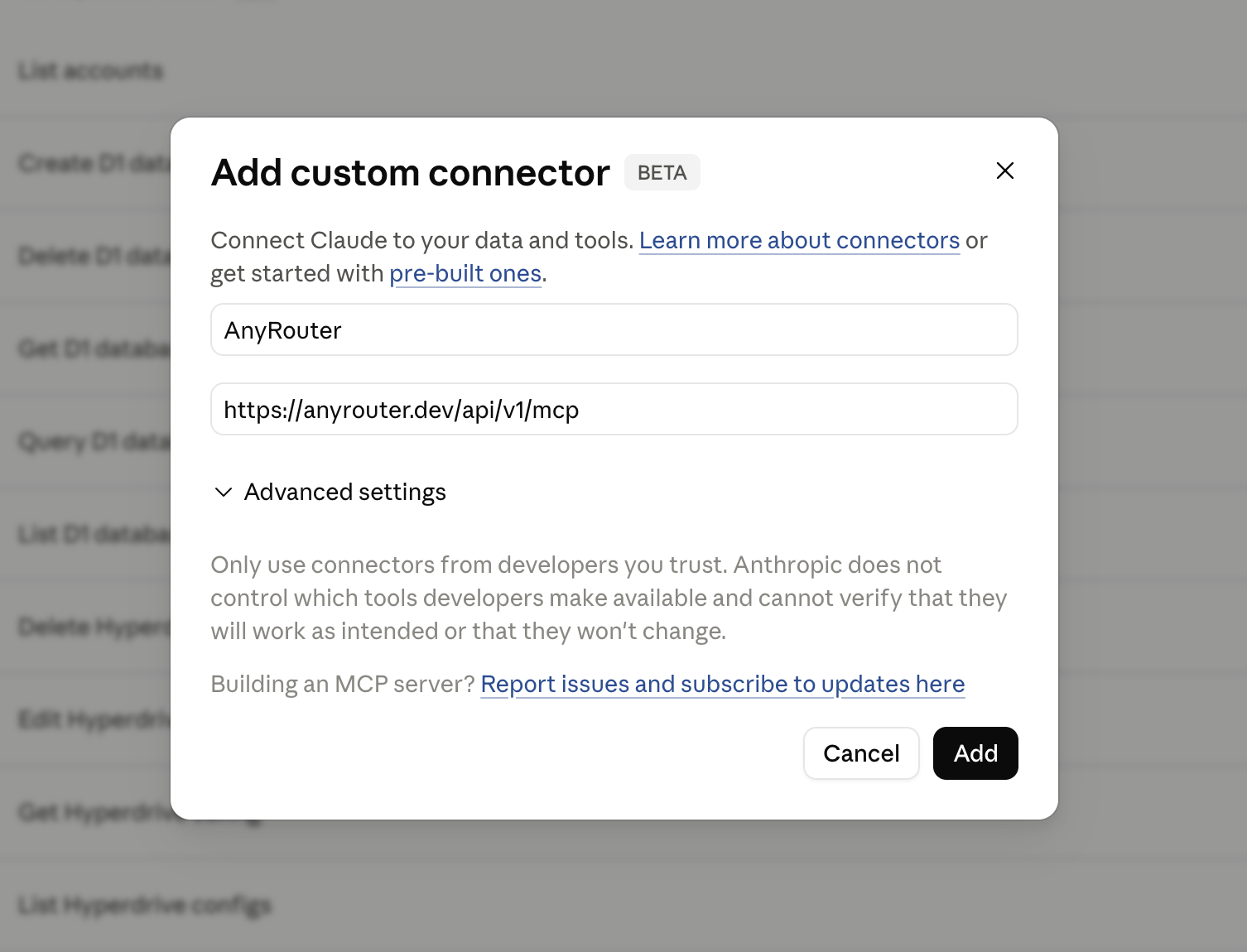
2. Click **Add**. In the browser consent page, pick a permission level and click **Allow**. **Read-only** (default) views credits, recent usage, and provider-key status; **Standard** also mints and rotates API keys. See [scopes](/api-reference/mcp#scopes-and-consent-bundles).
3. Check it: ask "How many AnyRouter credits do I have left?" Claude calls `get_credits`. The tools available depend on the level you granted; see the [MCP overview](/mcp#what-the-client-can-do).
Without the Connectors UI, add a bridge in `claude_desktop_config.json` (Settings → Developer → Edit Config), then restart:
```json
{
"mcpServers": {
"anyrouter": {
"command": "npx",
"args": ["-y", "mcp-remote", "https://anyrouter.dev/api/v1/mcp"]
}
}
}
```
## Revoke [#revoke]
Revoke from the [MCP dashboard](https://anyrouter.dev/dashboard/mcp). Re-adding the connector starts a new OAuth flow.
---
# AnyRouter MCP with Cline (/docs/mcp/cline)
# Connect AnyRouter to Cline
1. In the Cline panel, click the **MCP Servers** icon, then **Remote Servers → Add Remote Server**.
2. Set **Server Name** to `anyrouter` and **Server URL** to `https://anyrouter.dev/api/v1/mcp`, then click **Add Server**.
3. On the next tool call, approve `anyrouter.dev/oauth/consent` (Read-only is the default).
4. Check it: ask "list AnyRouter models that support vision". The agent calls `list_models`.
Or click **Configure MCP Servers** and edit `cline_mcp_settings.json`; Cline reloads it without a restart:
```json
{
"mcpServers": {
"anyrouter": {
"url": "https://anyrouter.dev/api/v1/mcp",
"type": "streamableHttp",
"disabled": false
}
}
}
```
## Revoke [#revoke]
Remove the entry (or set `"disabled": true`), and revoke the token in the [MCP dashboard](https://anyrouter.dev/dashboard/mcp). Later tool calls return `401 Unauthorized` until you reconnect.
---
# AnyRouter MCP with Cursor (/docs/mcp/cursor)
# Connect AnyRouter to Cursor
1. Open **Cursor Settings → MCP & Integrations → Add Custom MCP**. Set **Name** to `anyrouter` and **URL** to `https://anyrouter.dev/api/v1/mcp`, then **Save**.
2. Approve `anyrouter.dev/oauth/consent` in the browser (Read-only is the default).
3. Check it: ask "list my AnyRouter API keys". The agent calls `list_keys`; available tools depend on the level you granted.
Or edit `~/.cursor/mcp.json` and reload Cursor:
```json
{
"mcpServers": {
"anyrouter": {
"url": "https://anyrouter.dev/api/v1/mcp"
}
}
}
```
## Revoke [#revoke]
Remove the entry from Cursor, and revoke the token in the [MCP dashboard](https://anyrouter.dev/dashboard/mcp). Later tool calls return `401 Unauthorized` until you reconnect.
---
# MCP Gateway — connect your tools once (/docs/mcp/gateway)
# MCP Gateway
Connect a third-party MCP server once in the dashboard, and its tools appear at the AnyRouter MCP endpoint next to AnyRouter's own, authenticated with your AnyRouter API key:
```
https://anyrouter.dev/api/v1/mcp
```
Tools are namespaced by connection, such as `linear__create_issue` and `github__open_pr`. Point your client at the endpoint as in the [MCP overview](/mcp); nothing changes in the client.
## Connect a server [#connect-a-server]
1. Go to **Dashboard → MCP Gateway** and click **Add server**.
2. Pick a server from the catalog (Cloudflare, Firecrawl, GitHub, Linear, Notion), or paste a **server URL** and click **Detect**. The name you accept becomes the namespace prefix.
3. Authenticate the way the server needs (change it under **Advanced**):
- **None** for open servers.
- **API key / token**: stored encrypted and sent upstream as `Authorization: Bearer …`. **Test key** checks it first.
- **OAuth**: click **Authorize** and approve on the server's sign-in page. AnyRouter stores and refreshes the tokens. Some providers do not offer OAuth to third-party gateways yet; the dialog then asks for a personal access token.
4. Pick which discovered tools to expose. Use **Test a tool** to confirm the connection.
## Manage connections [#manage-connections]
| Status | Meaning |
|---|---|
| Connected | Tools are live at the endpoint. |
| Needs re-auth | The stored credential was rejected. Use **Re-authorize**. |
| Error | The server was unreachable. AnyRouter serves the last known tool list, retries, and skips a repeatedly failing server for a short while. |
From a connection you can **Re-sync** tools, **Re-authorize**, or **Disconnect**. The switch next to a server turns it off while keeping its credential and tool selection; its tools are unlisted and calls are refused. **Disconnect** deletes the credential.
## Teams: Managed Access [#teams-managed-access]
An organization admin connects the company identity provider once (MCP Enterprise-Managed Authorization). Members get the gateway when they sign in with SSO, and access follows their SSO account.
## Access log and security [#access-log-and-security]
Every gateway tool call is logged in the dashboard with the connection, tool, caller, and result. Upstream credentials are encrypted at rest and scoped to your workspace; your client only sees your AnyRouter key. Removing a connection deletes its credential.
---
# AnyRouter MCP with GitHub Copilot (/docs/mcp/github-copilot)
# Connect AnyRouter to GitHub Copilot
Copilot Chat in VS Code supports remote MCP servers in **Agent mode**.
1. Create `.vscode/mcp.json` at the repo root. It holds no secrets, so you can commit it:
```json
{
"servers": {
"anyrouter": {
"type": "http",
"url": "https://anyrouter.dev/api/v1/mcp"
}
}
}
```
For a user-wide setup, put the same block under `github.copilot.chat.mcp.servers` in `settings.json`.
2. In Copilot Chat, switch the mode to **Agent** and confirm `anyrouter` in the **Tools** list.
3. On the first call, approve `anyrouter.dev/oauth/consent` (Read-only is the default).
4. Check it: ask "how many AnyRouter credits do I have left?". Copilot calls `get_credits`.
## Revoke [#revoke]
Remove the entry from `mcp.json` or `settings.json`, and revoke the token in the [MCP dashboard](https://anyrouter.dev/dashboard/mcp). Later tool calls return `401 Unauthorized` until you reconnect.
---
# AnyRouter MCP with OpenCode (/docs/mcp/opencode)
# Connect AnyRouter to OpenCode
This is the **tools** connection (catalog, credits, keys). To route OpenCode's inference through AnyRouter, use the [OpenCode guide](/guides/opencode); the two blocks can live in the same file.
1. Add the server to `./opencode.json` (project) or `~/.config/opencode/opencode.json` (global):
```json
{
"$schema": "https://opencode.ai/config.json",
"mcp": {
"anyrouter": {
"type": "remote",
"url": "https://anyrouter.dev/api/v1/mcp",
"enabled": true
}
}
}
```
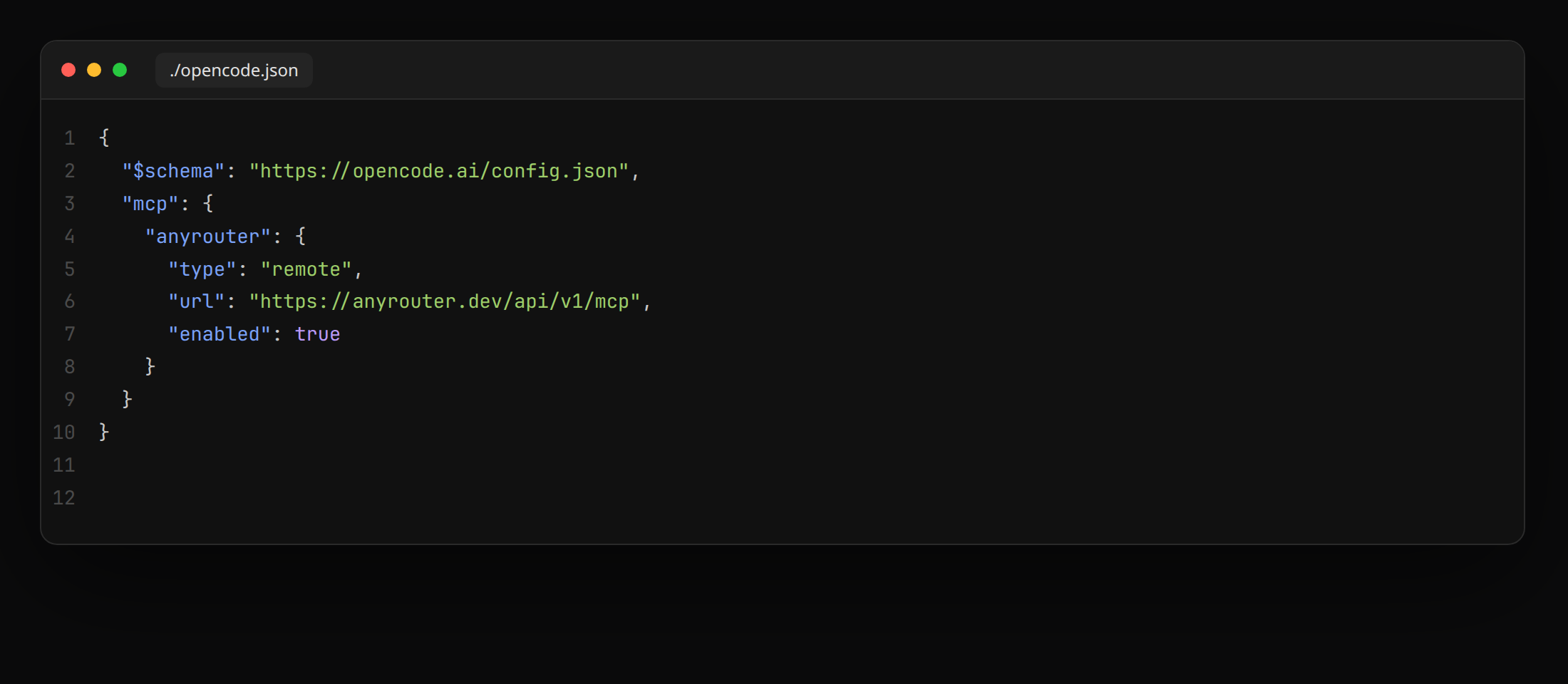
2. Restart OpenCode. On the next tool call, approve `anyrouter.dev/oauth/consent` (Read-only is the default).
3. Check it: ask "how many AnyRouter credits do I have left?". The agent calls `get_credits`.
`anyr opencode` connects the gateway for you when **Auto-connect in coding agents** is on in the [dashboard](https://anyrouter.dev/dashboard/mcp). Turn it off with `--no-mcp`, `anyr mcp auto off`, or the dashboard.
## Revoke [#revoke]
Set `"enabled": false` or delete the entry, and revoke the token in the [MCP dashboard](https://anyrouter.dev/dashboard/mcp). Later tool calls return `401 Unauthorized` until you reconnect.
---
# AnyRouter MCP with other clients (/docs/mcp/other-clients)
# Other MCP-aware clients
Any client that speaks [MCP](https://modelcontextprotocol.io) over remote HTTP connects to `https://anyrouter.dev/api/v1/mcp` with OAuth or a bearer key. The client must support remote HTTP transport (no stdio), and for OAuth, Dynamic Client Registration (RFC 7591) and Authorization Code + PKCE (S256).
## OAuth (default) [#oauth-default]
1. Add a remote MCP server pointing at `https://anyrouter.dev/api/v1/mcp`.
2. On the first tool call, approve `anyrouter.dev/oauth/consent` (Read-only is the default).
3. The client stores the token until you revoke it in the [MCP dashboard](https://anyrouter.dev/dashboard/mcp).
## Static key (headless, CI) [#static-key-headless-ci]
Send a bearer token instead of OAuth:
- **LLM API key** (`sk-ar-v1-*`) from [/dashboard/keys](https://anyrouter.dev/dashboard/keys): grants `list_models`, `recommend_model`, `get_system_status`, `list_okf_concepts`, `get_okf_concept`, plus the artifact tools when the key may use artifacts. Account tools such as `get_credits` need a management key.
- **Management API key** (`ak_*`) from [/dashboard/settings#keys](https://anyrouter.dev/dashboard/settings#keys): grants the scopes you assign.
```bash
curl https://anyrouter.dev/api/v1/mcp \
-H "Authorization: Bearer ak_your_management_key" \
-H "Content-Type: application/json" \
-d '{"jsonrpc":"2.0","method":"tools/list","params":{},"id":1}'
```
A JSON tool list means it works; `401` means the key is wrong. Full reference: [MCP API → Manual authentication](/api-reference/mcp#manual-authentication).
## Revoke [#revoke]
Revoke an OAuth token in the [MCP dashboard](https://anyrouter.dev/dashboard/mcp). For static keys, delete the key at [/dashboard/keys](https://anyrouter.dev/dashboard/keys) or [/dashboard/settings#keys](https://anyrouter.dev/dashboard/settings#keys).
---
# AnyRouter MCP with Windsurf (/docs/mcp/windsurf)
# Connect AnyRouter to Windsurf
1. In the **Cascade** panel, open **MCP servers → Add custom server**. Set **Name** to `anyrouter` and **Server URL** to `https://anyrouter.dev/api/v1/mcp`, then save.
2. On the next tool call, approve `anyrouter.dev/oauth/consent` (Read-only is the default).
3. Check it: ask "check the AnyRouter system status". The agent calls `get_system_status`.
Or edit `~/.codeium/windsurf/mcp_config.json` and reload Windsurf:
```json
{
"mcpServers": {
"anyrouter": {
"serverUrl": "https://anyrouter.dev/api/v1/mcp"
}
}
}
```
## Revoke [#revoke]
Remove the entry from Cascade or `mcp_config.json`, and revoke the token in the [MCP dashboard](https://anyrouter.dev/dashboard/mcp). Later tool calls return `401 Unauthorized` until you reconnect.
---
# AnyRouter MCP Overview (/docs/mcp)
# MCP Server
AnyRouter is a [Model Context Protocol](https://modelcontextprotocol.io) server. Connect a client to browse the model catalog, manage API keys, and check credits without leaving it.
```
https://anyrouter.dev/api/v1/mcp
```
:::note
To only call models, you do not need MCP. Use the [Chat Completions](/api-reference/chat-completions), [Messages](/api-reference/messages), or [Responses](/api-reference/responses) endpoint with an API key.
:::
## Add AnyRouter MCP to your client [#add-anyrouter-mcp-to-your-client]
Every client uses the same endpoint and OAuth flow: the first tool call sends you to AnyRouter to pick a permission level (Read-only is the default) and approve.
::::cards
:::card{href="/mcp/claude-desktop" icon="🖥️"}
**Claude Desktop** — Connectors UI.
:::
:::card{href="/mcp/claude-code" icon="🤖"}
**Claude Code** — `claude mcp add --transport http`.
:::
:::card{href="/mcp/cursor" icon="✳️"}
**Cursor** — Settings UI or `~/.cursor/mcp.json`.
:::
:::card{href="/mcp/windsurf" icon="🏄"}
**Windsurf** — Cascade UI or `mcp_config.json`.
:::
:::card{href="/mcp/cline" icon="🧩"}
**Cline** — VS Code panel or `cline_mcp_settings.json`.
:::
:::card{href="/mcp/github-copilot" icon="🐙"}
**GitHub Copilot** — `.vscode/mcp.json`.
:::
:::card{href="/mcp/opencode" icon="📂"}
**OpenCode** — `opencode.json`.
:::
:::card{href="/mcp/other-clients" icon="🔌"}
**Other clients** — any client over remote HTTP.
:::
::::
To add third-party servers behind the same URL, see the [MCP Gateway](/mcp/gateway).
## What the client can do [#what-the-client-can-do]
Tools depend on the permission level you granted. `list_models`, `get_system_status`, and the knowledge-base tools are always available; the rest are gated by scope.
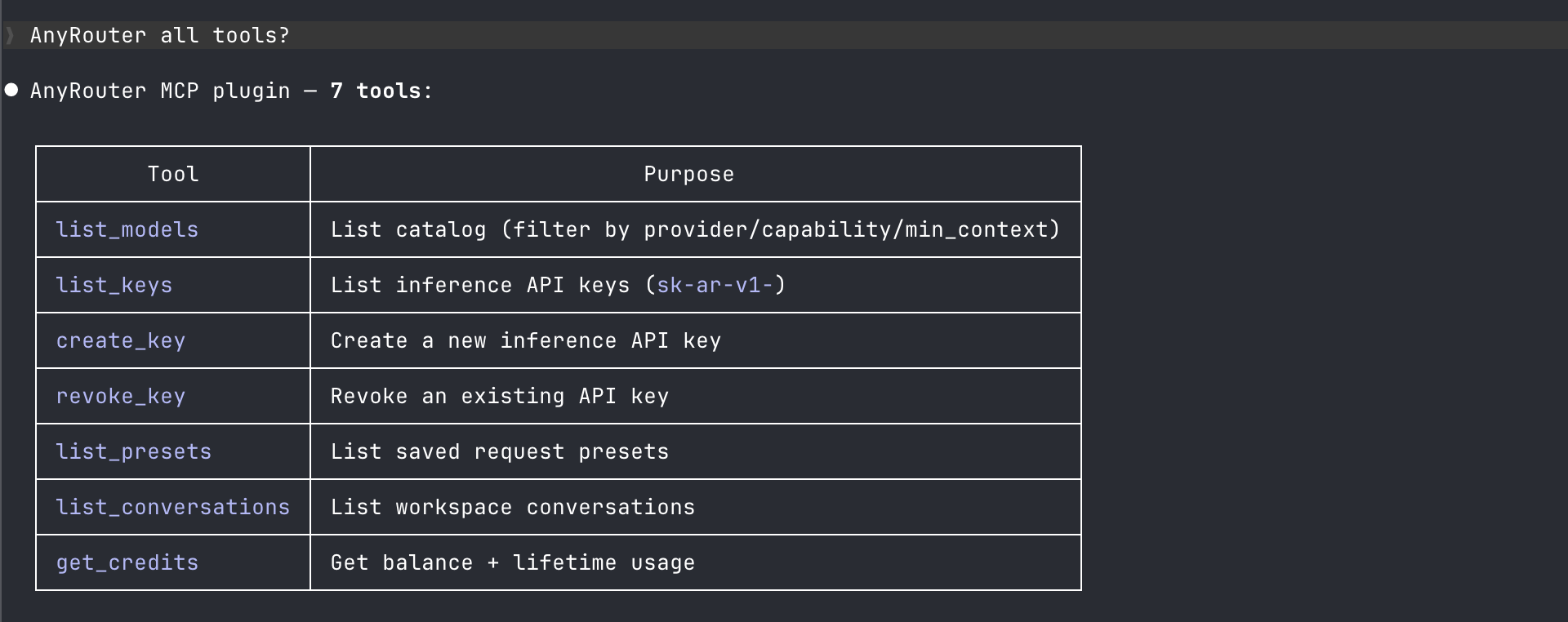
| Tool | What it does |
|---|---|
| `list_models` | Browse every listed model. Each row has `access` (`free`, `paid`, `byok`, `pool`) and `can_route`; when `can_route` is false, `can_route_reason` is `needs_key`, `disabled`, or `no_route`. Filter by owner, capability tag, or job (translation, coding, reasoning, vision, cheap); sort by price or context. |
| `recommend_model` | Ranked model ids your key can call for one job, with why, price, context, and capabilities |
| `get_usage` | Recent workspace requests, tokens, and spend |
| `list_byok_keys` | Which provider keys are enabled or failing, without the secret |
| `list_okf_concepts` / `get_okf_concept` | Browse and read AnyRouter's knowledge base |
| `get_credits` | Workspace balance, lifetime usage, and free-tier grants |
| `list_keys` / `create_key` / `revoke_key` | List, mint, and disable API keys |
| `list_presets` | List saved request presets |
| `list_conversations` | Search workspace conversations |
| `publish_prompt` / `star_prompt` / `fork_prompt` | Share, save, and fork community prompts |
| `publish_skill` | Sync a `SKILL.md` to a hub |
| `get_system_status` | API error rate, provider status, smoke test results |
Other tool groups:
- **Connections** (`list_connections`, `get_connection`, `create_connection`, `update_connection`, `delete_connection`, `reauth_connection`, `discover_connection`, `test_connection_tool`) manage the upstream MCP servers your workspace proxies. They need the connections permission level.
- **Skills & Knowledge Hub** (`list_hubs`, `get_hub`, `search_public_hubs`, `create_hub`, `hub_add_item`, `hub_import_skill`). See [Skills & Knowledge Hub](/hub).
- **Artifacts** (`publish_artifact`, `list_artifacts`, `get_artifact`, `delete_artifact`, `set_artifact_visibility`). An LLM key (`sk-ar-v1-…`) can use them. Add `?tools=artifacts` to the URL to list only these. See the [Artifacts API](/api-reference/artifacts).
- Administrators also see `admin_*` tools ([admin tools](/api-reference/mcp#admin-tools)).
There is no chat tool; clients call models directly. Argument schemas, scopes, error shapes, and manual authentication are in the [MCP API reference](/api-reference/mcp).
## Protocol versions [#protocol-versions]
The server speaks MCP `2026-07-28` and accepts earlier versions (`2025-11-25` and older). An unsupported version gets HTTP 400 with JSON-RPC error `-32022` and a `supported` list. `server/discover` returns versions, capabilities, and server info.
On `2026-07-28` each request must send an `Mcp-Method` header matching the JSON-RPC method, plus `Mcp-Name` (tool name, resource URI, or prompt name) for `tools/call`, `resources/read`, and `prompts/get`. A missing or mismatched header gets HTTP 400 with error `-32020`. Current client SDKs set these for you.
The endpoint takes POST only; `GET` and `DELETE` return 405 (no event stream, no session). Every tool carries a title and hints (read-only, destructive, repeatable, open-world) that clients use to decide when to ask first.
## Authorization details [#authorization-details]
For client builders; the MCP OAuth follows the MCP `2026-07-28` authorization spec.
- **Issuer.** Metadata is at `https://anyrouter.dev/.well-known/oauth-authorization-server`; `issuer` is `https://anyrouter.dev`.
- **`iss` on every redirect** to your `redirect_uri`, including `access_denied` and other errors (RFC 9207). The metadata sets `authorization_response_iss_parameter_supported` to `true`; reject a redirect whose `iss` is missing or different.
- **Resource indicators (RFC 8707).** Send `resource` on both the authorization and token requests:
| `resource` | Token works on |
|---|---|
| `https://anyrouter.dev/api/v1/mcp` (or `https://mcp.anyrouter.dev`, or any URL that reaches the MCP endpoint) | The MCP endpoint only |
| Not sent, or `https://anyrouter.dev` | Every AnyRouter endpoint (default) |
Any other value gets `invalid_target` (a redirect on the authorization request, HTTP 400 on the token request). A token request may omit `resource` or repeat the authorized one, not widen it.
- **Tokens.** The access token is a revocable `sk-ar-v1-…` key. There are no refresh tokens; when it stops working, run the flow again (a previously approved client skips consent).
## Auto-connect and revoking [#auto-connect-and-revoking]
`anyr claude`, `anyr codex`, `anyr opencode`, and `anyr grok` connect the gateway for you when **Auto-connect in coding agents** is on in the [dashboard](https://anyrouter.dev/dashboard/mcp), using the session's own key. Turn it off with `--no-mcp`, `anyr mcp auto off`, or the dashboard.
The same dashboard lists every authorized client and revokes any with one click; that client's next call returns `401 Unauthorized`.
---
# A/B Compare Models in the Playground (/docs/scenario-examples/ab-compare-models-playground)
# A/B compare models in the Playground
Compare candidate models on the same prompt by changing only the `model` field. Each response reports latency and token usage, and every run shows in your [usage explorer](/features/usage-explorer).
## In the Playground [#in-the-playground]
1. Open the [Playground](https://anyrouter.dev/playground). Your account key is attached.
2. Pick a model and send a prompt.
3. Switch the model and send the same prompt. Compare answers, latency, and tokens in the metrics footer.
## In code [#in-code]
```ts
import { AnyRouter } from "@anyr/sdk"
const client = new AnyRouter() // reads ANYROUTER_API_KEY
const prompt = "Rewrite this commit message to be clear and concise: 'fix stuff'"
for (const model of ["openai/gpt-5.4-mini", "anthropic/claude-haiku-4-5", "z-ai/glm-4.7-flash"]) {
const started = Date.now()
const res = await client.chat.completions.create({
model,
messages: [{ role: "user", content: prompt }],
})
console.log(`\n=== ${model} (${Date.now() - started}ms) ===`)
console.log(res.choices[0].message.content)
console.log("tokens:", res.usage?.total_tokens)
}
```
:::tip
Add `"session_id": "model-bakeoff-2025-01"` to the request body to group the runs in your logs.
:::
---
# Add BYOK to an Existing App (/docs/scenario-examples/add-byok-to-existing-app)
# Add BYOK to an existing app
Keep paying your provider directly while moving traffic through AnyRouter for logs, analytics, routing, and presets. BYOK requests have no per-token AnyRouter fee and never draw down credits; requests with no matching BYOK key use credits at the listed model price.
1. Add your provider key (OpenAI, Anthropic, and others) at [Settings → BYOK](https://anyrouter.dev/dashboard/byok). It is encrypted at rest.
2. Create an `sk-ar-` key in [Dashboard → Keys](https://anyrouter.dev/dashboard/keys). This is the only key your app sends.
3. Change the base URL and key. The request body stays the same:
```ts
import OpenAI from "openai"
const client = new OpenAI({
baseURL: "https://anyrouter.dev/api/v1",
apiKey: process.env.ANYROUTER_API_KEY, // sk-ar-v1-...
})
const completion = await client.chat.completions.create({
model: "openai/gpt-5.4-mini",
messages: [{ role: "user", content: "Hello from my app" }],
})
```
This request is served with your OpenAI account.
4. Optional: keep credits funded and set `"provider": { "allow_fallbacks": true }` so a rate-limited or out-of-quota BYOK provider falls back to a credit-billed upstream. See [Smart Routing](/features/routing).
---
# Build an Agentic Coding Loop with GLM (/docs/scenario-examples/agentic-coding-loop-with-glm)
# Build an agentic coding loop with GLM
The [Vercel AI SDK](https://ai-sdk.dev) runs the tool-calling loop; AnyRouter is the model provider. This example uses `z-ai/glm-4.7-flash`; any tool-capable model works by changing the id.
1. Install:
```bash
npm install @anyr/ai-sdk-provider ai zod
```
2. Define tools and run the loop. `stopWhen: stepCountIs(n)` bounds the steps, and `steps` records each tool call and result:
```ts
import { createAnyRouter } from "@anyr/ai-sdk-provider"
import { generateText, tool, stepCountIs } from "ai"
import { z } from "zod"
import { readFile } from "node:fs/promises"
const anyrouter = createAnyRouter() // reads ANYROUTER_API_KEY
const { text, steps } = await generateText({
model: anyrouter("z-ai/glm-4.7-flash"),
system: "You are a coding agent. Use the tools to inspect the repo, then answer.",
prompt: "What does src/index.ts export, and is it covered by a test?",
stopWhen: stepCountIs(8),
tools: {
read_file: tool({
description: "Read a UTF-8 text file from the repo.",
parameters: z.object({ path: z.string() }),
execute: async ({ path }) => ({ contents: await readFile(path, "utf8") }),
}),
},
})
console.log(text, `(${steps.length} steps)`)
```
3. To stream progress, use `streamText` and read `result.fullStream` (`text-delta`, `tool-call`, and tool results arrive as they happen).
4. To tune reasoning, pass `reasoning_effort` through `extraBody`:
```ts
providerOptions: { anyrouter: { extraBody: { reasoning_effort: "high" } } },
```
:::tip
With a Z-AI account or Coding Plan, add the key in [Settings → BYOK](https://anyrouter.dev/dashboard/byok). `z-ai/*` requests then use your key at list price, with the same code.
:::
---
# Cut LLM Costs with Automatic Provider Fallback (/docs/scenario-examples/cut-costs-provider-fallback)
# Cut LLM costs with automatic provider fallback
Add a `provider` block to a Chat Completions request and AnyRouter picks among the upstreams that serve the model, skipping any that are failing. Prices are US dollars per million tokens.
| Field | Effect |
|---|---|
| `sort` | Preference, such as `"price"` (cheapest healthy first) |
| `order` | Explicit provider sequence |
| `max_price` | Skip upstreams above the cap |
| `allow_fallbacks` | Move on when an upstream errors or is rate-limited; `false` fails fast |
Cheapest healthy provider first, with fallback:
```bash
curl https://anyrouter.dev/api/v1/chat/completions \
-H "Authorization: Bearer sk-ar-v1-your-key" \
-H "Content-Type: application/json" \
-d '{
"model": "openai/gpt-oss-120b",
"messages": [{"role": "user", "content": "Summarize this changelog in 3 bullets."}],
"provider": {
"sort": "price",
"max_price": { "prompt": 0.5, "completion": 1.5 },
"allow_fallbacks": true
}
}'
```
To control the order instead, use `"order": ["deepinfra", "cerebras"]`: AnyRouter tries those first, then any other healthy upstream when `allow_fallbacks` is on. If no upstream is under `max_price`, the request returns an error rather than picking a pricier provider.
:::tip
Save these preferences once as a [preset](/features/presets) and use its slug as the model.
:::
---
# Run Claude Code Against AnyRouter (/docs/scenario-examples/run-claude-code-on-anyrouter)
# Run Claude Code against AnyRouter
Claude Code speaks the Anthropic Messages protocol, and AnyRouter exposes a compatible Messages endpoint. Sessions draw from one balance (or your BYOK accounts), appear in your [request logs](/features/request-logs), and can use any Messages-compatible model, including non-Anthropic ones.
## With the CLI [#with-the-cli]
```bash
curl -fsSL https://anyrouter.dev/cli.sh | bash
anyr claude --install --ok
```
The first run asks you to paste an `sk-ar-` key or log in at anyrouter.dev, then saves your profile to `~/.anyrouter/config.yaml`. Pin a model or reasoning depth per session; `auto` lets your pinned preset choose, and anything after `--` goes to Claude Code:
```bash
anyr claude --model "anthropic/claude-sonnet-4-6"
anyr claude --model auto --effort high
anyr claude --model auto -- --resume
```
## Without the CLI [#without-the-cli]
Set two environment variables and run `claude`. For a wrapper that keeps a separate Anthropic key, see the [Claude Code guide](/cli/claude-code).
```bash
export ANTHROPIC_BASE_URL="https://anyrouter.dev/api"
export ANTHROPIC_AUTH_TOKEN="sk-ar-v1-your-key"
claude
```
:::tip
Run non-Anthropic models, for example GLM with your own Z-AI key: `anyr claude --model "z-ai/glm-4.7-flash"`. List Messages-compatible models at [/models?endpoint=messages](https://anyrouter.dev/models?endpoint=messages).
:::
---
# Run fxbot on AnyRouter (/docs/scenario-examples/run-fxbot-on-anyrouter)
# Run fxbot on AnyRouter
[fxbot](https://fxbot.sh/) is a self-hosted bot application. Connect it to AnyRouter using its **Other server** provider, which supports OpenAI-compatible Chat Completions.
## Connect AnyRouter [#connect-anyrouter]
1. Create an inference key in [Dashboard → Keys](https://anyrouter.dev/dashboard/keys). It starts with `sk-ar-v1-`. A management key starting with `ak_` cannot run chat requests.
2. In fxbot, open **Settings → Providers**, select **Add provider**, and choose **Other server**.
3. Set the base URL to `https://anyrouter.dev/api/v1` and enter your AnyRouter inference key. Save the provider.
4. Choose a chat model from the provider's list, or enter its full model ID, such as `anyrouter/hermes`. Check its access requirements in the [model catalog](https://anyrouter.dev/models). A listed model may require credits, a paid plan, or a connected provider key.
5. Open a bot's **Edit** page and select the provider and model. Send a message, then check your [request logs](https://anyrouter.dev/dashboard/logs).
fxbot reads the model list from the server. The list can include models that are not chat models. Choose a model that supports chat and tool calling for a bot that uses tools. If the context window reported by the server is unsuitable, set **Context window** on the provider in fxbot.
:::note
fxbot's built-in AnyRouter provider is proposed in [fxbot pull request #12](https://github.com/iammrduncan/fxbot/pull/12). It has not been released. Use **Other server** for the setup above.
:::
## Troubleshooting [#troubleshooting]
- If a chat request returns `401`, check the inference key and create a new one if necessary. The public model list does not verify the key.
- If a model cannot be used, check its ID and its account access requirements in the [catalog](https://anyrouter.dev/models).
- If the request is rate limited, check [rate limits](/features/rate-limits) and retry later.
---
# Run OpenCode Against AnyRouter (/docs/scenario-examples/run-opencode-on-anyrouter)
# Run OpenCode against AnyRouter
OpenCode speaks Chat Completions, and AnyRouter exposes a compatible `/api/v1` endpoint. Sessions draw from one balance (or your BYOK accounts), appear in your [request logs](/features/request-logs), and catalog context windows flow into OpenCode's `limit.context` and `limit.output`.
## With the CLI [#with-the-cli]
```bash
anyr opencode
```
The first run asks you to paste an `sk-ar-` key or log in at anyrouter.dev, then saves your profile to `~/.anyrouter/config.yaml`. Pin a model per session; `auto` lets your pinned preset choose, and anything after `--` goes to OpenCode:
```bash
anyr opencode --model "anthropic/claude-sonnet-4-6"
anyr opencode --model auto -- --help
```
## Persistent config [#persistent-config]
Register AnyRouter in `~/.config/opencode/opencode.json` so a bare `opencode` uses it. Export `ANYROUTER_API_KEY` first (create a key in the [dashboard](https://anyrouter.dev/dashboard/keys)), then pick `anyrouter/…` in `/models`.
```json
{
"$schema": "https://opencode.ai/config.json",
"provider": {
"anyrouter": {
"npm": "@ai-sdk/openai-compatible",
"name": "AnyRouter",
"options": {
"baseURL": "https://anyrouter.dev/api/v1",
"apiKey": "{env:ANYROUTER_API_KEY}"
},
"models": {
"anthropic/claude-sonnet-4-6": {
"name": "Claude Sonnet 4.6",
"limit": { "context": 200000, "output": 65536 }
}
}
}
},
"model": "anyrouter/anthropic/claude-sonnet-4-6"
}
```
After the first prompt, the row in [request logs](https://anyrouter.dev/dashboard/logs) confirms the session billed through AnyRouter.
:::tip
Run non-OpenAI models, for example GLM with your own Z-AI key: `anyr opencode --model "z-ai/glm-5.2"`. List compatible models at [anyrouter.dev/models?endpoint=chat-completions](https://anyrouter.dev/models?endpoint=chat-completions).
:::
---
# How to Unify AI Subscriptions with AnyRouter (/docs/scenario-examples/unify-ai-subscriptions)
# How to unify AI subscriptions with AnyRouter
Create one preset (`coding-stack`) that layers your provider accounts, with AnyRouter credits as a last-resort backup. Your tools use a single model name; AnyRouter handles provider choice, fallback, and logs.
With model selection `auto`, AnyRouter picks the highest-priority healthy model in the preset, then moves down the order:
| Source | Example model |
|---|---|
| Z-AI key | `z-ai/glm-4.7-flash` |
| Moonshot Kimi key | `moonshotai/kimi-k2.5` |
| Anthropic key | `anthropic/claude-sonnet-4-6` |
| OpenAI key | `openai/gpt-5.4-mini` |
| AnyRouter credits | any supported model (paid fallback) |
1. Create an `sk-ar-` key in [Dashboard → Keys](https://anyrouter.dev/dashboard/keys). It is the only key your tools need; provider keys stay in AnyRouter as BYOK credentials.
2. In [Dashboard → Presets](https://anyrouter.dev/dashboard/presets), create a preset with name `Coding stack`, slug `coding-stack`, mode `fallback` (fixed order) or `weighted` (traffic sharing), model selection `auto`, and paid fallback on if you want credits to cover outages or exhausted BYOK quota. Add models in the order to try:
```json
{
"models": [
"z-ai/glm-4.7-flash",
"moonshotai/kimi-k2.5",
"anthropic/claude-sonnet-4-6",
"openai/gpt-5.4-mini"
],
"temperature": 0.2,
"provider": { "allow_fallbacks": true }
}
```
3. On each model row, choose a source or click **Add provider account**: pick the provider, paste its key, add an alias (such as `zai-personal`), and save to validate. AnyRouter stores it encrypted as a BYOK source attached to this preset.
4. Call the preset as the model (`@preset/coding-stack` also works). A rate-limited, unhealthy, or out-of-quota source falls through to the next:
```bash
curl https://anyrouter.dev/api/v1/chat/completions \
-H "Authorization: Bearer sk-ar-your-key" \
-H "Content-Type: application/json" \
-d '{
"model": "coding-stack",
"messages": [{"role": "user", "content": "Review this patch"}]
}'
```
5. Launch tools through the CLI. The first run lets you paste the key or log in at anyrouter.dev, and saves `~/.anyrouter/config.yaml`:
```bash
curl -fsSL https://anyrouter.dev/cli.sh | bash
anyr claude
anyr codex
anyr opencode
```
The pinned `@preset/coding-stack` with `auto` applies by default. Override per session with `--model` (a concrete id bypasses auto) and `--effort` (`low` to `max`); anything after `--` goes to the tool:
```bash
anyr claude --model auto --effort high
anyr codex --effort xhigh
```
See the [AnyRouter CLI reference](/cli).
:::tip
Use BYOK when you already have provider credits, contracts, or special limits, and AnyRouter credits as the backup. Most teams run BYOK first and paid fallback second.
:::
---
# SDK Changelog (/docs/sdk/changelog)
<!-- Generated by scripts/build-changelog-docs.ts from the package CHANGELOG.md — do not edit. -->
# AnyRouter SDK — Changelog [#anyrouter-sdk--changelog]
Release notes for the AnyRouter TypeScript SDK packages.
## [`@anyr/sdk`](https://www.npmjs.com/package/@anyr/sdk) [#anyrsdk]
Official TypeScript SDK for the AnyRouter API.
### Unreleased [#unreleased]
#### ⚠ BREAKING CHANGES [#-breaking-changes]
* **sdk:** removed the `cacheKey` request option. The API no longer forwards a client `cf-aig-cache-key` (a custom key was shared across all callers of the gateway), so the option did nothing. `cacheTtl` and `skipCache` are unchanged.
#### 🐛 Bug Fixes [#-bug-fixes]
* **docs:** error-handling table now lists every mapped status — added `BadRequestError` (400) and `UnprocessableEntityError` (422), and documents that `AnyRouterError` is the catch-all base class
#### 🏗️ Internal [#️-internal]
* declare `"sideEffects": false` so downstream bundlers can tree-shake unused resources — the SDK has no top-level side effects
### [1.0.4](https://github.com/duyet/anyrouter/compare/sdk-v1.0.3...sdk-v1.0.4) (2026-11-04) [#104-2026-11-04]
#### ♻️ Refactoring [#️-refactoring]
* **sdk:** drop section banner comments ([fa700dc](https://github.com/duyet/anyrouter/commit/fa700dc8bd631ee6ef70ca6958bb6d4964d0a100))
### [1.0.3](https://github.com/duyet/anyrouter/compare/sdk-v1.0.2...sdk-v1.0.3) (2026-10-02) [#103-2026-10-02]
#### 🐛 Bug Fixes [#-bug-fixes-1]
* **catalog:** show BYOK-only models as billed by your provider, not $0 ([#4125](https://github.com/duyet/anyrouter/issues/4125)) ([8e8e15d](https://github.com/duyet/anyrouter/commit/8e8e15da2cc704edbbe9a5ba323cb3918f4c9df4))
### [1.0.2](https://github.com/duyet/anyrouter/compare/sdk-v1.0.1...sdk-v1.0.2) (2026-09-28) [#102-2026-09-28]
#### ✨ Features [#-features]
* **models:** expose reasoning and completion metadata ([#3511](https://github.com/duyet/anyrouter/issues/3511)) ([d3bebfe](https://github.com/duyet/anyrouter/commit/d3bebfef515382e4da4b421fb0e0acff6a9c9708))
#### 🐛 Bug Fixes [#-bug-fixes-2]
* **release:** repair version drift from stale release-please branch merges ([#3555](https://github.com/duyet/anyrouter/issues/3555)) ([ff0a89f](https://github.com/duyet/anyrouter/commit/ff0a89f1051e6a22bae1ae76ed4bed85e3330102))
### 1.0.0 (2026-09-24) [#100-2026-09-24]
#### ✨ Features [#-features-1]
* **routing:** honor exacto, tools, and 1M context on auto and presets ([#2979](https://github.com/duyet/anyrouter/issues/2979)) ([1df73ef](https://github.com/duyet/anyrouter/commit/1df73efa3c91f2dea48b7dc821dbbcd9ba033f1c)), closes [#2978](https://github.com/duyet/anyrouter/issues/2978)
#### ⚡ Performance [#-performance]
* **api:** bound and trim the keys-list KV payload ([#2597](https://github.com/duyet/anyrouter/issues/2597)) ([#3081](https://github.com/duyet/anyrouter/issues/3081)) ([8bd0a93](https://github.com/duyet/anyrouter/commit/8bd0a938927743cf0f7adc518deee272ce890aa0))
### [1.0.1](https://github.com/duyet/anyrouter/compare/sdk-v1.0.0...sdk-v1.0.1) (2026-09-24) [#101-2026-09-24]
#### ✨ Features [#-features-2]
* **routing:** honor exacto, tools, and 1M context on auto and presets ([#2979](https://github.com/duyet/anyrouter/issues/2979)) ([1df73ef](https://github.com/duyet/anyrouter/commit/1df73efa3c91f2dea48b7dc821dbbcd9ba033f1c)), closes [#2978](https://github.com/duyet/anyrouter/issues/2978)
#### ⚡ Performance [#-performance-1]
* **api:** bound and trim the keys-list KV payload ([#2597](https://github.com/duyet/anyrouter/issues/2597)) ([#3081](https://github.com/duyet/anyrouter/issues/3081)) ([8bd0a93](https://github.com/duyet/anyrouter/commit/8bd0a938927743cf0f7adc518deee272ce890aa0))
### 1.0.0 (2026-09-23) [#100-2026-09-23]
#### ✨ Features [#-features-3]
* **routing:** honor exacto, tools, and 1M context on auto and presets ([#2979](https://github.com/duyet/anyrouter/issues/2979)) ([1df73ef](https://github.com/duyet/anyrouter/commit/1df73efa3c91f2dea48b7dc821dbbcd9ba033f1c)), closes [#2978](https://github.com/duyet/anyrouter/issues/2978)
#### ⚡ Performance [#-performance-2]
* **api:** bound and trim the keys-list KV payload ([#2597](https://github.com/duyet/anyrouter/issues/2597)) ([#3081](https://github.com/duyet/anyrouter/issues/3081)) ([8bd0a93](https://github.com/duyet/anyrouter/commit/8bd0a938927743cf0f7adc518deee272ce890aa0))
### 1.0.0 (2026-08-28) [#100-2026-08-28]
#### ✨ Features [#-features-4]
* **api:** add display_name to model objects for Claude Code gateway discovery ([77520dd](https://github.com/duyet/anyrouter/commit/77520ddc9b6081953b5d76ab790ed082cbd19211))
* **errors:** tell plan_required apart from out-of-credits in clients ([4497f6a](https://github.com/duyet/anyrouter/commit/4497f6a6d2c34e20c9b77b0d5f0a7220f644eca9))
#### 🐛 Bug Fixes [#-bug-fixes-3]
* **catalog:** default /models and GET /api/v1/models to reachable rows ([#2354](https://github.com/duyet/anyrouter/issues/2354)) ([fe92824](https://github.com/duyet/anyrouter/commit/fe928241ce035ef26a3a0f1ea870d56353573502))
### [0.1.5](https://github.com/duyet/anyrouter/compare/sdk-v0.1.4...sdk-v0.1.5) (2026-08-20) [#015-2026-08-20]
#### ✨ Features [#-features-5]
* **errors:** tell plan_required apart from out-of-credits in clients ([4497f6a](https://github.com/duyet/anyrouter/commit/4497f6a6d2c34e20c9b77b0d5f0a7220f644eca9))
#### 🐛 Bug Fixes [#-bug-fixes-4]
* **catalog:** default /models and GET /api/v1/models to reachable rows ([#2354](https://github.com/duyet/anyrouter/issues/2354)) ([fe92824](https://github.com/duyet/anyrouter/commit/fe928241ce035ef26a3a0f1ea870d56353573502))
* **docs:** title-case sidebar folders and slash model ids ([55100ae](https://github.com/duyet/anyrouter/commit/55100aedf37adf5ef275cc7e6272db6b538acf10))
### [0.1.4](https://github.com/duyet/anyrouter/compare/sdk-v0.1.3...sdk-v0.1.4) (2026-08-01) [#014-2026-08-01]
#### ✨ Features [#-features-6]
* **sdk:** cacheTtl/cacheKey/skipCache request options ([1e2ff95](https://github.com/duyet/anyrouter/commit/1e2ff95c988ee3e846337dcbd23d7e268c216883))
* **telemetry:** email engagement tracking and client-type attribution ([ebbdc9d](https://github.com/duyet/anyrouter/commit/ebbdc9dfceb7e263ec39cdab7bea8e9a036f821d))
### 0.1.3 (2026-06-18) [#013-2026-06-18]
#### 🐛 Bug Fixes [#-bug-fixes-5]
* **transport:** automatically retry transient failures — connection errors, timeouts, and `408`/`409`/`429`/`5xx` responses — with exponential backoff + jitter, honoring `Retry-After` / `Retry-After-Ms` and the `x-should-retry` override header
* **transport:** per-request timeout (default 10 min) via `AbortController`, cleared once response headers arrive so it never aborts an in-progress stream
* per-request options on every resource method — `signal`, `timeout`, `maxRetries`, `headers`
* add `APIUserAbortError`, raised when the caller aborts via an `AbortSignal` (never retried)
### 0.1.2 (2026-06-18) [#012-2026-06-18]
#### ✨ Features [#-features-7]
* initial public release of the official AnyRouter TypeScript SDK
* resources: chat completions, embeddings, images, models, credits, API keys, presets, the OpenAI Responses API, and the Anthropic Messages API
* typed request/response/error envelope, dependency-free SSE streaming, OpenRouter-style provider routing (`provider`, `models`, `route`, `session_id`)
* custom `fetch` implementation and per-client headers
## [`@anyr/ai-sdk-provider`](https://www.npmjs.com/package/@anyr/ai-sdk-provider) [#anyrai-sdk-provider]
The AnyRouter provider for the Vercel AI SDK.
### Unreleased [#unreleased-1]
#### ⚠ BREAKING CHANGES [#-breaking-changes-1]
* removed the `cacheKey` provider setting and `providerOptions.anyrouter.cacheKey`. The API no longer forwards a client `cf-aig-cache-key` (a custom key was shared across all callers of the gateway), so it did nothing. `cacheTtl` and `skipCache` are unchanged.
#### Bug Fixes [#bug-fixes]
* a mid-stream `data: {"error":{...}}` frame now ends the stream with an `error` part (an `APICallError` that keeps the gateway `code` and `message` in `responseBody`) and finish reason `error`. Before, the frame was dropped and the turn ended as an empty answer.
### [1.0.3](https://github.com/duyet/anyrouter/compare/ai-sdk-provider-v1.0.2...ai-sdk-provider-v1.0.3) (2026-11-04) [#103-2026-11-04]
#### ♻️ Refactoring [#️-refactoring-1]
* **ai-sdk-provider:** drop section banner comments ([82941d1](https://github.com/duyet/anyrouter/commit/82941d18072bb200590433ab3b93e90c291bd3f3))
#### Dependencies [#dependencies]
* The following workspace dependencies were updated
* dependencies
* @anyr/sdk bumped from ^1.0.3 to ^1.0.4
### [1.0.2](https://github.com/duyet/anyrouter/compare/ai-sdk-provider-v1.0.1...ai-sdk-provider-v1.0.2) (2026-10-02) [#102-2026-10-02]
#### Dependencies [#dependencies-1]
* The following workspace dependencies were updated
* dependencies
* @anyr/sdk bumped from ^1.0.2 to ^1.0.3
### [1.0.1](https://github.com/duyet/anyrouter/compare/ai-sdk-provider-v1.0.0...ai-sdk-provider-v1.0.1) (2026-09-28) [#101-2026-09-28]
#### 🐛 Bug Fixes [#-bug-fixes-6]
* **release:** repair version drift from stale release-please branch merges ([#3555](https://github.com/duyet/anyrouter/issues/3555)) ([ff0a89f](https://github.com/duyet/anyrouter/commit/ff0a89f1051e6a22bae1ae76ed4bed85e3330102))
#### Dependencies [#dependencies-2]
* The following workspace dependencies were updated
* dependencies
* @anyr/sdk bumped from ^1.0.1 to ^1.0.2
### 1.0.0 (2026-09-24) [#100-2026-09-24-1]
#### 🐛 Bug Fixes [#-bug-fixes-7]
* **sdk:** align ai-sdk-provider range with workspace @anyr/sdk 1.0.0 ([#2846](https://github.com/duyet/anyrouter/issues/2846)) ([7cd866e](https://github.com/duyet/anyrouter/commit/7cd866efc67c14c28e90fc43d1c1a7171f542000))
* **sdk:** restore ai-sdk-provider @anyr/sdk pin to workspace 1.0.0 ([#3041](https://github.com/duyet/anyrouter/issues/3041)) ([1e14da4](https://github.com/duyet/anyrouter/commit/1e14da46cfc9e582ddbd302e9fac70ba1b1ff4ef))
#### Dependencies [#dependencies-3]
* The following workspace dependencies were updated
* dependencies
* @anyr/sdk bumped from ^1.0.1 to ^1.0.0
### [0.1.10](https://github.com/duyet/anyrouter/compare/ai-sdk-provider-v1.0.0...ai-sdk-provider-v0.1.10) (2026-09-24) [#0110-2026-09-24]
#### Dependencies [#dependencies-4]
* The following workspace dependencies were updated
* dependencies
* @anyr/sdk bumped from ^1.0.1 to ^1.0.0
### [0.1.9](https://github.com/duyet/anyrouter/compare/ai-sdk-provider-v0.1.8...ai-sdk-provider-v0.1.9) (2026-09-24) [#019-2026-09-24]
#### 🐛 Bug Fixes [#-bug-fixes-8]
* **sdk:** restore ai-sdk-provider @anyr/sdk pin to workspace 1.0.0 ([#3041](https://github.com/duyet/anyrouter/issues/3041)) ([1e14da4](https://github.com/duyet/anyrouter/commit/1e14da46cfc9e582ddbd302e9fac70ba1b1ff4ef))
#### Dependencies [#dependencies-5]
* The following workspace dependencies were updated
* dependencies
* @anyr/sdk bumped from ^1.0.0 to ^1.0.1
### [0.1.8](https://github.com/duyet/anyrouter/compare/ai-sdk-provider-v0.1.7...ai-sdk-provider-v0.1.8) (2026-09-04) [#018-2026-09-04]
#### 🐛 Bug Fixes [#-bug-fixes-9]
* **sdk:** align ai-sdk-provider range with workspace @anyr/sdk 1.0.0 ([#2846](https://github.com/duyet/anyrouter/issues/2846)) ([7cd866e](https://github.com/duyet/anyrouter/commit/7cd866efc67c14c28e90fc43d1c1a7171f542000))
#### Dependencies [#dependencies-6]
* The following workspace dependencies were updated
* dependencies
* @anyr/sdk bumped from ^1.0.0 to ^0.1.6
### [0.1.7](https://github.com/duyet/anyrouter/compare/ai-sdk-provider-v0.1.5...ai-sdk-provider-v0.1.7) (2026-08-20) [#017-2026-08-20]
#### Dependencies [#dependencies-7]
* The following workspace dependencies were updated
* dependencies
* @anyr/sdk bumped from ^0.1.3 to ^0.1.5
### [0.1.5](https://github.com/duyet/anyrouter/compare/ai-sdk-provider-v0.1.4...ai-sdk-provider-v0.1.5) (2026-07-31) [#015-2026-07-31]
#### ✨ Features [#-features-8]
* **ai-sdk-provider:** cache passthrough options ([4090989](https://github.com/duyet/anyrouter/commit/409098972bf55d5ba3dd6e4eeca4ec77493683b3))
* **telemetry:** email engagement tracking and client-type attribution ([ebbdc9d](https://github.com/duyet/anyrouter/commit/ebbdc9dfceb7e263ec39cdab7bea8e9a036f821d))
#### Dependencies [#dependencies-8]
* The following workspace dependencies were updated
* dependencies
* @anyr/sdk bumped from ^0.1.1 to ^0.1.4
### 0.1.4 (2026-06-18) [#014-2026-06-18]
#### 🐛 Bug Fixes [#-bug-fixes-10]
* surface `reasoning_content` from reasoning models (DeepSeek-R1, GLM thinking, …) as the AI SDK's standard reasoning parts — `reasoning` / `reasoningText` and the full-stream `reasoning-start` / `reasoning-delta` / `reasoning-end` parts now work
### 0.1.3 (2026-06-18) [#013-2026-06-18-1]
#### ✨ Features [#-features-9]
* support the Vercel AI SDK v7 (beta) alongside v6 — widened `ai`, `@ai-sdk/provider`, and `@ai-sdk/provider-utils` peer ranges
### 0.1.2 (2026-06-18) [#012-2026-06-18-1]
#### ✨ Features [#-features-10]
* initial public release of the AnyRouter provider for the Vercel AI SDK
* `createAnyRouter()` / `anyrouter` — chat (`LanguageModelV3`), embeddings, and image models
* tool calling, structured output, streaming, and provider routing / `session_id` / `extraBody` passthrough via provider settings and per-call `providerOptions.anyrouter`
---
# AnyRouter SDK (/docs/sdk)
# AnyRouter SDK
The official TypeScript SDK: one key and base URL for chat, embeddings, the Responses API, and the Anthropic Messages API, with typed requests, responses, errors, and automatic retries.
| Package | Use it for |
| --- | --- |
| [`@anyr/sdk`](https://www.npmjs.com/package/@anyr/sdk) | Direct client: chat, embeddings, models, credits, keys, presets, Responses, Messages |
| [`@anyr/ai-sdk-provider`](https://www.npmjs.com/package/@anyr/ai-sdk-provider) | [Vercel AI SDK](https://ai-sdk.dev) provider via `createAnyRouter` |
## Quickstart [#quickstart]
1. Install and set your key (from [anyrouter.dev/dashboard/keys](https://anyrouter.dev/dashboard/keys)). The client reads `ANYROUTER_API_KEY` when you omit it:
```bash
npm install @anyr/sdk
export ANYROUTER_API_KEY=sk-ar-v1-...
```
2. Make a request:
```ts
import { AnyRouter } from "@anyr/sdk"
const client = new AnyRouter()
const completion = await client.chat.completions.create({
model: "z-ai/glm-4.7-flash",
messages: [{ role: "user", content: "Hello!" }],
})
console.log(completion.choices[0].message.content)
```
## Streaming [#streaming]
Pass `stream: true`:
```ts
const stream = await client.chat.completions.create({
model: "z-ai/glm-4.7-flash",
messages: [{ role: "user", content: "Write a haiku about TypeScript." }],
stream: true,
})
for await (const chunk of stream) {
process.stdout.write(chunk.choices[0]?.delta?.content ?? "")
}
```
## Retries and timeouts [#retries-and-timeouts]
Transient failures (connection errors, timeouts, `429`, `5xx`) retry with exponential backoff that honors `Retry-After`. The timeout bounds the wait for the first response without aborting a running stream. Per call, pass `signal` (an `AbortSignal`), `timeout`, `maxRetries`, or `headers`:
```ts
const controller = new AbortController()
const stream = await client.chat.completions.create(
{ model: "z-ai/glm-4.7-flash", messages, stream: true },
{ signal: controller.signal, timeout: 30_000 },
)
```
## Vercel AI SDK [#vercel-ai-sdk]
```ts
import { createAnyRouter } from "@anyr/ai-sdk-provider"
import { generateText } from "ai"
const anyrouter = createAnyRouter() // reads ANYROUTER_API_KEY
const { text } = await generateText({
model: anyrouter("z-ai/glm-4.7-flash"),
prompt: "What is AnyRouter?",
})
```